1. Kết thúcview
The DualShock 4 Wireless Controller for PlayStation 4 is designed to provide an intuitive and precise gaming experience. This manual provides essential information for setting up, operating, maintaining, and troubleshooting your controller.

Hình 1: Mặt trước view of the Gold DualShock 4 Wireless Controller.
2. Tính năng sản phẩm
- Kiểm soát độ chính xác: Enhanced analog sticks and trigger buttons offer precise control for various game genres.
- Nút chia sẻ: Easily share gameplay videos and screenshots directly from your system.
- Innovative Touch Pad: Adds a new layer of interactivity to games.
- Thanh đèn tích hợp: Provides visual cues and enhances immersion by changing colors based on in-game events.
- Loa tích hợp: Offers additional audio cues directly from the controller.
- Giắc cắm âm thanh 3.5 mm: Allows for private audio and communication with teammates using a compatible headset.
- Sạc hiệu quả: Can be recharged by plugging into your PlayStation 4 system or any standard micro USB charger.

Figure 2: Key features of the DualShock 4 controller.
3. Thiết lập
3.1 Ghép nối ban đầu
- Connect the DualShock 4 controller to your PlayStation 4 system using a micro USB cable.
- Nhấn nút PlayStation (nút PS) nằm ở giữa tay cầm điều khiển.
- The controller will automatically pair with your system. Once paired, you can disconnect the USB cable for wireless use.
3.2 Sạc bộ điều khiển
Để sạc bộ điều khiển:
- Connect the controller to your PlayStation 4 system using a micro USB cable. The controller can charge even when the system is in standby mode.
- Alternatively, connect the controller to any standard charger with a micro USB port.

Figure 3: Charging the DualShock 4 controller via micro USB.
4. Hướng dẫn vận hành
4.1 Điều khiển cơ bản
Familiarize yourself with the controller's buttons and analog sticks for optimal gameplay. The layout is designed for intuitive use.
4.2 Sử dụng nút Chia sẻ
Nhấn nút CHIA SẺ button to access sharing options. You can upload gameplay videos and screenshots to social media or live stream your gameplay without interrupting your session.
4.3 Tính năng âm thanh
The built-in speaker provides dynamic sound effects. For private listening or voice chat, connect a compatible headset to the 3.5mm audio jack on the controller.
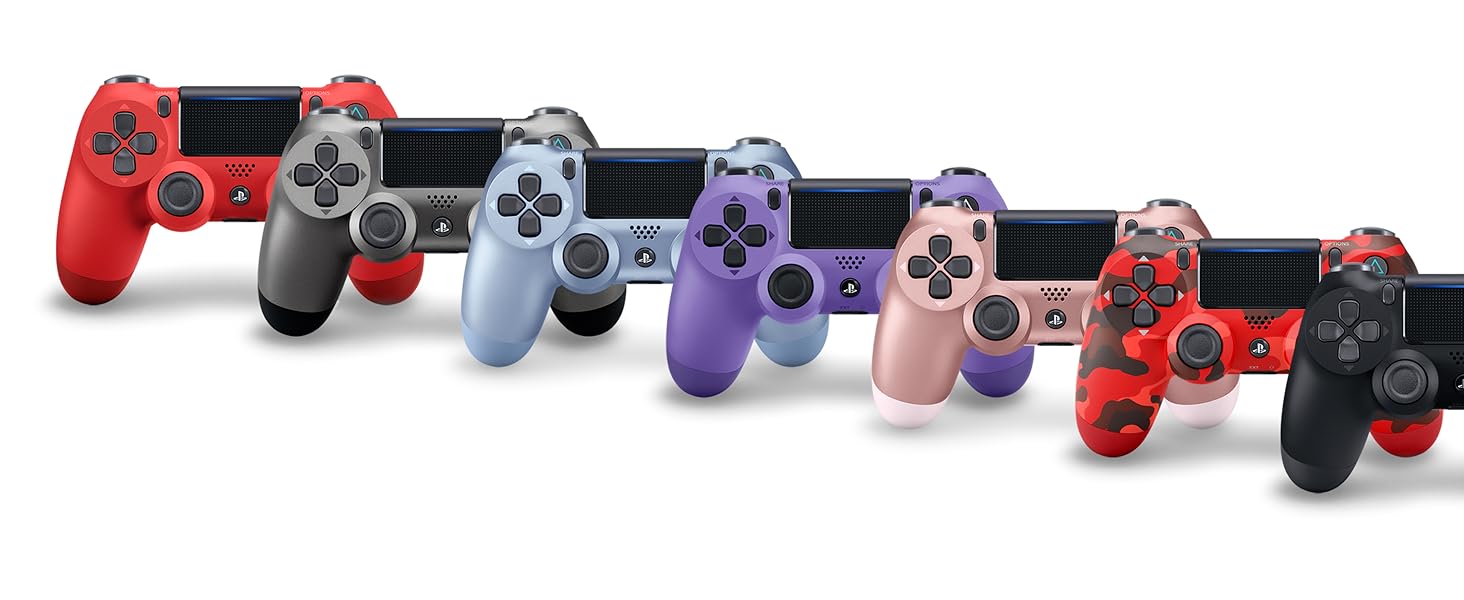
Figure 4: Connecting a headset to the controller.
5. Bảo trì
- Hãy giữ cho bộ điều khiển luôn sạch sẽ bằng cách lau chùi bằng một miếng vải mềm, khô.
- Tránh để bộ điều khiển tiếp xúc với nhiệt độ quá cao, độ ẩm quá cao hoặc ánh nắng trực tiếp.
- Không được tự ý tháo rời hoặc sửa đổi bộ điều khiển, vì điều này có thể làm mất hiệu lực bảo hành và gây hư hỏng.
KHAI THÁC. Xử lý sự cố
6.1 Bộ điều khiển không kết nối
- Đảm bảo bộ điều khiển đã được sạc.
- Connect the controller to the PS4 system with a USB cable and press the PS button to re-establish connection.
- If issues persist, try resetting the controller by pressing the small button on the back of the controller with a thin object (like a paperclip).
6.2 Vấn đề về sạc
- Verify the micro USB cable is securely connected to both the controller and the charging source (PS4 or wall adapter).
- Try a different micro USB cable or charging port.
6.3 Button or Analog Stick Malfunction
- Ensure the controller is clean and free from debris around the buttons and sticks.
- If the issue is persistent, consult PlayStation support.
7. Thông số kỹ thuật
| Tính năng | Chi tiết |
|---|---|
| Số hiệu mẫu | 3001818 |
| Kích thước | 10 x 2 x 3 inch |
| Trọng lượng sản phẩm | 12 ounce |
| Kết nối | Không dây (Bluetooth), Micro USB |
| Đầu ra âm thanh | Built-in speaker, 3.5mm headset jack |
| Ắc quy | Rechargeable (2 AAA batteries required, included) - Note: Product description states "2 AAA batteries required. (included)", but DualShock 4 controllers typically have a built-in rechargeable Li-ion battery. Please verify actual battery type. |
| Nhà sản xuất | Giải trí máy tính Sony |
| Ngày phát hành | Ngày 1 tháng 2017 năm XNUMX |
8. Bảo hành và Hỗ trợ
For detailed warranty information and technical support, please refer to the official PlayStation website or the user manual provided as a PDF in the product description section where you purchased the item. You can also visit the Cửa hàng PlayStation để có thêm nguồn lực.