1. Giới thiệu
The Turtle Beach Stealth 700 is a premium wireless gaming headset designed for an immersive audio experience on PlayStation 5 and PlayStation 4 consoles. This manual provides essential information on setting up, operating, and maintaining your headset, ensuring optimal performance and longevity.

Figure 1: Turtle Beach Stealth 700 Wireless Gaming Headset
2. Có gì trong hộp
Upon unboxing your Turtle Beach Stealth 700 headset, please ensure all the following components are present:
- Turtle Beach Stealth 700 Wireless Gaming Headset
- Bộ phát USB không dây
- Cáp sạc USB-C
- Hướng dẫn bắt đầu nhanh / Tài liệu
Video 1: Sản phẩm chính thức đã ra mắtview and unboxing of the Turtle Beach Stealth 700 headset.
3. Sản phẩm hếtview
Familiarize yourself with the physical components and controls of your Stealth 700 headset.
3.1 Các thành phần của tai nghe

Figure 2: User wearing the Stealth 700 headset, demonstrating its over-ear design.
- Băng đô có thể điều chỉnh: Features a synthetic leather-wrapped headband for comfort.
- Đệm tai: Premium synthetic leather-wrapped ear cushions with ProSpecs glasses-friendly design to relieve pressure.
- 50mm Over-Ear Speakers: Deliver immersive surround sound and chat audio.
- High-Sensitivity Flip-Up Mic: Integrated microphone that mutes when flipped up.
3.2 Kiểm soát
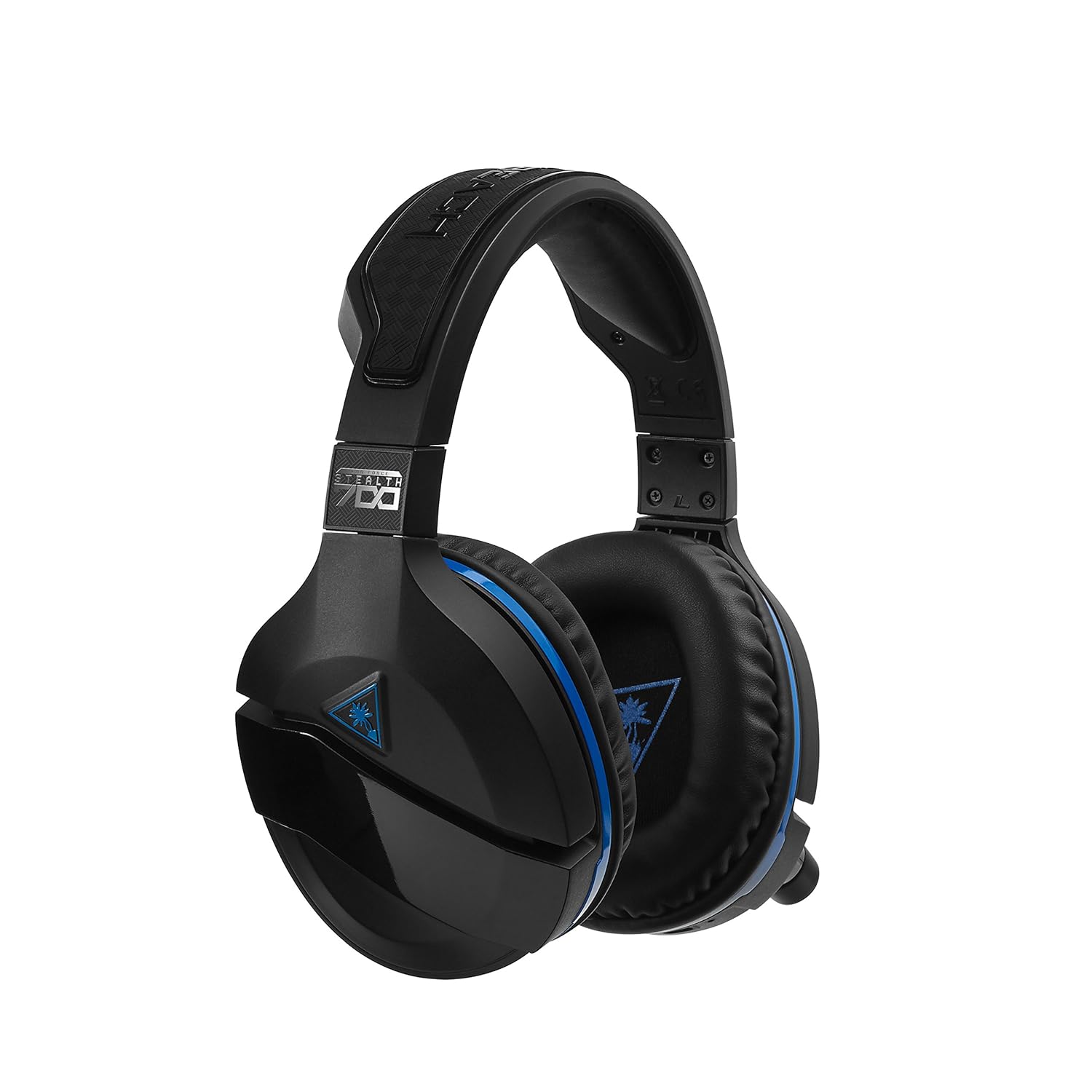
Figure 3: Right earcup controls and microphone in the down position.
- Nút nguồn: Bật/tắt tai nghe.
- Nút Bluetooth: Khởi tạo ghép nối Bluetooth.
- Game Volume Dial: Adjusts the overall game audio volume.
- Chat Volume Dial: Adjusts the chat audio volume independently.
- Núm điều chỉnh giám sát micro: Adjusts the level of your own voice heard in the headset.
- Superhuman Hearing Button: Activates/deactivates the Superhuman Hearing sound setting.
- Nút chế độ: Cycles through DTS surround sound modes and audio presets.

Figure 4: Microphone in the flipped-up (muted) position.
4. Hướng dẫn thiết lập
Follow these steps to set up your Turtle Beach Stealth 700 headset with your PlayStation console.
4.1 Sạc ban đầu
- Connect the USB-C Charging Cable to the headset and a USB power source.
- Charge the headset fully before first use (approximately 5 hours). The LED indicator will change when fully charged.
4.2 Connecting to PlayStation (Wireless)
- Plug the Wireless USB Transmitter into an available USB port on your PlayStation console.
- Power on your Stealth 700 headset by pressing and holding the Power Button until the LED illuminates.
- The headset and transmitter should automatically pair. A solid LED on both indicates a successful connection.
- On your PlayStation, navigate to Cài đặt> Thiết bị> Thiết bị âm thanh.
- Bộ Thiết bị đầu vào ĐẾN Tai nghe USB (Turtle Beach Stealth 700).
- Bộ Thiết bị đầu ra ĐẾN Tai nghe USB (Turtle Beach Stealth 700).
- Bộ Đầu ra cho Tai nghe ĐẾN Tất cả âm thanh.
- Adjust your volume levels as desired.
4.3 Bluetooth Pairing (for Mobile Devices)
The Stealth 700 supports Bluetooth connectivity for calls, music, and the Turtle Beach Audio Hub app while gaming.
- With the headset powered on, press and hold the Nút Bluetooth until the headset announces "Bluetooth Pairing" and the LED flashes blue.
- On your mobile device, go to Bluetooth settings and select "Stealth 700" from the list of available devices.
- The headset will announce "Bluetooth Paired" when the connection is successful.
5. Hướng dẫn vận hành
5.1 Điều khiển âm thanh cơ bản
- Khối lượng trò chơi: Use the upper dial on the left earcup to adjust game audio.
- Chat Volume: Use the lower dial on the left earcup to adjust chat audio.
5.2 Sử dụng micrô
- Để bật tiếng: Flip the microphone down.
- Để tắt tiếng: Flip the microphone up. The headset will provide an audible cue.
- Variable Mic Monitoring: Adjust the lower dial to control how much of your own voice you hear in the headset.
5.3 Khử tiếng ồn chủ động (ANC)
The Stealth 700 features active noise-cancellation to minimize external distractions.
- Để kích hoạt/vô hiệu hóa: Press the Power Button briefly while the headset is on. The headset will announce the status.
5.4 Superhuman Hearing
This exclusive Turtle Beach sound setting enhances critical in-game sounds like footsteps and weapon reloads.
- Để kích hoạt/vô hiệu hóa: Press the dedicated Superhuman Hearing button on the left earcup.
5.5 Audio Presets and DTS Surround Sound
Cycle through different audio presets and DTS surround sound modes for an optimized listening experience.
- To Cycle: Nhấn nút Nút chế độ to switch between available presets (e.g., Bass Boost) and DTS Headphone:X 7.1 surround sound options.
6. Turtle Beach Audio Hub App
The Turtle Beach Audio Hub app (available for iOS and Android) allows you to customize various settings of your Stealth 700 headset via Bluetooth.
- Adjust mic monitoring levels.
- Select DTS surround sound modes.
- Choose from various audio presets, including Bass Boost.
- Enable/disable Dynamic Chat Boost.
- Quản lý kết nối Bluetooth.
7. Bảo trì
Bảo dưỡng đúng cách sẽ đảm bảo tuổi thọ và hiệu năng của tai nghe.
- Vệ sinh: Sử dụng một mềm, damp cloth to clean the headset. Avoid harsh chemicals.
- Kho: Bảo quản tai nghe ở nơi khô ráo, thoáng mát, tránh ánh nắng trực tiếp và nhiệt độ cao.
- Chăm sóc pin: Để tối ưu hóa tuổi thọ pin, tránh xả hết pin thường xuyên. Hãy sạc pin định kỳ.
KHAI THÁC. Xử lý sự cố
If you encounter issues with your Stealth 700 headset, try the following solutions:
8.1 No Audio / Disconnection
- Ensure the headset is fully charged and powered on.
- Verify the Wireless USB Transmitter is securely plugged into the console.
- Check PlayStation audio settings (Settings > Devices > Audio Devices) to ensure the headset is selected as input/output.
- Try re-pairing the headset and transmitter by powering both off and on.
8.2 Micrô không hoạt động
- Ensure the microphone is flipped down to unmute.
- Check PlayStation audio settings to confirm the headset is selected as the input device.
- Adjust the Mic Monitoring dial to ensure it's not set to zero.
- Nếu có thể, hãy thử sử dụng micro với một ứng dụng hoặc thiết bị khác.
8.3 Sự cố ghép nối Bluetooth
- Ensure the headset is in Bluetooth pairing mode (LED flashing blue).
- Forget the "Stealth 700" device from your mobile device's Bluetooth settings and try pairing again.
- Đảm bảo không có thiết bị Bluetooth nào khác gây nhiễu kết nối.
9. Thông số kỹ thuật
| Tính năng | Chi tiết |
|---|---|
| Số hiệu mẫu | TBS-3770-01 |
| Kết nối | Wireless (USB Transmitter), Bluetooth |
| Thiết bị tương thích | PlayStation 5, PlayStation 4 |
| Loại trình điều khiển âm thanh | Trình điều khiển động |
| Kích thước loa | 50mm |
| Tuổi thọ pin | Lên đến 10 giờ |
| Thời gian sạc | Khoảng 5 giờ |
| Phiên bản Bluetooth | 5.0 |
| Phạm vi Bluetooth | 10 mét |
| Tính năng đặc biệt | DTS Headphone:X 7.1 Surround Sound, Active Noise Cancellation, Superhuman Hearing, ProSpecs Glasses Friendly Design, Dynamic Chat Boost, Variable Mic Monitoring |
| Vật liệu | Faux Leather (ear cushions, headband) |
| Trọng lượng sản phẩm | 1.6 Bảng Anh |
10. Bảo hành và Hỗ trợ
For detailed warranty information, product registration, and further technical support, please visit the official Turtle Beach webtrang web tại www.turtlebeach.com. You can also find FAQs and additional resources there.


