Giới thiệu
Cảm ơn bạn đã muaasing the Gemini AS-12BLU Professional Audio Bluetooth PA Loudspeaker. This manual provides essential information for the safe and efficient operation of your new audio system. Please read this manual thoroughly before use and retain it for future reference.
Các tính năng chính
- 12-inch 1500W Peak Class AB Built-In Amplifier for crisp, concert-quality sound.
- Impedance at 4 Ohms with a linear frequency response between 30Hz-20Khz.
- Pure titanium 1" HF Compression Driver and Wide Dispersion Horn.
- Integrated MP3 player with USB, SD card, Bluetooth, and FM Radio capabilities.
- Two input channels with separate gain controls.
- Multiple input options: Mic and Line XLR, 1/4’’, 1/8’’, and RCA inputs.
- Mix Output for connecting to other audio devices.
- High/Low Equalization Controls for precise audio adjustment.
- Durable ABS Impact Resistant Nylon Fiber Cabinet.
- Top and side handles for easy transport.
- Flyable and stand-mountable design for versatile placement.
- Clip LED Alert to prevent overheating.
Nội dung gói
Vui lòng đánh dấu vào ô cho các mục sau:
- Gemini AS-12BLU PA Loudspeaker
- Bộ đổi nguồn
- Hướng dẫn sử dụng (tài liệu này)
Nếu bất kỳ mục nào bị thiếu hoặc hư hỏng, vui lòng liên hệ với đại lý của bạn ngay lập tức.
Điều khiển và kết nối
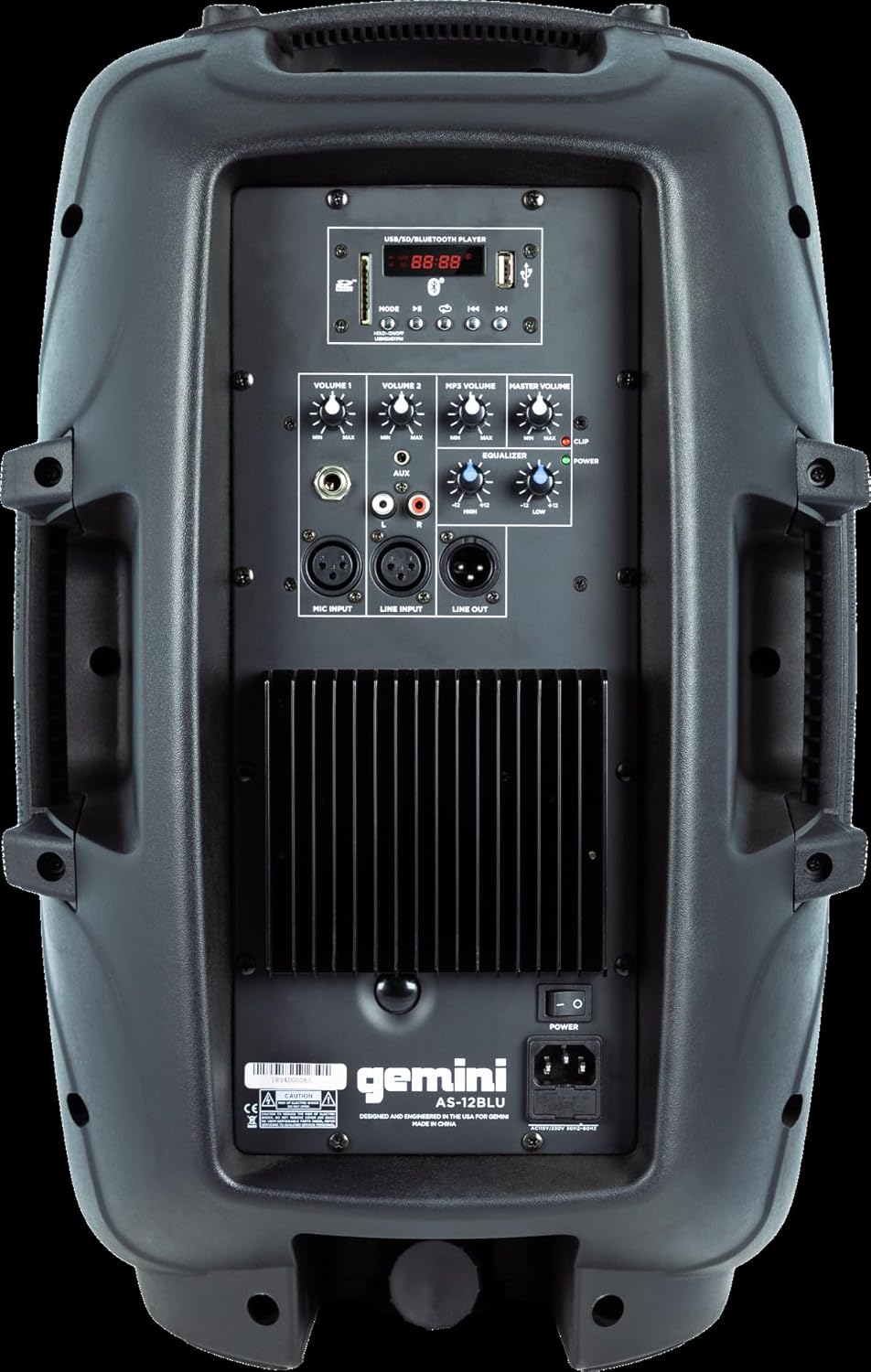
Image: Rear panel of the AS-12BLU loudspeaker. This view highlights the comprehensive control interface, including the USB/SD/Bluetooth player, volume controls, equalization knobs, and various input/output jacks.
Đằng trước View
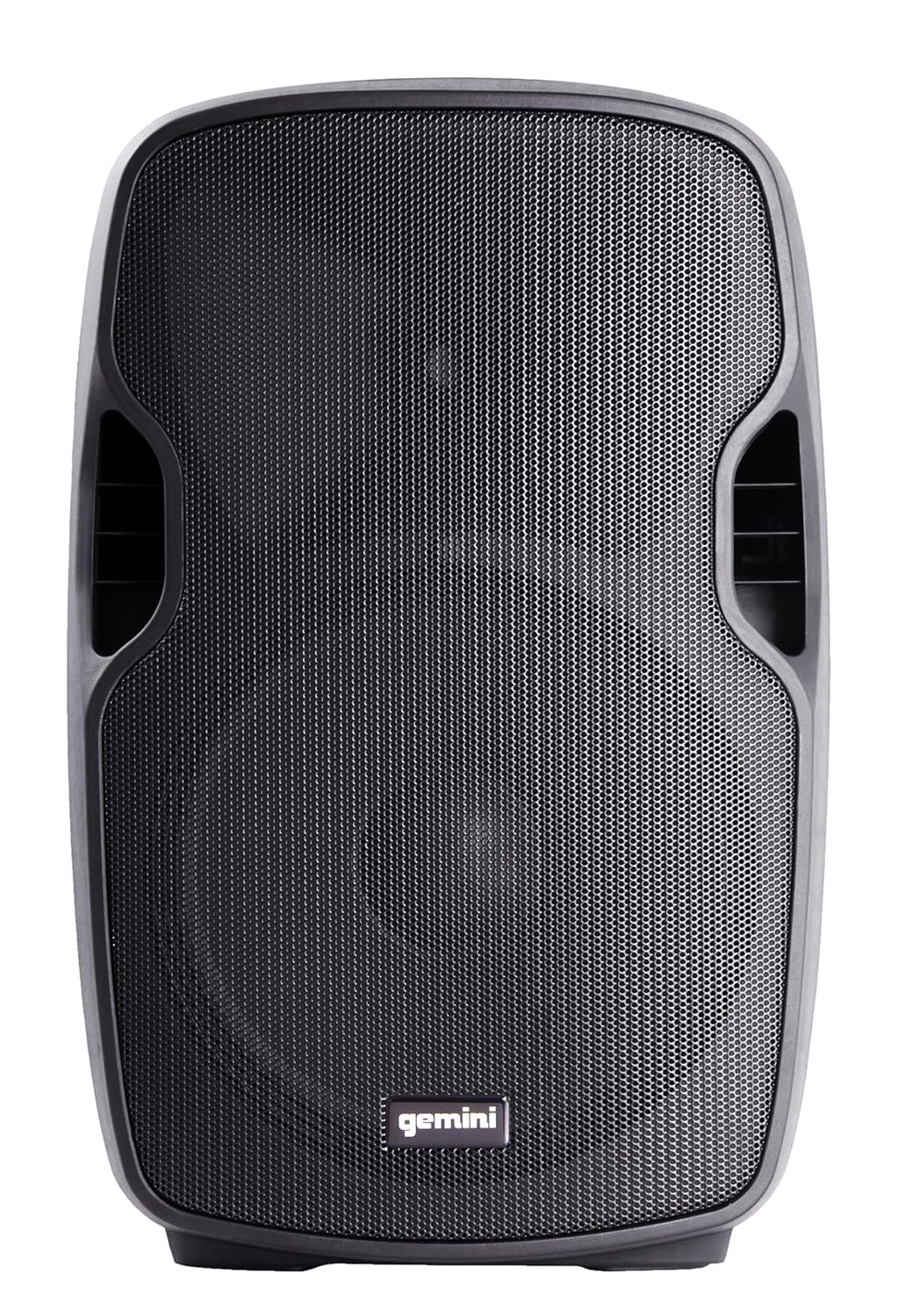
Hình ảnh: Mặt trước view of the AS-12BLU loudspeaker. This image displays the speaker's robust grille and integrated side handles, designed for both protection and portability.
Góc cạnh View
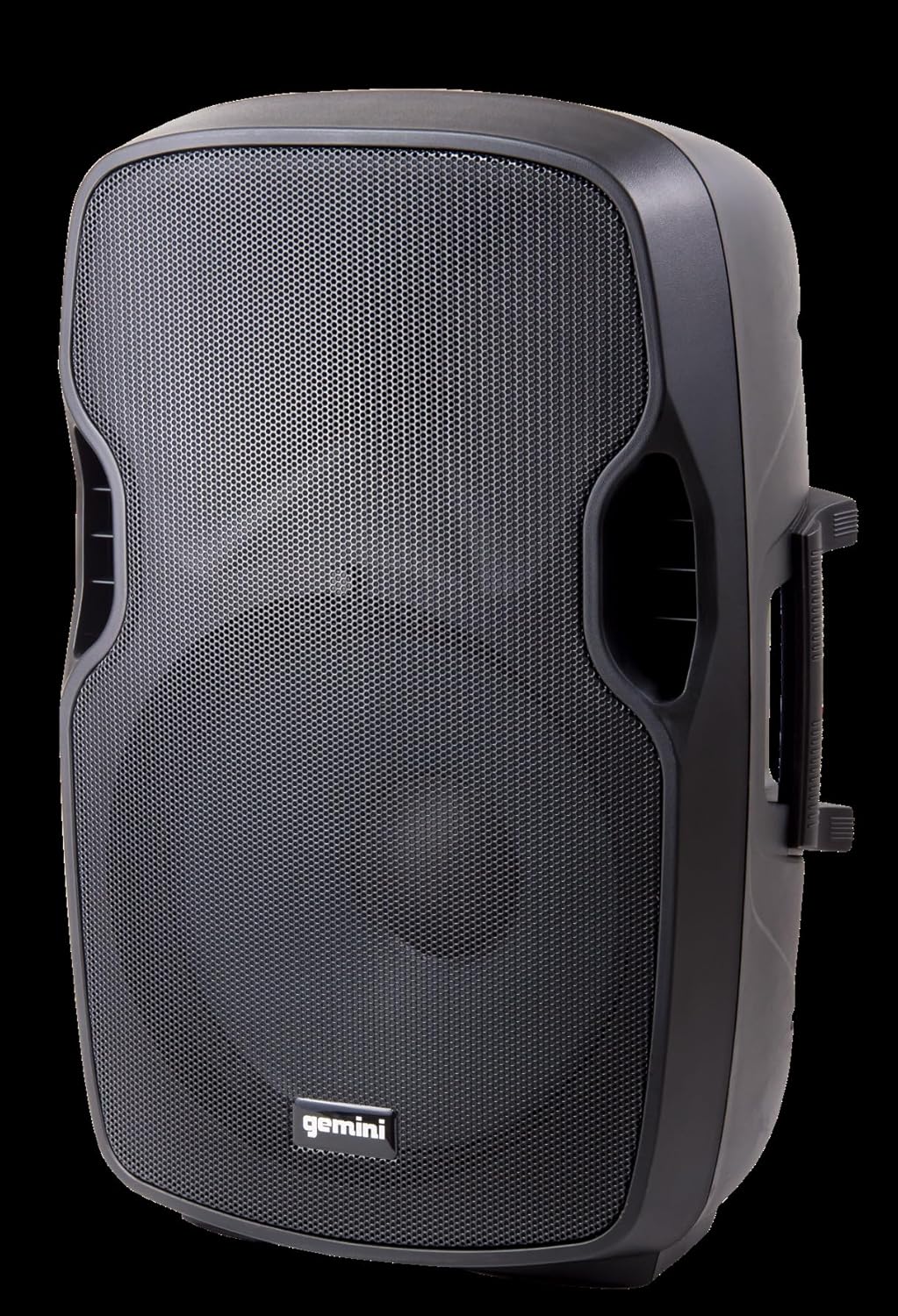
Hình ảnh: Góc cạnh view of the AS-12BLU loudspeaker. This perspective highlights the speaker's ergonomic design, including the integrated handles on both sides, facilitating easy transport and setup.
Bảng điều khiển phía sauview:
- USB/SD/Bluetooth Player: Digital media playback interface.
- Nút chế độ: Switches between USB, SD, Bluetooth, and FM Radio modes.
- Volume 1 & 2: Independent gain controls for Mic and Line inputs.
- MP3 Volume: Controls the volume of the integrated media player.
- Khối lượng tổng thể: Điều chỉnh âm lượng đầu ra tổng thể.
- High/Low Equalization: Adjusts treble and bass frequencies.
- Mic Input (XLR & 1/4"): Để kết nối micro.
- Line Input (XLR, 1/4", 1/8", RCA): For connecting line-level audio sources (e.g., mixers, instruments, media players).
- Ngõ ra (XLR): For connecting to additional PA speakers or recording devices.
- Công tắc điện: Bật / tắt thiết bị.
- Đầu vào AC: Connects the power adaptor.
- Kẹp đèn LED: Illuminates when the audio signal is clipping, indicating potential distortion.
Cài đặt
- Vị trí: Position the AS-12BLU on a stable, flat surface or mount it on a compatible speaker stand. Ensure adequate ventilation around the unit.
- Kết nối nguồn điện: Connect the provided power adaptor to the AC Input on the rear panel of the speaker, then plug the other end into a suitable power outlet.
- Bật nguồn ban đầu: Ensure all volume controls are set to minimum before turning on the power switch.
- Kết nối nguồn âm thanh:
- Micrô: Connect your microphone to the Mic Input (XLR or 1/4").
- Thiết bị cấp đường dây: Connect mixers, instruments, or other audio players to the Line Input (XLR, 1/4", 1/8", or RCA).
- Connecting Additional Speakers (Optional): Use the Line Out (XLR) to connect to the input of another powered PA speaker for expanded sound coverage.
Hướng dẫn sử dụng
Hoạt động cơ bản:
- After connecting all sources and powering on, slowly increase the Master Volume to a desired listening level.
- Adjust individual input volumes (Volume 1, Volume 2, MP3 Volume) as needed for proper balance.
- Use the High/Low Equalization controls to fine-tune the audio's treble and bass response.
- Monitor the Clip LED. If it illuminates frequently, reduce the input gain or volume to prevent distortion and potential speaker damage.
Ghép nối Bluetooth:
- Press the "Mode" button on the USB/SD/Bluetooth Player until "BLUE" or "BT" appears on the display, indicating Bluetooth mode.
- Trên thiết bị hỗ trợ Bluetooth (điện thoại thông minh, máy tính bảng, v.v.), hãy bật Bluetooth và tìm kiếm các thiết bị khả dụng.
- Select "GEMINI AS-12BLU" from the list of devices.
- Sau khi ghép nối, bạn có thể phát âm thanh từ thiết bị của mình qua loa.
Phát lại USB/SD:
- Cắm ổ USB hoặc thẻ SD chứa âm thanh MP3. files into the corresponding slot on the USB/SD/Bluetooth Player.
- The unit should automatically switch to USB or SD mode and begin playback. If not, press the "Mode" button to select the correct source.
- Use the playback controls (Play/Pause, Next/Previous Track) on the player to navigate your music.
Đài FM:
- Nhấn giữ nút "Mode" cho đến khi "FM" hiển thị trên màn hình.
- The unit will automatically scan and store available FM radio stations.
- Use the Next/Previous Track buttons to cycle through the stored stations.
BẢO TRÌ
- Vệ sinh: Dùng vải mềm, khô để lau bên ngoài loa. Không sử dụng chất tẩy rửa có tính mài mòn, sáp hoặc dung môi.
- Kho: When not in use, store the speaker in a cool, dry place, away from direct sunlight and extreme temperatures.
- Thông gió: Hãy đảm bảo các lỗ thông hơi của loa không bị tắc nghẽn để tránh quá nhiệt.
- Dây nguồn: Regularly inspect the power cord for any damage. If damaged, replace it with an authorized Gemini part.
Xử lý sự cố
| Vấn đề | Nguyên nhân có thể | Giải pháp |
|---|---|---|
| Không có điện | Dây nguồn chưa được kết nối; Ổ cắm điện không hoạt động; Công tắc nguồn đã tắt. | Đảm bảo dây nguồn được kết nối chắc chắn. Kiểm tra ổ cắm điện bằng thiết bị khác. Bật công tắc nguồn. |
| Không có đầu ra âm thanh | Master Volume too low; Input volume too low; Incorrect input selected; Audio source issue. | Increase Master Volume. Increase relevant input volume. Press "Mode" to select correct input. Check audio source device. |
| Âm thanh bị méo | Volume levels too high (clipping); Damaged cable; Speaker overload. | Reduce Master Volume or input gain until Clip LED no longer illuminates. Replace faulty cables. Do not exceed speaker's rated power. |
| Bluetooth không ghép nối | Speaker not in Bluetooth mode; Device too far; Device already paired to another speaker. | Ensure speaker is in Bluetooth mode ("BLUE" or "BT" on display). Move device closer to speaker. Disconnect device from other Bluetooth speakers. |
| USB/SD Không phát | Không đúng file Định dạng sai; Thẻ USB/SD bị hỏng; Chế độ đã chọn không chính xác. | Đảm bảo files are MP3 format. Try a different USB/SD card. Press "Mode" to select USB or SD. |
Thông số kỹ thuật
| Tính năng | Chi tiết |
|---|---|
| Số hiệu mẫu | AS-12BLU |
| Loại loa | 12-inch Portable Active PA Loudspeaker |
| Công suất đỉnh đầu ra | 1500 Watt |
| Amplớp lifier | Lớp AB |
| Trở kháng | 4 Ohm |
| Đáp ứng tần số | 30Hz - 20KHz |
| Trình điều khiển HF | 1" Pure Titanium Compression Driver |
| Kết nối | Bluetooth, USB, SD Card, FM Radio, XLR, 1/4", 1/8", RCA |
| Chế độ đầu ra âm thanh | Âm thanh nổi |
| Kích thước sản phẩm | 14.57 x 11.81 x 22.83 inch |
| Trọng lượng sản phẩm | 11.42 Bảng Anh |
| Vật liệu tủ | ABS Impact Resistant Nylon Fiber |
Bảo hành và Hỗ trợ
Gemini products are designed for reliability and performance. For information regarding warranty coverage, technical support, or service, please visit the official Gemini webtrang web hoặc liên hệ với bộ phận dịch vụ khách hàng của họ.
Official Gemini Webđịa điểm: www.geminisound.com
Vui lòng giữ lại bằng chứng mua hàng của bạn để yêu cầu bảo hành.


