1. Giới thiệu
This manual provides essential instructions for the proper setup, operation, and maintenance of your YI YAS.1616.INT 4K Action Camera Kit. Please read this manual thoroughly before using the product to ensure optimal performance and safety. Keep this manual for future reference.
2. Sản phẩm hếtview
2.1 Nội dung bộ dụng cụ
The YI YAS.1616.INT 4K Action Camera Kit includes the following components:
- YI 4K Action Camera
- YI Monopod
- Bluetooth Remote
- Pin sạc
- Cáp USB
- Hướng dẫn sử dụng

Image 2.1: Contents of the YI 4K Action Camera Kit.
2.2 Tính năng của máy ảnh
The YI 4K Action Camera is designed for high-quality video and photo capture, featuring:
- 4K/30fps Video Recording: Captures video at 60mbps, offering 4 times the quality of standard 1080p.
- Advanced Imaging Hardware: Equipped with an Amarelle A9SE75 chip, Sony IMX377 image sensor, and 7-layer optical glass lenses with an F2.8 large aperture for enhanced light intake.
- 2.19" LCD Touchscreen: A 640 x 360 high-resolution display with Gorilla Glass Retina for easy previewing, shooting, and scratch resistance.
- Tuổi thọ pin dài: A 1400mAh 4.4V lithium-ion battery provides up to 120 minutes of 4K/30fps video recording on a single charge.
- Hệ thống làm mát hiệu quả: Prevents overheating during extended recording sessions.
- Kết nối: Built-in Wi-Fi for smartphone app control and Bluetooth for remote control.
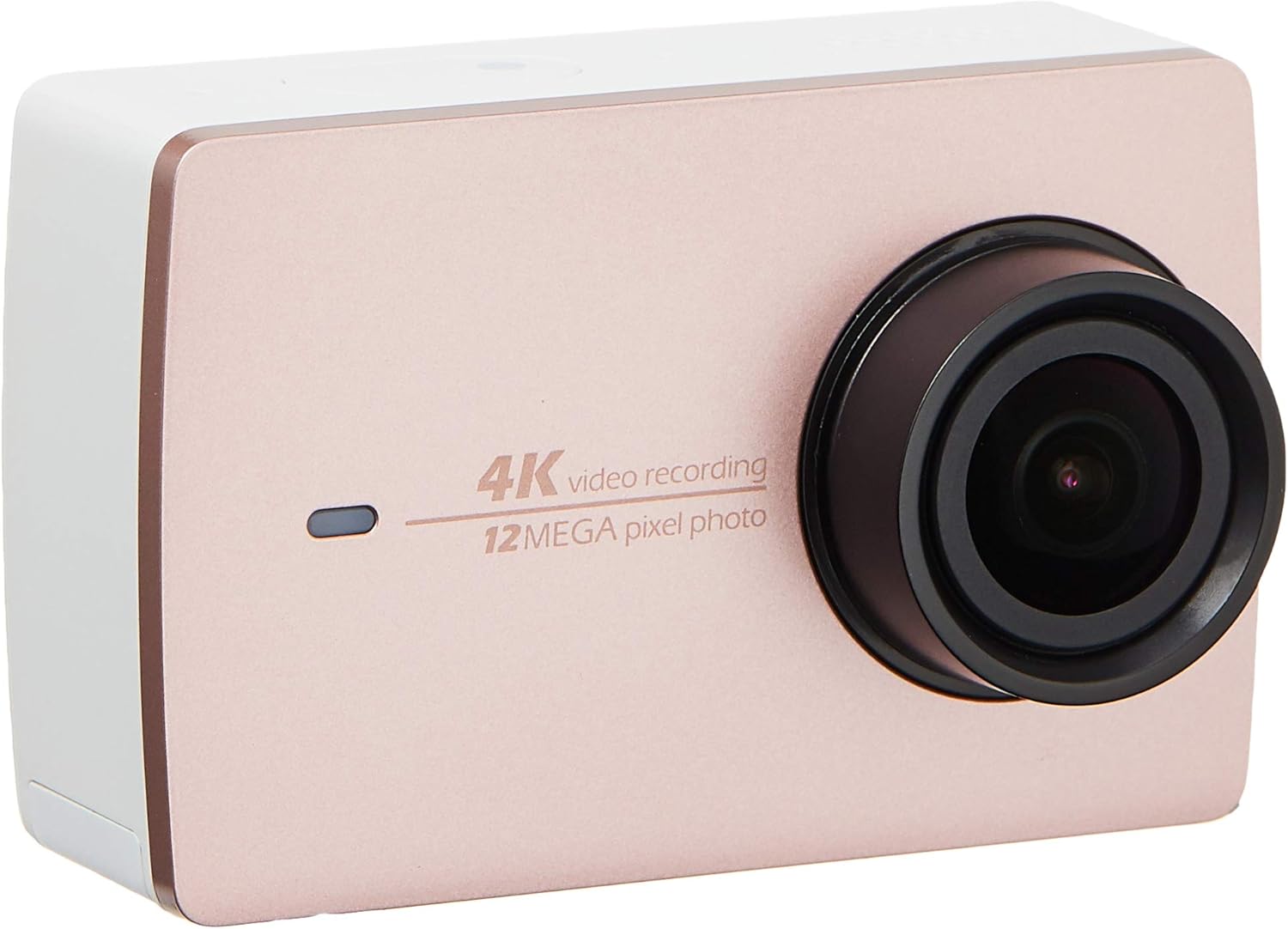
Hình ảnh 2.2: Mặt trước view of the YI 4K Action Camera.
3. Thiết lập
3.1 Lắp đặt và sạc pin
- Xác định vị trí ngăn chứa pin trên máy ảnh.
- Insert the 1400mAh lithium-ion battery, ensuring correct polarity.
- Đóng chặt ngăn chứa pin.
- Kết nối máy ảnh với nguồn điện bằng cáp USB được cung cấp để sạc. Đèn báo sạc sẽ sáng.
3.2 Cài đặt thẻ nhớ
The YI 4K Action Camera supports SDHC and SmartMedia flash memory types.
- Mở nắp khe cắm thẻ nhớ.
- Insert a compatible memory card (not included) into the slot with the contacts facing the correct direction. Push until it clicks into place.
- Đóng nắp khe cắm thẻ nhớ.
3.3 Bật / Tắt nguồn
- Để bật nguồn: Nhấn và giữ nút Nguồn cho đến khi màn hình sáng lên.
- Để Tắt Nguồn: Nhấn và giữ nút nguồn cho đến khi máy ảnh tắt.
3.4 Connecting the Bluetooth Remote
The included Bluetooth remote allows for convenient control of the camera.
- Đảm bảo máy ảnh được bật nguồn.
- Activate Bluetooth pairing mode on the camera via the settings menu.
- Follow the remote's instructions to enter pairing mode.
- Once paired, the remote can be used to switch between video and photo modes and trigger recording/capture.

Image 3.1: The YI Monopod, included in the kit.
4. Vận hành máy ảnh
4.1 Điều hướng màn hình cảm ứng
The 2.19" LCD touchscreen provides intuitive control:
- Vuốt: Navigate through different modes (Video, Photo, Time-lapse, etc.) and settings.
- Vỗ nhẹ: Select options, adjust settings, or start/stop recording.
- Trướcview: View foo bị bắt của bạntage and photos directly on the screen.
4.2 Quay video
- Select the Video mode on the touchscreen.
- Adjust video resolution (e.g., 4K/30fps) and other settings as desired.
- Press the Shutter button or tap the record icon on the screen to start recording.
- Press the Shutter button or tap the record icon again to stop recording.
4.3 Chụp ảnh
- Select the Photo mode on the touchscreen.
- Adjust photo settings such as resolution, exposure, and white balance.
- Press the Shutter button or tap the capture icon on the screen to take a photo.
4.4 Kết nối Wi-Fi và sử dụng ứng dụng
The camera's built-in Wi-Fi allows connection to a smartphone app for remote control, live previewvà quản lý nội dung.
- Download the official YI Action Camera app from your device's app store.
- Bật Wi-Fi trên máy ảnh thông qua menu cài đặt.
- Connect your smartphone to the camera's Wi-Fi network (SSID and password displayed on camera screen).
- Open the YI Action Camera app to control the camera, view đồ ăntage, và chuyển giao files.
5. Bảo trì
5.1 Vệ sinh
- Use a soft, lint-free cloth to clean the camera body and touchscreen.
- Đối với ống kính, hãy sử dụng khăn lau và dung dịch chuyên dụng để vệ sinh ống kính. Tránh sử dụng các chất liệu có tính mài mòn.
- Đảm bảo tất cả các cổng không có bụi và mảnh vụn.
5.2 Lưu trữ
- Bảo quản máy ảnh ở nơi khô ráo, thoáng mát, tránh ánh nắng trực tiếp và nhiệt độ cao.
- Remove the battery if storing for extended periods to prevent leakage.
5.3 cập nhật chương trình cơ sở
Periodically check the official YI website or the YI Action Camera app for available firmware updates. Keeping your camera's firmware updated ensures optimal performance and access to new features.
KHAI THÁC. Xử lý sự cố
6.1 Các vấn đề thường gặp và giải pháp
- Camera không bật nguồn: Đảm bảo pin được sạc đầy và lắp đúng cách.
- Quá trình ghi dừng đột ngột: Check if the memory card has sufficient space or if it's a high-speed card suitable for 4K recording. Ensure the battery is not depleted.
- Màn hình cảm ứng không phản hồi: Try restarting the camera. If the issue persists, ensure the screen is clean and dry.
- Bluetooth remote not connecting: Ensure both the camera and remote are in pairing mode and within range. Check the remote's battery.
- Sự cố kết nối Wi-Fi: Verify the camera's Wi-Fi is enabled and your smartphone is connected to the correct network. Try restarting both devices.
For further assistance, refer to the official YI support resources.
7. Thông số kỹ thuật
| Nhà sản xuất | YI |
| Số hiệu mẫu | 90010 |
| Kích thước sản phẩm | 6.6 x 3 x 4.3cm |
| Cân nặng | 96.39 gam |
| Công nghệ cảm biến ảnh | CMOS |
| Độ phân giải quay video | 4K |
| Tiêu cự Tối đa | 1 |
| Khẩu độ tối đa | 2.8 milimét |
| Loại bộ nhớ flash | SDHC, SmartMedia |
| Định dạng quay video | MP4 |
| Định dạng âm thanh được hỗ trợ | AAC, MP3 |
| Kích thước màn hình | 2.19 inch |
| Công nghệ kết nối | Wi-Fi |

Image 7.1: YI 4K Action Camera with monopod, illustrating approximate dimensions.
8. Bảo hành và Hỗ trợ
8.1 Thông tin bảo hành
Sản phẩm này đi kèm với một Bảo hành 1 năm tại SingaporeVui lòng giữ lại hóa đơn mua hàng để yêu cầu bảo hành. Chế độ bảo hành bao gồm các lỗi sản xuất trong điều kiện sử dụng bình thường.
8.2 Hỗ trợ khách hàng
For technical support, service, or warranty inquiries, please visit the official YI Technology website or contact their authorized service centers in Singapore. Contact information can typically be found on the product packaging or the official webđịa điểm.