1. Giới thiệu
This manual provides essential information for the safe and efficient installation, operation, and maintenance of the Legrand 048408 Room Controller IP 8Mod. Please read this manual thoroughly before attempting to install or operate the device. Keep this manual for future reference.
The Legrand 048408 is an IP-enabled room controller designed for integrated building management systems, offering control over various room functions. It features 8 modules for flexible configuration within a control panel.
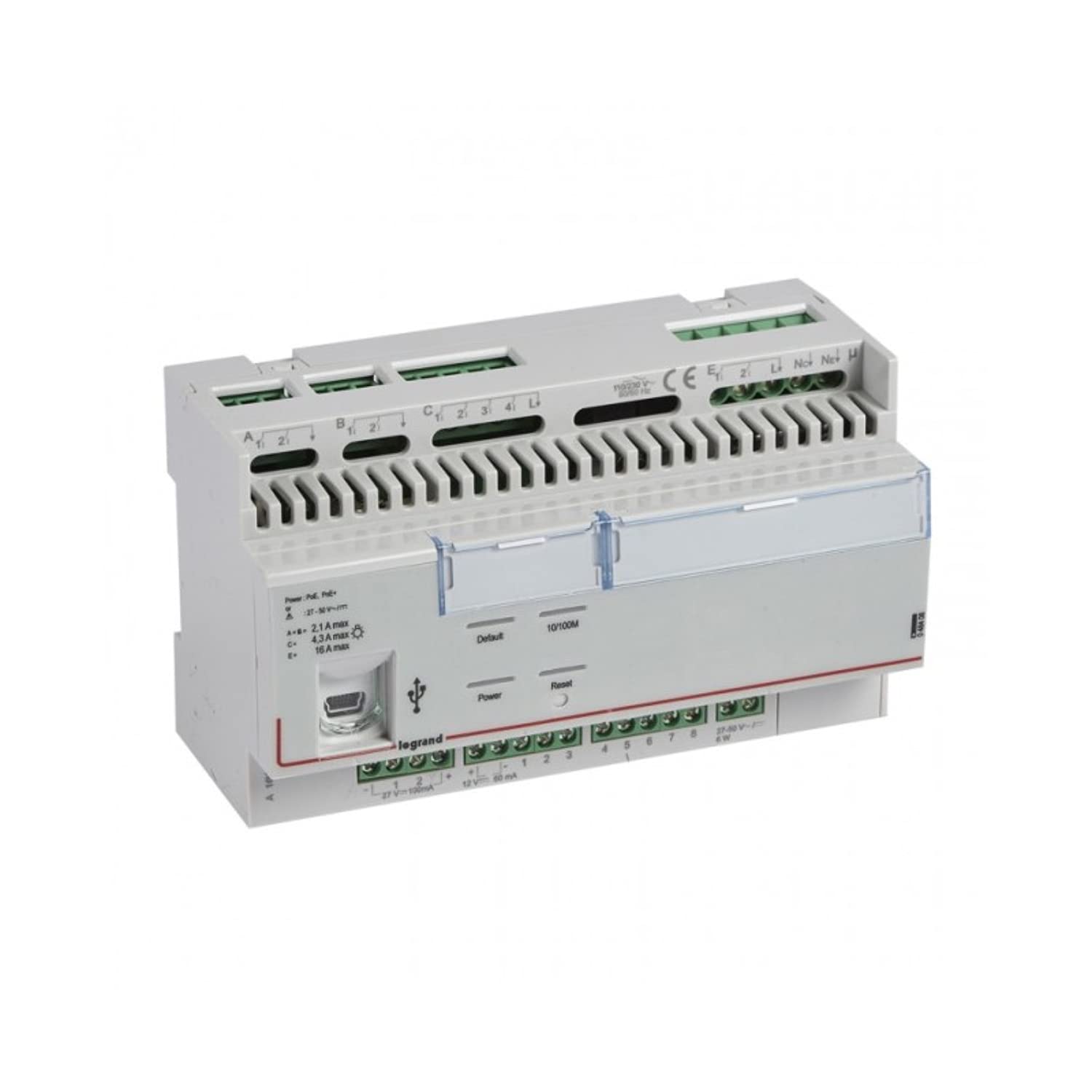
Hình 1: Mặt trước view of the Legrand 048408 Room Controller IP 8Mod. This image shows the compact design of the 8-module device, typically installed in a control cabinet.
2. Thông tin an toàn
WARNING: Risk of electric shock. Installation and servicing must be performed by qualified personnel only. Disconnect power before installation or maintenance.
- Luôn tuân thủ các quy định về điện của địa phương và quốc gia.
- Ensure the power supply is disconnected before working on the device or its connections.
- Không để thiết bị tiếp xúc với độ ẩm hoặc nhiệt độ quá cao.
- Hãy sử dụng trang thiết bị bảo hộ cá nhân (PPE) phù hợp trong quá trình lắp đặt.
- Kiểm tra tất cả các kết nối dây điện đều an toàn và chính xác trước khi cấp nguồn.
3. Thiết lập và Cài đặt
The Legrand 048408 Room Controller is designed for DIN rail mounting within an electrical enclosure.
3.1. Lắp đặt
- Ensure the DIN rail is securely installed within the control panel.
- Align the controller's DIN rail clip with the rail.
- Press the controller firmly onto the DIN rail until it clicks into place.
3.2. Kết nối dây
Refer to the wiring diagram provided with the product packaging for specific connection details. General steps include:
- Nguồn điện: Connect the appropriate power supply (e.g., 24V DC) to the designated terminals. Observe polarity.
- IP Network: Connect an Ethernet cable from your network switch or router to the RJ45 port on the controller.
- Module Connections: Connect external devices (e.g., sensors, actuators, lighting controls) to the 8 module terminals as per your system design. Ensure correct terminal assignments for inputs and outputs.
3.3. Khởi động ban đầu
- Kiểm tra kỹ lưỡng tất cả các kết nối dây điện để đảm bảo chính xác và an toàn.
- Restore power to the control panel.
- Observe the status indicator LEDs on the controller. A solid green LED typically indicates normal operation.
4. Hướng dẫn vận hành
The Legrand 048408 Room Controller is primarily managed through a network interface or integrated building management software. Direct manual operation is limited to status indication.
4.1. Chỉ số trạng thái
- Đèn LED nguồn: Indicates power supply status. (e.g., Green = On, Off = No Power)
- Đèn LED mạng: Indicates network connectivity and activity. (e.g., Solid Green = Connected, Blinking = Data Transfer)
- Module Status LEDs: Individual LEDs for each of the 8 modules may indicate their operational status or output state. Refer to the product's technical documentation for specific LED behavior.
4.2. Cấu hình mạng
Access the controller's web interface or use the provided configuration software to set up IP addresses, subnet masks, gateway, and other network parameters. Consult the Legrand software documentation for detailed instructions on network setup and device integration into your building management system.
5. Bảo trì
The Legrand 048408 Room Controller requires minimal maintenance. Regular checks ensure optimal performance and longevity.
- Vệ sinh: Periodically clean the exterior of the device with a soft, dry cloth. Do not use abrasive cleaners or solvents. Ensure power is disconnected before cleaning.
- Cập nhật chương trình cơ sở: Check the official Legrand website for available firmware updates. Follow the provided instructions carefully to update the device firmware, typically via the network interface.
- Kiểm tra kết nối: Hàng năm, hãy kiểm tra tất cả các mối nối dây điện để đảm bảo độ chắc chắn và có dấu hiệu hao mòn hoặc ăn mòn.
KHAI THÁC. Xử lý sự cố
Phần này cung cấp giải pháp cho những vấn đề thường gặp mà bạn có thể gặp phải.
| Vấn đề | Nguyên nhân có thể | Giải pháp |
|---|---|---|
| Thiết bị không bật nguồn. | Không có nguồn điện; đấu dây sai; nguồn điện bị lỗi. | Kiểm tra các kết nối nguồn và điện áp nguồn.tage. Ensure polarity is correct. Test power supply. |
| Không có kết nối mạng. | Ethernet cable disconnected or faulty; incorrect IP settings; network switch issue. | Verify Ethernet cable connection. Check network LED status. Confirm IP settings in the controller's configuration. Test network switch. |
| Module outputs not responding. | Incorrect wiring to external device; software configuration error; faulty module. | Check wiring to the external device. Review software configuration for the specific module. Contact support if module appears faulty. |
If the problem persists after attempting these solutions, contact Legrand technical support.
7. Thông số kỹ thuật
Technical specifications for the Legrand 048408 Room Controller IP 8Mod:
| Tính năng | Chi tiết |
|---|---|
| Số hiệu mẫu | 048408 |
| Thương hiệu | Legrand |
| Kích thước sản phẩm | 1.97 x 7.87 x 3.15 inch |
| Trọng lượng sản phẩm | 2.2 pounds (approximately 1 Kilogram) |
| Số lượng mô-đun | 8 |
| Kiểu lắp đặt | Đoạn đường ray ồn ào |
| Kết nối | IP (Ethernet) |
| Pin cần thiết | KHÔNG |
| Ngày đầu tiên có sẵn | Ngày 23 tháng 2022 năm XNUMX |
8. Bảo hành và Hỗ trợ
Legrand products are manufactured to high standards and are backed by a limited warranty. For specific warranty terms and conditions, please refer to the documentation included with your purchase or visit the official Legrand webđịa điểm.
For technical assistance, troubleshooting beyond this manual, or warranty claims, please contact Legrand customer support:
- Webđịa điểm: www.legrand.us (hoặc Legrand khu vực của bạn) webĐịa điểm)
- Thông tin liên lạc: Refer to the "Contact Us" section on the Legrand webtrang web cung cấp số điện thoại và email hỗ trợ.


