1. Giới thiệu
This manual provides detailed instructions for the setup, operation, and maintenance of your Zmodo Mini WiFi 720p HD Wireless Indoor Home Video Security Camera. Please read this manual thoroughly before using the device to ensure proper functionality and safety. This camera is designed for indoor surveillance, offering 720p HD video, two-way audio, and remote access capabilities.
2. Sản phẩm hếtview
Familiarize yourself with the components of your Zmodo Mini WiFi Camera.

Hình ảnh 2.1: Zmodo Mini WiFi Camera mounted on a wall, showing its compact design and lens. This image illustrates the camera's appearance and typical indoor placement.

Hình ảnh 2.2: Zmodo Mini WiFi Camera held in a person's hand, demonstrating its small and portable size. This helps visualize the camera's dimensions.
Hình ảnh 2.3: Zmodo Mini WiFi Camera displayed with its power adapter and a quick guide. This shows the main items included in the product package.
2.1 Nội dung gói
- Zmodo Mini WiFi Camera
- Bộ đổi nguồn
- Hướng dẫn bắt đầu nhanh
3. Hướng dẫn thiết lập
3.1 Tải xuống ứng dụng
Để kiểm soát và view your camera, download the MeShare app. Tìm kiếm "MeShare" in the Apple App Store (for iOS 6 and up) or Google Play Store (for Android 2.3 and up).
3.2 Bật nguồn
- Kết nối bộ chuyển đổi nguồn với cổng nguồn của máy ảnh.
- Cắm bộ đổi nguồn vào ổ cắm điện tiêu chuẩn.
- Wait for the camera's indicator light to show a specific status (refer to the app for light status meanings during setup).
3.3 Network Connection (SmartLink)
The camera uses 2.4GHz Wi-Fi for connectivity. It is not compatible with 5GHz networks.
- Open the MeShare app and create an account or log in.
- Làm theo hướng dẫn trong ứng dụng để thêm thiết bị mới.
- Select the SmartLink setup option. The app will guide you through connecting the camera to your home Wi-Fi network.
- Ensure your mobile device is connected to the 2.4GHz Wi-Fi network you intend to connect the camera to during setup.
4. Hướng dẫn vận hành
4.1 Trực tiếp View và Truy cập từ xa
Access your camera's live 720p HD video feed from anywhere using the MeShare app on your Android, iPhone, or iPad device. You can also access it via a web trình duyệt tại user.meshare.com/user/login.

Hình ảnh 4.1: A laptop, tablet, and smartphone simultaneously displaying live video feeds from Zmodo cameras. This illustrates the multi-device remote access capability.
4.2 Âm thanh hai chiều
The camera features two-way audio, allowing you to listen to the environment around the camera and speak through its built-in speaker using the MeShare app.
4.3 Phát hiện chuyển động
The camera is equipped with a motion sensor that can detect movement. You can configure motion alerts within the MeShare app to receive notifications when motion is detected.

Hình ảnh 4.2: A smartphone screen showing a Zmodo alert for motion detected, with video clips available for review. This demonstrates the motion alert feature.
4.4 Tầm nhìn ban đêm
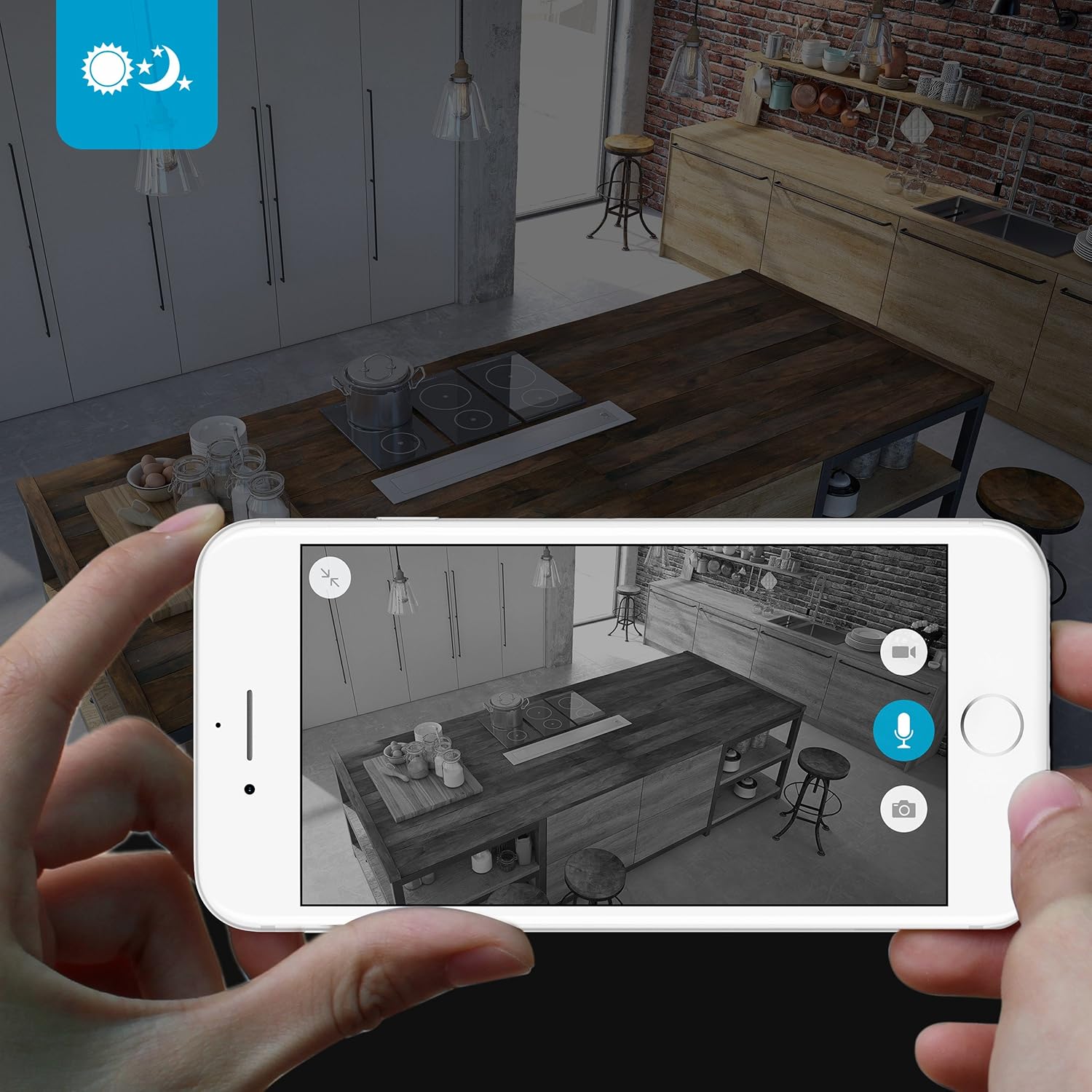
The camera provides clear surveillance even in low-light conditions with its night vision capabilities, offering a range of up to 30 feet. It automatically switches between color day mode and black & white night mode using infrared light.

Hình ảnh 4.3: A smartphone screen showing a black and white night vision view from the Zmodo camera in a kitchen setting. This illustrates the camera's low-light performance.
4.5 góc rộng View
The camera features a 115° wide-angle lens, allowing for a broad view of your indoor space.

Hình ảnh 4.4: A smartphone screen showing a wide-angle view from the Zmodo camera in a bedroom, capturing a broad area. This highlights the 115-degree field of view.
5. Bảo trì
5.1 Vệ sinh máy ảnh
- Hãy đảm bảo máy ảnh đã tắt nguồn trước khi vệ sinh.
- Hãy dùng một miếng vải mềm, khô để nhẹ nhàng lau thân máy ảnh.
- For the lens, use a lens cleaning cloth specifically designed for optics to avoid scratches.
- Do not use liquid cleaners or aerosol sprays directly on the camera.
5.2 Cân nhắc về môi trường
- Máy ảnh này chỉ được thiết kế để sử dụng trong nhà.
- Tránh đặt máy ảnh dưới ánh nắng trực tiếp hoặc gần các nguồn nhiệt.
- Keep the camera away from moisture and extreme temperatures.
KHAI THÁC. Xử lý sự cố
6.1 Các vấn đề thường gặp và giải pháp
- Camera không kết nối được với Wi-Fi: Ensure your Wi-Fi network is 2.4GHz. Verify your Wi-Fi password. Try restarting your router and the camera.
- Chất lượng video kém: Kiểm tra tốc độ kết nối internet của bạn. Đảm bảo ống kính máy ảnh sạch sẽ và không bị vật cản.
- Không có âm thanh hoặc âm thanh bị méo tiếng: Verify microphone and speaker settings in the MeShare app. Ensure there are no physical obstructions blocking the microphone or speaker.
- Chức năng cảnh báo chuyển động không hoạt động: Check motion detection settings in the MeShare app. Ensure notifications are enabled for the app on your mobile device.
- Camera ngoại tuyến: Check if the camera is powered on. Verify your Wi-Fi network is active and stable. Try restarting the camera.
7. Thông số kỹ thuật
| Tính năng | Sự miêu tả |
|---|---|
| Số hiệu mẫu | WAUBMAKGCUVDD |
| Độ phân giải quay video | Độ phân giải 720p |
| Công nghệ kết nối | Không dây (Wi-Fi 2.4 GHz) |
| Âm thanh hai chiều | Đúng |
| Góc rộng | 115° |
| Tầm nhìn ban đêm | Lên đến 30 feet (Hồng ngoại) |
| Cảm biến chuyển động | Yes (Motion Only Alert Type) |
| Nguồn điện | AC/DC (5 Volts, 5 Watts) |
| Sử dụng trong nhà/ngoài trời | Trong nhà |
| Kích thước (D x R x C) | 7 x 2.1 x 4.5 inch |
| Trọng lượng sản phẩm | 12 ounce |
| Thiết bị tương thích | Video Monitor (Android, iPhone, iPad) |
8. Bảo hành và Hỗ trợ
For warranty information or technical support, please refer to the official Zmodo website or contact Zmodo customer service directly. Keep your purchase receipt for warranty claims.
Để được hỗ trợ thêm, hãy truy cập Cửa hàng Zmodo trên Amazon.