1. Giới thiệu
This manual provides detailed instructions for the setup, operation, and maintenance of your EMOS E0114 Digital Thermometer and Hygrometer. This device accurately measures indoor temperature and humidity, and also functions as a quartz clock with an alarm, snooze feature, and date display. Please read this manual thoroughly before using the product to ensure correct operation and to prevent damage.
2. Thông tin an toàn
- Tránh để thiết bị ở nơi có nhiệt độ quá cao, ánh nắng trực tiếp và độ ẩm cao.
- Không để thiết bị tiếp xúc với nước hoặc các chất lỏng khác.
- Không được tháo rời hoặc sửa đổi thiết bị. Việc này sẽ làm mất hiệu lực bảo hành.
- Vứt bỏ pin đã qua sử dụng một cách có trách nhiệm theo quy định của địa phương.
- Để pin xa tầm tay trẻ em.
3. Nội dung gói hàng
Vui lòng kiểm tra nội dung kiện hàng khi mở gói:
- EMOS E0114 Digital Thermometer and Hygrometer
- Hướng dẫn sử dụng
Note: 1 AA Mignon 1.5 V battery is required and not included in the package.

Figure 3.1: EMOS E0114 device in its retail packaging.
4. Sản phẩm hếtview
Familiarize yourself with the components of your EMOS E0114 device.
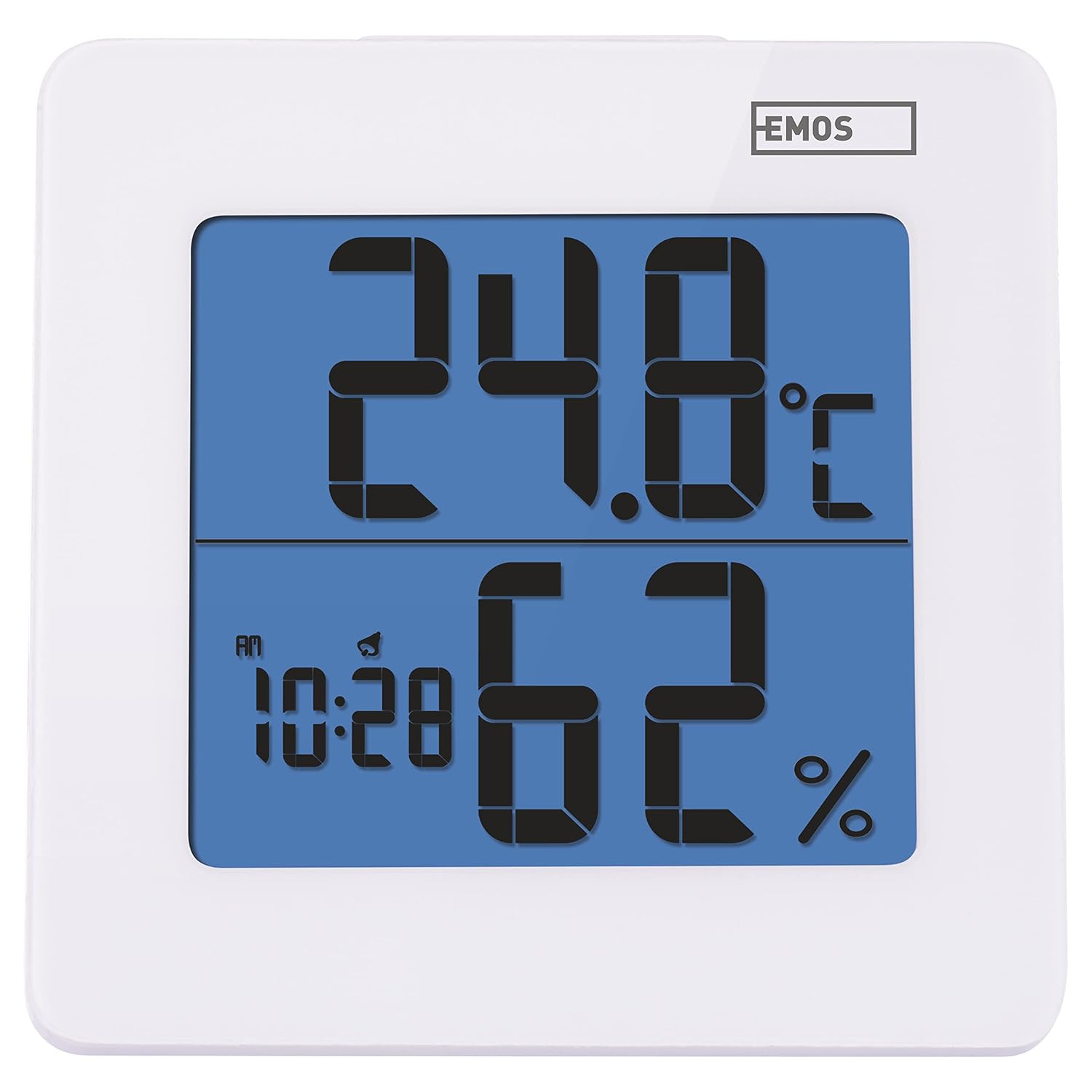
Hình 4.1: Mặt trước view of the EMOS E0114 display, showing temperature, humidity, and time.

Hình 4.2: Quay lại view of the EMOS E0114, highlighting the control buttons and battery compartment.
Các nút điều khiển:
- HƯỚNG: Switches between time display, alarm setting, and date setting.
- LÊN: Increases values during setting, activates/deactivates alarm.
- MEM: Displays maximum and minimum temperature/humidity records.
- C / F: Chuyển đổi giữa đơn vị đo nhiệt độ Celsius và Fahrenheit.
- Đặt lại: Đặt lại thiết bị về mặc định ban đầu.
- SNOOZE/LIGHT (Top Bar): Activates snooze function during alarm, illuminates the display backlight.
5. Thiết lập
5.1 Lắp đặt pin
- Tìm vị trí ngăn chứa pin ở mặt sau của thiết bị (xem Hình 4.2).
- Mở nắp ngăn chứa pin.
- Insert one (1) AA Mignon 1.5 V battery, ensuring correct polarity (+/-).
- Đóng chặt nắp ngăn chứa pin.
5.2 Bật nguồn ban đầu
Upon battery installation, the device will power on automatically and display the current time (default 12:00 AM), temperature, and humidity. The backlight will briefly illuminate.
6. Hướng dẫn vận hành
6.1 Cài đặt ngày và giờ
- Ở chế độ hiển thị thời gian bình thường, nhấn nút CÁCH THỨC Nhấn nút một lần để vào chế độ cài đặt thời gian. Các chữ số giờ sẽ nhấp nháy.
- Sử dụng UP nút điều chỉnh giờ.
- Nhấn CÁCH THỨC again to set the minutes. The minute digits will flash. Use the UP nút để điều chỉnh phút.
- Nhấn CÁCH THỨC again to set the year. The year digits will flash. Use the UP nút để điều chỉnh năm.
- Tiếp tục nhấn CÁCH THỨC to set the month and then the day, adjusting each with the UP cái nút.
- Sau khi cài đặt ngày, nhấn CÁCH THỨC để thoát khỏi chế độ cài đặt và trở lại chế độ hiển thị thời gian bình thường.
6.2 Đặt báo thức
- Ở chế độ hiển thị thời gian bình thường, nhấn nút CÁCH THỨC button twice to enter alarm setting mode. The alarm time will be displayed, and the hour digits will flash.
- Sử dụng UP nút điều chỉnh giờ báo thức.
- Nhấn CÁCH THỨC again to set the alarm minutes. The minute digits will flash. Use the UP nút để điều chỉnh phút báo thức.
- Nhấn CÁCH THỨC để thoát khỏi chế độ cài đặt báo thức.
- Để kích hoạt hoặc hủy kích hoạt báo thức, hãy nhấn UP button once in normal time display mode. An alarm icon will appear on the display when activated.
6.3 Using Snooze and Backlight
- Khi báo thức kêu, hãy bấm TUYỆT ĐỐI / ÁNH SÁNG bar on top of the device to activate the snooze function. The alarm will pause for approximately 5 minutes and then sound again.
- To turn off the alarm completely, press any other button (MODE, UP, MEM, C/F) on the back of the device.
- Nhấn nút TUYỆT ĐỐI / ÁNH SÁNG bar at any time to briefly illuminate the display backlight for better visibility in low light conditions.
6.4 Chuyển đổi đơn vị nhiệt độ (°C/°F)
Ở chế độ hiển thị bình thường, nhấn nút C / F button on the back of the device to toggle between Celsius (°C) and Fahrenheit (°F) temperature readings.
6.5 Viewing Maximum and Minimum Records
The device stores the maximum and minimum temperature and humidity values recorded since the last reset or battery change.
- Nhấn nút MEM button once to display the maximum recorded temperature and humidity.
- Nhấn nút MEM button again to display the minimum recorded temperature and humidity.
- Nhấn MEM a third time to return to the current temperature and humidity display.
- To clear the maximum/minimum records, press and hold the MEM nút trong khoảng 3 giây trong khi viewing các bản ghi.
7. Bảo trì
7.1 Vệ sinh
- Lau thiết bị bằng khăn mềm và khô.
- Do not use abrasive cleaners, solvents, or chemical agents, as these may damage the display or casing.
7.2 Thay thế pin
When the display becomes dim or the device stops functioning, it is time to replace the battery.
- Mở nắp ngăn chứa pin ở mặt sau của thiết bị.
- Tháo pin AA cũ ra.
- Insert a new AA Mignon 1.5 V battery, observing correct polarity.
- Đóng nắp ngăn chứa pin.
- You may need to reset the time and date after battery replacement.
KHAI THÁC. Xử lý sự cố
| Vấn đề | Nguyên nhân có thể | Giải pháp |
|---|---|---|
| Không hiển thị hoặc hiển thị mờ | Pin yếu hoặc hết; lắp pin không đúng cách. | Replace the battery with a new AA 1.5V battery. Ensure correct polarity. |
| Thời gian/ngày tháng không chính xác | Time/date not set correctly after battery installation or reset. | Follow instructions in Section 6.1 to set the time and date. |
| Temperature/humidity readings seem inaccurate | Device placed in an unsuitable location (e.g., near heat source, vent, direct sunlight). | Relocate the device to a stable indoor environment away from direct influences. Allow 30 minutes for readings to stabilize. |
| Báo thức không kêu | Hệ thống báo động không được kích hoạt. | Ensure the alarm icon is visible on the display (refer to Section 6.2). |
| Thiết bị không phản hồi | Lỗi điện tử tạm thời. | Nhấn nút CÀI LẠI button on the back of the device using a thin object (e.g., paperclip). Note: This will clear all settings. |
9. Thông số kỹ thuật
- Người mẫu: E0114
- Thương hiệu: EMOS
- Phạm vi đo nhiệt độ: 0 ° C đến +50 ° C (32 ° F đến 122 ° F)
- Độ phân giải nhiệt độ: 0.1 °C / 0.1 °F
- Phạm vi đo độ ẩm: 20% đến 90% Độ ẩm tương đối (RH)
- Độ phân giải độ ẩm: 1% RH
- Cái đồng hồ: Quartz with 12/24 hour format
- Báo thức: Yes, with Snooze function
- Trưng bày: Màn hình LCD có đèn nền
- Chức năng bộ nhớ: Nhiệt độ và độ ẩm tối đa/tối thiểu
- Nguồn điện: 1 x AA Mignon 1.5 V battery (not included)
- Kích thước (D x R x C): 3.7 x 9.3 x 9.3 cm (khoảng 1.46 x 3.66 x 3.66 inch)
- Kích thước màn hình: 60 x 65 mm (approximately 2.36 x 2.56 inches)
- Cân nặng: 109 gram (khoảng 3.84 ounce)
- Kiểu lắp đặt: Wall mountable (integrated stand)
- Màu sắc: White (with blue display backlight)

Figure 9.1: Dimensions of the EMOS E0114 device.
10. Bảo hành và Hỗ trợ
EMOS products are designed for reliability and performance. For warranty information or technical support, please refer to the warranty card included with your purchase or visit the official EMOS webtrang web. Vui lòng giữ lại bằng chứng mua hàng để yêu cầu bảo hành.


