Giới thiệu
This manual provides comprehensive instructions for the installation, operation, maintenance, and troubleshooting of your Intel DC S3710 800 GB 2.5" Internal Solid State Drive. Please read this manual thoroughly before using the product to ensure optimal performance and longevity.
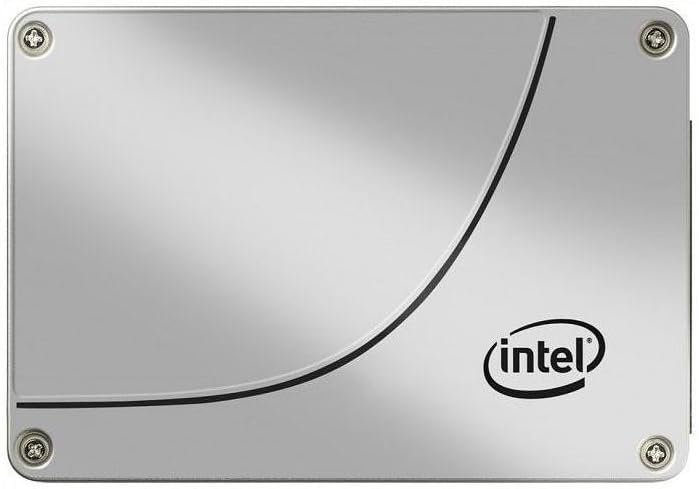
Hình 1: Mặt trước view of the Intel DC S3710 800 GB 2.5" Internal Solid State Drive, showcasing its metallic silver casing with the Intel logo and a distinctive curved line design.
Thiết lập và cài đặt
The Intel DC S3710 SSD is designed for internal installation in desktop computers. Ensure your system is powered off and disconnected from the power source before proceeding.
Yêu cầu:
- Máy tính để bàn có khe cắm ổ đĩa 2.5 inch.
- SATA data cable.
- SATA power cable from your power supply unit (PSU).
- Tua vít (nên dùng loại đầu Phillips).
Các bước cài đặt:
- Chuẩn bị máy tính của bạn: Power down your desktop computer and unplug all cables. Open the computer case.
- Tìm vị trí khoang ổ đĩa: Identify an available 2.5-inch drive bay. Some cases may require a 3.5-inch to 2.5-inch adapter bracket (not included).
- Gắn ổ SSD: Secure the SSD into the drive bay using screws. Ensure it is firmly seated to prevent movement.
- Connect data cable: Connect one end of the SATA data cable to the SSD's SATA data port and the other end to an available SATA port on your motherboard.
- Kết nối cáp nguồn: Connect a SATA power cable from your PSU to the SSD's SATA power port.
- Đóng trường hợp: Once all connections are secure, close your computer case and reconnect all cables.
- Bật nguồn: Power on your computer. The system should detect the new SSD.
Hướng dẫn sử dụng
After physical installation, the SSD needs to be initialized and formatted before use. If you plan to install an operating system, refer to your operating system's installation guide.
Initializing and Formatting (Windows 10 Example):
- Mở Quản lý ổ đĩa: Right-click the Start button and select "Disk Management".
- Khởi tạo đĩa: A pop-up window may appear prompting you to initialize the new disk. Select MBR (Master Boot Record) or GPT (GUID Partition Table) based on your system's requirements (GPT is recommended for modern systems and drives larger than 2TB, though this drive is 800GB). Click OK.
- Tạo Volume đơn giản mới: Locate the unallocated space on your new SSD. Right-click it and select "New Simple Volume...".
- Theo dõi Wizard: Follow the New Simple Volume Wizard to specify the volume size, assign a drive letter, and format the partition (NTFS file system is standard for Windows).
- Hoàn thành: Once the wizard completes, your SSD will be ready for use.
Chuyển dữ liệu:
Bạn có thể chuyển files to and from the SSD like any other storage drive. For optimal performance, ensure your motherboard's SATA ports are configured for AHCI mode in the BIOS/UEFI settings.
BẢO TRÌ
Solid State Drives generally require less maintenance than traditional Hard Disk Drives. However, following these practices can help maintain performance and extend lifespan:
- Bật TRIM: Ensure TRIM is enabled in your operating system. TRIM helps the SSD manage data more efficiently, preventing performance degradation over time. Most modern operating systems (Windows 7+, macOS, Linux) enable TRIM by default.
- Tránh việc chống phân mảnh ổ cứng: Không nên chống phân mảnh ổ SSD. Chức năng chống phân mảnh được thiết kế cho ổ HDD và có thể làm giảm tuổi thọ của ổ SSD bằng cách gây ra các chu kỳ ghi không cần thiết.
- Giữ khoảng trống: Hãy cố gắng giữ ít nhất 10-15% dung lượng SSD trống. Điều này cho phép các thuật toán cân bằng hao mòn của SSD hoạt động tối ưu.
- Cập nhật chương trình cơ sở: Periodically check Intel's official website for firmware updates for your SSD model. Firmware updates can improve performance, stability, and address known issues.
- Proper Shutdowns: Always shut down your computer properly. Abrupt power loss can potentially lead to data corruption or drive issues.
Xử lý sự cố
If you encounter issues with your Intel DC S3710 SSD, refer to the following common problems and solutions:
| Vấn đề | Nguyên nhân có thể | Giải pháp |
|---|---|---|
| SSD not detected by BIOS/OS. | Loose cables, incorrect BIOS settings, faulty port. |
|
| Hiệu suất chậm. | TRIM not enabled, nearly full drive, outdated firmware. |
|
| Operating system not booting from SSD. | Incorrect boot order, corrupted OS installation. |
|
Thông số kỹ thuật
| Tính năng | Chi tiết |
|---|---|
| Thương hiệu | Trí tuệ |
| Dòng mô hình | SSDSC2BA800G4 |
| Dung lượng lưu trữ | 800GB |
| Yếu tố hình thức | 2.5 inch |
| Giao diện | SATA 6Gb/giây |
| Loại cài đặt | Ổ cứng trong |
| Thiết bị tương thích | Máy tính để bàn |
| Trọng lượng sản phẩm | 2.53 ounce |
| Kích thước sản phẩm (DxRxC) | 4.1 x 2.7 x 0.3 inch |
| Nhà sản xuất | Tập đoàn Intel |
| Ngày đầu tiên có sẵn | Ngày 16 tháng 2015 năm XNUMX |
Bảo hành và Hỗ trợ
Để biết thông tin bảo hành và hỗ trợ kỹ thuật, vui lòng tham khảo trang web chính thức của Intel webtrang web hoặc liên hệ với bộ phận chăm sóc khách hàng của họ. Giữ lại hóa đơn mua hàng để làm bằng chứng mua hàng khi yêu cầu bảo hành.
Intel may offer various support resources including:
- Cơ sở kiến thức trực tuyến và câu hỏi thường gặp.
- Tải xuống trình điều khiển và phần mềm.
- Community forums.
- Direct customer support via phone or email.
Hãy cân nhắc muaasing additional data recovery plans for enhanced protection of your valuable data. Options such as 2-Year or 3-Year Data Recovery Plans may be available from various retailers.


