Giới thiệu
This manual provides essential information for the proper use and maintenance of your VCOM Cat5e Molded Patch Cable, model NP511-150. This cable is designed for reliable network connectivity, facilitating data transfer between devices such as computers, routers, switches, and modems.
Vui lòng đọc kỹ hướng dẫn sử dụng này trước khi lắp đặt và sử dụng để đảm bảo hiệu suất tối ưu và tuổi thọ của sản phẩm.
Tính năng sản phẩm
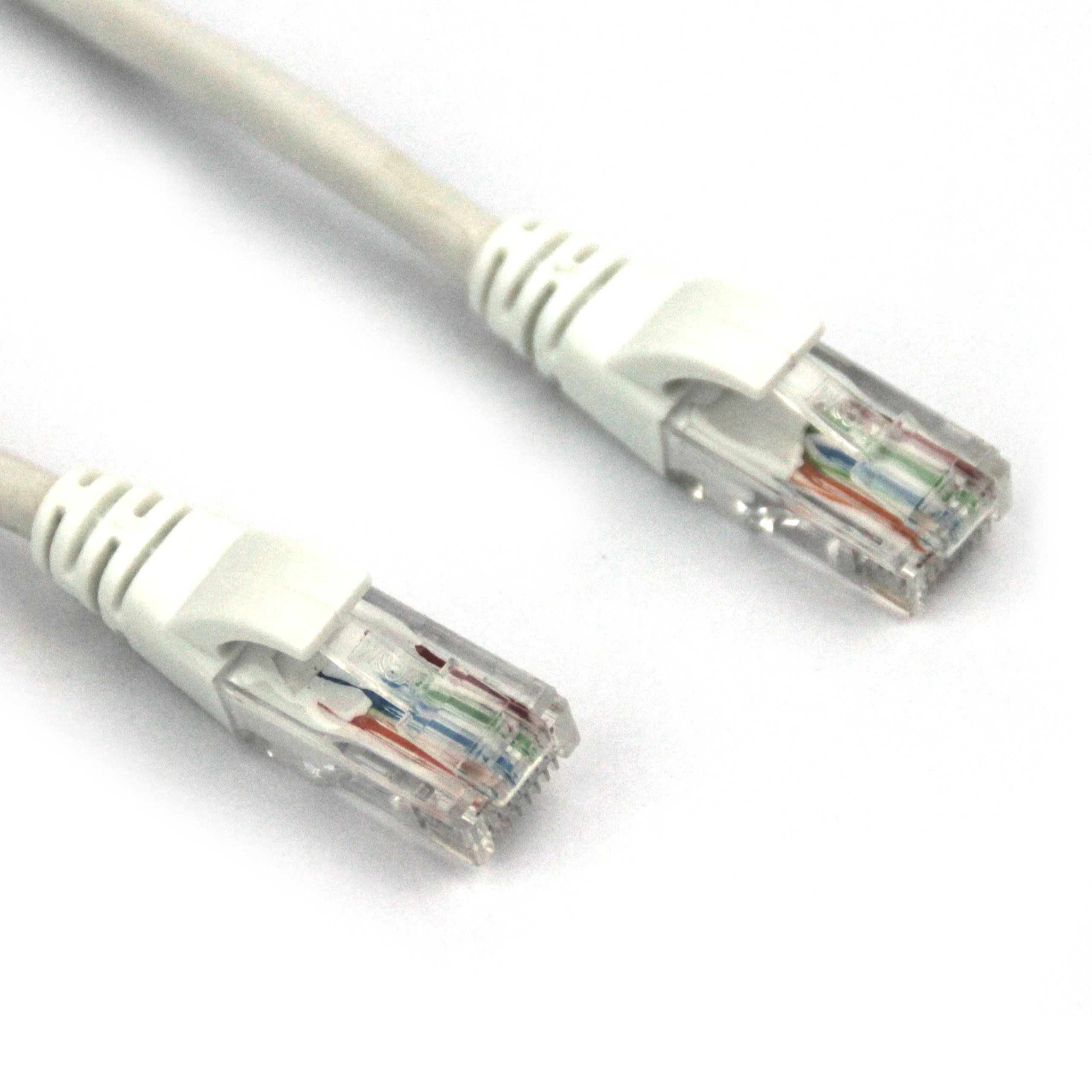
This image displays the VCOM Cat5e molded patch cable. It features two RJ45 connectors, one at each end, with clear plastic housings revealing the twisted pair wires inside. The connectors have white molded strain relief boots. The cable itself is white and appears durable.
- Loại cáp: Cat5e UTP Molded Patch Cable 0.4CCA.
- Chiều dài cáp: 150 feet (approximately 45.72 meters).
- Molded Connectors: The RJ45 (8P8C) connectors feature injection-molded joint plastic for enhanced durability and ease of use.
- High-Quality Conductors: Metal wipers within the RJ45 connectors are stamped from Oxygen-Free Copper (OFC) pieces, ensuring optimal signal transmission.
- Tuân thủ tiêu chuẩn: Wire conduct adheres to Cat5e standards with 4 tight twisted pairs (8 cores).
- Cách nhiệt: Core wires are insulated with HDPE material for superior insulation and minimal signal loss.
Cài đặt
- Xác định các cổng: Locate the Ethernet ports (RJ45) on the devices you wish to connect (e.g., router, modem, computer, network switch).
- Connect First Device: Insert one end of the VCOM Cat5e cable into an available Ethernet port on your first device. Ensure the connector clicks securely into place.
- Kết nối thiết bị thứ hai: Insert the other end of the VCOM Cat5e cable into an available Ethernet port on your second device. Again, ensure a secure click.
- Xác minh kết nối: Most devices will have an indicator light (LED) near the Ethernet port that illuminates or blinks when a successful connection is established.
Ensure that both devices are powered on and configured for network communication. Refer to the individual device manuals for specific network settings.
Hướng dẫn sử dụng
The VCOM Cat5e Molded Patch Cable operates passively, transmitting data signals between connected devices. Once properly connected, the cable facilitates network communication without requiring any user interaction.
- Chuyển dữ liệu: The cable supports data transfer speeds up to 100 Mbps (Fast Ethernet) and is suitable for 10BASE-T and 100BASE-TX networks.
- Network Applications: Use for connecting to the internet, local area networks (LANs), streaming media, online gaming, and other network-dependent activities.
- Khả năng tương thích: Compatible with any device featuring a standard RJ45 Ethernet port.
BẢO TRÌ
Proper care extends the life of your VCOM Cat5e cable. Follow these guidelines:
- Tránh uốn cong: Do not excessively bend, kink, or sharply fold the cable, as this can damage the internal wires and impair performance.
- Bảo vệ đầu nối: Handle the RJ45 connectors by the molded housing, not by the cable itself. Avoid pulling the cable by the wire when disconnecting.
- Độ sạch sẽ: Giữ cho các đầu nối luôn sạch sẽ, không bám bụi bẩn. Nếu cần, hãy lau nhẹ nhàng bằng khăn khô, không xơ.
- Kho: When not in use, coil the cable loosely and store it in a dry, temperate environment away from direct sunlight or extreme temperatures.
- Sử dụng cho mục đích thân thiện với môi trường: This cable is rated for both indoor and outdoor usage. However, for outdoor applications, ensure it is protected from direct exposure to harsh weather conditions to maximize longevity.
Xử lý sự cố
| Vấn đề | Nguyên nhân có thể | Giải pháp |
|---|---|---|
| Không có kết nối mạng | Cable not fully seated; damaged cable; incorrect port. | Ensure both RJ45 connectors are securely clicked into their respective ports. Try a different port on the device. Inspect the cable for visible damage (kinks, cuts). Test with another known-good cable if available. |
| Tốc độ mạng chậm | Cable damage; network congestion; device issues. | While Cat5e supports up to 1 Gbps over short distances, its typical performance for longer runs is 100 Mbps. Ensure your network devices are configured correctly. Check for other factors affecting network speed (e.g., router performance, internet service provider). Inspect the cable for damage. |
| Kết nối không liên tục | Loose connection; cable interference; faulty port. | Reseat both ends of the cable. Ensure the cable is not running parallel to power lines or other sources of electromagnetic interference. Test with another port or device. |
If troubleshooting steps do not resolve the issue, consider contacting VCOM customer support or consulting a network professional.
Thông số kỹ thuật
| Thuộc tính | Chi tiết |
|---|---|
| Thương hiệu | VCOM |
| Số hiệu mẫu | NP511-150 |
| Loại cáp | Cat5e UTP Molded Patch Cable |
| Loại đầu nối | RJ45 |
| Giới tính trình kết nối | Nam-nam |
| Chiều dài | 150 feet (khoảng 45.72 mét) |
| Màu sắc | Trắng |
| Wire Conduct | 4 tight twisted pairs (8 cores), 0.4CCA |
| Vật liệu cách nhiệt | HDPE |
| Sử dụng trong nhà/ngoài trời | Trong nhà, Ngoài trời |
| Trọng lượng sản phẩm | 2.58 pound (khoảng 1.17 kg) |
| Kích thước sản phẩm (DxRxC) | 11.02 x 0.02 x 9.84 inch (đã đóng gói) |
| Mã số UPC | 840273101192 |
Bảo hành và Hỗ trợ
VCOM products are manufactured to high-quality standards. For specific warranty information, please refer to the documentation included with your purchase or visit the official VCOM website. General support inquiries can often be resolved by consulting the troubleshooting section of this manual or by contacting VCOM customer service.
Để được hỗ trợ thêm, vui lòng truy cập VCOM Store on Amazon hoặc các kênh hỗ trợ chính thức của họ.


