Giới thiệu
Thank you for choosing the Lexon Prism Speaker. This portable Bluetooth speaker is designed to deliver quality audio with convenient connectivity. This manual provides detailed instructions on how to set up, operate, and maintain your speaker to ensure optimal performance and longevity.
Vui lòng đọc kỹ hướng dẫn này trước khi sử dụng sản phẩm và giữ lại để tham khảo sau này.
Nội dung gói
Đảm bảo tất cả các mục đều có trong gói hàng:
- Lexon Prism Speaker (Model LA87N)
- Cáp sạc USB
- Hướng dẫn sử dụng (tài liệu này)
Cài đặt
1. Sạc loa
Before first use, fully charge the Lexon Prism Speaker.
- Locate the USB charging port on the speaker.
- Kết nối một đầu của cáp sạc USB đi kèm với cổng sạc của loa.
- Kết nối đầu còn lại của cáp USB vào bộ chuyển đổi nguồn USB tương thích (không bao gồm) hoặc cổng USB của máy tính.
- Đèn báo sạc sẽ sáng, thường là màu đỏ, trong khi sạc. Đèn sẽ tắt hoặc đổi màu (ví dụ: xanh lam hoặc xanh lục) khi sạc đầy.
- Sạc đầy thường mất khoảng 2-3 giờ.
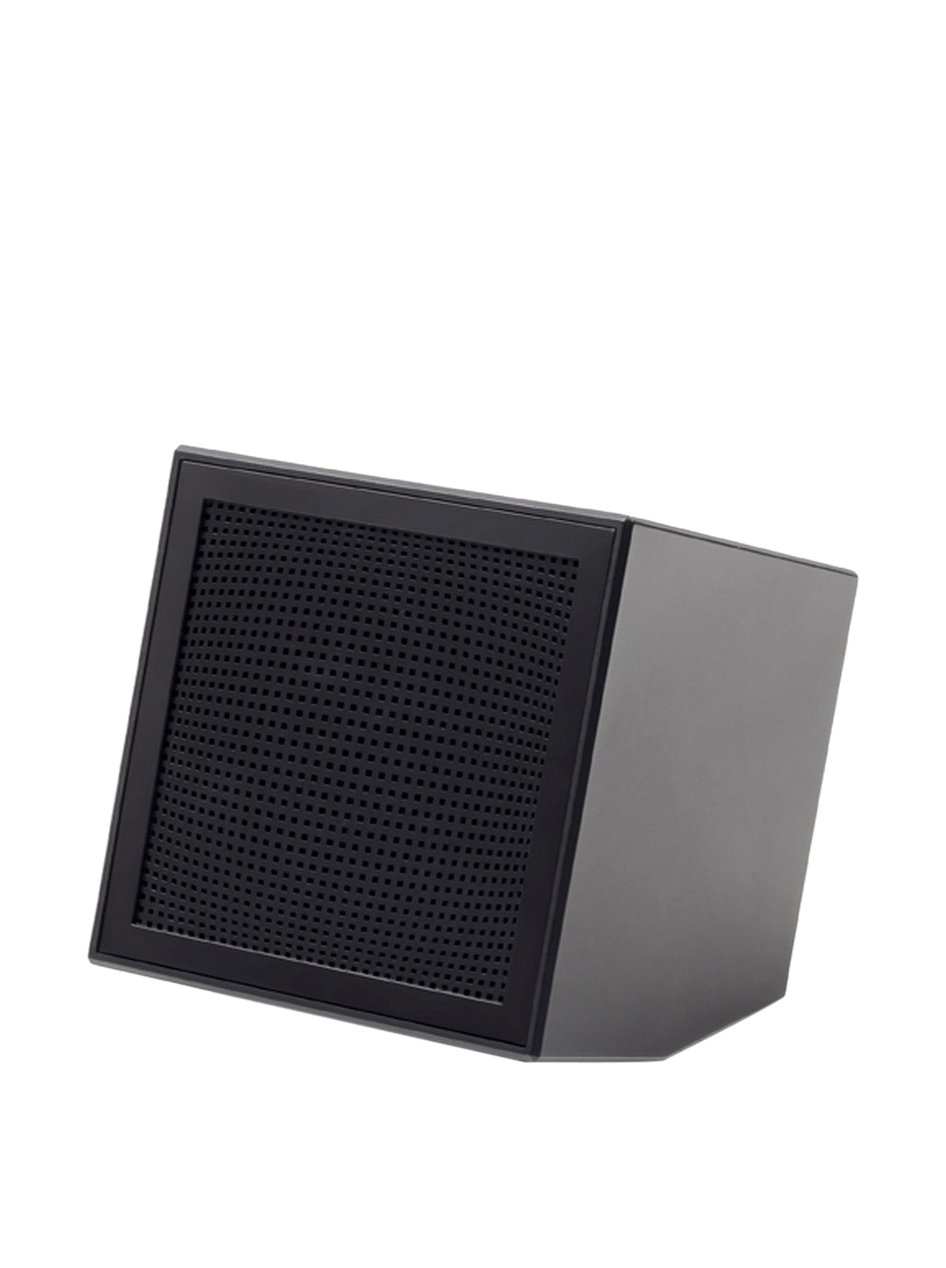
Image: The Lexon Prism Speaker, a compact black cube with a speaker grille, ready for use.
Hướng dẫn sử dụng
1. Bật / Tắt nguồn
- To power on: Press and hold the power button (usually marked with a power symbol) for a few seconds until you hear an audible tone or see an indicator light.
- To power off: Press and hold the power button again for a few seconds until you hear an audible tone or the indicator light turns off.
2. Ghép nối Bluetooth
Pair your Lexon Prism Speaker with a Bluetooth-enabled device (e.g., smartphone, tablet, computer).
- Hãy đảm bảo loa đã được bật nguồn và ở chế độ ghép nối. Đèn báo Bluetooth thường sẽ nhấp nháy nhanh.
- Trên thiết bị của bạn, hãy chuyển tới cài đặt Bluetooth và bật Bluetooth.
- Tìm kiếm available devices. The speaker should appear as "Lexon Prism" or a similar name.
- Select "Lexon Prism" from the list to connect.
- Once successfully paired, you will hear a confirmation tone, and the Bluetooth indicator light will stop flashing and remain solid.
- Loa sẽ tự động kết nối lại với thiết bị được ghép nối gần nhất khi bật nguồn.
3. Phát lại âm thanh
After successful pairing, you can play audio from your connected device. Use your device's controls for:
- Playing/Pausing music
- Điều chỉnh âm lượng
- Skipping tracks (if supported by speaker controls)
The speaker itself may have basic controls for volume and playback, refer to the physical buttons on your device.
Bảo trì và chăm sóc
- Vệ sinh: Use a soft, dry cloth to wipe the surface of the speaker. Do not use abrasive cleaners, alcohol, or chemical solvents, as these may damage the finish.
- Kho: Bảo quản loa ở nơi khô ráo, thoáng mát, tránh ánh nắng trực tiếp và nhiệt độ cao khi không sử dụng trong thời gian dài.
- Tiếp xúc với nước: Loa này không chống nước. Tránh để loa tiếp xúc với nước, mưa hoặc độ ẩm quá cao.
- Sự va chạm: Tránh làm rơi loa hoặc để loa chịu những va đập mạnh, vì điều này có thể làm hỏng các bộ phận bên trong.
Xử lý sự cố
| Vấn đề | Giải pháp khả thi |
|---|---|
| Loa không bật được. | Ensure the speaker is fully charged. Connect it to a power source using the USB cable and allow it to charge for at least 30 minutes before attempting to power on again. |
| Không thể ghép nối với thiết bị Bluetooth. |
|
| Không có âm thanh hoặc âm lượng thấp. |
|
| Biến dạng âm thanh. |
|
Thông số kỹ thuật
| Tính năng | Chi tiết |
|---|---|
| Số hiệu mẫu | LA87N |
| Thương hiệu | Tiếng Việt |
| Công suất đầu ra | 3 Watt |
| Công nghệ kết nối | Bluetooth, USB |
| Nguồn điện | Pin chạy bằng |
| Vật liệu | ABS |
| Kích thước (D x R x C) | 8 x 8 x 8cm |
| Cân nặng | 405 gram |
| Màu sắc | Đen |
Bảo hành và Hỗ trợ
Lexon products are manufactured to the highest quality standards. For information regarding warranty coverage, terms, and conditions, please refer to the warranty card included with your purchase or visit the official Lexon webđịa điểm.
If you encounter any issues not covered in the troubleshooting section or require further assistance, please contact Lexon customer support through their official webtrang web hoặc thông tin liên hệ được cung cấp kèm theo tài liệu sản phẩm của bạn.
Please have your model number (LA87N) and proof of purchase ready when contacting support.


