Giới thiệu
The Ergotron Neo-Flex Mobile MediaCenter VHD is a versatile rolling computer cart designed to support heavy monitors or televisions up to 75 inches diagonal, weighing between 50 to 90 pounds. This cart provides effortless height adjustment, portrait-to-landscape rotation, and independent display tilt, making it suitable for various presentation and collaboration environments. Its robust design ensures stability and mobility for your display equipment.
Thông tin an toàn
- Sức chịu tải: Do not exceed the maximum weight capacity of 90 lbs (40.8 kg) for the display. Overloading can cause instability and potential injury.
- Sự ổn định: Ensure the display is securely mounted and all fasteners are tightened before moving the cart.
- Sự chuyển động: Always push the cart from the base or lower frame. Avoid pushing from the top of the display. Ensure the path is clear of obstacles.
- Phanh: Engage the wheel brakes when the cart is stationary to prevent accidental movement.
- Trẻ em và vật nuôi: Giữ trẻ em và vật nuôi tránh xa xe đẩy trong quá trình lắp ráp và vận hành.
- An toàn điện: Route all cables safely to prevent tripping hazards. Do not overload power strips.
Cài đặt
Follow these steps for proper assembly and initial setup of your Neo-Flex Mobile MediaCenter VHD.
1. Tháo lắp và nhận dạng linh kiện
Cẩn thận lấy tất cả các bộ phận ra khỏi bao bì. Kiểm tra xem tất cả các bộ phận có đầy đủ theo danh sách đóng gói hay không (danh sách này không có trong sách hướng dẫn này, vui lòng tham khảo tài liệu đi kèm sản phẩm của bạn).
2. Hội cơ sở
Assemble the base components, ensuring the casters are securely attached. The casters allow for easy mobility and include locking mechanisms for stability.

3. Display Mounting
Attach your monitor or TV to the VESA mounting plate. This cart supports large VESA patterns, any size within 100-600mm by 100-400mm. Ensure the display is centered and securely fastened using the provided hardware.


4. Quản lý cáp
Utilize the integrated cable management features along the central column to route and secure all power and video cables. This prevents tangles and reduces tripping hazards.

Hướng dẫn sử dụng
This section details how to adjust and move your Neo-Flex Mobile MediaCenter VHD.
1. Điều chỉnh chiều cao
The cart features 20 inches (51 cm) of effortless height adjustment. Locate the height adjustment mechanism (typically a lever or button) and gently raise or lower the display to your desired viewing height. Release the mechanism to lock the height in place.
2. Display Rotation (Portrait-to-Landscape)
To rotate the display, ensure there is sufficient clearance around the screen. Gently rotate the display 90 degrees to switch between portrait and landscape orientations. The mechanism is designed for smooth, controlled movement.
3. Display Tilt
The display can be tilted up to 20 degrees independently. Adjust the tilt mechanism to achieve the optimal viewing angle, reducing glare and improving visibility for various audience positions.
4. Moving the Cart
Before moving the cart, ensure all cables are clear and the display is securely positioned. Release the brakes on the casters. Push the cart from the base or lower frame to guide it to the desired location. The cart is designed to roll easily through doorways and can be nested with other carts for storage.
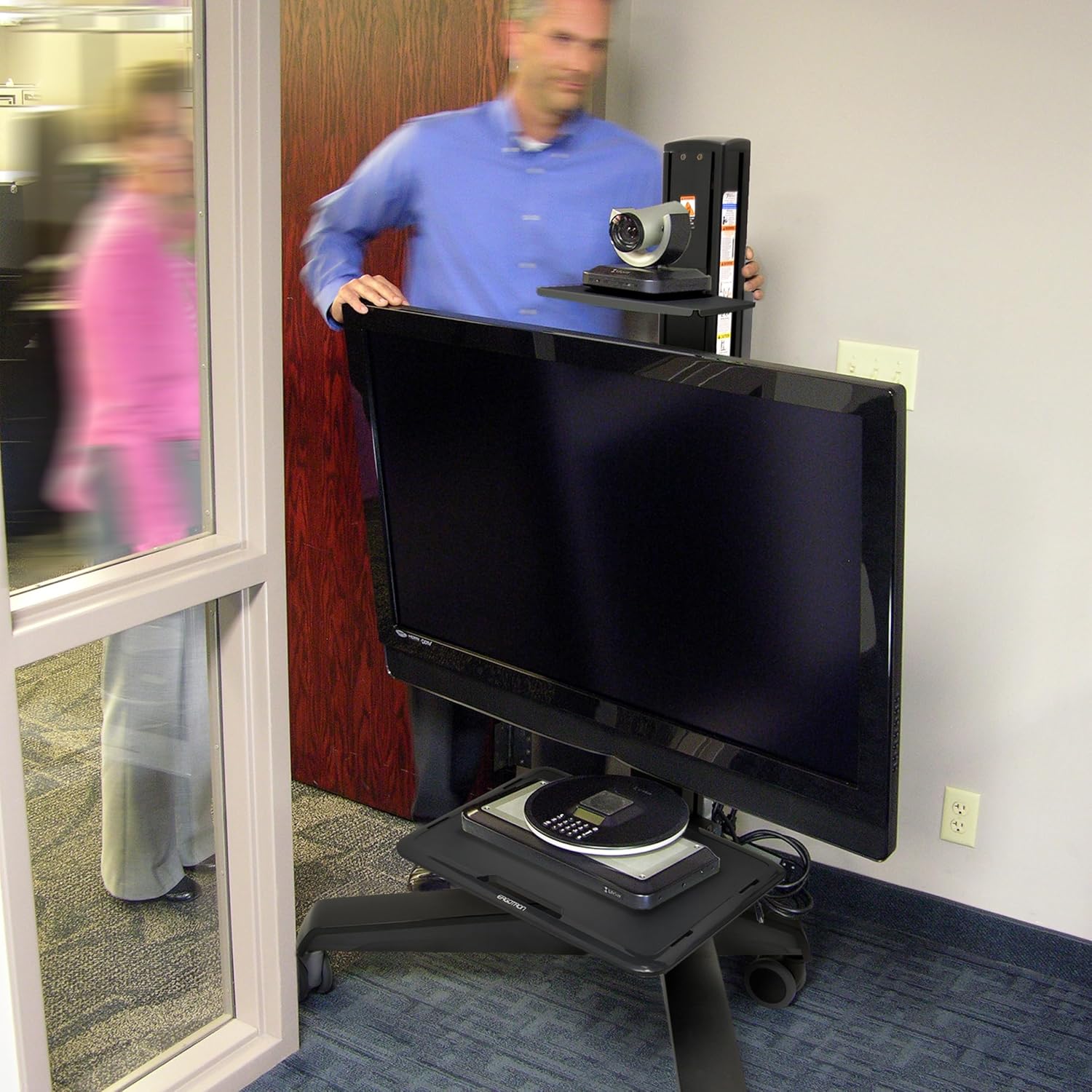


5. Locking Casters
Once the cart is in its desired position, engage the brakes on all casters to prevent unintended movement and ensure stability during use.
BẢO TRÌ
- Vệ sinh: Sử dụng một mềm, damp cloth to clean the surfaces of the cart. Avoid abrasive cleaners or solvents.
- Điều tra: Periodically check all fasteners and connections to ensure they are tight and secure.
- Chăm sóc bánh xe: Giữ cho bánh xe luôn sạch sẽ, không bám bụi bẩn để đảm bảo lăn trơn tru.
Xử lý sự cố
| Vấn đề | Nguyên nhân có thể | Giải pháp |
|---|---|---|
| Xe đẩy khó di chuyển. | Caster brakes are engaged. Debris in casters. | Disengage all caster brakes. Clean any debris from the caster wheels. |
| Display feels unstable. | Mounting screws are loose. Display weight exceeds capacity. | Tighten all display mounting screws. Verify display weight is within 50-90 lbs (22.7-40.8 kg). |
| Height adjustment is stiff. | Mechanism requires lubrication or adjustment. | Refer to the full product manual for specific lubrication instructions or contact customer support. |
Thông số kỹ thuật
| Tính năng | Chi tiết |
|---|---|
| Số hiệu mẫu | 24-191-085 |
| Display Size Compatibility | Đường chéo lên tới 75 inch |
| Sức chứa trọng lượng | 50 đến 90 pound (22.7 đến 40.8 kg) |
| Khả năng tương thích VESA | 100x100mm đến 600x400mm |
| Điều chỉnh chiều cao | 20 inch (51 cm) |
| Màn hình nghiêng | 20 degrees independent tilt |
| Hiển thị Xoay | Portrait to Landscape |
| Trọng lượng sản phẩm | 92.6 pound (42 kg) |
| Vật liệu | Plastic (frame likely metal, but specification says plastic) |
| Màu sắc | Đen |
| Kiểu lắp đặt | Giá treo sàn |
Bảo hành và Hỗ trợ
The Ergotron Neo-Flex Mobile MediaCenter VHD comes with a Bảo hành 3 năm, ensuring quality and reliability. For technical support, warranty claims, or additional product information, please visit the official Ergotron webtrang web hoặc liên hệ với bộ phận dịch vụ khách hàng của họ.
Bạn có thể tìm thêm thông tin và tài nguyên hỗ trợ bằng cách truy cập Ergotron Store on Amazon hoặc công ty chính thức của họ webđịa điểm.