1. Sản phẩm hếtview
The Leviton 21254-HW is a 20 Amp, 125 Volt, Industrial Series Extra Heavy Duty Hospital Grade 4-in-1 Receptacle. Designed for demanding environments, this straight blade, grounding receptacle provides four outlets in a single unit, suitable for applications requiring high-abuse tolerance such as healthcare facilities, manufacturing plants, and schools. It features a durable nylon body and face, a 5-20R configuration, and is approved by UL 498, CSA C22.2, and ISO 9001 standards.

Hình 1: Mặt trước view of the Leviton 21254-HW 4-in-1 Receptacle, showing the four outlets and 'HOSPITAL GRADE' marking.
2. Thông tin an toàn
CẢNH BÁO: To avoid fire, shock, or death, turn OFF power at the circuit breaker or fuse box and test that power is OFF before wiring. This device must be installed in accordance with all national and local electrical codes. If you are unsure about any part of these instructions, consult a qualified electrician.
- Luôn ngắt nguồn điện trước khi làm việc với các mạch điện.
- Use only copper wire for connections.
- Đảm bảo nối đất thích hợp để tránh bị điện giật.
- Không vượt quá vol đã chỉ địnhtagThông số điện áp và dòng điện hiện tại của thiết bị.
- Keep children away from electrical work.
3. Tính năng sản phẩm
- Kết cấu bền bỉ: Interlocking thermoplastic nylon cover and body for enhanced resilience.
- High Performance Contacts: Extra heavy-duty, T-type triple-wipe bronze contacts ensure maximum electrical performance and longevity.
- Thiết kế đa năng: Accommodates up to four Fed Spec size straight or angled plugs simultaneously.
- Nhận dạng rõ ràng: Easy-to-read voltage và amperage ratings are molded directly onto the face of the receptacle.
- Chứng nhận: UL 498, CSA C22.2, and ISO 9001 approved, ensuring compliance with safety and quality standards.
4. Thiết lập và Cài đặt
Installation of the Leviton 21254-HW receptacle requires basic electrical knowledge. If you are not comfortable performing electrical work, please consult a licensed electrician.
Công cụ cần thiết:
- Tua vít (đầu Phillips và/hoặc đầu dẹt)
- Kìm tuốt dây
- Tậptagđiện tử Người kiểm tra
- Băng keo điện (tùy chọn)
Các bước cài đặt:
- Tắt nguồn: Locate the circuit breaker or fuse that controls the outlet you are replacing or installing. Turn it OFF. Use a voltagSử dụng thiết bị kiểm tra để xác nhận rằng nguồn điện đã hoàn toàn tắt ở ổ cắm.
- Tháo bỏ ổ cắm cũ (nếu có): Unscrew the wall plate and then the mounting screws holding the old receptacle in the electrical box. Carefully pull the old receptacle out of the box.
- Xác định dây: You will typically find three types of wires:
- Black or Red (Hot/Line): Carries power.
- Trắng (Trung tính): Completes the circuit.
- Green or Bare Copper (Ground): Dây an toàn.
- Chuẩn bị dây: If necessary, strip approximately 1/2 inch of insulation from the end of each wire.
- Nối dây vào ổ cắm mới:
- Kết nối Đồng xanh hoặc đồng trần (Đất) dây đến Vít màu xanh lá cây on the receptacle.
- Kết nối Trắng (Trung tính) dây đến Vít bạc thiết bị đầu cuối.
- Kết nối Black or Red (Hot/Line) dây đến Vít đồng thau thiết bị đầu cuối.
Ensure all connections are tight and secure. The receptacle is designed for 3-wire connections.
- Gắn ổ cắm: Carefully push the wired receptacle back into the electrical box. Secure it with the mounting screws.
- Lắp đặt tấm tường: Attach the decorative wall plate over the receptacle.
- Khôi phục điện: Turn the circuit breaker or fuse back ON.
- Bài kiểm tra: Plug a device into each of the four outlets to ensure proper function.

Hình 2: Quay lại view of the Leviton 21254-HW Receptacle, illustrating the screw terminals for wiring connections (Ground, Neutral, Hot).
5. Hướng dẫn vận hành
The Leviton 21254-HW 4-in-1 Receptacle operates like any standard electrical outlet. Once properly installed and powered, it is ready for use.
- Plug In Devices: Insert the plug of your electrical device into any of the four available outlets. The design allows for multiple plugs, including those with larger adapters, to be used simultaneously.
- Bật nguồn thiết bị: Turn on your electrical device as usual.
Quan trọng: Do not overload the receptacle or the circuit it is connected to. Ensure the total current draw of all connected devices does not exceed the 20 Amp rating of the receptacle or the circuit breaker.
6. Bảo trì
The Leviton 21254-HW receptacle is designed for durability and requires minimal maintenance.
- Vệ sinh: To clean the receptacle, ensure power is OFF at the circuit breaker. Wipe the surface with a soft, damp vải. Không sử dụng chất tẩy rửa có tính mài mòn hoặc dung môi.
- Kiểm tra định kỳ: Periodically inspect the receptacle for any signs of damage, such as cracks, discoloration, or loose connections. If any damage is observed, turn off power and replace the receptacle immediately.
- Độ chặt chẽ của các mối liên kết: If you suspect a loose connection, turn off power at the circuit breaker and carefully check the wire terminals for tightness.
KHAI THÁC. Xử lý sự cố
If you encounter issues with your Leviton 21254-HW receptacle, consider the following troubleshooting steps:
No Power at Receptacle:
- Kiểm tra bộ ngắt mạch: Verify that the circuit breaker controlling the receptacle is in the ON position. If it has tripped (moved to the OFF or middle position), reset it by pushing it firmly to OFF and then to ON.
- Kiểm tra các ổ cắm khác: Check if other outlets on the same circuit are working. If not, the issue is likely with the circuit breaker or wiring to the circuit.
- Kiểm tra hệ thống dây điện: With power OFF at the breaker, carefully remove the wall plate and receptacle. Check that all wires are securely connected to their respective terminals (Hot to Brass, Neutral to Silver, Ground to Green). Ensure no wires are loose or frayed.
- Quá tải: Ensure the total load of devices plugged into the receptacle does not exceed 20 Amps. Unplug some devices and retest.
Loose Plug Connection:
- The Leviton 21254-HW features heavy-duty contacts designed for secure connections. If a plug feels loose, ensure it is fully inserted. If the issue persists with multiple plugs, the receptacle may be worn and require replacement.
Nếu các bước khắc phục sự cố không giải quyết được vấn đề, hãy tham khảo ý kiến của thợ điện có trình độ.
8. Thông số kỹ thuật
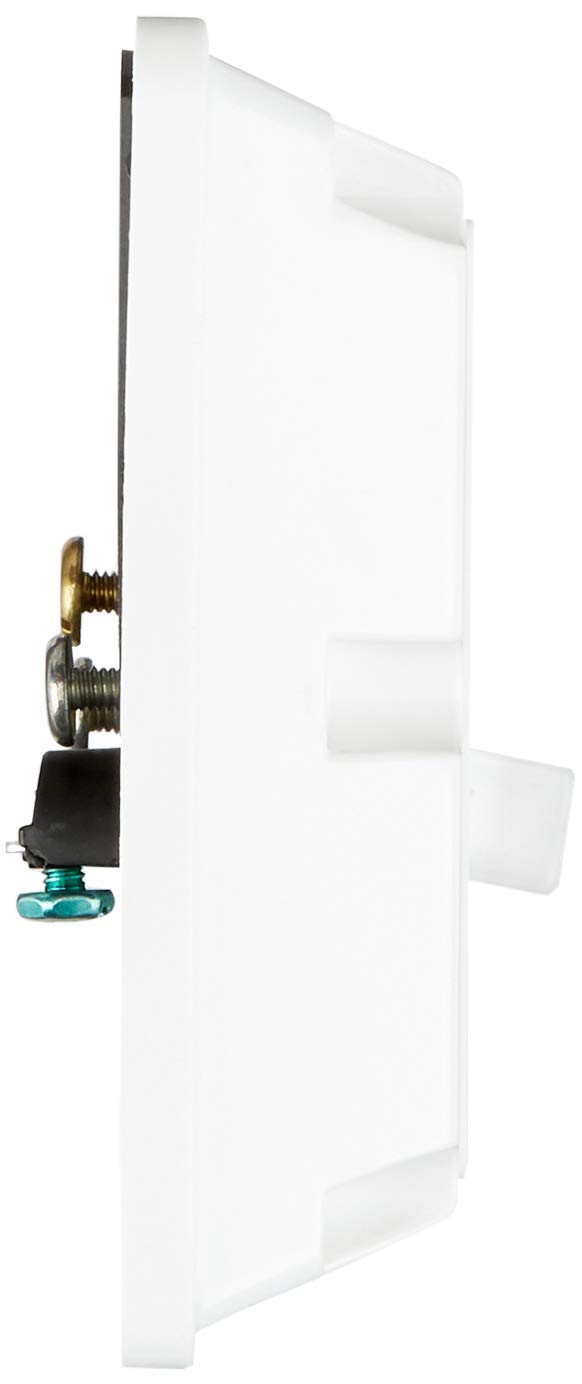
Figure 3: Product dimensions of the Leviton 21254-HW Receptacle.
| Đặc điểm kỹ thuật | Chi tiết |
|---|---|
| Số hiệu mẫu | 21254-CTNH |
| Thương hiệu | Leviton |
| Xếp hạng hiện tại | 20 Amp |
| Tậptage Đánh giá | 125 Vôn |
| Cấu hình | 5-20R |
| Số lượng dây | 3 |
| Số lượng cực | 2 |
| Tiếp địa | Đúng |
| Vật liệu | Nylon (Body/Face), Steel (Strap) |
| Màu sắc | Trắng |
| Kích thước sản phẩm | 4.7"L x 4.6"W (Face), 12.75 x 5.13 x 8.5 inches (Packaging) |
| Trọng lượng sản phẩm | 6.4 ounce |
| Phê duyệt | UL 498, CSA C22.2, ISO 9001 |
9. Bảo hành và Hỗ trợ
For warranty information and technical support regarding your Leviton 21254-HW receptacle, please refer to the official Leviton website or contact Leviton customer service directly. Warranty terms typically cover defects in materials and workmanship under normal use.
Dịch vụ khách hàng của Leviton: Để được hỗ trợ, vui lòng truy cập Cửa hàng Leviton trên Amazon hoặc công ty chính thức của họ webđịa điểm.


