
Giới thiệu
The Leadjoy R20 2.4GHz Wireless USB Adapter is designed to enhance your gaming experience on Xbox Series S/X consoles by providing a robust and reliable wireless connection for compatible controllers. This manual will guide you through the installation, operation, and maintenance of your R20 adapter.
Nội dung gói
Vui lòng xác minh rằng tất cả các mục được liệt kê dưới đây đều có trong gói hàng của bạn:
- Leadjoy R20 Wireless USB Adapter
- Hướng dẫn sử dụng (tài liệu này)
The image below illustrates the R20 Wireless USB Adapter and its key features.
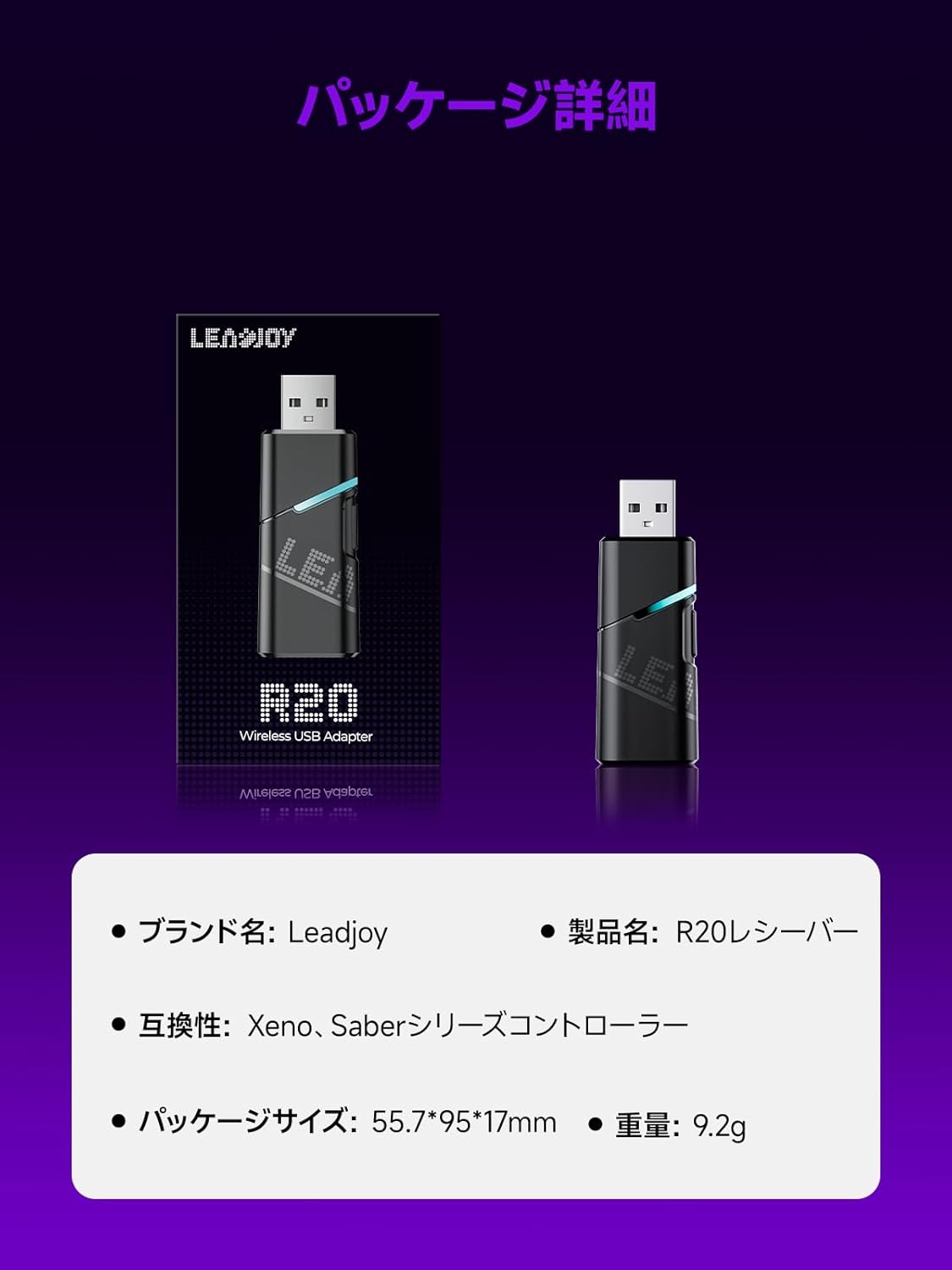
Image: Leadjoy R20 Wireless USB Adapter. This image displays the R20 adapter in its packaging, highlighting its compact design. Text overlays indicate the brand name 'Leadjoy', product name 'R20 Receiver', compatibility with 'Xeno, Saber series controllers', package size '55.7*95*17mm', and weight '9.2g'.
Thiết lập và cài đặt
Follow these steps to connect your Leadjoy R20 Wireless USB Adapter to your Xbox console:
- Bước 1: Insert the R20 receiver into an available USB port on your Xbox console. Ensure the console is powered on.
- Bước 2: Connect your original Xbox controller to the R20's USB port using a USB cable.
- Bước 3: Once the controller's indicator light remains steadily lit, the connection is successful. You can now pair your Leadjoy controller with the R20 receiver.
The diagram below visually explains the connection process.

Image: Connection Method. This diagram illustrates the three steps for connecting the R20 adapter. Step 1 shows inserting the R20 into the Xbox console. Step 2 shows connecting an original Xbox controller to the R20 via a cable. Step 3 shows pairing a Leadjoy controller with the R20 receiver after successful connection.
Ghi chú: Do not disconnect the original controller from the R20 receiver during use to maintain a stable connection.
Hướng dẫn sử dụng
The R20 receiver provides a stronger signal compared to the original R10 receiver, offering improved performance. If you find the functions of the original Xbox controller insufficient or the operation feel unsatisfactory, and wish to enjoy games on your Xbox console using Xeno Plus, this R20 receiver makes it possible.
After successful setup, your compatible Leadjoy controller will connect wirelessly to the Xbox console via the R20 adapter, allowing for seamless gameplay.
Thông số kỹ thuật
| Thương hiệu | Leadjoy |
| Số hiệu mẫu | LJR2001-1 (R20) |
| Màu sắc | Đen |
| Kết nối | Không dây 2.4GHz |
| Khả năng tương thích | Xbox Series S/X, Xeno, Saber series controllers |
| Trọng lượng sản phẩm | 9.2g |
| Kích thước gói hàng | 55.7 x 95 x 17mm |
| Nước xuất xứ | Trung Quốc |
BẢO TRÌ
To ensure the longevity and optimal performance of your Leadjoy R20 Wireless USB Adapter, please observe the following maintenance guidelines:
- Giữ bộ chuyển đổi sạch sẽ và không bám bụi. Dùng vải mềm, khô để lau chùi.
- Tránh để bộ chuyển đổi ở nơi có nhiệt độ, độ ẩm quá cao hoặc ánh nắng trực tiếp.
- Do not attempt to disassemble or repair the adapter yourself. This may void your warranty.
- Khi không sử dụng, hãy cất giữ bộ chuyển đổi ở nơi an toàn để tránh hư hỏng.
Xử lý sự cố
If you encounter issues with your Leadjoy R20 Wireless USB Adapter, please try the following steps:
- Không có kết nối: Ensure the R20 adapter is fully inserted into the Xbox console's USB port and the original Xbox controller is securely connected to the R20. Check if the controller's indicator light is steadily lit.
- Kết nối không liên tục: Ensure there are no obstructions between your Leadjoy controller and the R20 adapter. Avoid placing the adapter near other wireless devices that may cause interference.
- Bộ điều khiển không phản hồi: Try disconnecting and reconnecting both the R20 adapter from the console and the original controller from the R20. Restart your Xbox console if necessary.
- Cập nhật firmware: Check the official Leadjoy website for any available firmware updates for the R20 adapter, which may resolve performance issues.
Nếu sự cố vẫn tiếp diễn sau khi đã thử các bước này, vui lòng liên hệ với bộ phận hỗ trợ khách hàng.
Bảo hành và Hỗ trợ
The Leadjoy R20 Wireless USB Adapter comes with a standard manufacturer's warranty. Please refer to the warranty card included in your product packaging for specific terms and conditions, including the warranty period and coverage details.
For technical support, troubleshooting assistance, or warranty claims, please contact Leadjoy customer service through their official webtrang web hoặc thông tin liên hệ được cung cấp trong tài liệu sản phẩm của bạn.
Vui lòng giữ lại bằng chứng mua hàng để bảo hành.