
NIIMBOT D11H
NIIMBOT D11H Label Maker Instruction Manual
Mã sản phẩm: D11H
Giới thiệu
Thank you for choosing the NIIMBOT D11H Label Maker. This portable thermal label printer is designed for efficient and clear label printing for various organizational needs in home, office, and small business environments. This manual provides detailed instructions for setup, operation, and maintenance to ensure optimal performance of your device.

Image: A user operating the NIIMBOT D11H label maker with a smartphone, demonstrating its compact size and app-based functionality. The image highlights the device's portability and ease of use for creating various labels.
Có gì trong hộp
Vui lòng kiểm tra nội dung gói hàng khi mở hộp:
- NIIMBOT D11H Label Maker
- 3 Rolls of Label Tapes (14x30mm clear, 14x40mm white, 12x40mm green)
- Extra 6 Rolls of Mixed Label Paper (White 0.47" x 1.57", Clear 0.47" x 4.29", 0.55" x 1.18")
- Cáp sạc USB (Type-C)
- Hướng dẫn sử dụng (tài liệu này)

Image: A collection of NIIMBOT label rolls in different sizes and colors, illustrating the variety of labels included with the D11H label maker.
Sản phẩm trênview
The NIIMBOT D11H is a compact, portable thermal label printer. It features a 300 DPI print resolution for clear text and graphics, a 1500mAh battery, and a Type-C USB port for charging. It connects via Bluetooth to your mobile device for label design and printing.

Image: A visual comparison between the NIIMBOT D11 and D11H models, highlighting the D11H's improved specifications such as 1500mAh battery, 300dpi resolution, Type-C USB, and 50mm/s printing speed.
Cài đặt
1. Sạc thiết bị
Before first use, fully charge the label maker. Connect the provided USB Type-C cable to the charging port on the device and to a standard USB power adapter (not included).
- Đèn báo trạng thái sạc sẽ hiển thị trạng thái sạc.
- Sạc đầy thường mất khoảng 2-3 giờ.
2. Lắp đặt cuộn nhãn
- Open the label compartment cover by sliding it open or pressing the release button (refer to device diagram if available).
- Insert the label roll with the printing surface facing upwards, ensuring the labels feed smoothly into the printer mechanism.
- Đóng chặt nắp ngăn chứa đồ cho đến khi nghe tiếng "tách".
- Ensure a small portion of the label tape extends out of the printer's output slot.
3. Tải ứng dụng và kết nối Bluetooth
- Tải ứng dụng: Tìm kiếm "NIIMBOT" or "NIIM" in your mobile app store (iOS App Store or Google Play Store) and download the official application.
- Turn On the Label Maker: Nhấn và giữ nút nguồn cho đến khi đèn báo bật sáng.
- Bật Bluetooth: Đảm bảo Bluetooth được bật trên thiết bị di động của bạn.
- Kết nối qua ứng dụng: Open the NIIMBOT app. The app will automatically search for nearby NIIMBOT devices. Select your D11H from the list to pair. Note: Do not pair directly through your phone's Bluetooth settings; connect only via the NIIMBOT app.
- Sau khi kết nối, ứng dụng sẽ hiển thị trạng thái của thiết bị.
Hướng dẫn sử dụng
1. Bật/Tắt nguồn
- Bật nguồn: Press and hold the power button for approximately 2 seconds. The indicator light will illuminate.
- Tắt nguồn: Nhấn và giữ nút nguồn khoảng 2 giây cho đến khi đèn báo tắt.
2. Tạo và chỉnh sửa nhãn
Use the NIIMBOT app to design your labels:
- Open the NIIMBOT app and ensure your D11H is connected.
- Select a template or create a new label from scratch.
- The app offers various features including text, symbols, logos, barcodes, QR codes, images, and time stamps.
- Customize font, size, alignment, and other label properties.
- The D11H supports automatic calibration, meaning the first label will not be wasted during printing.

Image: An illustration showing the NIIMBOT D11H's self-calibration feature, which automatically rewinds the first label to prevent waste, ensuring efficient use of label paper.
3. In nhãn
- After designing your label in the app, tap the "Print" button.
- Confirm the number of copies and other print settings.
- The label maker will print the labels. The D11H prints at a speed of 50mm/s.
- Xé bỏ nhãn in dọc theo mép răng cưa.
Note: This label maker produces monochrome printouts, meaning it only prints in black text.

Hình ảnh: Cận cảnh view of the NIIMBOT D11H printing a label, emphasizing its 300 dpi high-resolution thermal printing capability for clear and sharp text.
BẢO TRÌ
1. Vệ sinh đầu in
- Đảm bảo thiết bị đã tắt nguồn trước khi vệ sinh.
- Mở ngăn nhãn.
- Nhẹ nhàng lau đầu in bằng tăm bông.ampđược tẩm cồn isopropyl.
- Allow the print head to dry completely before closing the cover and powering on the device.
2. Lưu trữ
- Bảo quản máy in nhãn ở nơi khô ráo, thoáng mát, tránh ánh nắng trực tiếp và nhiệt độ quá cao hoặc quá thấp.
- Remove label rolls if the device will not be used for an extended period.
Xử lý sự cố
| Vấn đề | Nguyên nhân có thể | Giải pháp |
|---|---|---|
| Thiết bị không bật được | Pin yếu; Thiết bị trục trặc | Charge the device; Contact customer support if issue persists. |
| Không thể kết nối qua Bluetooth | Bluetooth not enabled; Incorrect pairing method; App issue | Ensure Bluetooth is on; Connect via NIIMBOT app only; Restart app and device. |
| Chất lượng in kém | Đầu in bị bẩn; Hướng in nhãn không chính xác; Pin yếu | Clean the print head; Reinstall label roll correctly; Charge the device. |
| Nhãn không cung cấp thông tin | Label roll incorrectly installed; Empty roll; Jammed mechanism | Reinstall label roll; Replace with new roll; Check for obstructions. |
| Nhãn đầu tiên bị lãng phí | Automatic calibration not functioning | Ensure the app and firmware are updated. The D11H model is designed to prevent this. |
Thông số kỹ thuật
- Người mẫu: NIIMBOT D11H
- Độ phân giải in: 300 DPI
- Công nghệ in: In nhiệt
- Kết nối: Bluetooth
- Dung lượng pin: 1500mAh
- Cổng sạc: USB loại C
- Tốc độ in: 50mm/giây
- Hệ điều hành được hỗ trợ: iOS, Android (via NIIMBOT App)
- Màu in: Đơn sắc (Chỉ chữ đen)
- Hiệu chuẩn tự động: Supported (no first label waste)
Ứng dụng
The NIIMBOT D11H label maker is suitable for a wide range of labeling tasks:
- Tổ chức nhà cửa: Labeling kitchen containers, storage boxes, pantry items.
- Sử dụng văn phòng: Tổ chức files, folders, stationery, cables.
- Doanh nghiệp nhỏ: Nhãn sản phẩm, giá cả tags, inventory management, jewelry labels.
- Sử dụng cá nhân: Labeling cosmetics, medicine, gifts, school supplies.

Image: Demonstrates various uses of the NIIMBOT D11H labels, including organizing kitchen items, setting reminders for medication, and labeling office supplies.
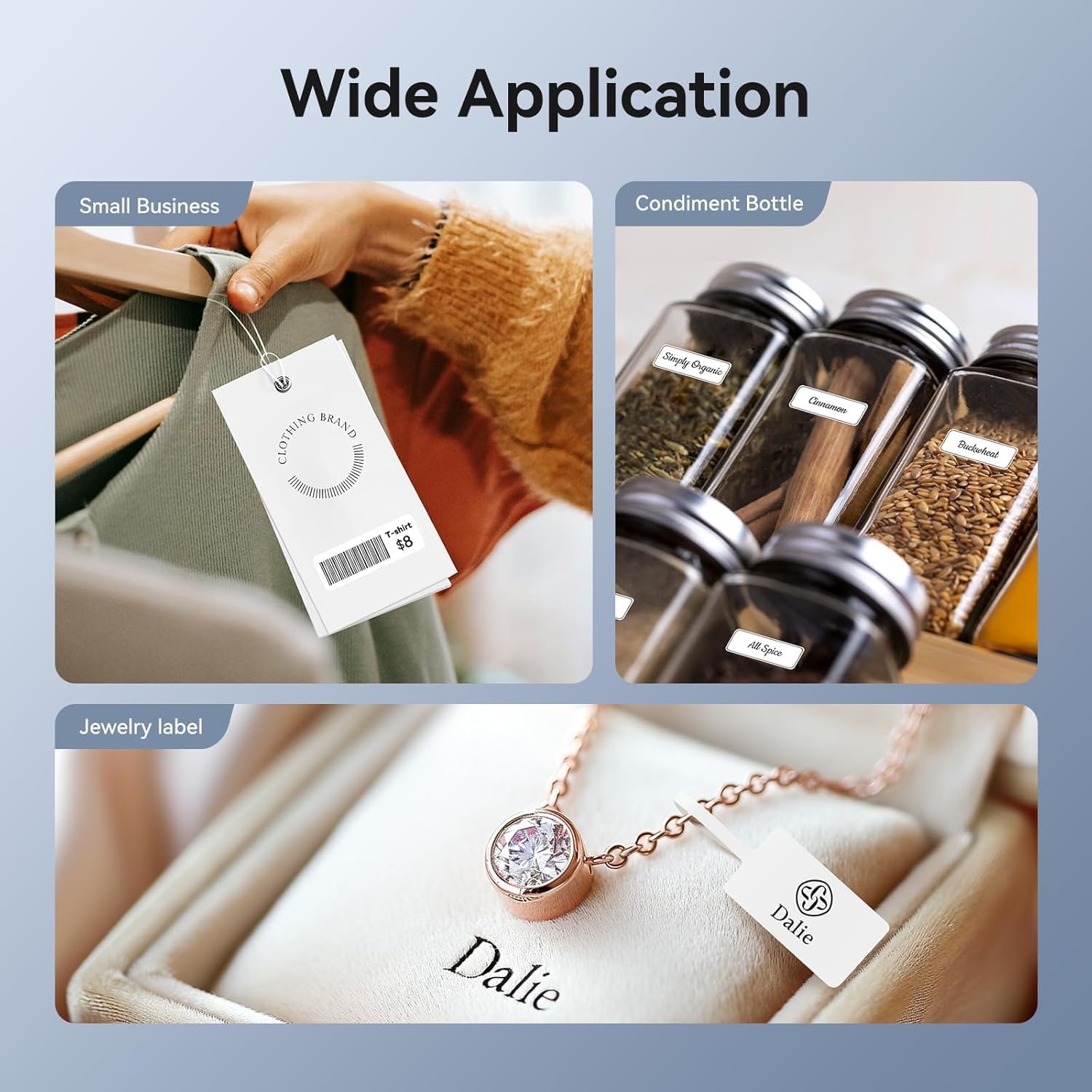
Image: Shows the versatility of the NIIMBOT D11H for small business applications, such as creating price tags for clothing, labeling condiment bottles, and making elegant jewelry labels.

Hình ảnh: Một triển lãm ảnh ghépasing diverse labeling applications for the NIIMBOT D11H, covering kitchen organization, office filing, cosmetic storage, gift personalization, stationery identification, and medicine management.
Bảo hành và Hỗ trợ
NIIMBOT products typically come with a standard manufacturer's warranty. Please refer to the warranty card included in your package or visit the official NIIMBOT webtrang web để biết các điều khoản và điều kiện bảo hành cụ thể.
For technical support, troubleshooting assistance, or warranty claims, please contact NIIMBOT customer service through their official website or the contact information provided in your product packaging. When contacting support, please have your product model (D11H) and purchase details ready.
Ask a question about this manual
Ask about setup, troubleshooting, compatibility, parts, safety, or missing instructions. Manuals+ will review the question and use this page’s manual context to help answer it.