
Giới thiệu
Thank you for choosing the Cillso Smartwatch. This manual provides detailed instructions on how to set up, operate, and maintain your device. This smartwatch features a 1.95-inch HD display, Bluetooth calling capabilities, IP68 water resistance, comprehensive health monitoring including SpO2 and sleep tracking, over 100 sports modes, and integrated Alexa for voice control. Please read this manual carefully to ensure optimal performance and longevity of your smartwatch.
Cài đặt
1. Sạc đồng hồ thông minh
Before initial use, fully charge your smartwatch. Connect the provided charging cable to the charging port on the back of the watch and to a standard USB power adapter (not included). A full charge typically takes approximately 2 giờ. The watch has a Pin 300mAh, cung cấp 5-7 days of normal use và lên đến 30 days of standby time.

Image: The smartwatch display indicating a 1.95-inch screen, 2 hours charging time, 5-7 days normal use, 30 days standby time, and a 300mAh battery capacity.
2. Cài đặt và ghép nối ứng dụng
- Tải ứng dụng: Scan the QR code in the quick start guide or search for the companion app (e.g., 'GloryFit' as suggested by watch dial image) in your smartphone's app store (Android or iOS).
- Đăng ký/Đăng nhập: Làm theo hướng dẫn trên màn hình để tạo tài khoản hoặc đăng nhập.
- Ghép nối đồng hồ thông minh: Ensure Bluetooth is enabled on your smartphone. Open the app, navigate to the device section, and select 'Add Device'. Choose your Cillso Smartwatch from the list of available devices. Confirm the pairing request on both your phone and the smartwatch.
Hướng dẫn sử dụng
1. Điều hướng cơ bản
- Màn hình cảm ứng: Vuốt lên, xuống, sang trái hoặc phải để điều hướng qua menu và thông báo. Chạm để chọn mục.
- Nút bên: Press the side button to return to the home screen or to wake up the display.
2. Gọi điện qua Bluetooth
Đồng hồ thông minh hỗ trợ Bluetooth 5.3 calling, allowing you to make and receive calls directly from your wrist when connected to your smartphone. It features a micro tích hợp sẵn và hỗ trợ hồ sơ cuộc gọi và lên đến 100 liên lạc.
- Trả lời cuộc gọi: When an incoming call notification appears, tap the green phone icon to answer.
- Từ chối cuộc gọi: Tap the red phone icon to reject an incoming call.
- Gọi điện: Truy cập bàn phím số hoặc danh bạ trên đồng hồ thông minh của bạn để thực hiện cuộc gọi.
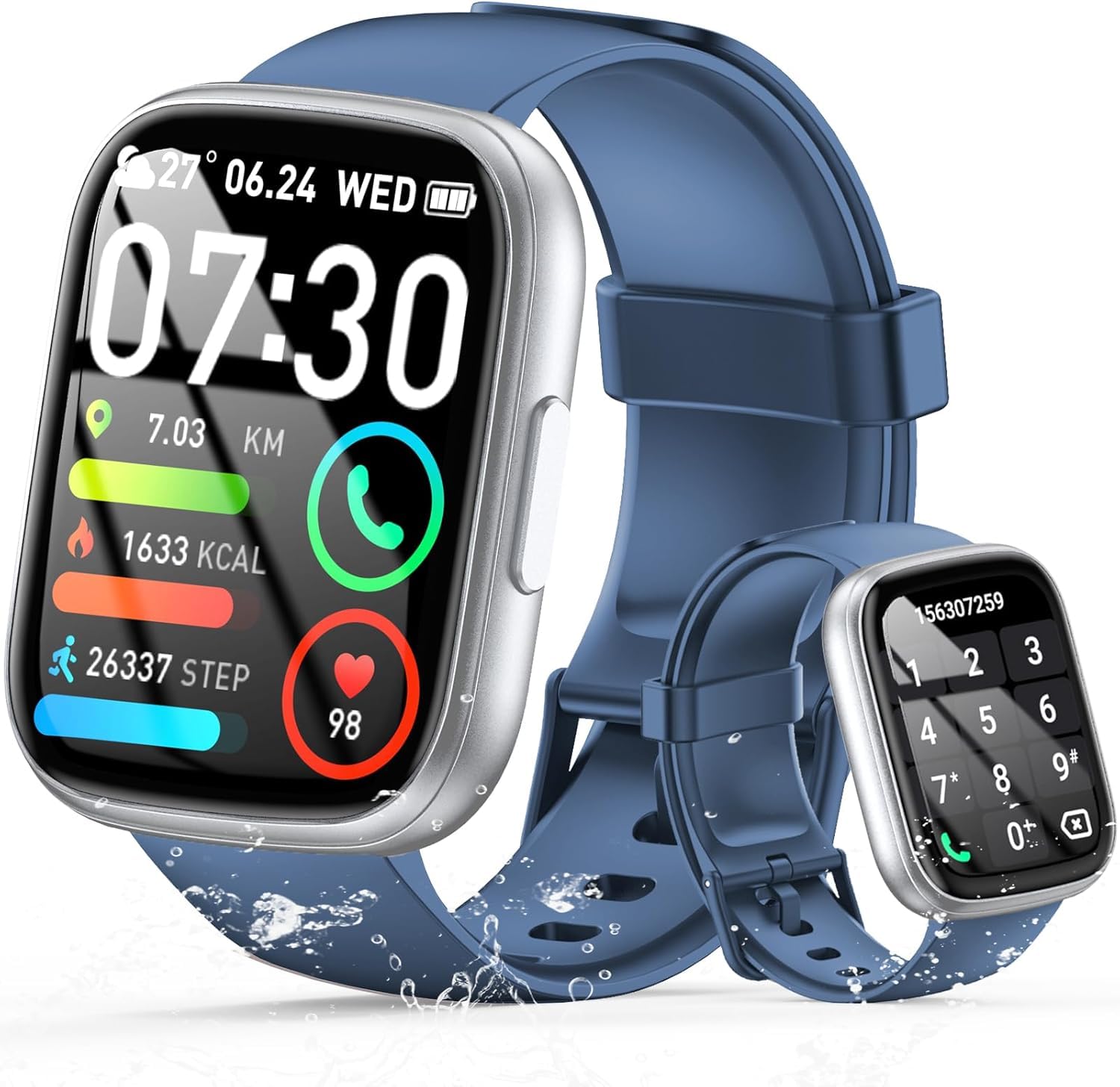
Image: The smartwatch displaying an incoming call, along with icons for built-in mic, Hi-Fi Spectra, call records, and 100 contacts. Examples of dial pad and contact list are also shown.
3. Theo dõi sức khỏe
The smartwatch provides continuous health monitoring features to help you track your well-being.
- Theo dõi nhịp tim: Chiếc đồng hồ này liên tục theo dõi nhịp tim của bạn suốt cả ngày. View your heart rate data on the watch or in the app.
- Theo dõi oxy trong máu (SpO2): Đo nồng độ oxy trong máu của bạn.
- Theo dõi giấc ngủ: Tracks your sleep patterns, including deep sleep, light sleep, and wake times, to provide insights into your sleep quality.

Image: Visual representation of heart rate, blood oxygen (SpO2), and sleep monitoring graphs and data on the smartwatch and a person sleeping while wearing the watch.
4. Chế độ thể thao
Đồng hồ thông minh hỗ trợ over 100 sports modes to accurately track your workouts. Common modes include running, basketball, climbing, skipping, swimming, and badminton. It tracks metrics such as steps, distance, calories burned, and exercise duration.

Image: A person cycling with the smartwatch, illustrating various sports modes like running, basketball, climbing, skipping, swimming, and badminton. Also shows tracking for steps, distance, and calories.
5. Tích hợp Alexa
Với Alexa integrated, you can use voice commands to control music playback, check weather, set alarms, and more directly from your smartwatch.
6. Personalized Watch Dials
Customize your smartwatch with over 200 stylish watch faces available through the companion app. You can also upload your favorite photos to create personalized watch dials. The display features wide color gamut, AM LED technology, and color accuracy.

Hình ảnh: Màn hình trưng bày đồng hồ thông minhasing multiple personalized watch dial options, highlighting wide color gamut, AM LED, and color accuracy features.
7. Multifunctional Features
- Kiểm soát âm nhạc: Phát, tạm dừng, chuyển bài hát và điều chỉnh âm lượng cho nhạc đang phát trên điện thoại thông minh được kết nối của bạn.
- Điều khiển máy ảnh: Remotely control your smartphone's camera to frame, focus, and snap photos or start/stop video recording.
- Đồng hồ báo thức: Đặt báo thức để đánh thức bạn hoặc nhắc nhở bạn về những sự kiện quan trọng.
- Các tính năng khác: Includes weather forecasts, stopwatch, timer, and more.

Image: The smartwatch displaying interfaces for music control, remote camera control, and alarm clock settings, along with icons for other features like temperature, weather, and microphone.
BẢO TRÌ
1. Vệ sinh
Wipe the smartwatch regularly with a soft, dry cloth. For stubborn dirt, use a slightly damp Dùng khăn lau và lau khô hoàn toàn. Tránh sử dụng hóa chất mạnh hoặc vật liệu mài mòn.
2. Khả năng chống nước (IP68)
The Cillso Smartwatch is Chống nước IP68, meaning it is protected against dust ingress and can withstand immersion in water up to 1.5 meters for up to 30 minutes. It is suitable for daily use, hand washing, and light rain. However, it is not recommended for hot showers, saunas, or diving, as steam and high water pressure can compromise the seal.
3. Chăm sóc pin
- Tránh nhiệt độ quá cao hoặc quá thấp, vì điều này có thể làm giảm tuổi thọ pin.
- Hãy sạc đầy pin thiết bị trước khi để lâu không sử dụng.
- Chỉ sử dụng cáp sạc được cung cấp.
Xử lý sự cố
- Đồng hồ không bật: Đảm bảo đồng hồ đã được sạc đầy. Kết nối đồng hồ với bộ sạc trong ít nhất 30 phút.
- Không thể ghép nối với điện thoại: Make sure Bluetooth is enabled on your phone and the watch is within range. Restart both devices and try pairing again through the app.
- Dữ liệu sức khỏe không chính xác: Đảm bảo đồng hồ được đeo vừa vặn trên cổ tay, không quá chặt hoặc quá lỏng. Vệ sinh cảm biến thường xuyên.
- Không nhận được thông báo: Check app permissions on your phone to ensure the companion app has access to notifications. Verify that notifications are enabled within the app settings.
- Alexa không phản hồi: Ensure the watch is connected to your phone and has an active internet connection. Check Alexa settings within the companion app.
Thông số kỹ thuật
| Số hiệu mẫu | B0GQGYDJS7 |
| Thương hiệu | Cillso |
| Kích thước màn hình | 1.95 inch |
| Công nghệ kết nối | Bluetooth 5.3 |
| Xếp hạng khả năng chống nước | IP68 |
| Dung lượng pin | 300 mAh (Pin lithium-polymer) |
| Thời gian sạc | Xấp xỉ 2 giờ |
| Tuổi thọ pin sử dụng bình thường | 7-10 ngày |
| Thời gian chờ | Tối đa 30 ngày |
| Dung lượng lưu trữ bộ nhớ | 1GB |
| Đầu vào giao diện con người | Micrô, Màn hình cảm ứng |
| Các thành phần bao gồm | Cáp sạc |
Bảo hành và Hỗ trợ
Warranty information for your Cillso Smartwatch is typically provided with your purchase documentation. Please refer to those materials for details regarding warranty coverage and terms. For technical support, product inquiries, or assistance with troubleshooting beyond this manual, please contact Cillso customer service through the contact information provided with your product or on the official Cillso webđịa điểm.