
Giới thiệu
This manual provides essential information for setting up, operating, maintaining, and troubleshooting your Samsung 55-Inch Class QN80H Series Neo QLED 4K Smart TV. Please read this manual thoroughly to ensure proper use and to maximize your viewkinh nghiệm.
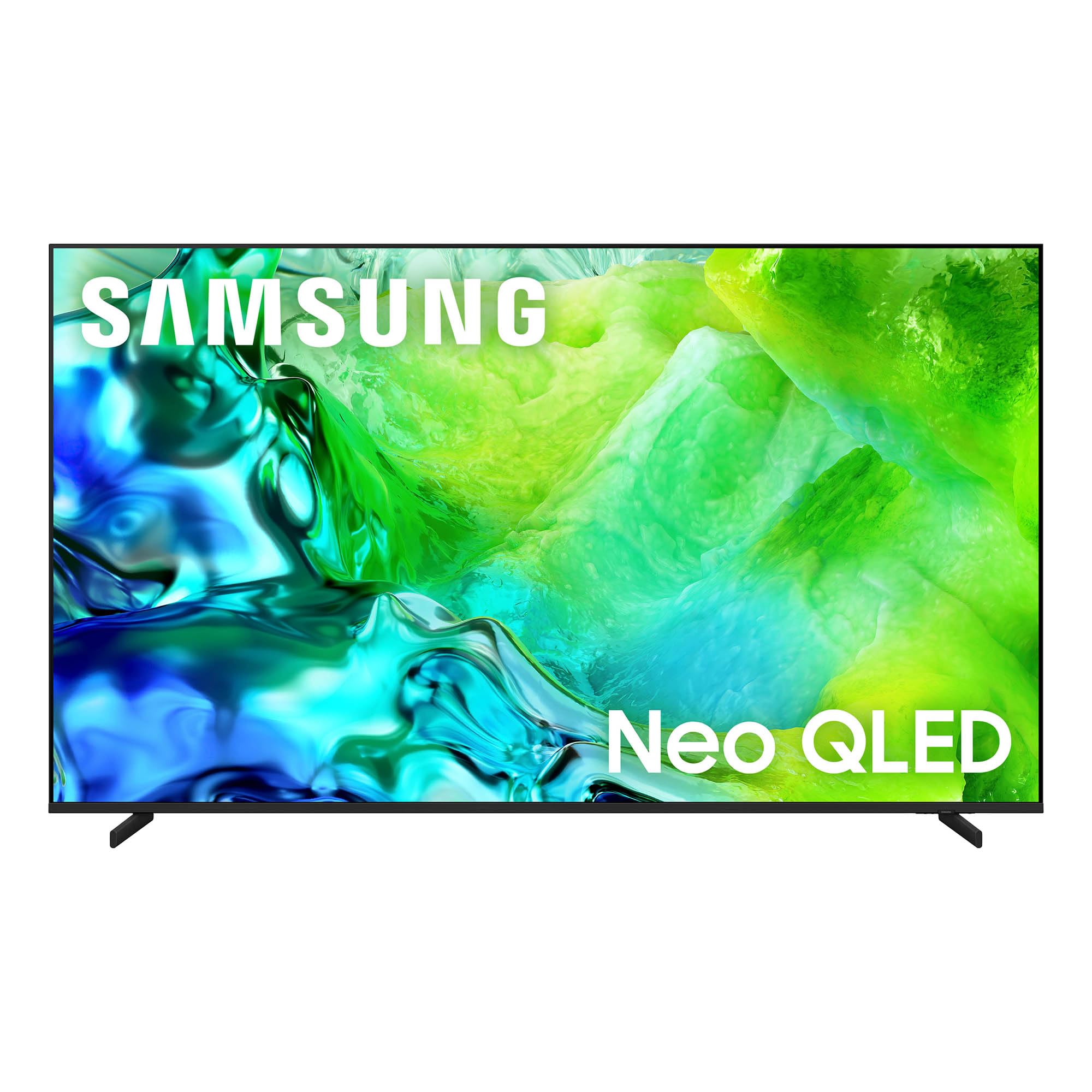
The Samsung 55-Inch Class QN80H Series Neo QLED 4K Smart TV.
Có gì trong hộp
Kiểm tra xem tivi của bạn có đầy đủ các mục sau đây không:
- Samsung QN80H Series Neo QLED 4K Smart TV
- BT Simple Remote TM2280A with batteries
- Cáp nguồn
- Thành phần chân đế
- Hướng dẫn sử dụng (tài liệu này)
- Thẻ bảo hành

A visual representation of the TV's dimensions and the items included in the packaging.
Cài đặt
1. Tháo dỡ
Carefully remove the TV from its packaging. It is recommended to have two people for this process due to the size and weight of the television. Retain all packaging materials for future transport or service needs.
2. Stand Installation or Wall Mounting
For stand installation, follow the instructions provided in the separate Installation Manual. Ensure the stand is securely attached before placing the TV on a stable, level surface. If wall mounting, use a VESA-compatible mount (300 x 200 mm) and consult the Installation Manual for proper procedures. Professional installation is recommended for wall mounting.
3. Kết nối thiết bị ngoại vi
Connect your external devices such as cable boxes, Blu-ray players, gaming consoles, and sound systems to the TV's ports. The QN80H Series TV features multiple connectivity options:
- Cổng HDMI (tổng cộng 4 cổng): For high-definition video and audio. HDMI 3 supports eARC for enhanced audio return. HDMI 4 is optimized for 4K@144Hz gaming.
- USB Ports (2 total, 1 USB 3.0): Để phát lại phương tiện từ ổ USB.
- Cổng Ethernet (LAN): Dành cho kết nối internet có dây.
- Đầu ra âm thanh (Quang học): For connecting to soundbars or receivers.
- Cáp/ANT: For over-the-air antenna or cable TV signals.

Chi tiết view of the TV's connectivity ports, including HDMI, USB, Ethernet, and Audio Out.
4. Power On & Initial Setup
Plug the power cable into the TV and then into a wall outlet. Press the power button on the remote control or the TV. Follow the on-screen instructions to complete the initial setup, including network connection, channel scanning, and smart features configuration.
5. Điều khiển từ xa
The included BT Simple Remote TM2280A uses Bluetooth for connectivity. Insert the provided AAA batteries. The remote should automatically pair with the TV during initial setup. If not, refer to the on-screen instructions or the full User Guide for manual pairing.
Vận hành TV của bạn
1. Smart Hub & Tizen OS
Your Samsung QN80H TV runs on the Tizen operating system, providing access to a wide range of internet applications such as Amazon, Netflix, YouTube, Hulu, HBO, and Disney+. Navigate the Smart Hub using your remote control to find and launch your favorite streaming services and apps.

The intuitive One UI Tizen smart TV platform for personalized content access.
2. Cài đặt hình ảnh
The QN80H Series TV incorporates advanced technologies to deliver an exceptional visual experience:
- Quantum Mini LED Full Array: Experience precise brightness and contrast with dark scenes revealing subtle shadows and bright scenes shining with intense detail.
- Bộ xử lý NQ4 AI Gen2: This processor enhances content in real-time, delivering sharper images, smoother motion, and more vibrant colors.
- Nâng cấp AI 4K: Advanced AI processing upscales lower-resolution content to captivating 4K resolution.
- Bộ tăng tốc chuyển động 144Hz: Provides ultra-smooth 144Hz performance for fast-paced action, reducing stutter and tearing.
- Tự động làm lại HDR: Intelligently transforms SDR content to HDR-like quality with brighter highlights and more vibrant colors.
- Color Booster Pro: Enhances vibrant colors through AI for a richer visual experience.
- Chế độ tùy chỉnh AI: Automatically detects content type and optimizes picture settings.
- Trình tăng cường độ sâu thực sự: Analyzes and enhances scenes to create lifelike depth.
- Đã được Pantone xác thực: Ensures expert-validated color and skin tones for a realistic picture.
- 100% khối lượng màu với chấm lượng tử: Displays over a billion colors that remain true even in bright scenes.

Quantum Mini LED Full Array for ultra-fine contrast and brilliant brightness.

The NQ4 AI Gen2 Processor, the power behind the TV's stunning picture quality.

4K AI Upscaling transforms content to captivating 4K resolution.

Motion Xcelerator 144Hz for smooth motion in sports and gaming.

Auto HDR Remastering transforms content to HDR-like quality.

Color Booster Pro enhances vibrant colors through AI.

AI Customization Mode automatically optimizes picture settings.

Real Depth Enhancer creates pictures with true depth.

Pantone Validated ensures accurate color and skin tones.

100% Color Volume with Quantum Dot for over a billion true colors.
3. Cài đặt âm thanh
Enhance your audio experience with these features:
- Adaptive Sound Pro: Provides vivid, balanced audio by identifying sounds and optimizing audio based on your room's acoustics.
- Giọng nói chủ động Amplifier Pro: Enhances dialogue by identifying and amplifying voices above background sounds and room noise.
- Âm thanh theo dõi đối tượng Lite: Delivers motion-based sound that moves with the action on screen for immersive audio.
- Q-Symphony: Allows the TV and a compatible soundbar to work together for a richer, more nuanced sound experience.

Adaptive Sound Pro for scenic and spatial intelligence for vivid, yet balanced audio.

Giọng nói chủ động Amplifier Pro for clear dialogue with AI-powered voice enhancement.

Object Tracking Sound Lite provides motion-based sound.

Q-Symphony allows the TV and soundbar to work together in harmony.
4. Tính năng chơi game
- Trung tâm trò chơi: A central hub that brings together your favorite games from consoles, cloud services, and gaming apps.

The Gaming Hub provides a central place for all your gaming needs.
5. Tính năng thông minh
- Vision AI Companion: Access powerful AI features and ask your TV questions using voice control.
- Trung tâm SmartThings: Connect and control smart devices through your TV, simplifying your daily life.
- Quick Remote: Control your TV using your smartphone to change channels, adjust volume, and access Tizen features.
- Chăm sóc thú cưng: On-device AI detects your dog's barking and alerts you when your pet needs attention.
- Chia sẻ lưu trữ: Liền mạch view đa phương tiện files from your phone or tablet on the big screen.
- Samsung TV Plus: Instantly access over 400 channels and thousands of on-demand shows and movies for free.
- Bây giờ tóm tắt: Customize widgets for essential information like weather, memo, and music.
- Bảo mật Samsung Knox: Enjoy peace of mind with built-in triple-layer data protection, defending against harmful apps and phishing sites.
- Cửa hàng nghệ thuật: Access art from world-famous galleries and artists.

Vision AI Companion allows interaction with your TV using AI features.

Use your phone as a Quick Remote to control your TV.

Pet Care feature helps you monitor your pets.

Storage Share allows seamless file sharing across Samsung devices.

Samsung TV Plus offers free access to a wide range of content.

Now Brief provides essential information for your day.

Samsung Knox Security provides built-in triple-layer data protection.

The Art Store provides access to world-famous galleries and artists.
BẢO TRÌ
1. Vệ sinh TV của bạn
To clean the screen, gently wipe it with a soft, lint-free cloth. For the TV body, use a soft, dry cloth. Avoid using harsh chemicals, abrasive materials, or excessive moisture, as these can damage the screen or finish.
2. Chế độ năng lượng AI
The AI Energy Mode helps reduce power consumption by automatically adjusting brightness based on the room's lighting and your user activity. This feature can be enabled or disabled in the TV settings.
Xử lý sự cố
If you encounter any issues with your TV, refer to the following common troubleshooting tips. For more detailed solutions, consult the comprehensive User Guide (PDF) available online or through the provided link in the Support section.
- Không có điện: Hãy đảm bảo dây nguồn được kết nối chắc chắn với cả TV và ổ cắm điện đang hoạt động. Kiểm tra ổ cắm bằng một thiết bị khác.
- Không có hình ảnh/âm thanh: Check all cable connections (HDMI, antenna, etc.). Ensure the correct input source is selected on the TV.
- Điều khiển từ xa không hoạt động: Thay pin cho điều khiển từ xa. Đảm bảo không có vật cản nào giữa điều khiển từ xa và TV. Kết nối lại điều khiển Bluetooth nếu cần.
- Chất lượng hình ảnh kém: Adjust picture settings (brightness, contrast, sharpness, color). Check the resolution of the input source. Ensure your antenna or cable connection is strong.
- Sự cố kết nối mạng: Verify your Wi-Fi password. Restart your router and modem. If using a wired connection, ensure the Ethernet cable is properly connected.
Thông số kỹ thuật
| Tính năng | Đặc điểm kỹ thuật |
|---|---|
| Kích thước màn hình | 55 inch |
| Thương hiệu | SAMSUNG |
| Công nghệ hiển thị | QLED (Neo QLED Mini LED) |
| Nghị quyết | 4K |
| Tốc độ làm mới | 120 Hz (Bộ tăng tốc chuyển động 144Hz) |
| Bộ xử lý | Bộ xử lý NQ4 AI Gen2 |
| Hệ điều hành | Tizen |
| Kết nối | Bluetooth 5.3, HDMI (4 ports), USB (2 ports, 1 USB 3.0), Wi-Fi, Ethernet |
| Tính năng đặc biệt | Built-In Speaker, Game Mode, AI Upscaling, HDR10+, Voice Control |
| Kích thước sản phẩm (D x R x C) | 8.6"D x 48.2"W x 30.3"H |
| Trọng lượng sản phẩm | 29.8 pound |
| Tiêu chuẩn gắn kết VESA | 300 x 200mm |
| Số hiệu mẫu | QN55QN80HAFXZA |
| Năm mẫu | 2026 |
Thông tin bảo hành
Your Samsung 55-Inch Class QN80H Series Neo QLED 4K Smart TV is covered by a Bảo hành 1 năm của nhà sản xuất. This warranty covers defects in materials and workmanship under normal use. For specific terms, conditions, and to register your product, please refer to the Warranty Card included in your product packaging or visit the official Samsung support webđịa điểm.
Hỗ trợ & Tài nguyên
For further assistance, detailed instructions, or to download digital copies of your manuals, please use the following resources:
- Hướng dẫn sử dụng (PDF): Tải xuống Hướng dẫn Sử dụng
- Hướng dẫn cài đặt (PDF): Tải xuống Hướng dẫn cài đặt
- Hỗ trợ Samsung Webđịa điểm: Thăm nom samsung.com/us/support/ for product registration, FAQs, and contact information.