PowerA Advantage Wireless Controller for Nintendo Switch 2 - Mario & Yoshi
Model: NSGP0569-01V
Giới thiệu
Sách hướng dẫn này cung cấp hướng dẫn toàn diện cho PowerA Advan.tage Wireless Controller, designed for use with the Nintendo Switch family of devices. It covers setup, operation, maintenance, and troubleshooting to ensure optimal performance and longevity of your controller.
Các tính năng chính
Hall Effect Modules: Equipped with contact-free magnetic sensors in the thumbsticks to prevent stick drift, offering smoother control, enhanced precision, and increased longevity.
Advanced Gaming Buttons: Two mappable buttons can be programmed on the fly during gameplay without needing to access system settings.
Intuitive Motion Controls: Experience fluid and responsive motion controls for aiming, steering, flying, and other in-game actions.
Nút C: Provides quick access to GameChat features.
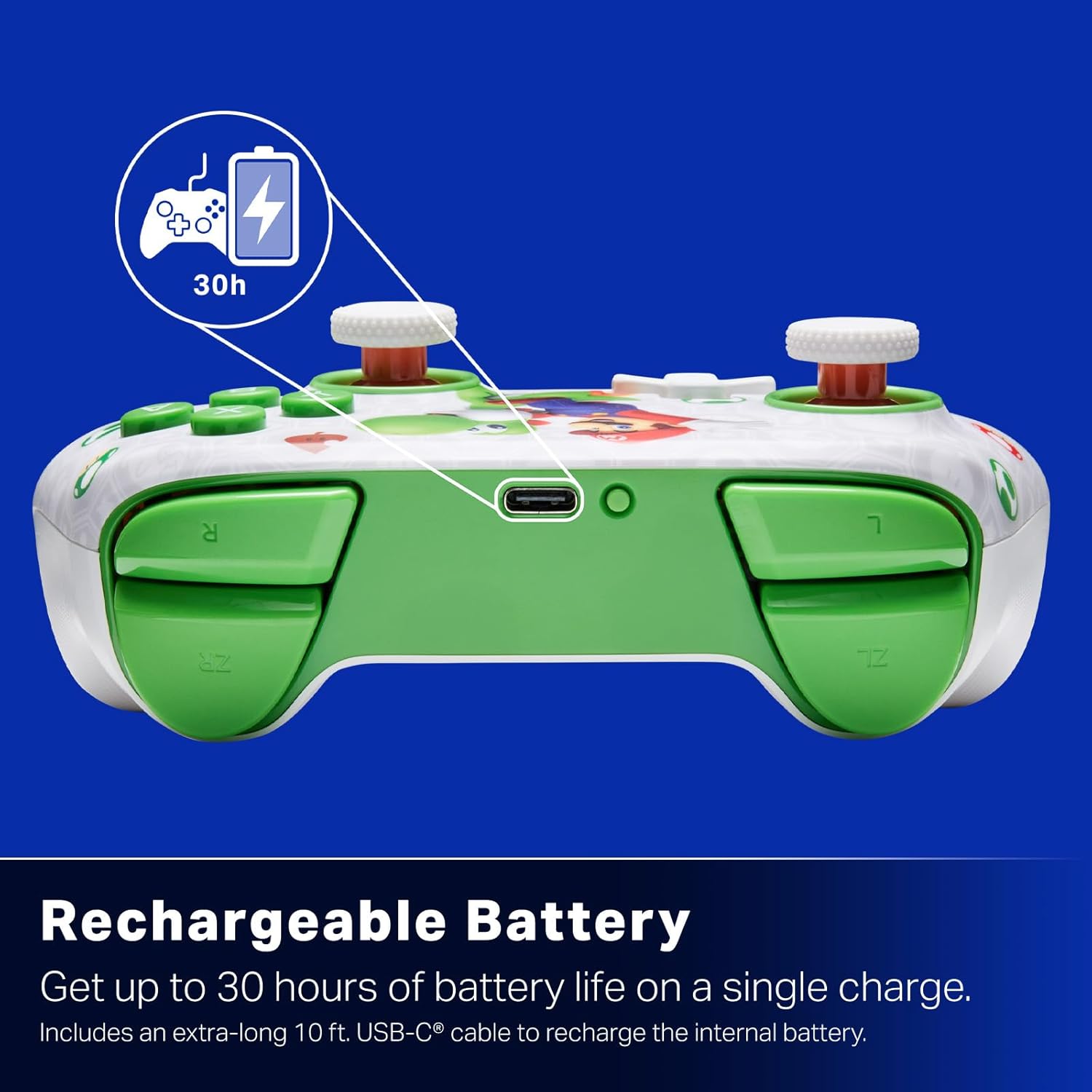
Pin sạc: Offers up to 30 hours of gameplay on a single charge. Includes a 10 ft. (3m) USB-C cable for recharging.
Thiết kế công thái học: Crafted for comfort during extended gaming sessions, utilizing cutting-edge ergonomics and high-quality materials.
Nintendo Family Compatibility: Compatible with Nintendo Switch 2, Nintendo Switch, Nintendo Switch – OLED Model, and Nintendo Switch Lite.
Được cấp phép chính thức: PowerA products undergo rigorous testing by Nintendo to ensure compatibility and quality.
Hướng dẫn thiết lập
1. Sạc ban đầu
Before first use, fully charge your PowerA Advantage Wireless Controller. Connect the included 10 ft. (3m) USB-C cable to the controller's USB-C port and the other end to a powered USB port on your Nintendo Switch dock or a USB wall adapter.
Figure 1: Controller connected via USB-C for charging, highlighting the rechargeable battery feature.
2. Ghép nối với Nintendo Switch
Đảm bảo máy chơi game Nintendo Switch của bạn được bật nguồn và cập nhật lên phần mềm hệ thống mới nhất.
Từ Menu HOME, chọn Bộ điều khiển, sau đó Thay đổi cách cầm/thứ tự.
On the PowerA Advantage Wireless Controller, press and hold the Nút ĐỒNG BỘ located on the top edge of the controller for at least three seconds. The player indicator LEDs on the bottom of the controller will begin to flash.
Once the controller successfully pairs, the player indicator LED(s) corresponding to the controller number will remain lit.
Nhấn nút Một nut bâm to confirm and exit the pairing screen.
For subsequent uses, simply press the HOME button on the controller to wake it up and automatically reconnect to your Switch console.
Hướng dẫn sử dụng
Điều khiển cơ bản
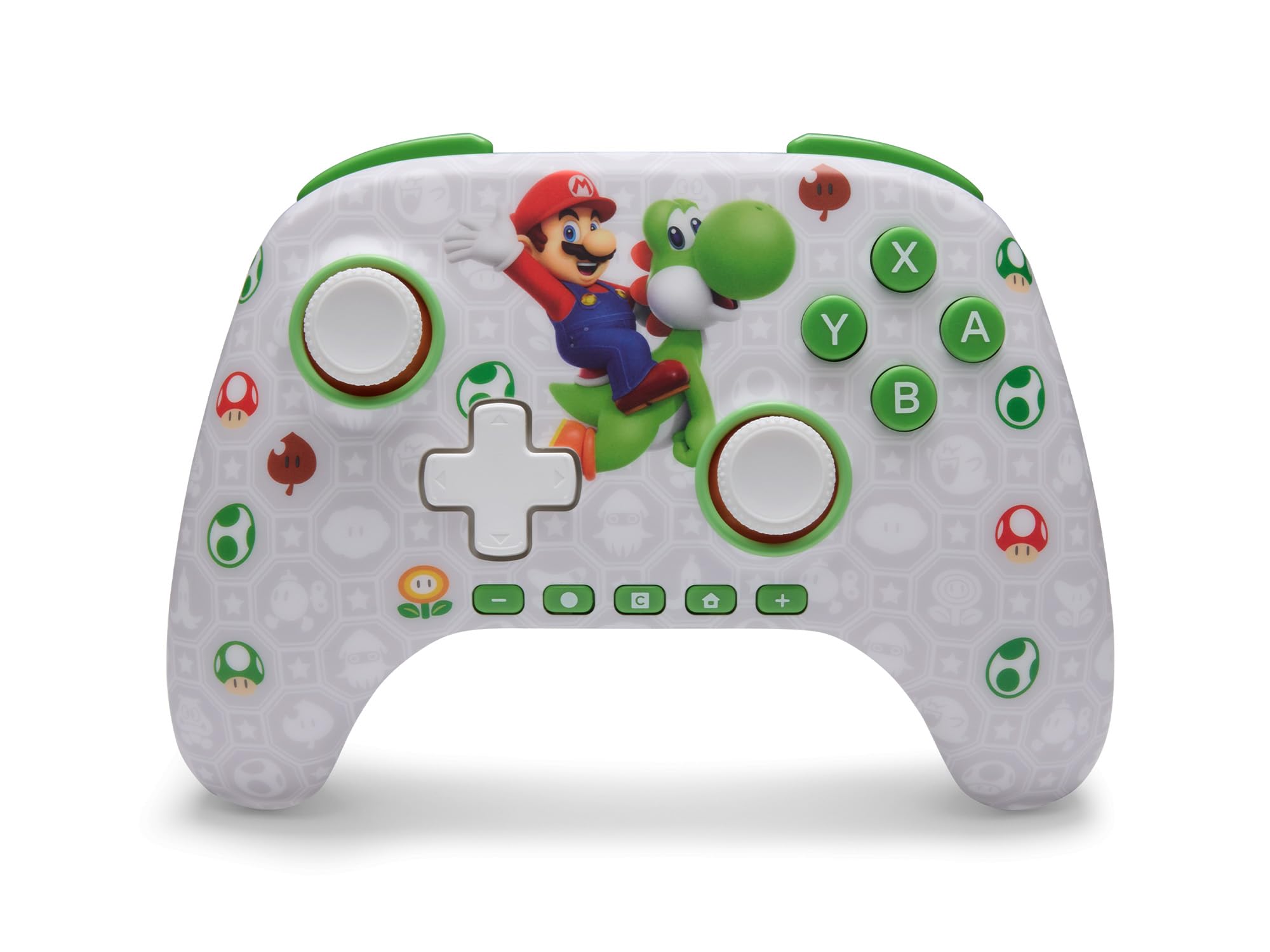
PowerA Advantage Wireless Controller features standard Nintendo Switch button layouts, including A, B, X, Y buttons, L/R and ZL/ZR shoulder buttons, a D-pad, and dual analog sticks. Familiarize yourself with these controls for general gameplay.
Hình 2: Mặt trước view of the PowerA Advantage Wireless Controller, highlighting the Mario and Yoshi design and button layout.
Các nút chơi game nâng cao (AGB)
The controller includes two mappable Advanced Gaming Buttons (AGR and AGL) on the back. These buttons can be assigned to replicate any other button on the controller for quick access during gameplay.
Nhấn nút Program Button (PRGM) on the back of the controller. The Program LED will flash.
Nhấn nút Advanced Gaming Button (AGR or AGL) you wish to map. The Program LED will flash rapidly.
Nhấn nút cái nút you want to assign to the Advanced Gaming Button (e.g., A, B, X, Y, L, R, ZL, ZR, D-pad directions). The Program LED will stop flashing, indicating successful mapping.
To clear a mapped button, repeat steps 1-2, then press the Nút chương trình lại.
Figure 3: Advanced Gaming Buttons (AGB) on the back of the controller, with an illustration of mappable functions.
Điều khiển chuyển động
The controller supports motion controls, allowing for intuitive interaction in compatible games. These controls are automatically enabled when supported by the game.
Figure 4: Controller demonstrating motion control capabilities through tilting.
C Button (GameChat)
The dedicated C Button provides quick access to GameChat features in supported titles, enhancing your multiplayer experience.
Figure 5: The 'C' button, used for GameChat features.
BẢO TRÌ
Vệ sinh: Sử dụng vải mềm, khô để vệ sinh bộ điều khiển. Tránh sử dụng hóa chất mạnh hoặc vật liệu mài mòn.
Kho: Bảo quản bộ điều khiển ở nơi khô ráo, thoáng mát, tránh ánh nắng trực tiếp và nhiệt độ cao.
Chăm sóc pin: Để kéo dài tuổi thọ pin, tránh xả hết pin bộ điều khiển thường xuyên. Hãy sạc pin thường xuyên, ngay cả khi không sử dụng liên tục.
Chăm sóc cáp: Handle the USB-C charging cable with care. Avoid bending or twisting it excessively.
Xử lý sự cố
Bộ điều khiển không kết nối/ghép nối
Đảm bảo bộ điều khiển được sạc đầy.
Hãy kiểm tra xem máy chơi game Nintendo Switch đã được cập nhật lên phiên bản phần mềm hệ thống mới nhất chưa.
Repeat the pairing process (see "Pairing with Nintendo Switch" in Setup Instructions).
If issues persist, try restarting both the controller and the Nintendo Switch console.
Stick Drift
PowerA Advantage Controller features Hall Effect modules designed to prevent stick drift. If you experience any unintended input, ensure the controller's firmware is up to date (check PowerA's official webtrang web để cập nhật).
Recalibrate the joysticks through the Nintendo Switch system settings if necessary (System Settings > Controllers and Sensors > Calibrate Control Sticks).
Tuổi thọ pin ngắn
Đảm bảo bộ điều khiển được sạc đầy trước mỗi lần sử dụng.
Battery life can vary based on game usage and features enabled.
Use the provided USB-C cable for optimal charging.
Thông số kỹ thuật
Tính năng
Chi tiết
Số hiệu mẫu
NSGP0569-01V
Kết nối
Wireless (Bluetooth), USB-C (for charging)
Thiết bị tương thích
Nintendo Switch 2, Nintendo Switch, Nintendo Switch – OLED Model, Nintendo Switch Lite
Tuổi thọ pin
Lên đến 30 giờ (thay đổi tùy theo mức sử dụng)
Chiều dài cáp
10 ft. (3m) USB-C
Kích thước
5.88 x 4.21 x 2.36 inch
Cân nặng
0.66 Bảng Anh
Tính năng đặc biệt
Hall Effect Thumbsticks, Mappable Advanced Gaming Buttons, Motion Controls, C Button
Bảo hành và Hỗ trợ
PowerA Advantage Wireless Controller comes with a Bảo hành có giới hạn hai năm. For detailed warranty information, product support, or to register your product, please visit the official PowerA webtrang web tại PowerA.com/Hỗ trợ.
Figure 6: Official Nintendo Licensed Product badge, ensuring quality and compatibility.
Hướng dẫn sử dụng bộ điều khiển có dây PowerA Fusion Pro Hướng dẫn sử dụng toàn diện cho tay cầm chơi game có dây PowerA Fusion Pro dành cho Xbox, trình bày chi tiết về thiết lập, tính năng, khắc phục sự cố và thông tin an toàn.
Hướng dẫn sử dụng tay cầm không dây PowerA Enhanced dành cho Nintendo Switch Sách hướng dẫn sử dụng chính thức cho tay cầm không dây PowerA Enhanced Wireless Controller dành cho Nintendo Switch, mô tả chi tiết cách thiết lập, lắp đặt pin, ghép nối không dây, đèn LED báo hiệu, gán nút nâng cao, khắc phục sự cố, cảnh báo an toàn và thông tin tuân thủ.
Hướng dẫn sử dụng tay cầm không dây PowerA FUSION Pro dành cho Xbox Khám phá các tính năng và hướng dẫn thiết lập cho Bộ điều khiển không dây PowerA FUSION Pro dành cho Xbox, với đèn nền Lumectra, các nút có thể lập trình và điều khiển tùy chỉnh để nâng cao trải nghiệm chơi game.
PowerA Fortnite Wireless Controller User Manual Official user manual for the PowerA Fortnite Special Edition Wireless Controller (Model XBGPSWLI). Includes instructions for setup, connecting via wired or wireless modes, programming advanced gaming buttons, profile cài đặt và khắc phục sự cố.
Ask a question about this manual
Ask about setup, troubleshooting, compatibility, parts, safety, or missing instructions. Manuals+ will review the question and use this page’s manual context to help answer it.