
1. Giới thiệu
This manual provides essential information for the safe and effective operation of your elecci YL059 GPS Drone. Please read this manual thoroughly before operating the drone to ensure proper usage and to prevent damage or injury. The YL059 drone is designed for aerial photography and recreational flight, featuring GPS-assisted flight capabilities, obstacle avoidance, and a screen remote controller for an enhanced user experience.
2. Nội dung gói hàng
Xác minh rằng tất cả các mục được liệt kê dưới đây đều có trong gói hàng của bạn:
- 1 × elecci YL059 Drone
- 1 × Screen Remote Controller
- Pin 2 ×
- × Sạc 1
- 4 × Propellers (plus spares)
- 1 × Hướng dẫn sử dụng
- 1 × Handbag
- 1 × SD Card
3. Sản phẩm hếtview
The elecci YL059 GPS Drone integrates advanced features for stable and intelligent flight. Key components include a brushless motor system for efficient power, an adjustable lens camera for versatile aerial shots, and a screen remote for direct FPV viewđang.
Các tính năng chính:
- GPS Auto-Return: Automatically returns to the takeoff point on low battery, signal loss, or user command.
- Hệ thống tránh chướng ngại vật nâng cao: Real-time detection to navigate complex environments safely.
- Screen Remote & FPV Transmission: Integrated screen on the remote controller for direct first-person view đồ ăntage.
- Động cơ không chổi than: Provides smooth, quiet, and long-lasting flight performance.
- Ống kính có thể điều chỉnh: Electronic lens allows for dynamic angle adjustments during flight.
- Thời gian bay kéo dài: Includes two high-capacity batteries for prolonged operation.
- One-Key Airdrop: Functionality for dropping small items.
Trực quan hơnview:

Image: The elecci YL059 GPS Drone in its folded state alongside its screen remote controller, highlighting its compact design and integrated display.

Image: The elecci YL059 GPS Drone and its screen remote controller displayed on a dark surface, showcasing the product's aesthetic.
Video giới thiệu sản phẩm:
Video: An official demonstration of the elecci YL059 GPS Drone, showcasing its folding design, obstacle avoidance, camera capabilities, screen remote control, GPS positioning, image transmission, airdrop function, and intelligent flight modes.
4. Lắp ráp và thiết lập
4.1 Sạc pin
- Kết nối bộ sạc với nguồn điện.
- Insert the drone battery into the charger.
- Allow the battery to charge fully. The indicator light on the charger will change when charging is complete.
4.2 Lắp đặt cánh quạt
- Identify the correct propellers (marked A or B) for each motor arm.
- Attach the propellers firmly to the corresponding motor shafts. Ensure they are securely fastened to prevent detachment during flight.
4.3 Thiết lập bộ điều khiển từ xa
- Ensure the remote controller is charged.
- Bật nguồn bộ điều khiển từ xa.
- Bật máy bay không người lái.
- Follow the on-screen prompts on the remote controller to pair it with the drone.
5. Flight Preparation
5.1 Danh sách kiểm tra trước chuyến bay
- Hãy đảm bảo pin của máy bay không người lái và bộ điều khiển từ xa đã được sạc đầy.
- Verify propellers are correctly installed and free from damage.
- Check that the camera lens is clean.
- Ensure the SD card is inserted if recording is desired.
- Select an open, clear area for flight, away from obstacles, people, and restricted airspace.
- Calibrate the drone's compass and gyroscope as instructed by the remote controller or drone's voice prompts.
6. Hoạt động cơ bản
6.1 Cất cánh và hạ cánh
- Đặt máy bay không người lái trên một bề mặt bằng phẳng.
- Ensure GPS signal is acquired (indicated on the remote controller screen).
- Press the One-Key Takeoff button on the remote controller, or manually initiate takeoff using the control sticks.
- To land, press the One-Key Landing button, or manually descend the drone to a safe landing spot.
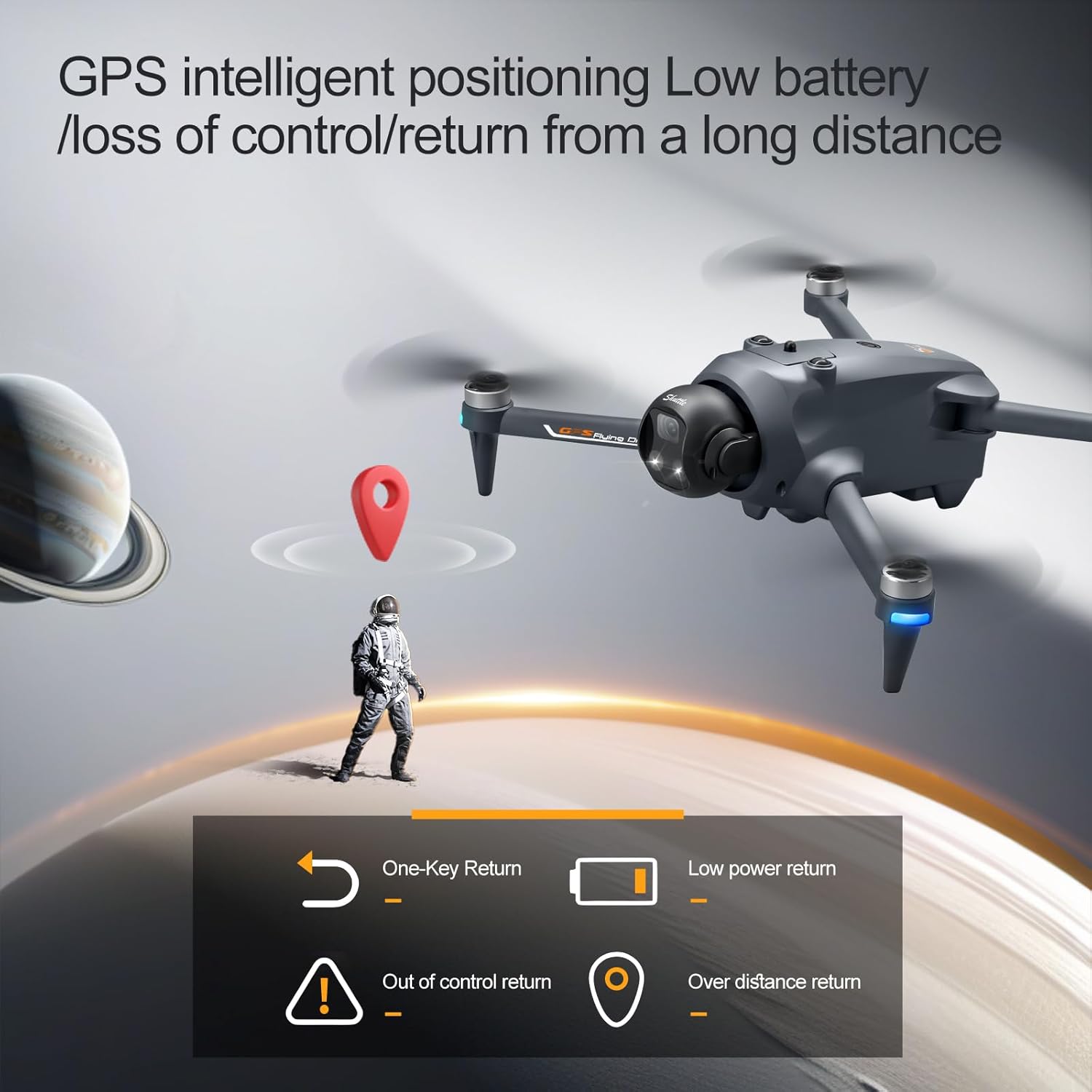
Image: The elecci YL059 GPS Drone in flight, illustrating its GPS intelligent positioning for stable hovering and return functions.
6.2 Controlling Flight
Use the joysticks on the remote controller to control the drone's movement:
- Cần điều khiển trái: Controls altitude (up/down) and rotation (yaw left/right).
- Cần điều khiển bên phải: Điều khiển chuyển động tiến/lùi và trái/phải.
Refer to the remote controller diagram in the quick start guide for specific button functions.
7. Tính năng nâng cao
7.1 GPS Auto-Return
The drone features an automatic return-to-home function. This can be activated manually via the remote controller, or it will engage automatically under conditions such as low battery or loss of signal. Ensure a clear path for the drone's return.
7.2 Tránh chướng ngại vật
The YL059 drone is equipped with sensors for real-time obstacle detection. When active, the drone will attempt to avoid obstacles in its flight path, enhancing safety, especially in environments like forests or urban areas.

Image: The elecci YL059 GPS Drone showcasing its lift-type obstacle avoidance module, designed for sensitive perception and automatic evasion.
7.3 One-Key Airdrop
This feature allows the drone to carry and release small payloads. To use, attach the item securely to the drone's designated airdrop mechanism. Activate the airdrop function via the remote controller when the drone is in the desired position.

Image: The elecci YL059 GPS Drone demonstrating its one-click airdrop capability, with a small item being released from the drone.
7.4 Camera Operation (Photo/Video)
The drone's camera can capture 4K video and high-resolution photos. Use the dedicated buttons on the remote controller to switch between photo and video modes and to initiate recording or capture images. The electronic lens can be adjusted for optimal framing.
7.5 Theo dõi thông minh
When activated, the drone can automatically follow a designated subject, maintaining a set distance and altitude. This feature is ideal for capturing dynamic footage of moving subjects.
7.6 GPS Surround Mode
In this mode, the drone will orbit a specified point of interest, capturing a 360-degree view. Set the center point and radius using the remote controller.
8. Bảo trì
- Vệ sinh: Regularly wipe the drone and remote controller with a soft, dry cloth. Do not use harsh chemicals or solvents.
- Cánh quạt: Inspect propellers for cracks or damage before each flight. Replace damaged propellers immediately.
- Pin: Bảo quản pin ở nơi khô ráo, thoáng mát. Không sạc quá mức hoặc xả quá mức.
- Kho: When not in use, store the drone and its components in the provided handbag or a protective case, away from direct sunlight and extreme temperatures.
KHAI THÁC. Xử lý sự cố
| Vấn đề | Nguyên nhân có thể | Giải pháp |
|---|---|---|
| Máy bay không người lái không bật nguồn | Pin yếu; Pin chưa được lắp đúng cách. | Charge battery; Reinsert battery securely |
| Bộ điều khiển từ xa không kết nối | Not paired; Out of range; Interference | Re-pair controller; Move closer to drone; Avoid areas with strong interference |
| Bay không ổn định/Trôi dạt | Improper calibration; Wind; Damaged propellers | Recalibrate gyroscope/compass; Fly in calm conditions; Replace damaged propellers |
| Chất lượng hình ảnh/video kém | Dirty lens; SD card issue; Low light | Clean lens; Check/replace SD card; Use camera fill light in low light conditions |
| Mất tín hiệu GPS | Bay trong nhà; Vật cản; Nhiễu từ trường | Fly outdoors in open areas; Avoid tall buildings/metal structures |
10. Thông số kỹ thuật
| Tính năng | Chi tiết |
|---|---|
| Thương hiệu | elecci |
| Tên mẫu | YL059 |
| Độ phân giải quay video | 4K |
| Công nghệ kết nối | Bluetooth, WiFi |
| Trọng lượng sản phẩm | 0.4 Bảng Anh |
| Thành phần của pin | Pin Lithium Ion |
| Công nghệ cảm biến quang học | Optical Flow, CMOS |
| Kích thước sản phẩm (L x W x H) | Dài 9.05" x Rộng 4.55" x Cao 7.08" |
| Tính năng đặc biệt | 360 Degree Flip, Auto Follow, One Button Return, One Key Rotation, Obstacle Avoidance |
11. Hướng dẫn an toàn
Adhere to the following safety guidelines to ensure a safe flight experience:
- Luôn vận hành máy bay không người lái ở những khu vực thoáng đãng, tránh xa người, động vật, nhà cửa và đường dây điện.
- Luôn duy trì tầm nhìn trực tiếp với máy bay không người lái.
- Do not fly the drone in strong winds, rain, or other adverse weather conditions.
- Respect local regulations and airspace restrictions. Check with local authorities for any drone flight restrictions.
- Ensure all propellers are securely attached before flight.
- Giữ tay và mặt tránh xa cánh quạt đang quay.
- Do not operate the drone under the influence of alcohol or drugs.
- Thực hiện kiểm tra trước mỗi chuyến bay.
12. Bảo hành và Hỗ trợ
For warranty information, technical support, or service inquiries, please refer to the contact details provided on the product packaging or the official elecci webtrang web. Giữ lại biên lai mua hàng làm bằng chứng mua hàng khi yêu cầu bảo hành.