
1. Giới thiệu
The elecci YL059 GPS Drone is designed for enthusiasts seeking a balance of advanced performance and user-friendly operation. This drone features GPS-assisted flight capabilities, intelligent obstacle avoidance, and a screen remote control for an immersive flying experience. This manual provides essential information for safe and effective operation, from initial setup to advanced flight functions.
2. Nội dung gói hàng
Xác minh rằng tất cả các mục đều có trong gói hàng của bạn:
- 1 × elecci YL059 Drone
- 1 × Screen Remote Controller
- 2 × Pin
- × Sạc 1
- 4 × Propellers (spare)
- 1 × Handbag
- 1 × SD Card
- 1 × Hướng dẫn sử dụng (tài liệu này)
3. Sản phẩm hếtview
3.1 Linh kiện máy bay không người lái
The YL059 drone is equipped with brushless motors for smooth and quiet operation, an adjustable 4K camera, and an obstacle avoidance sensor. The design prioritizes stability and responsive control.

Image: The elecci YL059 GPS Drone shown alongside its screen remote control, highlighting its compact design and integrated camera.

Hình ảnh: Cận cảnh view of the elecci YL059 drone, emphasizing its 180-degree Electronic Stability Control (ESC) camera for dynamic aerial shots.
3.2 Screen Remote Control
The remote control features a built-in screen for direct FPV (First Person View) transmission, eliminating the need for a separate smartphone. It provides crisp footage and precise control over the drone's movements and camera functions.

Image: The elecci YL059 GPS Drone in flight above its screen remote control, illustrating the 'One click airdrop' feature and key functionalities like GPS return and brushless power.
3.3 Video sản phẩmview
Video: Một quan chức trênview of the elecci YL059 GPS Drone, demonstrating its features and capabilities, including obstacle avoidance and airdrop functionality.
4. Thiết lập
4.1 Lắp đặt và sạc pin
- Pin không người lái: Lắp pin đã sạc đầy vào ngăn chứa pin của máy bay không người lái cho đến khi nghe thấy tiếng tách.
- Pin điều khiển từ xa: Ensure the remote control is charged. Use the provided charger to charge both drone and remote batteries. The charging indicator will show status.
4.2 Lắp đặt cánh quạt
Attach the propellers according to the markings (A and B) on the propellers and motor arms. Ensure they are securely fastened. Incorrect propeller installation will prevent proper flight.
4.3 Lắp thẻ SD
Insert the provided SD card into the drone's camera slot for recording photos and videos. Ensure it is inserted correctly to avoid damage.
5. Hướng dẫn vận hành
5.1 Danh sách kiểm tra trước chuyến bay
- Ensure drone and remote batteries are fully charged.
- Kiểm tra xem cánh quạt có bị hư hỏng không và đảm bảo chúng được gắn chặt.
- Verify the SD card is inserted.
- Choose an open, clear area for flight, away from obstacles, people, and animals.
- Ensure GPS signal is strong before takeoff for stable flight and return functions.
5.2 Bật/Tắt nguồn
- Bật nguồn: Press and hold the power button on the drone, then on the remote control, until indicator lights illuminate.
- Tắt nguồn: Press and hold the power button on the remote control, then on the drone, until indicator lights turn off.
5.3 Ghép nối và hiệu chuẩn
Follow the on-screen instructions on the remote control to pair the drone and perform compass calibration before the first flight and whenever flying in a new location.
5.4 Cất cánh và hạ cánh
- Cất cánh chỉ với một nút bấm: Press the designated takeoff button on the remote control. The drone will automatically ascend to a safe height.
- Cất cánh thủ công: Push both joysticks down and outwards to start the motors, then slowly push the left joystick up to ascend.
- Hạ cánh một phím: Press the designated landing button. The drone will descend and land automatically.
- Hạ cánh thủ công: Từ từ kéo cần điều khiển bên trái xuống để hạ độ cao.
5.5 Điều khiển bay cơ bản
Sử dụng cần điều khiển trên bộ điều khiển từ xa để điều khiển máy bay không người lái:
- Cần điều khiển bên trái (Ga/Xoay): Up/Down for altitude, Left/Right for rotation.
- Cần điều khiển bên phải (Nghiêng/Xoay): Up/Down for forward/backward movement, Left/Right for left/right movement.
6. Tính năng nâng cao
6.1 GPS Auto-Return and Positioning
The YL059 drone utilizes GPS for precise positioning and intelligent return functions. It will automatically return to its takeoff point under the following conditions:
- Pin yếu: When the drone's battery is critically low.
- Mất tín hiệu: If the connection between the drone and remote control is lost.
- Quay lại bằng một phím: Activated manually by pressing the dedicated button on the remote control.
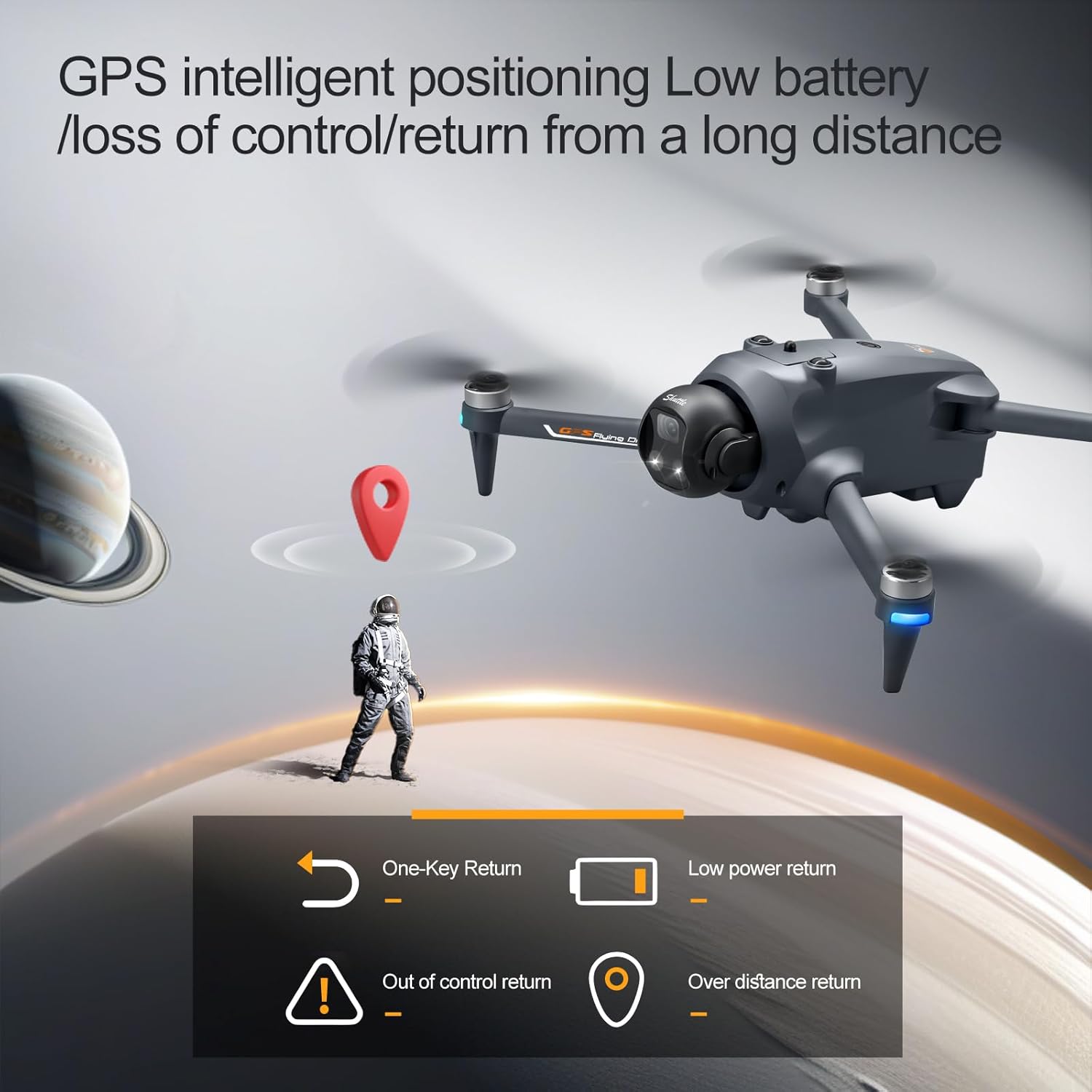
Image: Illustration of the elecci YL059 drone's GPS intelligent positioning, showing its ability to return automatically on low battery, signal loss, or user command.
6.2 Advanced Obstacle Avoidance
The drone features real-time obstacle detection, allowing it to navigate complex environments safely. The obstacle avoidance sensor helps prevent collisions by detecting objects in its path.

Hình ảnh: Một chi tiết view of the elecci YL059 drone's lift obstacle avoidance head, demonstrating its sensitive perception for collision prevention.
6.3 One-Key Airdrop
The one-key airdrop function allows for controlled release of small payloads. This feature can be used for recreational purposes, such as dropping small items in designated areas.
6.4 4K Camera and Adjustable Lens
Capture high-quality aerial photos and videos with the integrated 4K camera. The electronic lens can be adjusted to achieve dynamic angles during flight, enhancing your photographic and videographic capabilities.
7. Bảo trì
- Vệ sinh: Regularly clean the drone body, camera lens, and obstacle avoidance sensors with a soft, dry cloth. Avoid using liquids.
- Kiểm tra cánh quạt: Check propellers for cracks, bends, or other damage before each flight. Replace damaged propellers immediately using the provided spares.
- Chăm sóc pin: Store batteries in a cool, dry place. Do not overcharge or over-discharge. If not used for extended periods, charge them to approximately 50% capacity.
- Kho: When not in use, store the drone and remote control in the provided handbag in a dry environment, away from direct sunlight and extreme temperatures.
KHAI THÁC. Xử lý sự cố
- Máy bay không người lái không bật nguồn: Đảm bảo pin được sạc đầy và lắp đúng cách.
- Điều khiển từ xa không kết nối: Ensure both drone and remote are powered on and follow the pairing instructions in Section 5.3.
- Bay không ổn định/Trôi dạt: Perform compass calibration (Section 5.3). Check for damaged propellers. Fly in calm conditions.
- Không có tín hiệu GPS: Bay ở khu vực ngoài trời thoáng đãng, trời quang đãng. view of the sky. Wait for the GPS indicator to show a strong signal before takeoff.
- Poor camera quality/No recording: Ensure the camera lens is clean and the SD card is correctly inserted and has sufficient free space.
9. Thông số kỹ thuật
| Tính năng | Đặc điểm kỹ thuật |
|---|---|
| Thương hiệu | elecci |
| Tên mẫu | YL059 |
| Độ phân giải quay video | 4K |
| Công nghệ kết nối | Bluetooth, WiFi |
| Loại điều khiển | Điều khiển từ xa |
| Tính năng đặc biệt | 360 Degree Flip, Auto Follow, One Button Return, One Key Rotation, Obstacle Avoidance |
| Trọng lượng sản phẩm | 6.4 ounce |
| Thành phần của pin | Pin Lithium Ion |
| Công nghệ cảm biến quang học | Optical Flow, CMOS |
| Kích thước (D x R x C) | Dài 9.05" x Rộng 4.55" x Cao 7.08" |
10. Hướng dẫn an toàn
Operating a drone requires responsibility. Adhere to the following safety guidelines:
- Quy định của địa phương: Always comply with local aviation laws and regulations.
- Môi trường trong lành: Fly in open areas, away from buildings, trees, power lines, and other obstacles.
- Đường ngắm trực quan: Luôn duy trì tầm nhìn trực tiếp với máy bay không người lái.
- Điều kiện thời tiết: Không nên bay khi có gió mạnh, mưa, tuyết hoặc sương mù.
- Tôn trọng quyền riêng tư: Hãy lưu ý đến quyền riêng tư của người khác khi vận hành camera của máy bay không người lái.
- An toàn pin: Use only approved chargers and batteries. Do not puncture or damage batteries.
- Độ tuổi khuyến nghị: This product is recommended for adult users.
11. Bảo hành và Hỗ trợ
For warranty information and technical support, please refer to the contact details provided with your purchase or visit the official elecci webtrang web. Giữ lại bằng chứng mua hàng để yêu cầu bảo hành.