
1. Thiết lập
This section guides you through the initial setup of your CHUWI CoreBook X laptop.
1.1 Mở hộp và bật nguồn lần đầu
- Cẩn thận lấy máy tính xách tay và tất cả phụ kiện ra khỏi bao bì.
- Connect the provided USB-C power adapter to the laptop's USB-C port (PD Charging/USB 2.0) and then to a power outlet.
- Open the laptop lid. The laptop may power on automatically or you may need to press the power button located on the keyboard.
- Làm theo hướng dẫn trên màn hình để hoàn tất thiết lập ban đầu của Windows 11 Pro, bao gồm chọn ngôn ngữ, kết nối mạng và tạo tài khoản người dùng.
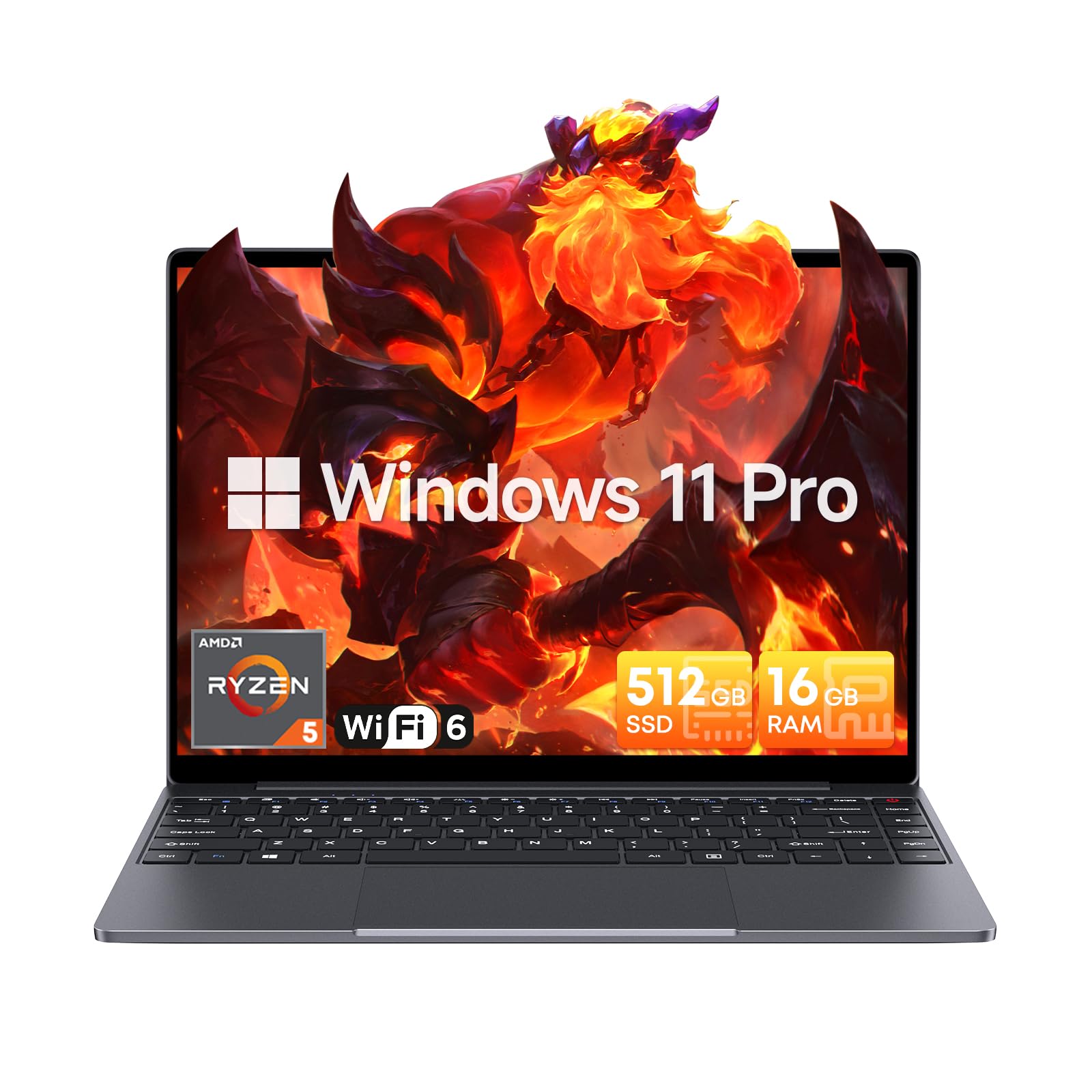
Image: The CHUWI CoreBook X laptop open on a desk, ready for use.
1.2 Kết nối thiết bị ngoại vi
- Thiết bị USB: Connect USB mice, keyboards, or external storage devices to the available USB 3.0 ports.
- Màn hình bên ngoài: Use the HDMI 1.4 port or the full-featured USB Type-C port to connect an external monitor.
- Thiết bị âm thanh: Kết nối tai nghe hoặc loa ngoài với giắc cắm âm thanh 3.5mm.
- Thẻ TF: Insert a TF card into the TF card slot for additional storage.

Hình ảnh: Chi tiết view of the laptop's ports, including TF Card Slot, 3.5mm Headphone Jack, USB 3.0 Port, Lock Slot, USB Type-C (PD Charging/USB 2.0), HDMI 1.4, and Full-featured USB Type-C Port.
1.3 Kết nối mạng và Bluetooth
- Wi-Fi 6: Để kết nối với mạng không dây, hãy nhấp vào biểu tượng Wi-Fi trên thanh tác vụ, chọn mạng của bạn và nhập mật khẩu.
- Bluetooth 5.2: To pair Bluetooth devices, go to Windows Settings > Bluetooth & devices, turn on Bluetooth, and select your device to pair.
2. Hoạt động
This section covers the basic operation of your CHUWI CoreBook X laptop.
2.1 Quản lý nguồn điện
- Bật nguồn: Nhấn nút nguồn.
- Chế độ ngủ: Đóng nắp máy hoặc chọn "Chế độ ngủ" từ menu Bắt đầu.
- Tắt máy: Select "Shut down" from the Start menu.
- Khởi động lại: Select "Restart" from the Start menu.
2.2 Bàn phím và bàn di chuột
- The laptop features a full-sized backlit keyboard with white illumination. Use the function keys (Fn) in combination with other keys for shortcuts like adjusting brightness, volume, or toggling the backlight.
- The large touchpad supports multi-touch gestures for navigation. Refer to Windows settings for customizing touchpad gestures.

Hình ảnh: Cận cảnh view of the laptop's backlit keyboard and large touchpad, highlighting its navigation features.
2.3 Màn hình và Âm thanh
- The 14-inch IPS display offers a 2160*1440 resolution. Adjust display settings (brightness, resolution, scaling) through Windows Display Settings.
- The laptop is equipped with stereo speakers. Volume can be controlled via the keyboard function keys or the Windows sound settings.
- An HD webcam is integrated for video conferencing.

Image: The laptop's 14-inch 2K IPS display showcasing vibrant colors and a comparison of 3:2 and 16:9 aspect ratios.
2.4 Video Overview
Video: An official product video demonstrating various features and usage scenarios of the CHUWI CoreBook X laptop, including its performance, display, and connectivity options.
3. Bảo trì
Bảo trì đúng cách đảm bảo tuổi thọ và hiệu suất tối ưu cho máy tính xách tay của bạn.
3.1 Vệ sinh
- Use a soft, lint-free cloth to clean the screen. For stubborn marks, dampen the cloth slightly with water or a screen-safe cleaner.
- Wipe the chassis and keyboard with a soft, dry cloth. Avoid using harsh chemicals or abrasive materials.
- Periodically use compressed air to clear dust from the vents to maintain efficient cooling.
3.2 Chăm sóc pin
- Avoid fully discharging the battery frequently. Charge the laptop when the battery level is low.
- Nếu không sử dụng trong thời gian dài, hãy bảo quản máy tính xách tay ở nơi khô ráo, thoáng mát, và sạc pin ở mức khoảng 50-70%.
- Use only the original or certified compatible USB-C PD charger.
3.3 Nâng cấp dung lượng lưu trữ và bộ nhớ
The laptop supports RAM and SSD upgrades.
- The 16GB DDR4 RAM can be expanded up to 64GB via 2 SODIMM slots.
- The 512GB PCIe SSD can be expanded up to 2TB using the M.2 2280 PCIe slot.
- A convenient detachable bottom cover allows for easier access to upgrade components without removing the entire back panel.

Image: The underside of the laptop with the detachable cover removed, revealing the dual-channel SO-DIMM slot for RAM upgrades.
KHAI THÁC. Xử lý sự cố
Phần này cung cấp giải pháp cho những vấn đề thường gặp mà bạn có thể gặp phải.
4.1 Các vấn đề thường gặp và giải pháp
- Máy tính xách tay không bật nguồn:
- Đảm bảo bộ đổi nguồn được kết nối chắc chắn với cả máy tính xách tay và ổ cắm điện đang hoạt động.
- Kiểm tra xem ổ cắm điện có hoạt động không.
- Hãy thử giữ nút nguồn trong 10-15 giây để thực hiện thiết lập lại cứng.
- Lỗi hiển thị (không có hình ảnh, nhấp nháy):
- Điều chỉnh độ sáng màn hình bằng các phím chức năng.
- Nếu có màn hình ngoài được kết nối, hãy thử ngắt kết nối.
- Khởi động lại máy tính xách tay.
- Sự cố kết nối Wi-Fi hoặc Bluetooth:
- Hãy đảm bảo rằng Wi-Fi/Bluetooth đã được bật trong cài đặt Windows.
- Khởi động lại bộ định tuyến/modem của bạn để khắc phục sự cố Wi-Fi.
- Remove and re-pair Bluetooth devices.
- Update network and Bluetooth drivers through Device Manager.
- Hiệu suất chậm:
- Đóng các ứng dụng không cần thiết đang chạy ẩn.
- Kiểm tra các bản cập nhật Windows và cập nhật trình điều khiển.
- Đảm bảo có đủ dung lượng trống trên ổ SSD.
- Hãy chạy chương trình quét phần mềm độc hại.
If you encounter issues not covered here or require further assistance, please refer to the Support section.
5. Thông số kỹ thuật
Detailed technical specifications for the CHUWI CoreBook X laptop.

Image: An illustration of the AMD Ryzen 5 processor, highlighting its core count, threads, and clock speed.
| Tính năng | Đặc điểm kỹ thuật |
|---|---|
| Tên mẫu | Corebook X |
| Bộ xử lý | AMD Ryzen 5 (6 Cores, 12 Threads, up to 4.3 GHz) |
| Đồ họa | AMD Radeon Graphics (1800MHz, Max 2GB Memory) |
| ĐẬP | 16GB DDR4 (Expandable up to 64GB via 2 SODIMM slots) |
| Kho | 512GB PCIe SSD (Expandable up to 2TB via M.2 2280 PCIe slot) |
| Trưng bày | 14-inch IPS, 2160*1440 Resolution, 100% sRGB Color Gamut |
| Hệ điều hành | Windows 11 Pro |
| Kết nối | Wi-Fi 6 (802.11ax), Bluetooth 5.2 |
| Cổng | USB Type-C (PD Charging/USB 2.0), USB 3.0, HDMI 1.4, Full-featured USB Type-C, 3.5mm Audio Jack, TF Card Slot, Lock Slot |
| Ắc quy | 46.2Wh Lithium-Ion Battery, 65W USB-C PD Fast Charging |
| Bàn phím | Full-sized Backlit Keyboard with White Illumination |
| Bàn di chuột | Large Touchpad, Multi-touch |
| Webcam | HD Webcam |
| Kích thước | 12.2"L x 9"W x 0.67"Th (17mm thin) |
| Cân nặng | 2.2 pound (1.4kg) |
6. Bảo hành
The CHUWI CoreBook X laptop comes with a Bảo hành 1 năm của nhà sản xuất.
This warranty covers defects in materials and workmanship under normal use. It does not cover damage caused by accidents, misuse, unauthorized repairs, or modifications. Please retain your proof of purchase for warranty claims.
7. Hỗ trợ
For technical assistance, warranty claims, or further inquiries, please contact CHUWI customer support.
- Hỗ trợ nhà sản xuất: Visit the official CHUWI webtrang web cung cấp tài nguyên hỗ trợ, câu hỏi thường gặp và thông tin liên hệ.
- Hỗ trợ người bán: If purchased through a retailer, you may also contact the seller for assistance.