
1. Thiết lập
1.1 Nội dung gói
Trước khi lắp ráp, vui lòng kiểm tra xem tất cả các linh kiện có đầy đủ trong gói hàng hay không:
- KTC H24F7 24 Inch 240Hz Monitor
- Cơ sở giám sát
- Đế màn hình
- Bộ đổi nguồn
- Cáp HDMI
- Hướng dẫn Bắt đầu Nhanh (QSG)
1.2 Hướng dẫn lắp ráp
Thực hiện theo các bước sau để lắp ráp màn hình:
- Cẩn thận lấy màn hình và tất cả các linh kiện ra khỏi bao bì.
- Attach the monitor stand to the monitor base. Ensure it clicks securely into place.
- Connect the assembled stand and base to the back of the monitor. The stand is designed for easy snap-in installation.
- Đặt màn hình trên bề mặt phẳng, ổn định.

1.3 Lắp đặt giá đỡ VESA
The KTC H24F7 monitor supports VESA 100mm x 100mm mounting for alternative stand or wall mount solutions. Ensure you use M4-0.7 x 10mm screws (not included) for secure installation.

1.4 Kết nối với thiết bị
Kết nối máy tính hoặc các thiết bị khác của bạn với màn hình bằng các loại cáp phù hợp.
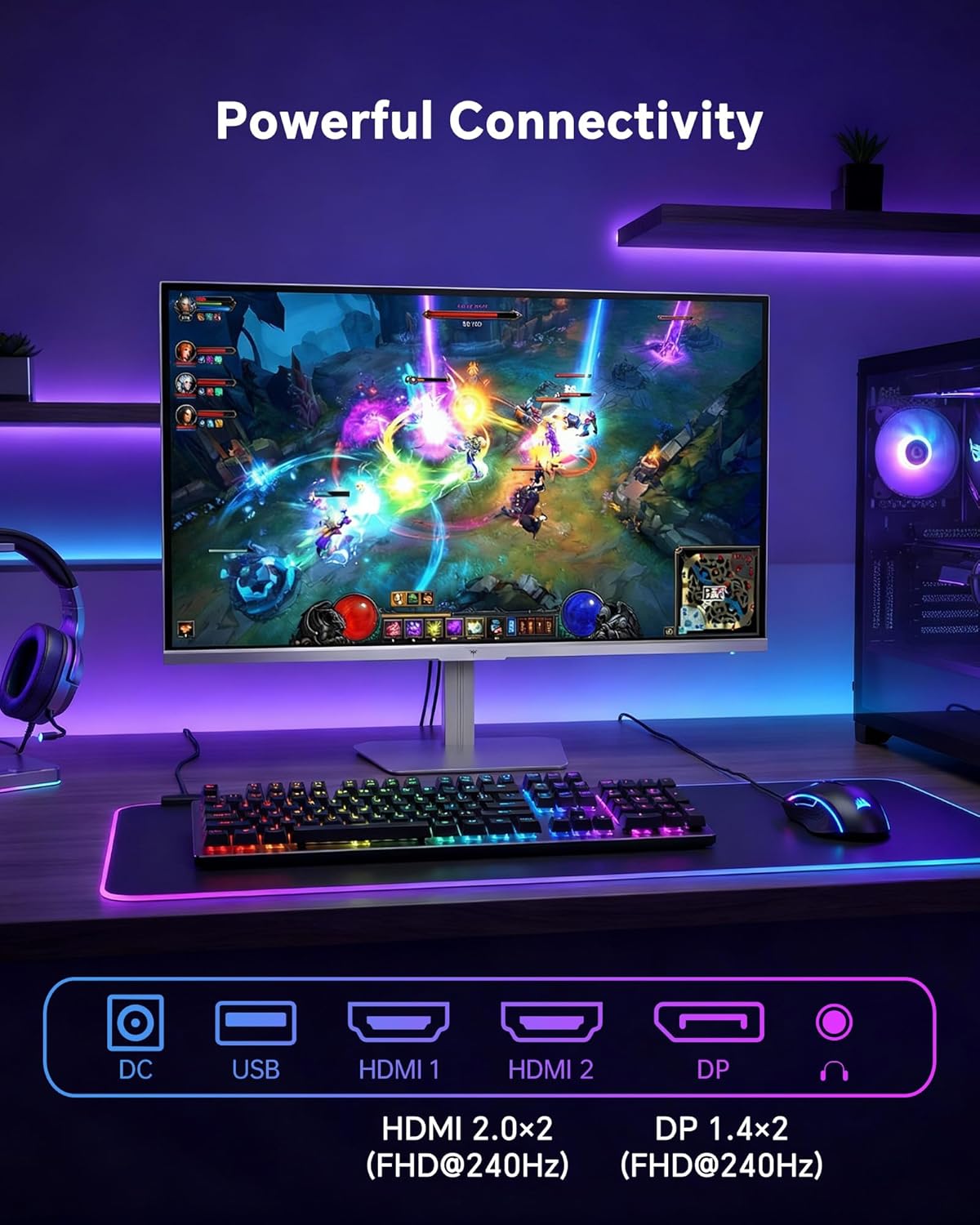
- HDMI: Use an HDMI cable to connect to devices with HDMI output. The monitor has two HDMI 2.0 ports, supporting FHD at 240Hz.
- Cổng DisplayPort: Use a DisplayPort cable for devices with DisplayPort output. The monitor has one DisplayPort 1.4, supporting FHD at 240Hz.
- Quyền lực: Connect the power adaptor to the DC input on the monitor and then to a power outlet.
- USB: A USB 2.0 port is available for connecting peripherals.
- Âm thanh ra: A 3.5mm audio jack is available for connecting headphones or external speakers.
2. Hướng dẫn vận hành
2.1 Bật/Tắt nguồn
Nhấn nút nguồn trên màn hình để bật hoặc tắt màn hình. Đèn báo nguồn sẽ sáng khi màn hình hoạt động.
2.2 Menu Hiển thị trên màn hình (OSD)
The OSD menu allows you to adjust various monitor settings. Use the control buttons (typically located on the back or bottom of the monitor) to navigate the menu and select options. Refer to the Quick Start Guide for specific button functions.
2.3 Cài đặt hiển thị
Tối ưu hóa của bạn viewTăng cường trải nghiệm bằng cách điều chỉnh các cài đặt sau:
- Tốc độ làm mới: The monitor supports a 240Hz refresh rate for smooth motion. Ensure your graphics card settings are configured to utilize this rate.

- Đồng bộ hóa thích ứng: This technology synchronizes the monitor's refresh rate with your graphics card's frame rate to eliminate screen tearing and stuttering. Enable Adaptive Sync in the OSD menu and ensure it is also enabled in your graphics card control panel (FreeSync/G-Sync compatible).

- HDR 400: High Dynamic Range 400 provides enhanced contrast and color accuracy, delivering brighter highlights and deeper shadows. Activate HDR in the OSD menu and your operating system display settings for compatible content.

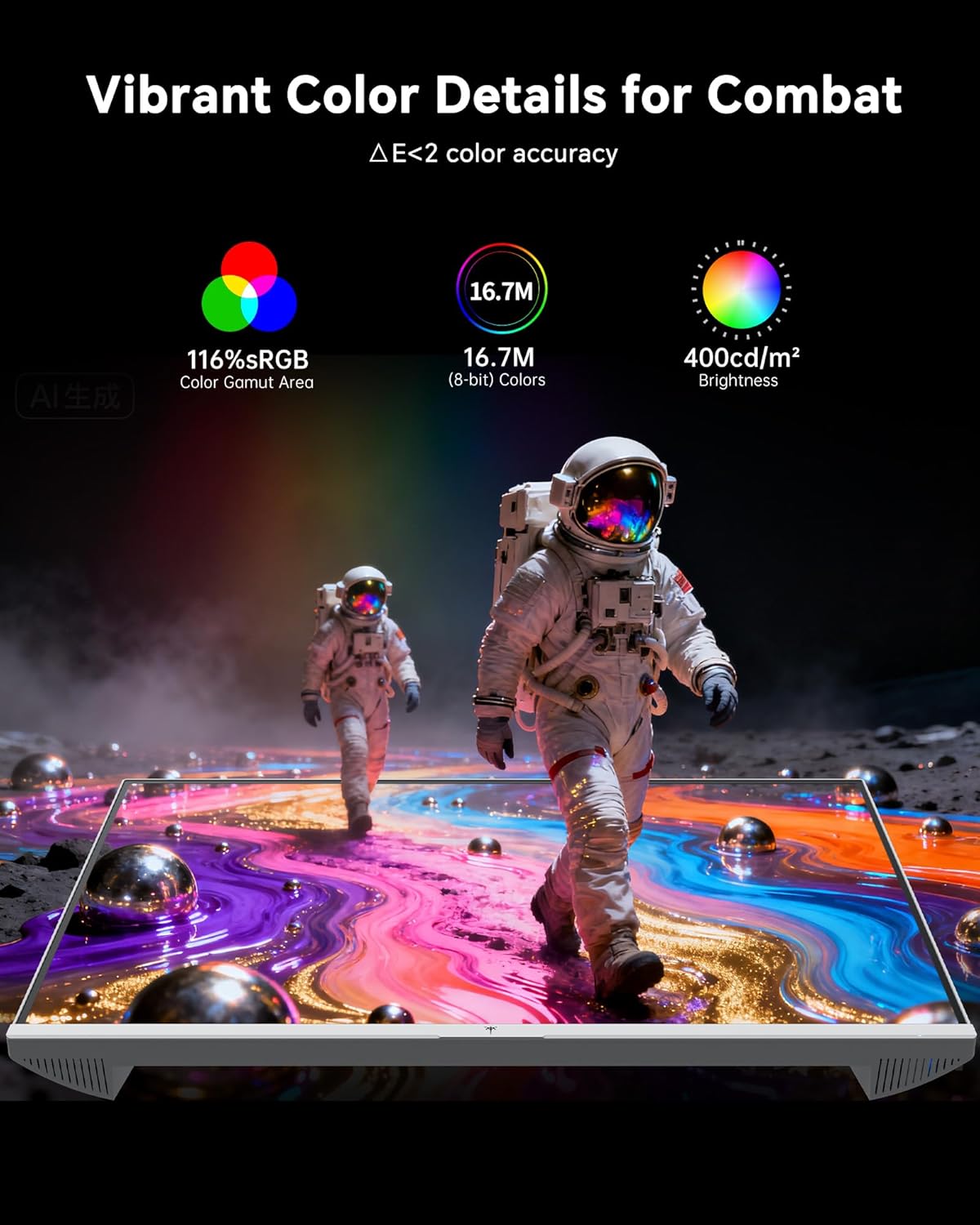
- Cài đặt màu: The monitor offers 116% sRGB color gamut and 16.7 million colors. Adjust brightness (up to 400 cd/m²) and color temperature through the OSD menu to suit your preference.
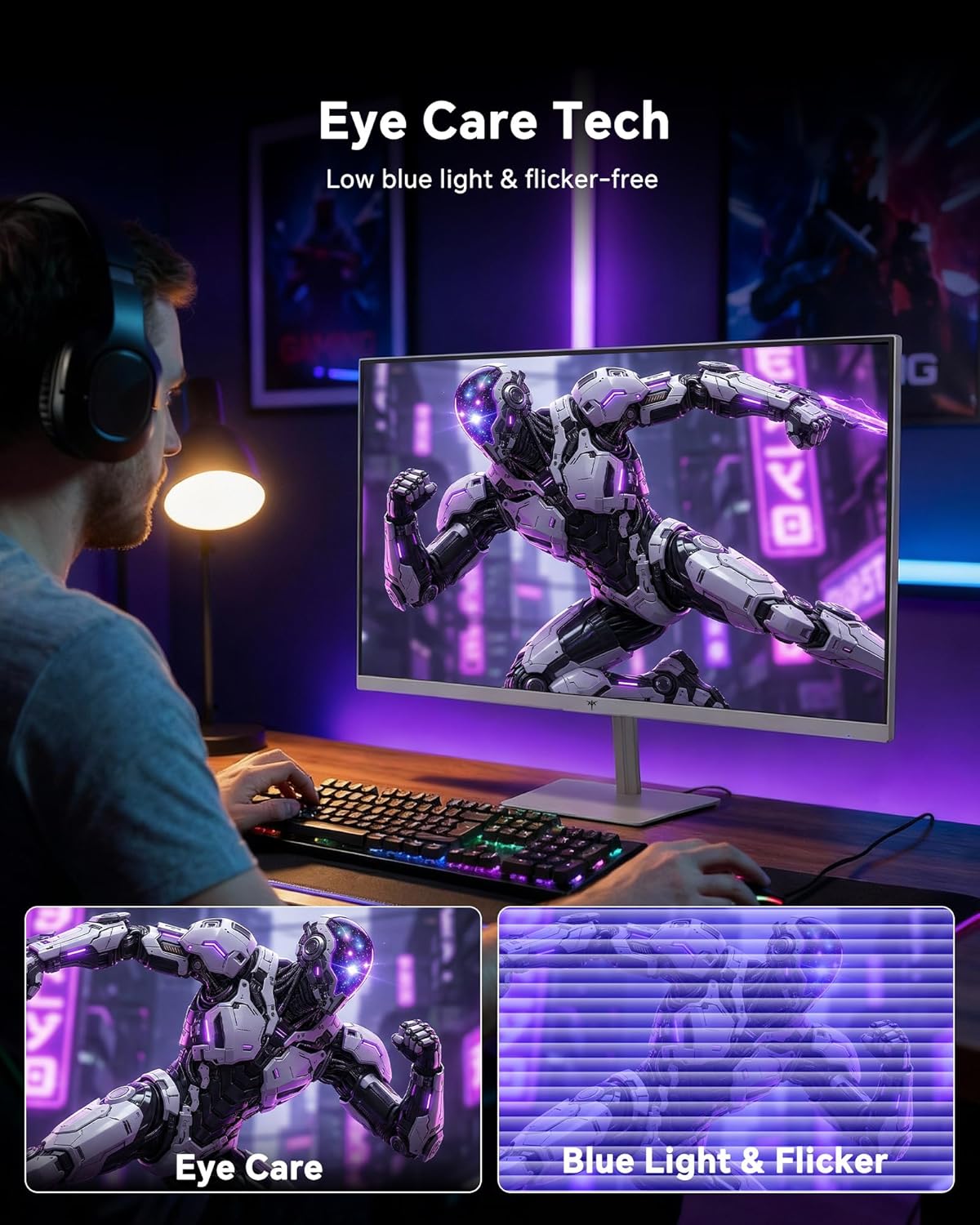
- Công nghệ chăm sóc mắt: The monitor features low blue light and flicker-free technology to reduce eye strain during prolonged use. These settings can typically be adjusted or enabled within the OSD menu.
2.4 Monitor Tilt Adjustment
The monitor supports tilt adjustment from -5° to 15° (±3°). Gently adjust the monitor panel to your desired viewgóc ing.
3. Bảo trì
3.1 Vệ sinh màn hình
Để làm sạch màn hình và casing:
- Luôn tắt màn hình và rút dây nguồn trước khi vệ sinh.
- Sử dụng một miếng vải mềm, không xơ vải lau nhẹamplàm sạch bằng nước hoặc chất tẩy rửa màn hình nhẹ, không gây mài mòn.
- Lau nhẹ nhàng màn hình để loại bỏ bụi và vết bẩn. Tránh ấn quá mạnh.
- Đối với casing, use a dry, soft cloth. Do not use alcohol, ammonia, or abrasive cleaners, as these can damage the surface.
3.2 Chăm sóc chung
- Tránh đặt vật nặng lên màn hình hoặc dây cáp của màn hình.
- Không để màn hình tiếp xúc trực tiếp với ánh nắng mặt trời, nhiệt độ quá cao hoặc quá lạnh.
- Tránh để màn hình tiếp xúc với chất lỏng và nơi có độ ẩm cao.
- Đảm bảo thông gió thích hợp xung quanh màn hình để tránh quá nóng.
KHAI THÁC. Xử lý sự cố
If you encounter issues with your KTC H24F7 monitor, refer to the following common problems and solutions:
| Vấn đề | Nguyên nhân có thể | Giải pháp |
|---|---|---|
| Không có hình ảnh trên màn hình | Power cable disconnected; Video cable disconnected or loose; Incorrect input source selected; Monitor is off. | Ensure power cable is securely connected and monitor is on. Check video cable connections (HDMI/DisplayPort) at both the monitor and computer. Press the input source button on the monitor to cycle through inputs. |
| Hình ảnh bị nhấp nháy hoặc rách | Adaptive Sync not enabled; Graphics card driver issues; Faulty video cable. | Enable Adaptive Sync in the OSD menu and your graphics card control panel. Update graphics card drivers. Try a different video cable. If using DisplayPort 1, try DisplayPort 2 or HDMI if available, as some units may experience issues with specific ports. |
| Màu sắc hiển thị không chính xác hoặc bị nhạt nhòa. | Color settings incorrect; HDR not properly configured; Faulty video cable. | Adjust color settings (brightness, contrast, color temperature) in the OSD menu. Ensure HDR is enabled in both the OSD and your operating system for HDR content. Try a different video cable. |
| Monitor not reaching 240Hz | Graphics card limitations; Incorrect display settings in OS; Cable bandwidth limitations. | Ensure your graphics card supports 240Hz at 1080p. Verify display settings in your operating system (e.g., Windows Display Settings or NVIDIA/AMD control panel) are set to 240Hz. Use the provided HDMI cable or a certified DisplayPort 1.4 cable. |
| Stuck or dead pixels | Lỗi sản xuất. | A small number of stuck or dead pixels (typically 1-3) may be considered normal for LCD panels. If the issue is severe or persistent, contact customer support. |
5. Thông số kỹ thuật
| Tính năng | Chi tiết |
|---|---|
| Thương hiệu | CTC |
| Số hiệu mẫu | H24F7 |
| Kích thước màn hình | 24 inch |
| Nghị quyết | Độ phân giải Full HD 1080p (1920 x 1080 pixel) |
| Loại bảng điều khiển | IPS nhanh |
| Tốc độ làm mới | 240Hz |
| Thời gian phản hồi | 1 mili giây (MPRT) |
| Tỷ lệ khung hình | 16:9 |
| Độ sáng | 400 Candela trên mét vuông |
| Tỷ lệ tương phản | 1000:1 |
| Gam màu | 116% sRGB |
| Hỗ trợ HDR | HDR 400 |
| Đồng bộ thích ứng | FreeSync, G-Sync Compatible |
| Kết nối | 2x HDMI 2.0, 1x DisplayPort 1.4, 1x USB 2.0, 1x Audio Out (3.5mm) |
| Tính năng chăm sóc mắt | Low Blue Light, Flicker-Free, Anti-Glare Screen |
| Điều chỉnh | Tilt (-5° to 15°) |
| Núi VESA | 100mm x 100mm |
| Kích thước (D x W x H) | 5.39"D x 21.25"W x 15.74"H |
| Trọng lượng sản phẩm | 3.2 Kilôgam |
| Màu sắc | Trắng |
6. Bảo hành & Hỗ trợ
6.1 Thông tin bảo hành
The KTC H24F7 monitor comes with a three-year manufacturer warrantyBảo hành này bao gồm các lỗi về vật liệu và tay nghề trong quá trình sử dụng bình thường.
Vui lòng giữ lại bằng chứng mua hàng của bạn để yêu cầu bảo hành.
6.2 Hỗ trợ khách hàng
For technical assistance, warranty claims, or any questions regarding your KTC H24F7 monitor, please contact KTC customer support. KTC aims to provide responsive customer support and typically responds within 12 hours.
You can usually find contact information on the official KTC website or through the retailer where you purchased the product. When contacting support, please have your monitor model number (H24F7) and purchase details ready.