
Giới thiệu
Thank you for choosing the EcoLink Tiny Tornado Mini Fan. This compact and portable personal fan is designed to provide powerful, quiet, and convenient cooling for various environments. Please read this manual carefully before use to ensure proper operation and maintenance.
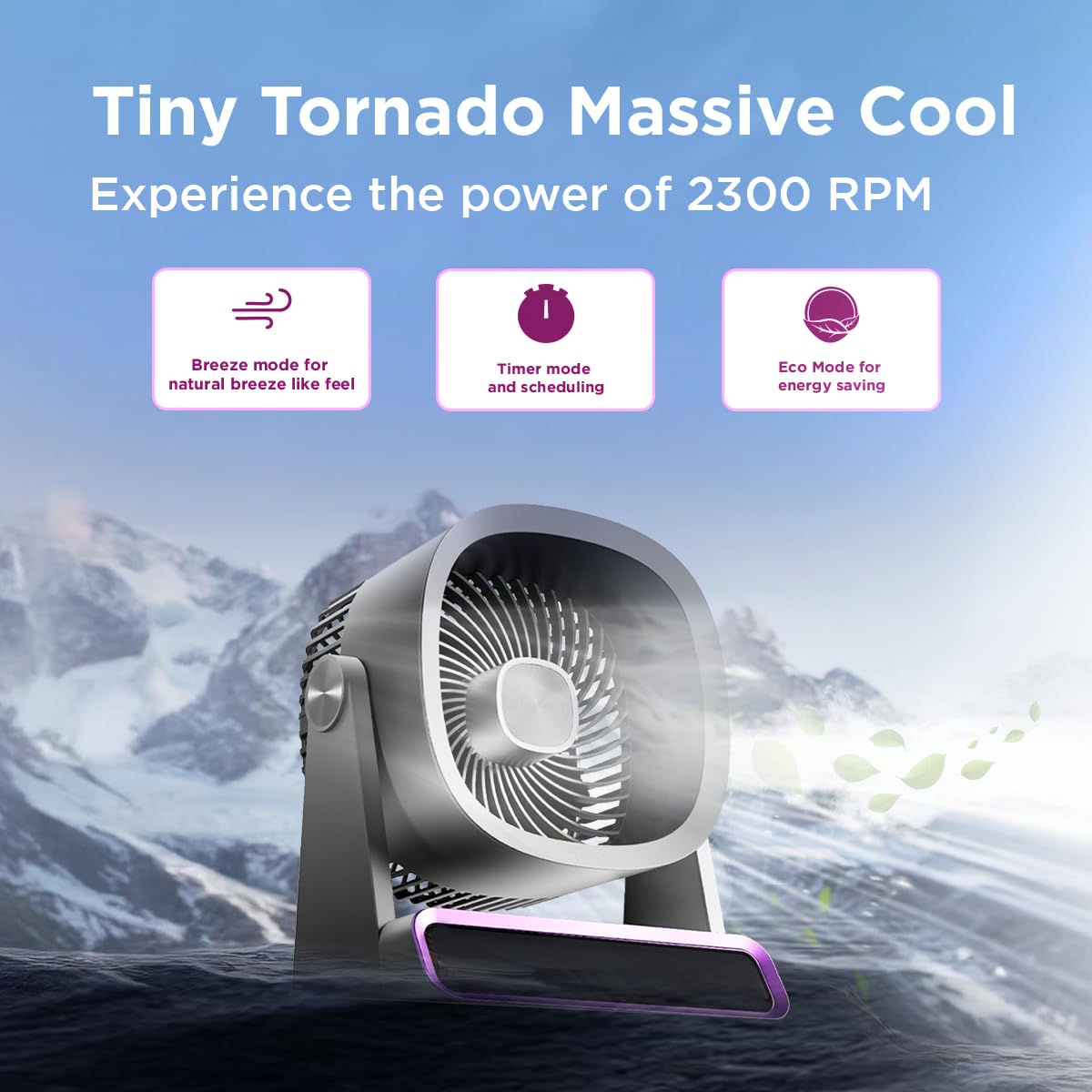
The EcoLink Tiny Tornado Mini Fan delivers powerful airflow in a compact design.
Các tính năng chính:
- Mini Yet Powerful Cooling: Delivers strong airflow in a compact size for instant personal cooling.
- Siêu nhỏ gọn & Trọng lượng nhẹ: Easy to carry and place on desks, tables, or in bags.
- Hoạt động êm ái và nhẹ nhàng: Low-noise performance suitable for various quiet environments.
- Sạc USB tiện lợi: Rechargeable via laptop, power bank, or USB adapter.
- Sử dụng đa năng: Ideal for desk use, travel, outdoor activities, commuting, and emergency cooling.
Nội dung gói
Đảm bảo tất cả các mục đều có trong gói hàng:
- EcoLink Tiny Tornado Mini Fan (1 unit)
- Cáp sạc USB Type-C (1 chiếc)

The fan comes with a Type-C charging cable for easy recharging via various devices.
Hướng dẫn an toàn
Để tránh thương tích hoặc thiệt hại, vui lòng tuân thủ các biện pháp an toàn sau:
- Không được cho ngón tay hoặc bất kỳ vật gì vào lưới tản nhiệt của quạt.
- Tránh để quạt tiếp xúc với nước hoặc các chất lỏng khác.
- Do not use the fan in excessively humid or dusty environments.
- Để xa tầm tay trẻ em và vật nuôi.
- Use only the provided USB cable or a certified Type-C cable for charging.
- Không nên tự ý tháo rời hoặc sửa chữa quạt. Hãy liên hệ bộ phận hỗ trợ khách hàng để được trợ giúp.
- Avoid blocking the air intake or outlet during operation.
Cài đặt
Sạc ban đầu:
- Connect the provided USB Type-C cable to the charging port on the fan.
- Connect the other end of the USB cable to a power source such as a USB adapter (not included), computer, or power bank.
- The charging indicator light will illuminate (color may vary) to show that the fan is charging.
- A full charge typically takes 10 to 12 hours. The indicator light will change or turn off when charging is complete.
Vị trí:
Place the fan on a stable, flat surface. Ensure there is adequate space around the fan for proper airflow.
Hướng dẫn sử dụng
Bật/Tắt nguồn:
- To turn on the fan, press the power button (usually located on the base or front panel).
- To turn off the fan, press and hold the power button, or cycle through the speed settings until it turns off.
Điều chỉnh tốc độ quạt:
Press the power button repeatedly to cycle through different fan speeds. The fan typically has multiple speed settings (e.g., Low, Medium, High, Boost).
Chế độ hoạt động:
The fan may feature different operating modes, indicated by specific icons or lights:
- Chế độ gió: Mô phỏng làn gió tự nhiên với tốc độ quạt khác nhau.
- Chế độ hẹn giờ: Allows scheduling the fan to turn off after a set period. Refer to the fan's display or specific button for timer settings.
- Chế độ tiết kiệm: Optimizes fan speed for energy saving, extending battery life.

The fan features digital touch screen control and a boost mode for high-speed output.
Tuổi thọ pin:
The fan offers extended battery life, with up to 17 hours of run time at the lowest speed on a full charge. Run time decreases with higher fan speeds.

The 6000 mAh battery provides long-lasting power, with up to 17 hours of run time at speed 1.
BẢO TRÌ
Vệ sinh:
- Đảm bảo quạt đã được tắt và rút phích cắm trước khi vệ sinh.
- Lau các bề mặt bên ngoài bằng giẻ mềm, damp vải. Không sử dụng chất tẩy rửa có tính mài mòn hoặc dung môi.
- Use a soft brush or vacuum cleaner to gently remove dust from the fan grille.
- Không nhúng quạt vào nước hoặc bất kỳ chất lỏng nào khác.
Kho:
When not in use for extended periods, store the fan in a cool, dry place, away from direct sunlight and extreme temperatures. It is recommended to fully charge the battery before storing.
Xử lý sự cố
| Vấn đề | Nguyên nhân có thể | Giải pháp |
|---|---|---|
| Quạt không quay. | Pin đã hết. | Sạc quạt bằng cáp USB Type-C được cung cấp kèm theo. |
| Luồng khí yếu. | Fan grille is obstructed or dirty. | Clean the fan grille. Ensure nothing is blocking the air intake or outlet. |
| Quạt phát ra tiếng ồn bất thường. | Có vật lạ bên trong quạt. | Turn off and unplug the fan. Carefully inspect for any foreign objects. If unable to resolve, contact customer support. |
| Đèn báo sạc không hoạt động. | Sự cố về cáp hoặc nguồn điện. | Try a different USB Type-C cable or a different power source. Ensure connections are secure. |
Thông số kỹ thuật
| Tính năng | Chi tiết |
|---|---|
| Thương hiệu | EcoLink |
| Số hiệu mẫu | 915006708301_1 |
| Màu sắc | Màu tím |
| Thiết kế quạt điện | Wearable Fan / Tabletop Mount |
| Nguồn điện | Pin (có thể sạc lại bằng USB) |
| Phong cách | Nhỏ |
| Kích thước sản phẩm (D x R x C) | 19.5D x 14.5W x 25.8H Centimet |
| Trọng lượng sản phẩm | 940 gam |
| Cái gì?tage | 4.6 Watt |
| Các thành phần bao gồm | Handheld Pack of 1 (Fan, USB Type-C Cable) |
| Sử dụng trong nhà/ngoài trời | Trong nhà, Ngoài trời |
| Loại cài đặt | Cầm tay |
| Khả năng tương thích của nhà thông minh | Not Smart Home Compatible |

The fan is equipped with a powerful and silent BLDC motor for smooth, consistent, and energy-efficient airflow.
Thông tin bảo hành
This EcoLink product is covered by a manufacturer's warranty. Please refer to the warranty card included with your purchase or contact EcoLink customer support for detailed warranty terms and conditions. Keep your purchase receipt as proof of purchase for warranty claims.
Hỗ trợ khách hàng
For any questions, technical assistance, or warranty claims, please contact the manufacturer:
- Nhà sản xuất: Công ty TNHH Đổi mới Signify Ấn Độ
- Thông tin liên lạc: Refer to the packaging or official EcoLink webtrang web để biết thông tin liên lạc mới nhất.