
1. Thông tin an toàn quan trọng
Vui lòng đọc kỹ tất cả các cảnh báo an toàn và hướng dẫn trước khi sử dụng sản phẩm này. Giữ lại sách hướng dẫn này để tham khảo trong tương lai.
- Không để loa tiếp xúc với nhiệt độ quá cao, ánh nắng trực tiếp hoặc độ ẩm cao.
- Tránh làm rơi hoặc va đập mạnh vào loa.
- Không tự ý tháo rời, sửa chữa hoặc thay đổi loa. Hãy liên hệ với nhân viên kỹ thuật có chuyên môn để được sửa chữa.
- Giữ loa tránh xa nước và các chất lỏng khác.
- Use only the provided charging cable and a compatible power adapter (DC 5V) to charge the speaker.
- Không nên sử dụng loa ở âm lượng quá lớn trong thời gian dài để tránh gây tổn thương thính giác.
2. Sản phẩm hếtview
Chữ TAMPROAD Q101 is a portable Bluetooth speaker designed to deliver powerful and clear audio with dynamic LED lighting. Its robust wooden cabinet and multiple connectivity options make it suitable for various indoor and outdoor settings.
Các tính năng chính:
- Công suất cực đại 120W: Equipped with 2 x 3.5" woofers and 2 x 2.0" tweeters for deep bass and clear treble.
- Âm thanh nổi không dây đích thực (TWS): Pair two Q101 speakers for an immersive stereo sound experience.
- Wooden Cabinet: Minimizes acoustic distortion for authentic sound reproduction.
- Dynamic LED Light Show: Multiple lighting effects that sync with music, creating a vibrant atmosphere.
- Nhiều kết nối: Supports Bluetooth, USB drive, TF card, AUX mode, and microphone input.
- Pin lớn: High-capacity 10000 mAh battery for extended playtime.
- Thiết kế di động: Features a detachable, high-strength silicone carrying strap.

Image: Internal components and power output of the TAMPROAD Q101 speaker.
3. Nội dung gói hàng
Đảm bảo tất cả các mục đều có trong gói hàng:
- 1x chữ TAMPROAD Q101 120W Bluetooth Speaker
- 1 x Cáp sạc Type-C
- Cáp 1 x AUX
- 1 x Hướng dẫn sử dụng
4. Thiết lập
4.1 Sạc loa
- Locate the Type-C charging port on the back panel of the speaker.
- Connect the provided Type-C charging cable to the speaker and a compatible DC 5V power adapter (not included).
- The charging indicator light will be red while charging. It will turn off when the battery is fully charged.
4.2 Bật / Tắt nguồn
- To power on, slide the ON/OFF switch on the back panel to the 'ON' position.
- Để tắt nguồn, hãy trượt công tắc BẬT/TẮT sang vị trí 'TẮT'.
4.3 Ghép nối Bluetooth
- Ensure the speaker is powered on and in Bluetooth mode (indicated by a blue light on the control panel). If not, press the 'MODE' button to switch to Bluetooth.
- Trên thiết bị của bạn (điện thoại thông minh, máy tính bảng, v.v.), hãy bật Bluetooth và tìm kiếm các thiết bị khả dụng.
- Select 'TAMPROAD Q101' from the list of devices.
- Once paired, the speaker will emit an audible confirmation.
4.4 Ghép nối âm thanh nổi không dây thực sự (TWS)
To achieve a true wireless stereo experience, you need two TAMPROAD Q101 speakers.
- Ensure both Q101 speakers are powered on and in Bluetooth mode, but not yet paired with any device.
- On one of the speakers, long-press the 'VOLUME/TWS' knob (the central knob). The speaker will enter TWS pairing mode.
- The speakers will automatically connect to each other. Once connected, you will hear an audible confirmation.
- Now, pair your device with one of the speakers via Bluetooth as described in section 4.3. Both speakers will play audio in stereo.

Image: TWS function with two Q101 speakers for stereo sound.
5. Hướng dẫn vận hành
5.1 Bảng điều khiển Overview

Hình ảnh: Chi tiết view của bảng điều khiển loa.
- Nút đèn: Short press to cycle through different LED light modes. Long press to turn the LED lights ON/OFF.
- Nút EQ: Short press to switch between preset equalizer modes (e.g., indoor, outdoor).
- Nút MODE: Short press to cycle through input modes: Bluetooth, USB, TF Card, AUX, Microphone.
- VOLUME/TWS Knob: Rotate to adjust volume. Long press to activate/deactivate TWS pairing mode (when not connected to a device).
- Nút trước: Nhấn nhanh để quay lại bài hát trước đó.
- Nút Tạm dừng / Phát: Short press to play or pause audio. Long press to disconnect Bluetooth.
- Nút tiếp theo: Nhấn nhanh để chuyển sang bài hát tiếp theo.
5.2 Chế độ phát lại
The speaker supports various playback sources:
- Chế độ Bluetooth: Connect wirelessly to your Bluetooth-enabled device (refer to section 4.3).
- Chế độ ổ USB: Cắm ổ USB chứa âm thanh MP3 fileCắm thiết bị vào cổng USB. Loa sẽ tự động chuyển sang chế độ USB và bắt đầu phát nhạc.
- Chế độ thẻ TF: Lắp thẻ TF (MicroSD) chứa âm thanh MP3 filevào khe cắm thẻ TF. Loa sẽ tự động chuyển sang chế độ thẻ TF và bắt đầu phát lại.
- Chế độ AUX: Connect an external audio device using the provided 3.5mm AUX cable to the AUX input port. Press the 'MODE' button to select AUX input.
- Đầu vào micrô: Connect a microphone (not included) to the MIC input port for karaoke or public speaking.
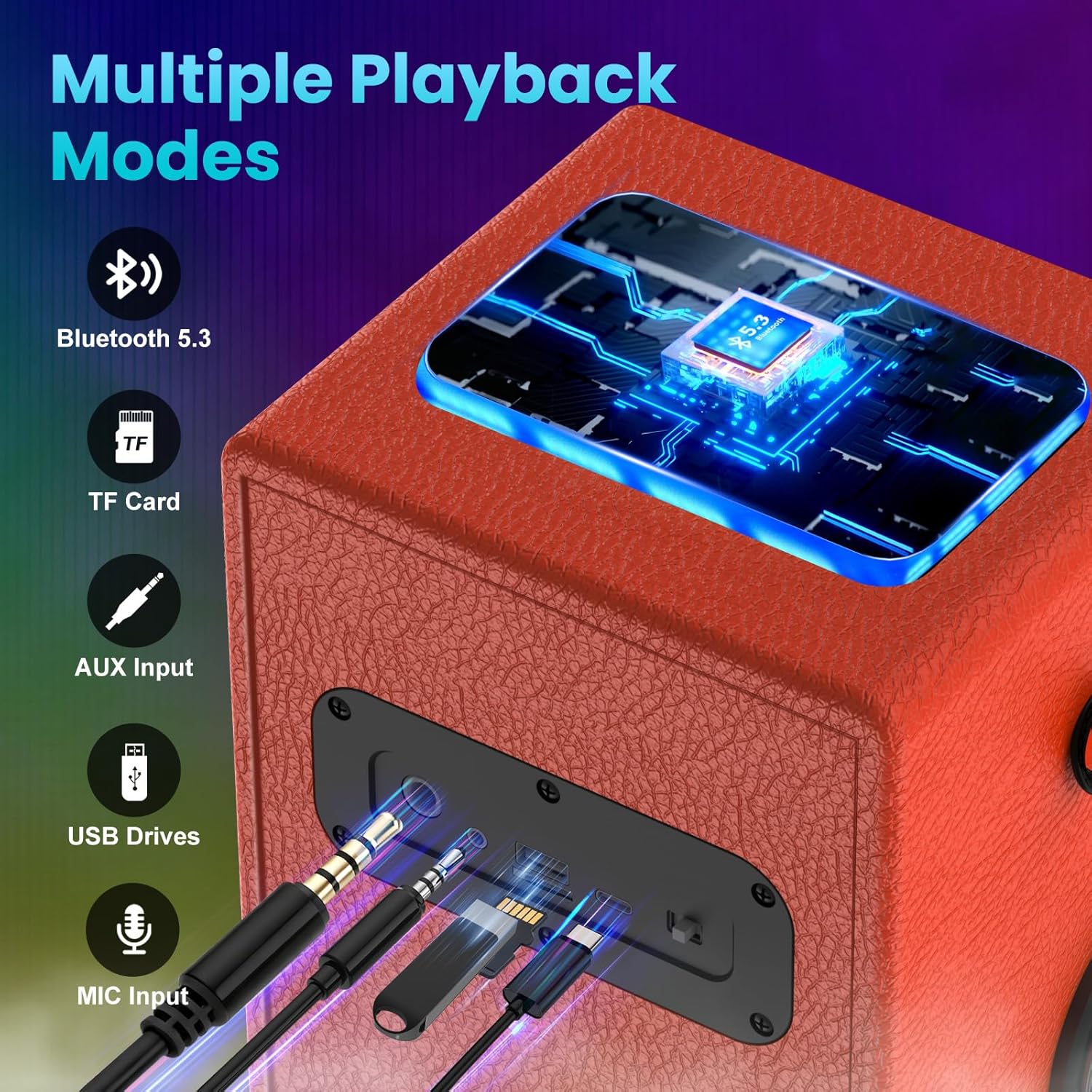
Image: Multiple connection ports on the speaker.
5.3 Màn trình diễn ánh sáng LED
The speaker features dynamic LED lights that can enhance your listening experience.
- Short press the 'Light' button to cycle through 6 different colorful lighting effects.
- Long press the 'Light' button to turn the LED lights ON or OFF.

Image: Various dynamic LED light modes.
6. Bảo trì
Proper care ensures the longevity of your TAMPROAD Q101 speaker:
- Vệ sinh: Use a soft, dry cloth to wipe the exterior of the speaker. Do not use abrasive cleaners, alcohol, or chemical solvents.
- Kho: Khi không sử dụng trong thời gian dài, hãy cất loa ở nơi khô ráo, thoáng mát, tránh ánh nắng trực tiếp và nhiệt độ cao.
- Chăm sóc pin: To maintain battery health, fully charge the speaker at least once every three months, even if not in regular use.
KHAI THÁC. Xử lý sự cố
Nếu bạn gặp sự cố với loa, hãy tham khảo các sự cố và giải pháp phổ biến sau đây:
| Vấn đề | Nguyên nhân có thể | Giải pháp |
|---|---|---|
| Loa không bật được. | Pin yếu; Công tắc nguồn đang TẮT. | Charge the speaker fully; Slide the power switch to 'ON'. |
| Không thể ghép nối qua Bluetooth. | Speaker not in pairing mode; Device Bluetooth is off; Already paired with another device. | Ensure speaker is in Bluetooth mode; Enable Bluetooth on your device; Disconnect from other devices or long-press Play/Pause button to reset Bluetooth. |
| Không có âm thanh hoặc âm lượng thấp. | Volume too low; Incorrect input mode; Device volume too low. | Increase speaker volume; Press 'MODE' to select correct input; Increase volume on your connected device. |
| Ghép nối TWS không thành công. | Speakers too far apart; One speaker already paired with a device. | Ensure speakers are within close proximity; Disconnect both speakers from any devices before TWS pairing. |
| Đèn LED không hoạt động. | Đèn đã tắt. | Long press the 'Light' button to turn them on. |
8. Thông số kỹ thuật
| Tính năng | Chi tiết |
|---|---|
| Thương hiệu | TAMPĐƯỜNG |
| Số hiệu mẫu | Câu hỏi 101 |
| Công suất đỉnh | 120W |
| Đường kính loa trầm | 3.5 inch (x2) |
| Đường kính loa tweeter | 2.0 inch (x2) |
| Loại trình điều khiển âm thanh | Trình điều khiển động |
| Giao thức kết nối | Bluetooth, USB, AUX |
| Phiên bản Bluetooth | 5.3 |
| Dung lượng pin | 10000mAh |
| Phương pháp kiểm soát | Nút nhấn, núm xoay |
| Màu sắc | Quả cam |
| Không thấm nước | SAI |
9. Bảo hành và Hỗ trợ
All TAMPROAD products come with a Dịch vụ bảo hành 12 tháng. For any product-related inquiries, technical assistance, or warranty claims, please contact TAMPROAD customer service. We offer Dịch vụ khách hàng 24 giờ Để đảm bảo sự hài lòng của bạn.
Vui lòng giữ lại hóa đơn mua hàng để xác nhận bảo hành.