
TAMPROAD Q66
TAMPHướng dẫn sử dụng loa Bluetooth ROAD Q66
Mô hình: Q66
Giới thiệu
This manual provides essential information for the safe and efficient operation of your TAMPROAD Q66 Bluetooth Speaker. Please read it thoroughly before using the product and retain it for future reference.
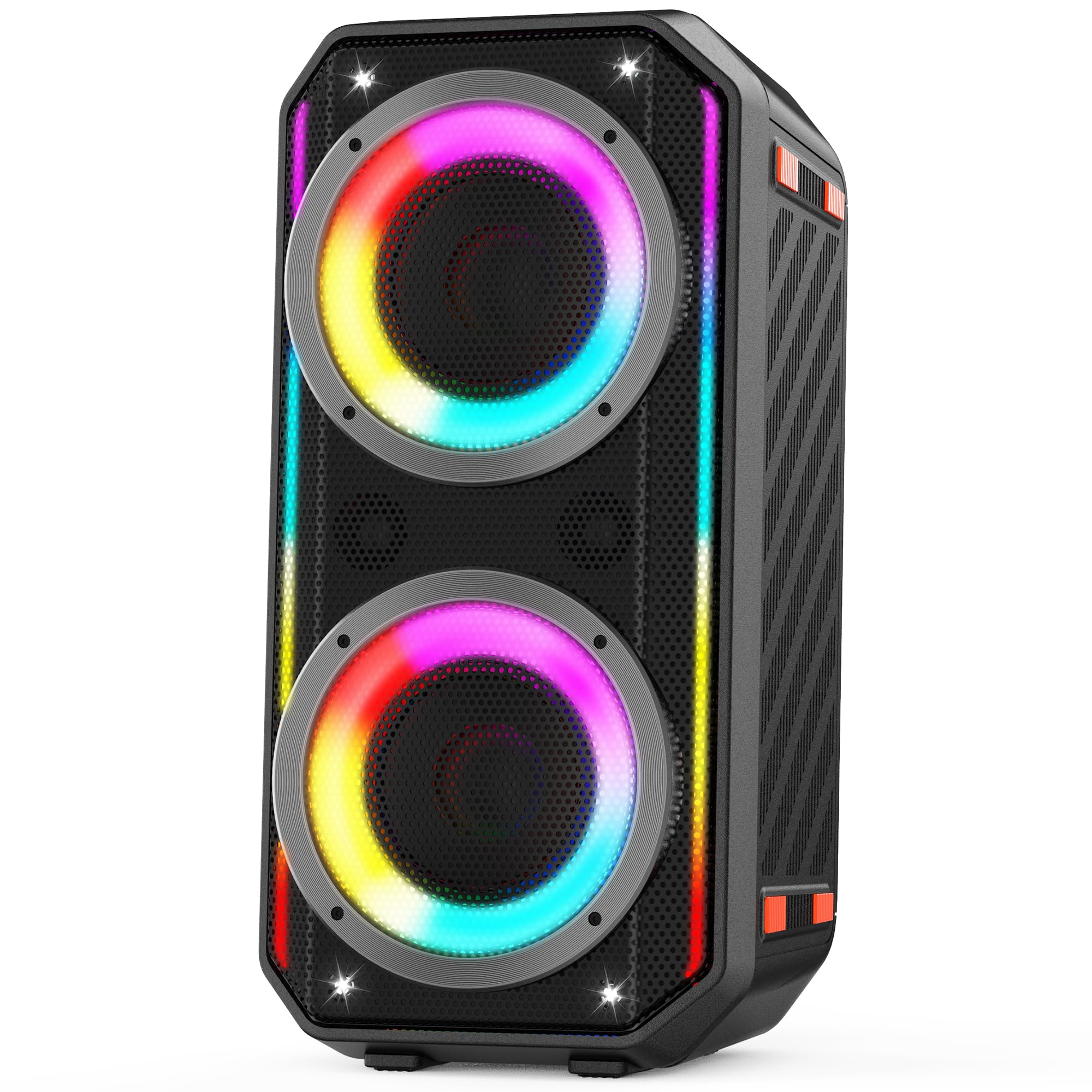
Image: The TAMPROAD Q66 Bluetooth Speaker, a portable unit with integrated LED lights.
Thông tin an toàn
- Không để loa tiếp xúc với nước hoặc độ ẩm quá mức.
- Tránh nhiệt độ quá cao.
- Do not disassemble or attempt to repair the speaker yourself. Refer to qualified service personnel.
- Tránh xa tầm tay trẻ em và vật nuôi.
- Chỉ sử dụng cáp nguồn được cung cấp để sạc.
- Đảm bảo thông gió tốt trong quá trình vận hành.
Có gì trong hộp
Xác minh rằng tất cả các mục đều có sẵn khi mở hộp:
- 1x chữ TAMPROAD Q66 Bluetooth Speaker
- 1 x US standard AC Power Cable
- Cáp 1 x AUX
- 1 x Hướng dẫn sử dụng (tài liệu này)

Image: The TAMPROAD Q66 speaker, AC power cable, AUX cable, and user manual as packaged.
Sản phẩm trênview: Điều khiển và Cổng
Familiarize yourself with the speaker's control panel and connection ports.

Hình ảnh: Chi tiết view của TAMPROAD Q66 control panel, showing buttons for volume, mode, TWS, EQ, LED lights, and various input ports.
Chức năng của bảng điều khiển:
- Nút nguồn: Press and hold to power on/off. Short press to display remaining battery power.
- BT / AUX Mode: Chuyển đổi giữa chế độ Bluetooth và chế độ đầu vào AUX.
- Nút TWS: Khởi tạo ghép nối âm thanh nổi không dây thực sự.
- Nút Phát/Tạm dừng: Phát hoặc tạm dừng phát âm thanh.
- Nút Trước/Tiếp theo: Chuyển đến bài hát trước hoặc bài hát tiếp theo.
- Tập nhạc: Điều chỉnh âm lượng nhạc chính.
- Nút đèn LED: Cycles through LED light modes or turns lights off.
- Đặt trước EQ: Chuyển qua các cài đặt trước của bộ cân bằng.
- MIC Vocal: Adjusts microphone vocal effects.
- Âm +/-: Adjusts tone for microphone input.
- MIC PRI: Chức năng ưu tiên micro.
- REC Stop & Play: Controls recording to USB.
- Tiếng vang/Tiếng vang: Adjusts echo/reverb for microphone/guitar.
- MIC/Guitar Vol: Adjusts volume for microphone and guitar inputs.
Cổng đầu vào:
- Đầu vào AUX: Dùng để kết nối các thiết bị âm thanh ngoài thông qua cáp âm thanh 3.5 mm.
- Đầu vào USB: For playing music from a USB drive (supports Micro SD cards with adapter).
- Đầu vào MIC: Để kết nối micrô.
- Đầu vào guitar: Dùng để kết nối đàn guitar.
Cài đặt
1. Sạc loa
Before first use, fully charge the speaker. Connect the provided AC power cable to the speaker's power input and then to a standard wall outlet (110-240V). The charging indicator will show the charging status. A full charge provides up to 10 hours of playback.

Image: The TAMPROAD Q66 speaker being powered by an AC plug, illustrating continuous power supply.
2. Bật / Tắt nguồn
Nhấn và giữ Nút nguồn Nhấn giữ nút trên bảng điều khiển khoảng 3 giây để bật hoặc tắt loa.
3. Ghép nối Bluetooth
- Bật loa. Loa sẽ tự động vào chế độ ghép nối Bluetooth, được biểu thị bằng đèn báo Bluetooth nhấp nháy.
- Trên thiết bị của bạn (điện thoại thông minh, máy tính bảng, v.v.), hãy bật Bluetooth và tìm kiếm các thiết bị khả dụng.
- Select "TAMPROAD Q66" from the list of devices.
- Sau khi kết nối, đèn báo Bluetooth sẽ ngừng nhấp nháy và sáng liên tục.
4. Ghép nối âm thanh nổi không dây thực sự (TWS)
To achieve a stereo sound experience, you can pair two TAMPROAD Q66 speakers together.
- Ensure both Q66 speakers are powered on and in Bluetooth mode, but not connected to any other device.
- On one of the speakers, short press the Nút TWS. The speaker will emit a sound indicating it's searching for another speaker.
- Hai loa sẽ tự động kết nối với nhau. Một âm thanh xác nhận sẽ báo hiệu quá trình ghép nối TWS thành công.
- Sau khi ghép nối, hãy kết nối thiết bị của bạn với một trong các loa qua Bluetooth như mô tả ở bước 3. Cả hai loa sẽ phát âm thanh nổi.

Image: Two TAMPROAD Q66 speakers positioned on either side of a television, demonstrating a TWS setup for enhanced audio.
5. Kết nối qua cổng AUX
Use the provided 3.5mm AUX cable to connect an external audio device (e.g., MP3 player, computer) to the speaker's Đầu vào AUX port. The speaker will automatically switch to AUX mode, or you can manually select it using the BT / AUX Mode cái nút.
6. USB Drive Playback
Chèn ổ đĩa USB có chứa âm thanh files vào Đầu vào USB port. The speaker will automatically detect the USB drive and begin playback. (Note: Supports Micro SD cards with an appropriate adapter).

Image: The side panel of the TAMPROAD Q66 speaker highlighting its multiple connectivity options: Bluetooth 5.0, USB Drive, Microphone Input, Guitar Input, and AUX Input.
7. Đầu vào Micro và Guitar
Kết nối micrô với Đầu vào MIC or a guitar to the Đầu vào Guitar. Adjust their respective volumes using the MIC/Guitar Vol knob. You can also fine-tune the sound with Âm thanh +/-, MIC Vocal, Và Echo/Reverb điều khiển.
Hướng dẫn sử dụng
1. Phát lại âm thanh
- Kiểm soát âm lượng: Xoay Âm nhạc Vol knob to increase or decrease the main audio volume.
- Phát/Tạm dừng: Nhấn nút Nút Phát/Tạm dừng để bắt đầu hoặc dừng phát lại.
- Theo dõi điều hướng: Sử dụng Trước Và Kế tiếp nút để bỏ qua bài hát.
2. Chế độ đèn LED
The speaker features dynamic LED lights. Press the Nút đèn LED to cycle through various lighting effects. Press and hold the button to turn the lights off.

Image: The TAMPROAD Q66 speaker showcasing different vibrant LED light modes, which pulse and flash with music.
Video: A demonstration of the TAMPROAD Q66 speaker's dynamic LED light show and sound quality, titled "Big, Bold Sound Anywhere You Want."
Video: Một người dùng đăng lạiview trưng bàyasing the TAMPROAD Q66 speaker's features and sound, titled "Worth the money!"
3. Cài đặt trước EQ
Nhấn nút Đặt trước EQ button to cycle through different equalizer settings, optimizing the sound for various music genres or listening preferences.
BẢO TRÌ
- Vệ sinh: Dùng vải mềm, khô để lau sạch bên ngoài loa. Không sử dụng chất tẩy rửa có tính ăn mòn hoặc dung môi.
- Kho: Bảo quản loa ở nơi khô ráo, thoáng mát, tránh ánh nắng trực tiếp và nhiệt độ cao khi không sử dụng.
- Chăm sóc pin: Để tối ưu hóa tuổi thọ pin, tránh xả hết pin thường xuyên. Hãy sạc loa thường xuyên, ngay cả khi không sử dụng liên tục.
Xử lý sự cố
| Vấn đề | Nguyên nhân có thể | Giải pháp |
|---|---|---|
| Loa không bật được. | Pin yếu hoặc cáp nguồn chưa được kết nối. | Charge the speaker using the provided AC power cable. Ensure the power button is pressed and held for 3 seconds. |
| Không thể ghép nối qua Bluetooth. | Speaker is not in pairing mode, or device Bluetooth is off. | Ensure the speaker is in Bluetooth mode (flashing indicator). Turn off and on your device's Bluetooth. Move device closer to speaker. |
| Không có âm thanh. | Volume too low, incorrect input mode, or faulty cable. | Increase speaker and device volume. Check if the correct input mode (Bluetooth, AUX, USB) is selected. Ensure cables are securely connected. |
| Ghép nối TWS không thành công. | Loa đặt quá xa nhau hoặc đã được kết nối với thiết bị khác. | Hãy đảm bảo cả hai loa đều ở gần nhau và không kết nối với bất kỳ thiết bị Bluetooth nào khác trước khi bắt đầu ghép nối TWS. |
Thông số kỹ thuật
| Tính năng | Chi tiết |
|---|---|
| Tên mẫu | Câu hỏi 66 |
| Loại loa | Loa di động |
| Công suất đầu ra tối đa của loa | 300 Watts (Cao điểm) |
| Đường kính loa trầm | 2 x 5.25 inch |
| Kích thước Tweeter | 2 x 2.0 inch |
| Đáp ứng tần số | 45 Hz (low frequency extension) |
| Công nghệ kết nối | Bluetooth 5.0, AUX, USB |
| Đầu vào Voltage | 110-240V (điện xoay chiều) |
| Nguồn điện | Điện có dây, chạy bằng pin |
| Dung lượng pin | 11.1V, 83Wh (up to 10 hours playback) |
| Kích thước sản phẩm | 10"D x 10"W x 22"H |
| Trọng lượng sản phẩm | 15 Bảng Anh |
| Phương pháp kiểm soát | Nút nhấn |
| Sử dụng trong nhà/ngoài trời | Trong nhà, Ngoài trời |
Bảo hành và Hỗ trợ
Chữ TAMPROAD Q66 Bluetooth Speaker comes with a Dịch vụ bảo hành 12 tháng. For any product-related inquiries, technical assistance, or warranty claims, please contact TAMPROAD customer service. Refer to the contact information provided on the product packaging or the official TAMPĐƯỜNG webtrang web để biết chi tiết hỗ trợ.