
Giới thiệu
This manual provides detailed instructions for the installation, operation, and maintenance of your VEVOR 10-inch Exhaust Fan, Model HA-250ME. This wall-mounted fan is designed for efficient air circulation and temperature/humidity control in various environments such as garages, greenhouses, and sheds. It features a variable speed EC motor, automatic shutters, and an intelligent controller to maintain optimal air quality and climate.
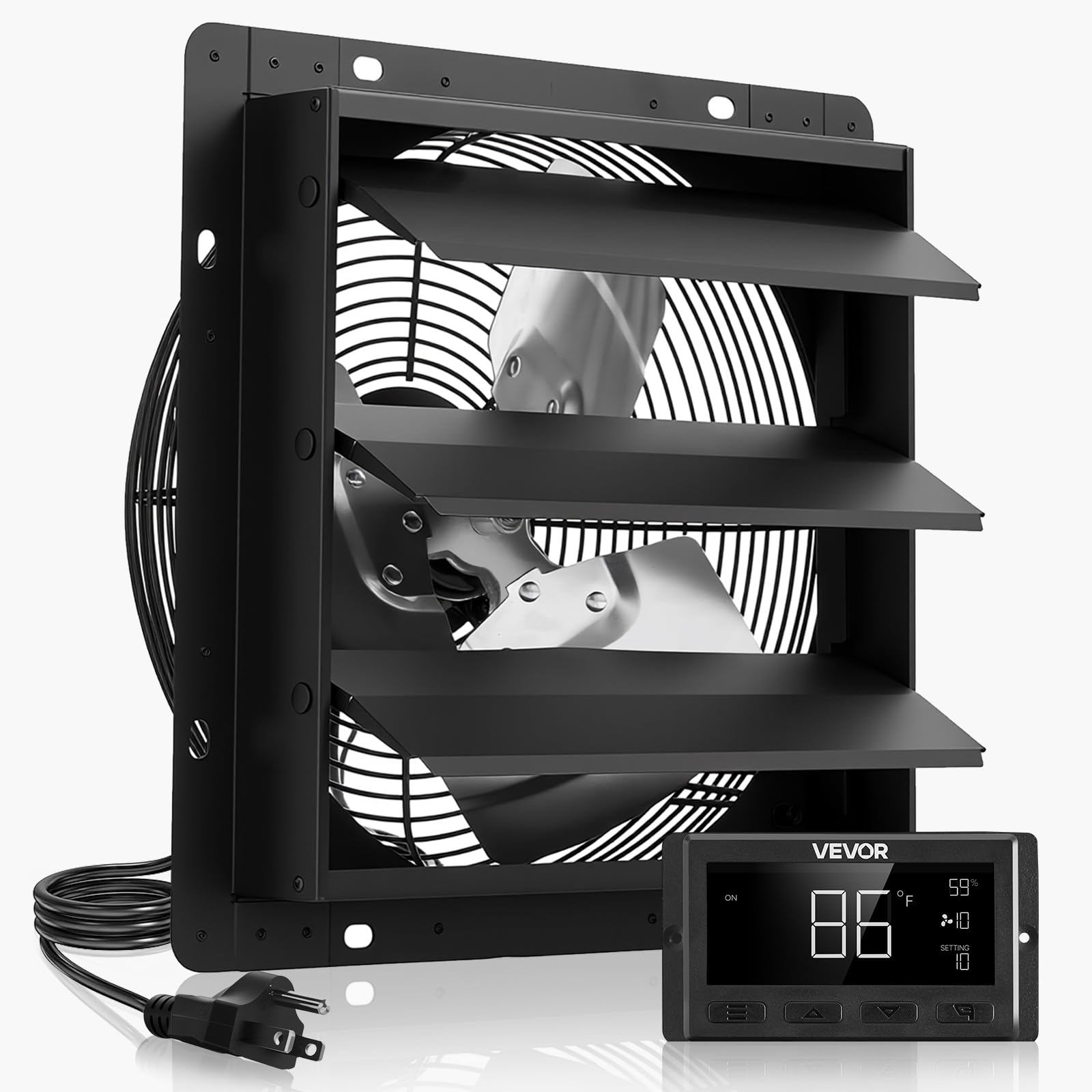
Image: The VEVOR 10-inch Exhaust Fan with its smart controller, ready for installation.
Hướng dẫn an toàn
Vui lòng đọc kỹ tất cả hướng dẫn an toàn trước khi lắp đặt và vận hành. Việc không tuân thủ các hướng dẫn này có thể dẫn đến điện giật, hỏa hoạn hoặc thương tích nghiêm trọng.
- Always disconnect power before servicing or cleaning the fan.
- Ensure the fan is installed by a qualified electrician in accordance with all local and national electrical codes.
- Không vận hành quạt bằng dây hoặc phích cắm bị hỏng.
- Keep hands, clothing, and other loose objects away from moving parts.
- Do not use this fan in areas where flammable liquids or gases are present.
- Đảm bảo nối đất thích hợp để tránh bị điện giật.
- Thiết bị này không dành cho những người (bao gồm trẻ em) có khả năng thể chất, giác quan hoặc tinh thần hạn chế, hoặc thiếu kinh nghiệm và kiến thức, trừ khi họ được người chịu trách nhiệm về sự an toàn của họ giám sát hoặc hướng dẫn sử dụng thiết bị.
Nội dung gói
Kiểm tra kỹ xem tất cả các mặt hàng có đầy đủ và không bị hư hại khi mở gói hàng:
- 1 x Shutter Exhaust Fan
- 1 x điều khiển
- 1 x Temperature & Humidity Sensor Cable (2.5 m)
- 1 x Audio Cable (3 m)
- 4 x Vít
- 4 x Rubber Plugs
Sản phẩm trênview
The VEVOR 10-inch Exhaust Fan is engineered for robust performance and durability, featuring an EC motor for quiet and efficient operation, and an intelligent controller for precise environmental management.

Image: The 10-inch exhaust fan installed on an exterior wall, illustrating its function in maintaining a comfortable environment.

Image: Diagram showing the fan's 1000 CFM airflow, effectively removing heat, humidity, and odors.

Hình ảnh: Chi tiết view of the EC motor, highlighting its long service life, low noise operation, and stable performance.

Image: Close-up of the programmable controller, showing its display for temperature, humidity, fan speed, and mode settings.
Các tính năng chính:
- Thông gió nhanh: Delivers 1000 CFM to quickly expel stale air, dirt, heat, and odors.
- Lập trình thông minh: Intelligent controller with temperature and humidity triggers, offering 10 speed settings and multiple modes.
- Động cơ EC cao cấp: Operates at 1900 RPM with 30W power, providing 7.2 m/s airflow with low noise.
- Cấu trúc chắc chắn: All-metal steel construction ensures high rigidity and resistance to deformation, suitable for harsh weather.
- Rain Guard: Automatic shutters open for ventilation and close when off to protect against rain and debris.
Thiết lập và cài đặt
Proper installation is crucial for the fan's performance and longevity. Follow these steps for a secure setup.
Các bước cài đặt:
- Chọn Vị trí: Select a suitable wall location, ensuring adequate space for airflow and access for maintenance. Consider the fan's dimensions (12.36"D x 7.09"W x 12.36"H) and the required opening size.
- Chuẩn bị mở đầu: Create an opening in the wall that matches the fan's dimensions. Ensure the opening is clean and free of obstructions.
- Núi Fan: Insert the fan into the prepared opening. Secure it using the provided screws and rubber plugs. Ensure the fan is level and firmly attached to the wall structure.
- Kết nối bộ điều khiển: Connect the fan to the intelligent controller using the provided audio cable (3m). Connect the temperature and humidity sensor cable (2.5m) to the controller.
- Bật nguồn: Plug the fan's power cord into a compatible 100-240V AC outlet.

Image: Visual guide showing the two main steps for easy installation: mounting the fan and connecting the power.
Video cài đặt:
Video: Official VEVOR video demonstrating the shutter exhaust fan with smart thermostat control, including installation overview.
Hướng dẫn sử dụng
The intelligent controller allows for precise management of your fan's operation based on temperature and humidity.
Chức năng Bộ điều khiển:
- Bật/Tắt nguồn: Nhấn nút nguồn để bật hoặc tắt thiết bị.
- Lựa chọn chế độ: Use the 'Mode' button to cycle through different operating modes (e.g., Auto, Manual, Timer).
- Temperature/Humidity Settings: In Auto mode, use the 'Up' and 'Down' buttons to set desired temperature and humidity thresholds. The fan will automatically adjust speed or activate/deactivate based on these settings.
- Điều chỉnh tốc độ quạt: In Manual mode, use the 'Up' and 'Down' buttons to select from 10 fan speed settings.
- Chức năng hẹn giờ: Set a timer for the fan to operate for a specific duration.
- Báo thức: The controller features an alarm function for critical temperature or humidity deviations.
Video: Official VEVOR video demonstrating the variable speed controller and its functions.
BẢO TRÌ
Regular maintenance ensures optimal performance and extends the lifespan of your exhaust fan.
- Vệ sinh: Periodically clean the fan blades and housing to prevent dust and debris buildup, which can reduce efficiency. Disconnect power before cleaning. Use a soft cloth and mild detergent.
- Kiểm tra cửa cuốn: Check the automatic shutters regularly to ensure they open and close freely without obstruction. Clean any debris that might hinder their movement.
- Kiểm tra cáp: Kiểm tra tất cả các dây cáp xem có dấu hiệu hao mòn hoặc hư hỏng không. Thay thế ngay lập tức các dây cáp bị hư hỏng.
- Lắp đặt an ninh: Verify that the fan remains securely mounted to the wall. Tighten any loose screws if necessary.
Xử lý sự cố
If you encounter issues with your VEVOR exhaust fan, refer to the following common problems and solutions:
| Vấn đề | Nguyên nhân có thể | Giải pháp |
|---|---|---|
| Quạt không quay. | No power, loose connection, faulty controller. | Check power supply. Ensure all cables are securely connected. Verify controller settings. |
| Quạt chạy nhưng luồng gió yếu. | Blocked fan blades, incorrect speed setting, dirty fan. | Clean fan blades. Adjust fan speed setting on the controller. |
| Shutters do not open/close properly. | Obstruction, mechanical issue. | Remove any debris blocking the shutters. Inspect for damage. |
| Tiếng ồn bất thường trong quá trình hoạt động. | Loose parts, debris in fan, motor issue. | Inspect for loose screws or foreign objects. Clean the fan. If noise persists, contact support. |
Thông số kỹ thuật
Detailed technical specifications for the VEVOR 10-inch Exhaust Fan HA-250ME:
| Tính năng | Đặc điểm kỹ thuật |
|---|---|
| Tên mẫu | Quạt thông gió cửa chớp 10 inch |
| Số hiệu mẫu | HA-250ME |
| Thương hiệu | VEVOR |
| Kích thước sản phẩm (D x R x C) | 12.36" x 7.09" x 12.36" (314 x 180 x 314 mm) |
| Trọng lượng sản phẩm | 7.9 pound (3.6 kg) |
| Công suất dòng khí | 1000 CFM |
| Tốc độ | 1900 vòng/phút |
| Loại động cơ | Động cơ EC |
| Cái gì?tage | 80 watts (1000 CFM at 30W for standby power shutoff) |
| Tậptage | 100-240 volts (Wide Voltage) |
| Mức độ tiếng ồn | 62 dB |
| Số lượng tốc độ | 10 |
| Vật liệu | Kim loại (Sơn tĩnh điện) |
| Phương pháp kiểm soát | Điều khiển cảm ứng/nút bấm |
| Tính năng đặc biệt | Smart Programming, Automatic Shutter |

Image: Technical drawing showing the dimensions and key specifications of the VEVOR 10-inch Exhaust Fan.
Bảo hành và Hỗ trợ
Sản phẩm VEVOR được thiết kế để đảm bảo độ bền và hiệu suất. Để biết thông tin bảo hành hoặc hỗ trợ kỹ thuật, vui lòng tham khảo trang web chính thức của VEVOR. webtrang web hoặc liên hệ trực tiếp với bộ phận chăm sóc khách hàng của họ.
You can typically find support resources, FAQs, and contact details on the manufacturer's website. Please have your model number (HA-250ME) and purchase information ready when contacting support.
Để biết thêm tài nguyên, bạn có thể truy cập Cửa hàng VEVOR trên Amazon.