
1. Giới thiệu
The ThermoPro WiFi Hygrometer Thermometer provides accurate, real-time monitoring of temperature and humidity levels in your environment. This device connects to your smartphone via Wi-Fi and Bluetooth, allowing for remote tracking, data storage, and instant alerts. Designed for reliability and ease of use, it helps maintain optimal conditions for various applications.

Image 1.1: ThermoPro WiFi Hygrometer Thermometer and its companion app interface.
2. Có gì trong hộp
- WiFi Hygrometer Thermometer
- Cáp sạc
- Hướng dẫn sử dụng
3. Tính năng sản phẩm
- Wireless Real-Time Tracking: Stable Wi-Fi and Bluetooth connectivity via the ThermoPro App for remote data monitoring. Requires a 2.4GHz Wi-Fi network.
- Cảm biến có độ chính xác cao: Equipped with an advanced NTC humidity sensor, providing ±0.5°F temperature and ±2% humidity accuracy with fast response.
- Lưu trữ và xuất dữ liệu trong 2 năm: Supports 24/7 data tracking and allows export of minute/hourly records for detailed analysis.
- Cảnh báo Thông báo: Set personalized thresholds for humidity and temperature to receive instant notifications when levels exceed limits.
- Tuổi thọ pin dài hơn: Features a rechargeable design for stable signal transmission and extended operation without frequent battery replacement.
- Sử dụng đa năng: Suitable for monitoring diverse locations such as bedrooms, offices, greenhouses, garages, RVs, crawl spaces, attics, and more.

Hình 3.1: Hếtview of the Smart Thermo-Hygrometer's key features.

Image 3.2: Details on the device's temperature and humidity accuracy.
4. Thiết lập
4.1 Tải xuống và cài đặt ứng dụng
To begin using your ThermoPro WiFi Hygrometer Thermometer, download the 'ThermoPro Sensor' app from your device's app store (available on iOS and Android).
4.2 Ghép nối thiết bị và kết nối Wi-Fi
- Open the 'ThermoPro Sensor' app and register for an account.
- Đảm bảo Bluetooth được bật trên điện thoại thông minh của bạn.
- In the app, tap the '+' icon to add a new device. The app will search for your ThermoPro sensor.
- Follow the on-screen instructions to connect your device to your 2.4GHz Wi-Fi network. This enables remote monitoring.
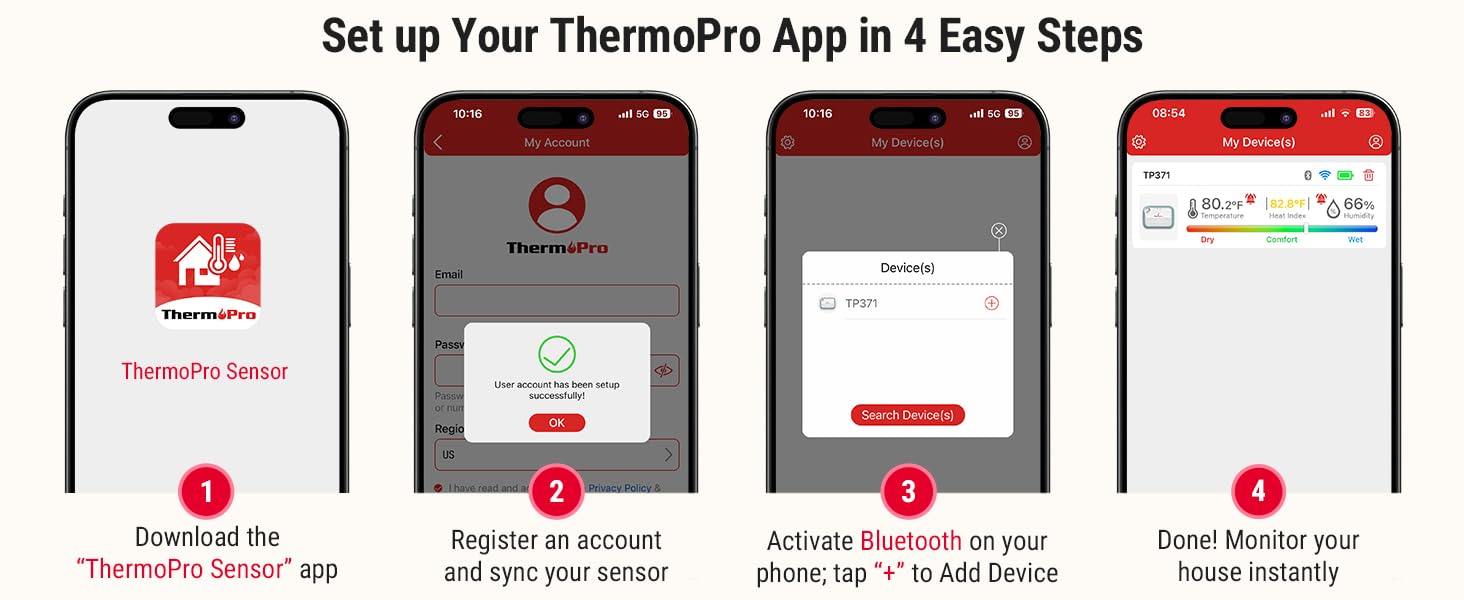
Image 4.1: Step-by-step guide for initial app setup and device connection.
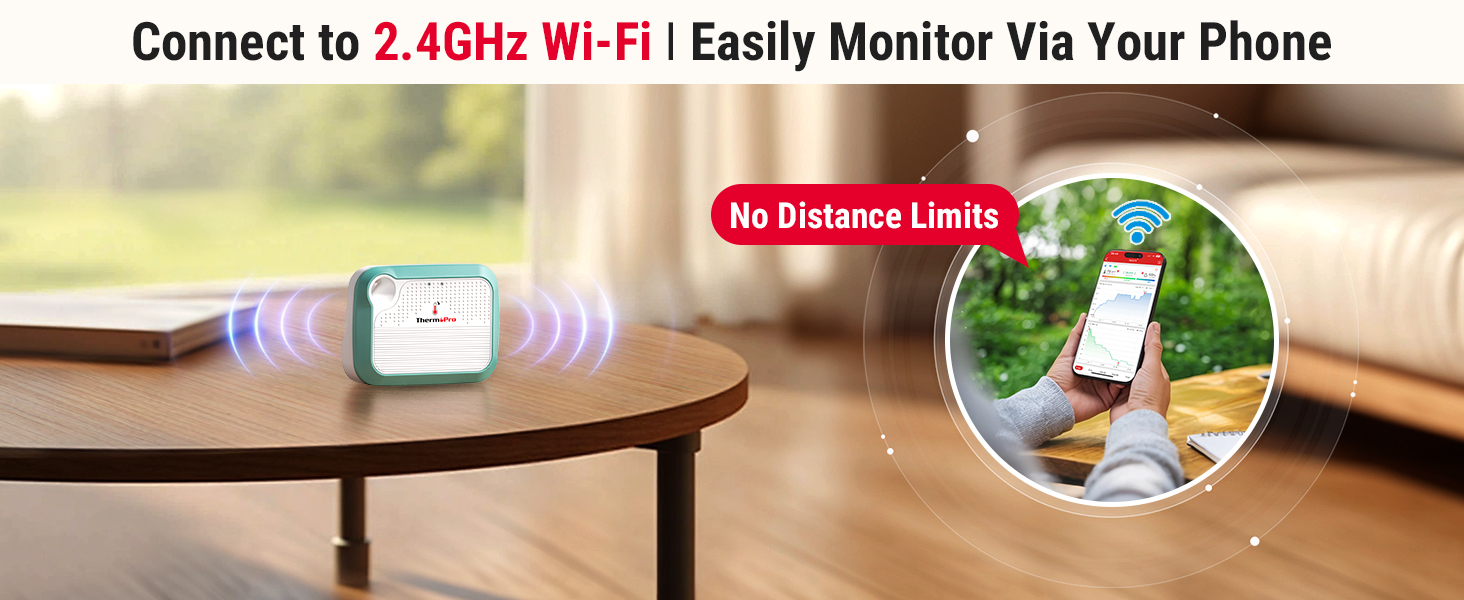
Image 4.2: Visual representation of seamless Wi-Fi connectivity.
5. Hướng dẫn vận hành
5.1 App Interface and Real-Time Monitoring
Once connected, the ThermoPro app displays real-time temperature and humidity readings. You can view historical data, current conditions, and a comfort indicator (Dry, Comfort, Wet) based on humidity levels.

Image 5.1: Comfort indicator displayed on the ThermoPro app.
5.2 Setting Up Alerts
To set custom temperature and humidity thresholds:
- Navigate to the 'Alert Setting' section within the app.
- Define your desired minimum and maximum values for temperature and humidity.
- The app will send instant notifications to your smartphone if readings fall outside these set ranges.

Hình ảnh 5.2: Ví dụample of an instant temperature alert notification.
5.3 Lưu trữ và xuất dữ liệu
The device supports 24/7 data tracking, storing up to 2 years of minute/hourly records. You can access this historical data within the app and export it for further analysis.
5.4 Chia sẻ thiết bị
The ThermoPro app allows you to share your device's monitoring data with family and friends. This feature enables multiple users to track environmental conditions from their own devices.

Image 5.3: Device sharing functionality within the ThermoPro app.
6. Bảo trì
6.1 Sạc thiết bị
The ThermoPro WiFi Hygrometer Thermometer features a rechargeable battery. Connect the provided charging cable to the device and a suitable USB power source when the battery level is low. A full charge ensures extended operation.

Image 6.1: The rechargeable battery design provides longer operational life.
6.2 Vị trí thiết bị
The device can be placed on a flat surface using its integrated stand or hung using the included lanyard. Choose a location that provides accurate readings of the ambient environment, away from direct sunlight, heat sources, or drafts.
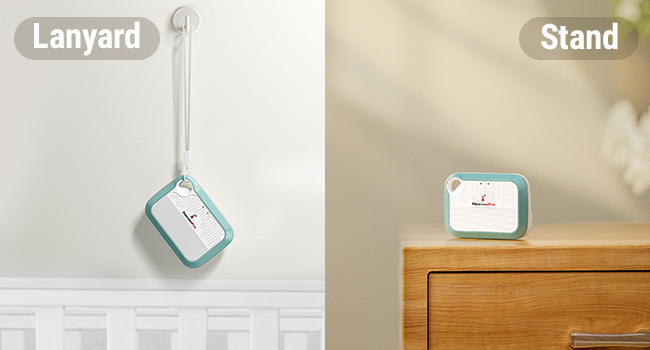
Image 6.2: Versatile placement options using the lanyard or integrated stand.
KHAI THÁC. Xử lý sự cố
- Thiết bị không kết nối với ứng dụng: Ensure Bluetooth is enabled on your phone and the device is within range. For Wi-Fi connection, verify your network is 2.4GHz and the password is correct. Try restarting both the device and your phone.
- Đọc không chính xác: Ensure the device is placed in a location free from direct heat sources, cold drafts, or high humidity areas (e.g., directly above a humidifier). Allow the device to stabilize for at least 30 minutes after placement.
- Ứng dụng không cập nhật dữ liệu: Check your internet connection. If using Wi-Fi, ensure the device is connected to your home network. If using Bluetooth, ensure your phone is close to the device.
- Pin hết nhanh: Ensure the device is fully charged. Frequent disconnections and reconnections to Wi-Fi can consume more power.
8. Thông số kỹ thuật
| Đặc điểm kỹ thuật | Chi tiết |
|---|---|
| Người mẫu | B0DQ19WXBZ |
| Thương hiệu | NhiệtPro |
| Độ chính xác nhiệt độ | ±0.5°F |
| Phạm vi nhiệt độ | -22°F đến 140°F |
| Độ chính xác độ ẩm | ±2% độ ẩm tương đối |
| Độ ẩm | 10% RH đến 99% RH |
| Loại pin | Rechargeable Nonstandard Battery (included) |
| Kết nối | Wi-Fi (2.4 GHz), Bluetooth |
| Lưu trữ dữ liệu | Lên đến 2 năm |
| Kích thước gói hàng | 4.29 x 3.9 x 1.14 inch |
| Cân nặng | 4.16 ounce |
9. Bảo hành và Hỗ trợ
ThermoPro products are designed for quality and reliability. For warranty information, technical support, or any questions regarding your ThermoPro WiFi Hygrometer Thermometer, please visit the official ThermoPro website or contact their customer service directly. Contact details are typically found on the product packaging or the ThermoPro webđịa điểm.
10. Thông tin an toàn
- Không để thiết bị ở nơi có nhiệt độ quá cao hoặc tiếp xúc trực tiếp với ánh nắng mặt trời trong thời gian dài.
- Avoid placing the device in areas with high moisture or direct water contact.
- Để xa tầm tay trẻ em.
- Không được tự ý tháo rời hoặc sửa đổi thiết bị, vì điều này sẽ làm mất hiệu lực bảo hành.
- Chỉ sử dụng cáp sạc được cung cấp hoặc loại cáp tương đương đã được chứng nhận.