
1. Giới thiệu
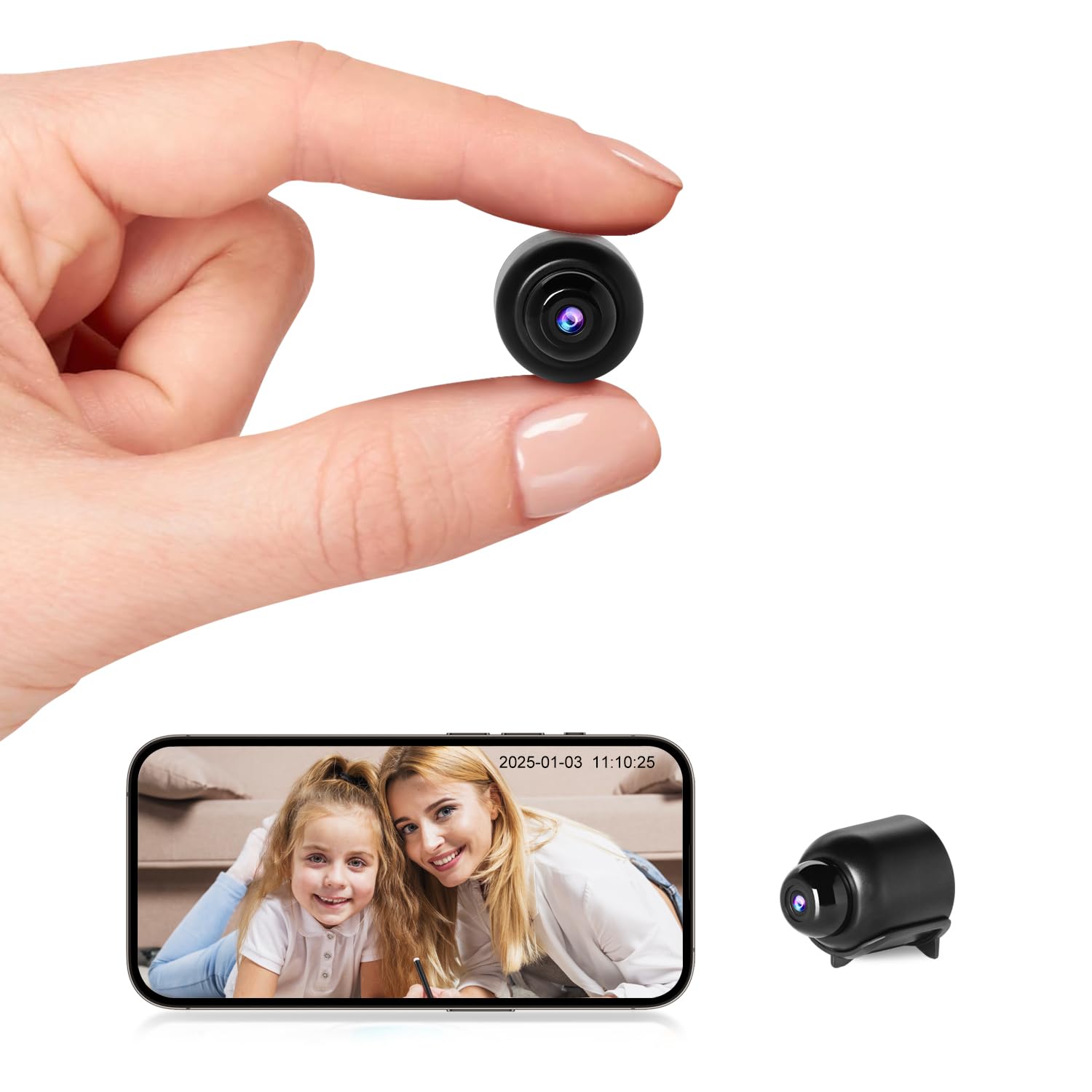
This manual provides detailed instructions for the setup, operation, and maintenance of your Rettru W7 Mini WiFi Security Camera. Please read this manual thoroughly before using the product to ensure proper functionality and safety. This camera is designed for indoor security monitoring, offering features such as motion detection, night vision, and remote access via a dedicated mobile application.

Figure 1: Versatile applications of the Rettru W7 Mini WiFi Security Camera.
2. Sản phẩm hếtview
2.1 Nội dung gói
- Rettru W7 Mini WiFi Security Camera
- Cáp sạc
- Hướng dẫn sử dụng (tài liệu này)
2.2 Các tính năng chính
- HD 1080P Resolution: Cung cấp chất lượng video rõ nét.
- Kết nối WiFi: Supports 2.4GHz WiFi for remote access (5GHz not supported).
- Motion Detection & Alarm Push: Sends notifications to your smartphone upon detecting movement.
- Tầm nhìn ban đêm: Enhanced night vision performance up to 5 meters in complete darkness with 4 infrared LEDs.
- Ghi vòng lặp: Tự động ghi đè lên foo cũ hơntage khi thẻ nhớ đầy.
- Hỗ trợ thẻ MicroSD: Compatible with MicroSD cards up to 128GB (not included).
- Thiết kế nhỏ gọn: Small and portable for discreet placement.
- Kiểm soát ứng dụng: Quản lý và view đồ ăntage via a dedicated mobile application for iOS and Android.
2.3 Product Dimensions and Design
The camera measures approximately 40 x 33 x 33 mm (1.57 x 1.29 x 1.29 inches), making it highly compact and suitable for discreet placement.

Figure 2: Camera dimensions. The camera is shown with a digital caliper indicating its small size.

Figure 3: Compact design for discreet placement, shown hidden within a woven basket among plants.

Figure 4: Camera hidden on a bookshelf, demonstrating its unobtrusive design.
3. Hướng dẫn thiết lập
- Sạc máy ảnh: Before initial use, fully charge the camera using the provided charging cable.
- Lắp thẻ MicroSD: Lắp thẻ MicroSD (dung lượng tối đa 128GB, không kèm theo) vào khe cắm dành riêng để lưu trữ cục bộ.
- Tải ứng dụng: Prepare an iPhone or Android smartphone and download the free dedicated application from your smartphone's app store.
- Bật nguồn: Nhấn và giữ nút nguồn để bật máy ảnh.
- Kết nối với WiFi:
- Mở ứng dụng và làm theo hướng dẫn trên màn hình để thêm thiết bị mới.
- Ensure your smartphone is connected to a 2.4GHz WiFi network. The camera does not support 5GHz WiFi.
- The app will guide you through connecting the camera to your home or office WiFi network.
- Vị trí: Position the camera in your desired location. Its small size allows for versatile placement.

Figure 5: Camera held in hand, illustrating its portability and ease of setup.
4. Hướng dẫn vận hành
4.1 Trực tiếp View
Once connected, open the dedicated app on your smartphone. You can access the live video feed from the camera anytime, anywhere. Multiple users can log in to the app to monitor a single camera.

Figure 6: 150-degree wide-angle view. The image shows a living room from the camera's perspective, highlighting its broad field of view.

Figure 7: App interface for live monitoring. A smartphone displays the camera's live feed of a room.
4.2 Phát hiện chuyển động và báo động
The camera features motion detection technology. When a change in the image is detected, the camera will immediately send a notification message to your smartphone. Log in to the app to view the situation at home anytime, anywhere. Motion detection recordings are saved to the memory card as evidence.

Figure 8: Motion detection alarm notification on a smartphone.
4.3 Tầm nhìn ban đêm
The camera provides high-definition 1080p night vision, allowing clear visibility up to 5 meters in complete darkness. This ensures you can monitor activities even in low-light conditions without the camera emitting visible light.

Hình 9: Ví dụample of night vision in a dark room.
Hình 10: Tầm nhìn ban đêm view on the app, showing a sleeping child in black and white.
4.4 Ghi vòng lặp
When the MicroSD card is full, the camera automatically overwrites the oldest video files, ensuring continuous recording without the need to manually delete footage.

Figure 11: Loop recording functionality and MicroSD card support.
5. Bảo trì
- Vệ sinh: Hãy dùng khăn mềm, khô để lau ống kính và thân máy ảnh. Tránh sử dụng chất tẩy rửa dạng lỏng hoặc vật liệu có tính mài mòn.
- Kho: Store the camera in a cool, dry place when not in use for extended periods.
- Chăm sóc pin: To prolong battery life, avoid fully discharging the battery frequently. Charge the camera regularly.
- Cập nhật phần mềm: Check the app periodically for any available firmware updates for the camera to ensure optimal performance and security.
KHAI THÁC. Xử lý sự cố
| Vấn đề | Nguyên nhân có thể | Giải pháp |
|---|---|---|
| Máy ảnh không bật được. | Pin yếu hoặc cáp sạc bị lỗi. | Ensure the camera is fully charged. Try a different charging cable and power adapter. |
| Không thể kết nối WiFi. | Incorrect WiFi password, 5GHz network, or camera too far from router. |
|
| App does not detect the device. | Camera not in pairing mode, app permissions, or network issues. |
|
| video footage is unclear or blurry. | Dirty lens or insufficient lighting. | Clean the camera lens with a soft cloth. Ensure adequate lighting or verify night vision is active in low light. |
| Không nhận được cảnh báo phát hiện chuyển động. | App notification settings, motion detection sensitivity, or network issues. |
|
7. Thông số kỹ thuật
| Tính năng | Chi tiết |
|---|---|
| Số hiệu mẫu | W7 |
| Độ phân giải video | Độ phân giải 1080p |
| Tốc độ khung hình | 25 khung hình/giây |
| Lĩnh vực View | 150 độ |
| Tầm nhìn ban đêm | Lên đến 5 mét |
| Đèn LED hồng ngoại | 4 |
| Kết nối | Wi-Fi (chỉ 2.4 GHz) |
| Kho | MicroSD card, up to 128GB (not included) |
| Định dạng quay video | AVI |
| Công nghệ cảm biến | CMOS |
| Kích thước sản phẩm | 40 x 33 x 33mm |
| Sử dụng được khuyến nghị | An ninh trong nhà |
| Waterproof Type | Không thấm nước |
| Kiểu lắp đặt | Giá để bàn |
| Các thành phần bao gồm | Charging cable, User manual |
| Nước xuất xứ | Trung Quốc |
8. Bảo hành và Hỗ trợ
Rettru products are designed for reliability and performance. If you encounter any issues or have questions regarding your Rettru W7 Mini WiFi Security Camera, please do not hesitate to contact our customer support. We are committed to providing assistance for your purchase and use.
Vui lòng tham khảo chứng từ mua hàng hoặc thông tin từ nhà bán lẻ. webtrang web để biết các điều khoản bảo hành cụ thể và thông tin liên hệ.