
1. Sản phẩm hếtview
The AJAZZ AJ139 V2 MC is a versatile tri-mode gaming mouse designed for precision and responsiveness. It features a PAW3311 sensor for accurate tracking, a 1000Hz return rate for smooth performance, and a long-lasting 500mAh battery. Its compact and lightweight design makes it suitable for extended use and portability.
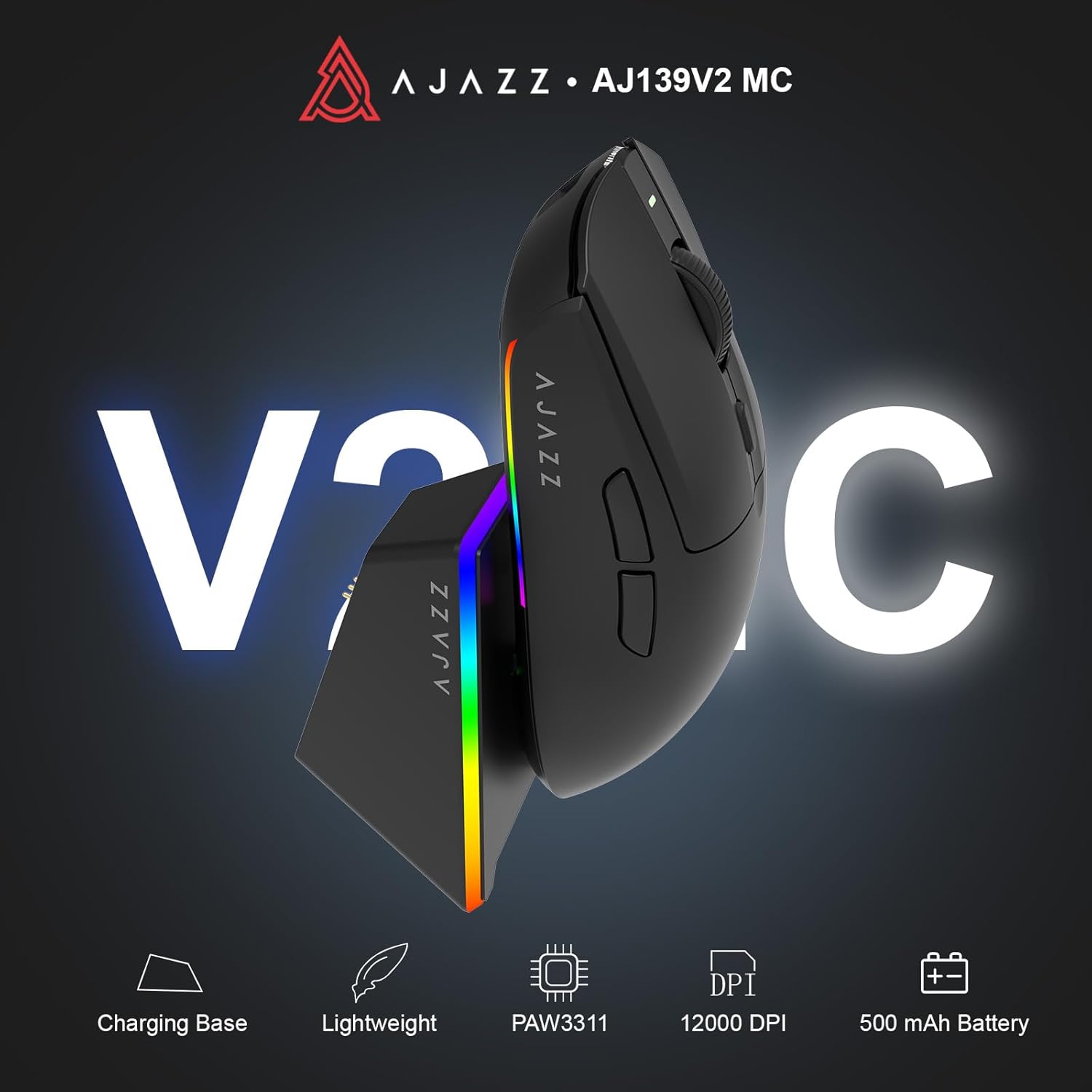
Figure 1.1: AJAZZ AJ139 V2 MC Gaming Mouse and Charging Dock.
Video 1.1: Một kết thúcview of the AJAZZ AJ139 V2 MC Gaming Mouse, highlighting its features and design.
2. Nội dung gói hàng
Đảm bảo tất cả các mục đều có trong gói hàng:
- Chuột chơi game AJAZZ AJ139 V2 MC
- Đế sạc
- Cáp sạc USB-C
- 2.4G USB Receiver (Dongle)
- Hướng dẫn sử dụng
3. Các tính năng chính
- PAW3311 Sensor Technology: Equipped with the PAW3311 sensor, this mouse ensures precise tracking and accurate cursor control for optimal performance.
- High 1000Hz Return Rate: Experience smooth and responsive performance with a 1000Hz return rate, enhancing your gaming or work experience.
- Pin 500mAh sử dụng lâu dài: The integrated 500mAh battery provides extended power, ensuring uninterrupted use for prolonged periods.
- Kết nối ba chế độ: Supports versatile connectivity options including Wired, 2.4G Wireless, and Bluetooth, adapting to various devices and setups.
- Thiết kế nhỏ gọn và nhẹ: Weighing approximately 66 grams, the mouse features a compact design for easy portability and comfortable use during long sessions.
- Ánh sáng RGB có thể tùy chỉnh: Features integrated RGB lighting for personalized aesthetics.
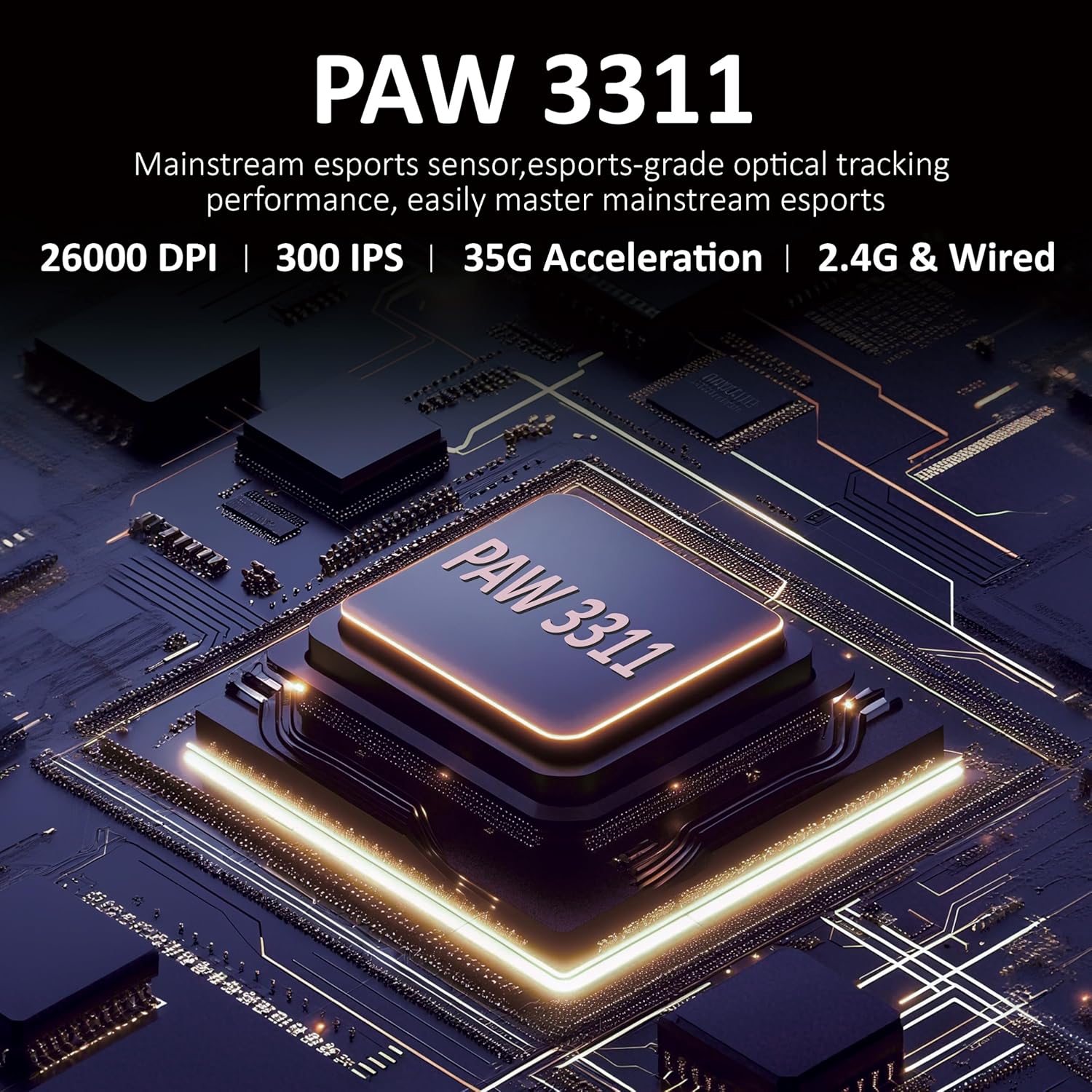
Hình 3.1: Chi tiết view of the PAW3311 sensor technology.
Video 3.1: Demonstration of the mouse's 500mAh battery life.

Figure 3.2: The lightweight design of the AJAZZ AJ139 V2 MC mouse.
4. Hướng dẫn cài đặt
4.1. Kết nối chuột
The AJAZZ AJ139 V2 MC offers three connection modes:
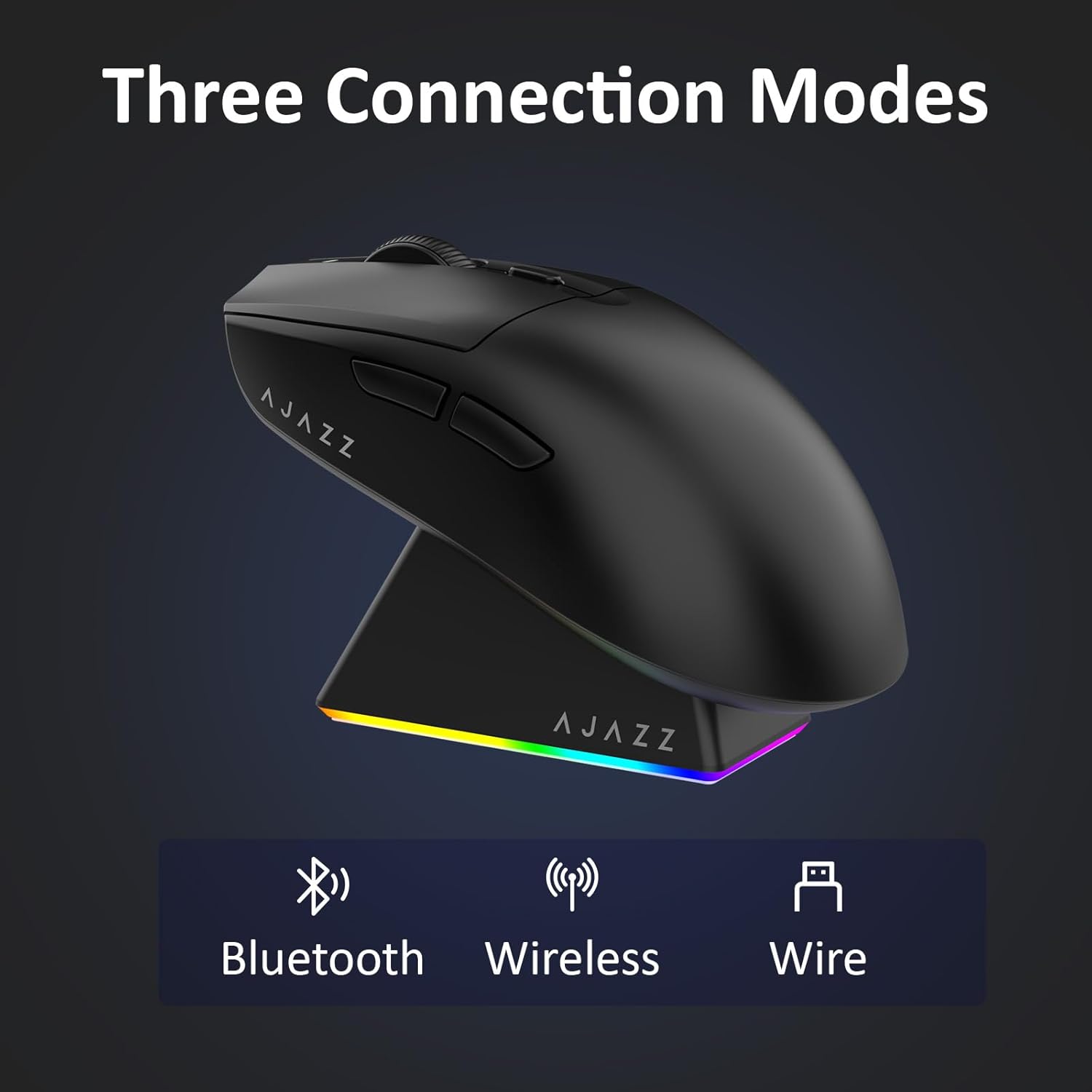
Figure 4.1: Visual representation of the three connection modes.
- Chế độ không dây 2.4G:
- Tìm bộ thu USB 2.4G được cất trong ngăn ở mặt dưới của chuột.
- Cắm đầu thu USB vào cổng USB có sẵn trên máy tính của bạn.
- Gạt công tắc ở phía dưới chuột sang vị trí '2.4G'. Chuột sẽ tự động kết nối.
- Chế độ Bluetooth:
- Gạt công tắc ở phía dưới chuột sang vị trí 'BT'.
- On your device, open Bluetooth settings and search for new devices.
- Select 'AJAZZ AJ139 V2 MC' from the list to pair.
- Chế độ có dây:
- Connect the USB-C charging cable to the mouse and the other end to your computer's USB port.
- Chuột sẽ hoạt động như một thiết bị có dây và sạc pin cùng lúc.
4.2. Sạc chuột
The mouse can be charged using the included charging dock or directly via the USB-C cable.
- Sử dụng Đế sạc:
- Connect the USB-C charging cable to the charging dock and then to a power source (e.g., computer USB port, USB wall adapter).
- Place the mouse onto the charging dock, aligning the magnetic contacts. The RGB lighting on the dock and mouse will indicate charging status.
- Sạc trực tiếp qua cổng USB-C:
- Connect the USB-C charging cable directly to the mouse and a power source.
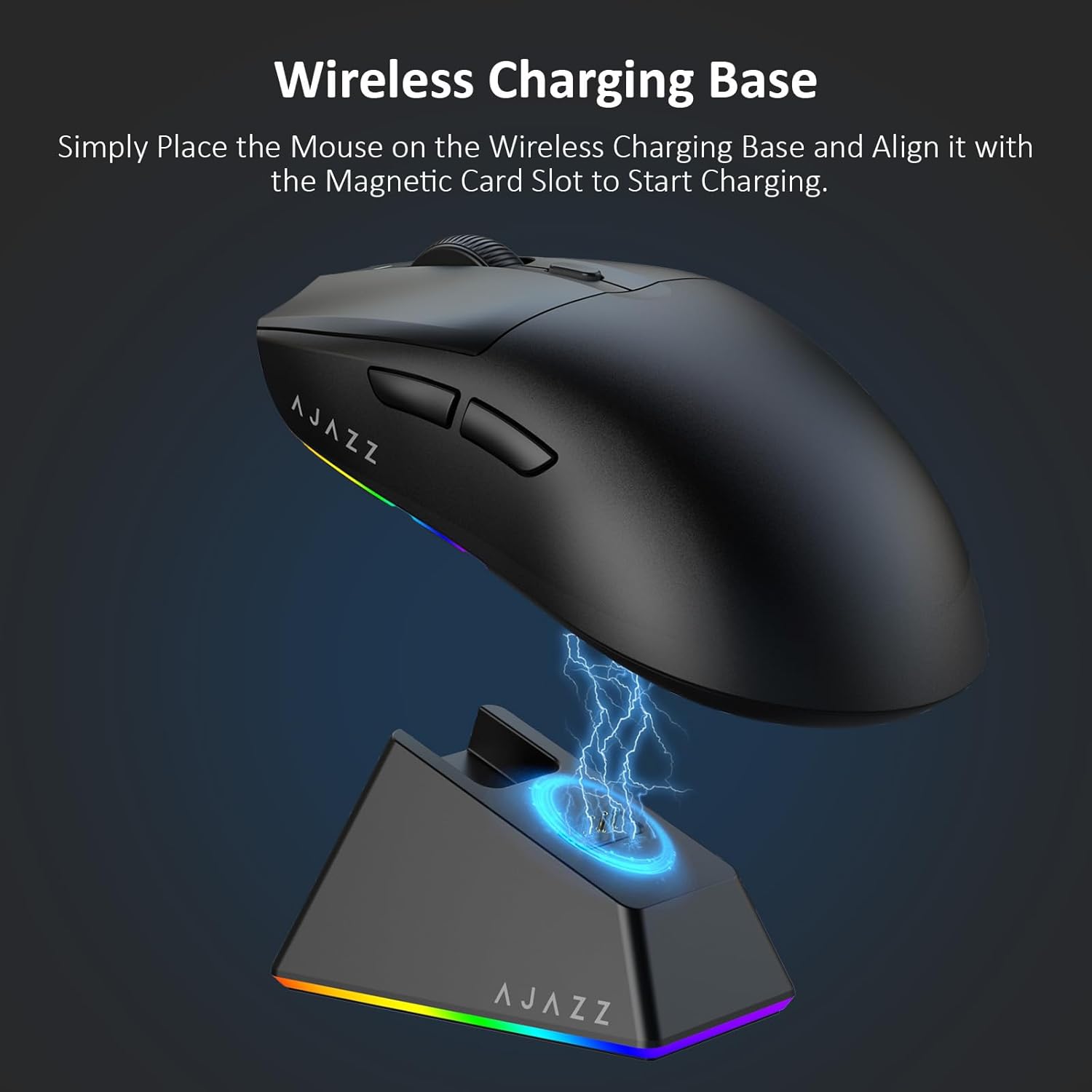
Figure 4.2: The mouse being charged on its wireless charging base.
5. Hướng dẫn vận hành
5.1. Điều chỉnh DPI
The mouse features a dedicated DPI adjustment button on its underside, allowing you to cycle through different sensitivity levels. Press the button to change the DPI setting to suit your preference.
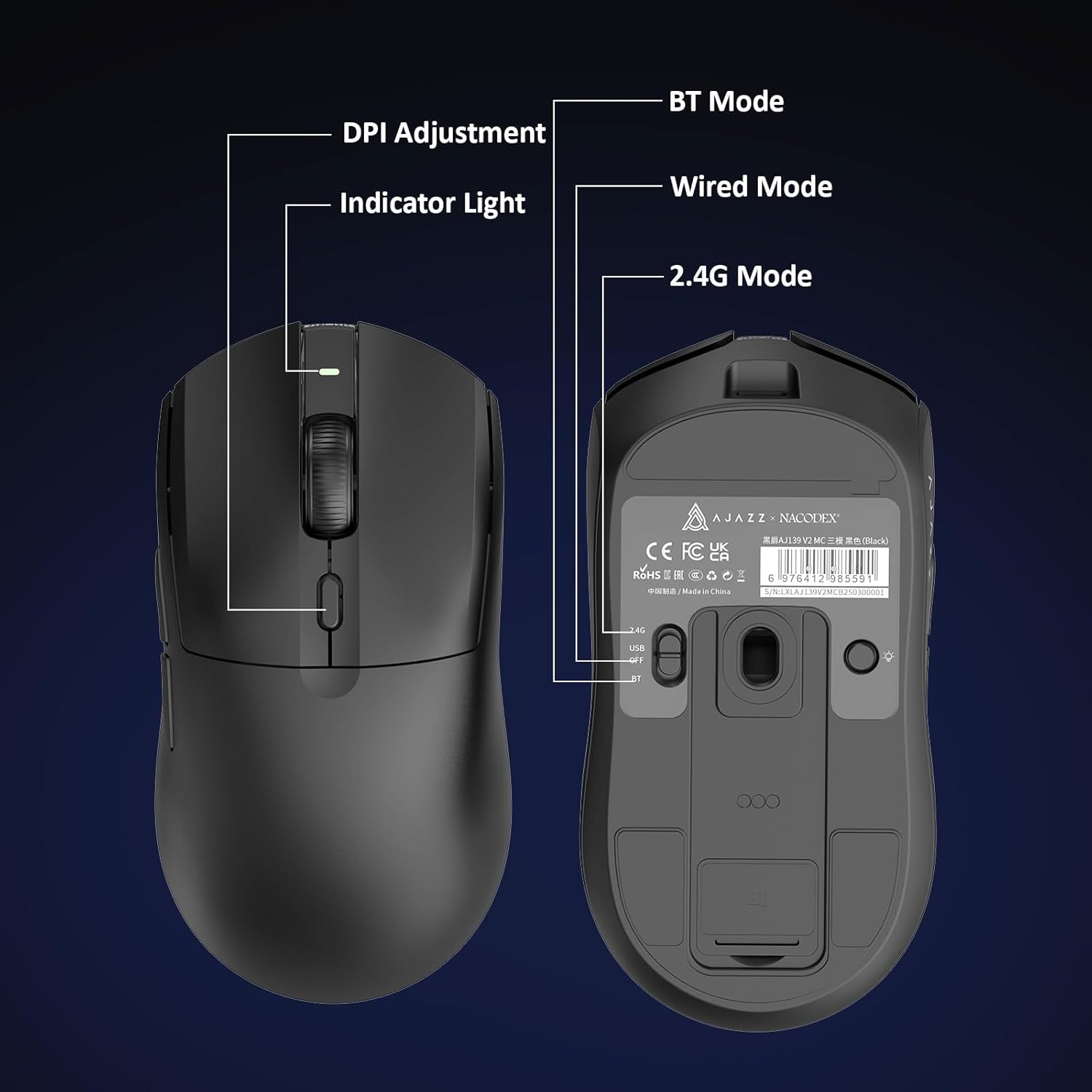
Figure 5.1: Location of the DPI adjustment button and connection mode switch on the mouse underside.
5.2. Chức năng nút
The mouse is equipped with 6 programmable buttons:
- Nút nhấp chuột trái
- Nút Nhấp chuột phải
- Con lăn chuột (có thể nhấp chuột)
- DPI Adjustment Button (on underside)
- Two Side Buttons (typically for forward/backward navigation)
For advanced customization of button functions and macros, please refer to the official AJAZZ software (downloadable from the manufacturer's webĐịa điểm).
5.3. Điều khiển ánh sáng RGB
The mouse and charging dock feature customizable RGB lighting. Specific controls for lighting modes and colors are typically managed through the official AJAZZ software. A dedicated light button on the underside of the mouse allows for basic cycling or turning off the lighting.
6. Bảo trì
- Vệ sinh: Sử dụng khăn mềm, khô để lau sạch bề mặt chuột. Đối với vết bẩn cứng đầu, hãy dùng khăn hơi ẩm.amp có thể sử dụng vải, đảm bảo không có hơi ẩm xâm nhập vào các bộ phận bên trong.
- Chăm sóc cảm biến: Hãy giữ cho cảm biến quang học ở mặt dưới của chuột luôn sạch sẽ và không bị bám bụi bẩn để duy trì độ chính xác khi theo dõi.
- Tuổi thọ pin: Để kéo dài tuổi thọ pin, tránh xả hết pin chuột thường xuyên. Hãy sạc pin khi chỉ báo pin yếu.
KHAI THÁC. Xử lý sự cố
| Vấn đề | Giải pháp khả thi |
|---|---|
| Mouse not responding in 2.4G Wireless mode. | Ensure the 2.4G USB receiver is securely plugged into a USB port and the mouse switch is set to '2.4G'. Try a different USB port. |
| Mouse not pairing via Bluetooth. | Ensure the mouse switch is set to 'BT' and your device's Bluetooth is enabled and discoverable. Try unpairing and re-pairing the device. |
| Chuột không sạc được. | Verify the USB-C cable is properly connected to both the dock/mouse and the power source. Ensure the mouse is correctly seated on the charging dock's magnetic contacts. |
| Inconsistent tracking or cursor movement. | Vệ sinh cảm biến quang học ở mặt dưới của chuột. Đảm bảo bạn đang sử dụng chuột trên bề mặt phù hợp (ví dụ: tấm lót chuột). |
| Đèn RGB không hoạt động. | Check the mouse's software settings for lighting control. Ensure the mouse has sufficient battery charge. |
8. Thông số kỹ thuật
| Tính năng | Đặc điểm kỹ thuật |
|---|---|
| Thương hiệu | AJAZZ |
| Tên mẫu | Aj139 V2 MC |
| Màu sắc | V2 MC Black |
| Công nghệ kết nối | Bluetooth, USB, Wi-Fi 2.4G |
| Công nghệ phát hiện chuyển động | Quang học (Cảm biến PAW3311) |
| Mouse Maximum Sensitivity | 12000 Dots per Inch (DPI) |
| Tỷ lệ trở lại | 1000Hz |
| Dung lượng pin | 500mAh |
| Số lượng nút | 6 |
| Hướng tay | Phải |
| Thiết bị tương thích | Máy tính để bàn |
| Hệ điều hành | Cửa sổ |
| Phạm vi | 10 mét |
| Trọng lượng sản phẩm | 4 Ounce (khoảng 113 gram) |
| Kích thước sản phẩm D x R | 5"L x 2.5"W (khoảng 12.7cm x 6.35cm) |
| Tính năng trang trí | Đèn RGB |
| Vật liệu bao vây | Nhựa |
| Hoàn thành | Mờ |
9. Bảo hành và Hỗ trợ
This product comes with a standard manufacturer's warranty. For detailed warranty information, please refer to the official AJAZZ webtrang web hoặc liên hệ với nhà bán lẻ của bạn.
For technical support, troubleshooting assistance, or any product-related inquiries, please visit the AJAZZ official support page or contact their customer service team.
Tài nguyên trực tuyến:
AJAZZ Official Store