
Kinglucky A20
Kinglucky ClipFree A20 Open-Ear Earbuds Instruction Manual
Mẫu: A20
Giới thiệu
Welcome to the Kinglucky ClipFree A20 Open-Ear Earbuds. These earbuds are designed for comfort and style, featuring an open-ear design and detachable crystal earrings. This manual provides essential information for setting up, operating, maintaining, and troubleshooting your new earbuds.
Có gì trong hộp
Upon opening your Kinglucky ClipFree A20 package, you should find the following items:
- Kinglucky ClipFree A20 Open-Ear Earbuds
- Vỏ sạc
- Detachable Crystal Butterfly Earrings (if included with your model)
- Cáp sạc USB-C
- Hướng dẫn sử dụng (tài liệu này)

Image: The Kinglucky A20 earbuds, charging case, detachable butterfly earrings, and USB-C charging cable as packaged.
Cài đặt
1. Sạc tai nghe và hộp đựng
Before first use, fully charge your Kinglucky A20 earbuds and charging case. Connect the provided USB-C cable to the charging port on the case and a power source. The digital display on the case will show the battery level. A full charge provides up to 8 hours of playtime for the earbuds, with the case extending total playtime to approximately 50 hours.
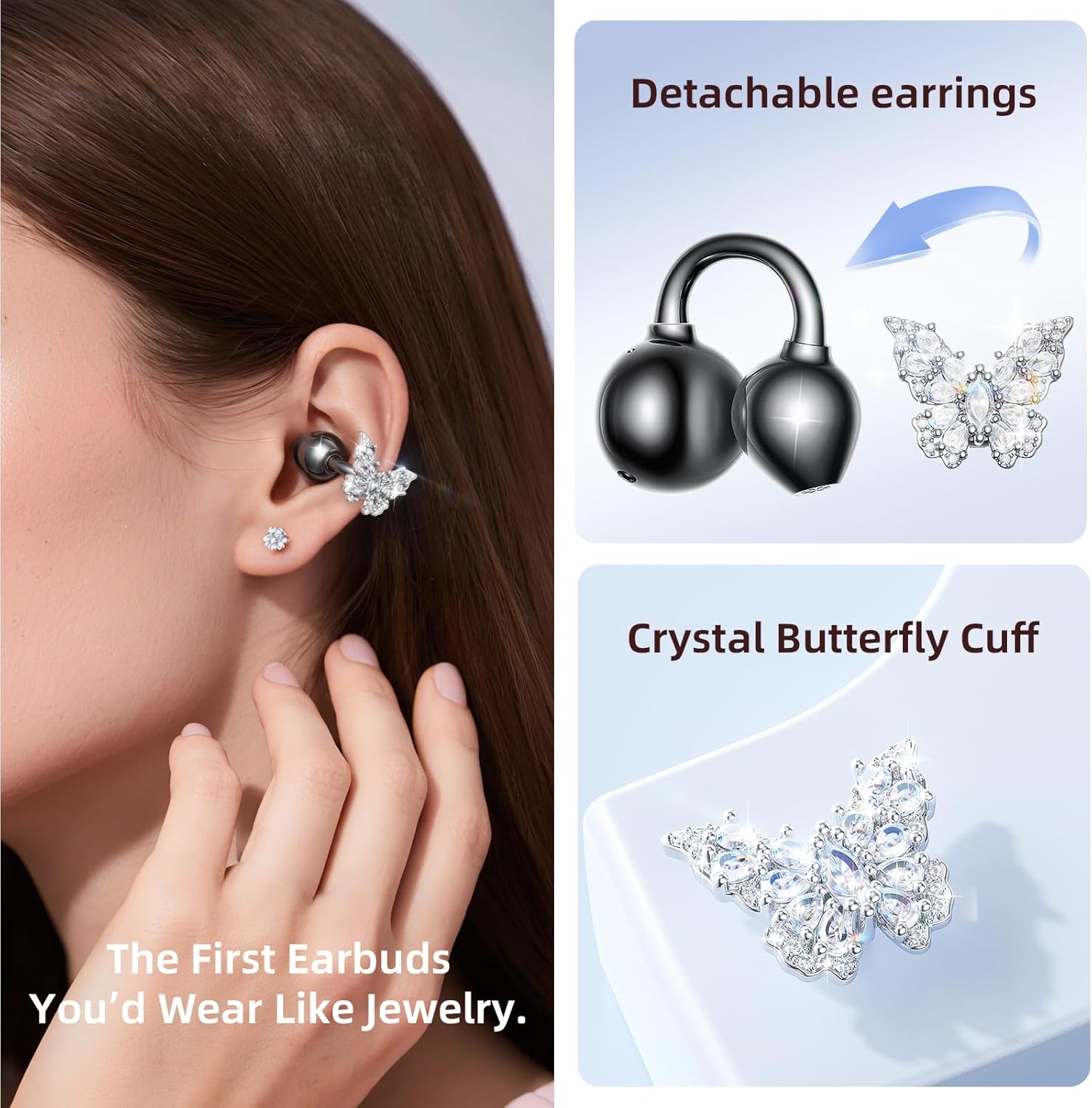
Image: The Kinglucky A20 earbuds resting in their charging case, displaying the battery percentagchữ e ở phía trước.
2. Ghép nối Bluetooth
- Mở hộp sạc. Tai nghe sẽ tự động chuyển sang chế độ ghép nối.
- Trên thiết bị của bạn (điện thoại thông minh, máy tính bảng, v.v.), hãy vào cài đặt Bluetooth.
- Select "Kinglucky A20" from the list of available devices.
- Sau khi kết nối, bạn sẽ nghe thấy lời nhắc bằng âm thanh và đèn báo trên tai nghe sẽ thay đổi.
The Kinglucky A20 supports Bluetooth 5.4 for a stable connection and multipoint pairing, allowing connection to two devices simultaneously.
3. Đeo tai nghe
The A20 earbuds feature an open-ear clip design for comfort and stability. They do not enter the ear canal, resting gently on the ear.
- Gently open the ear cuff of the earbud.
- Position the earbud over your ear, ensuring the speaker is aligned with your ear canal for optimal sound.
- Điều chỉnh để có được sự vừa vặn và thoải mái.
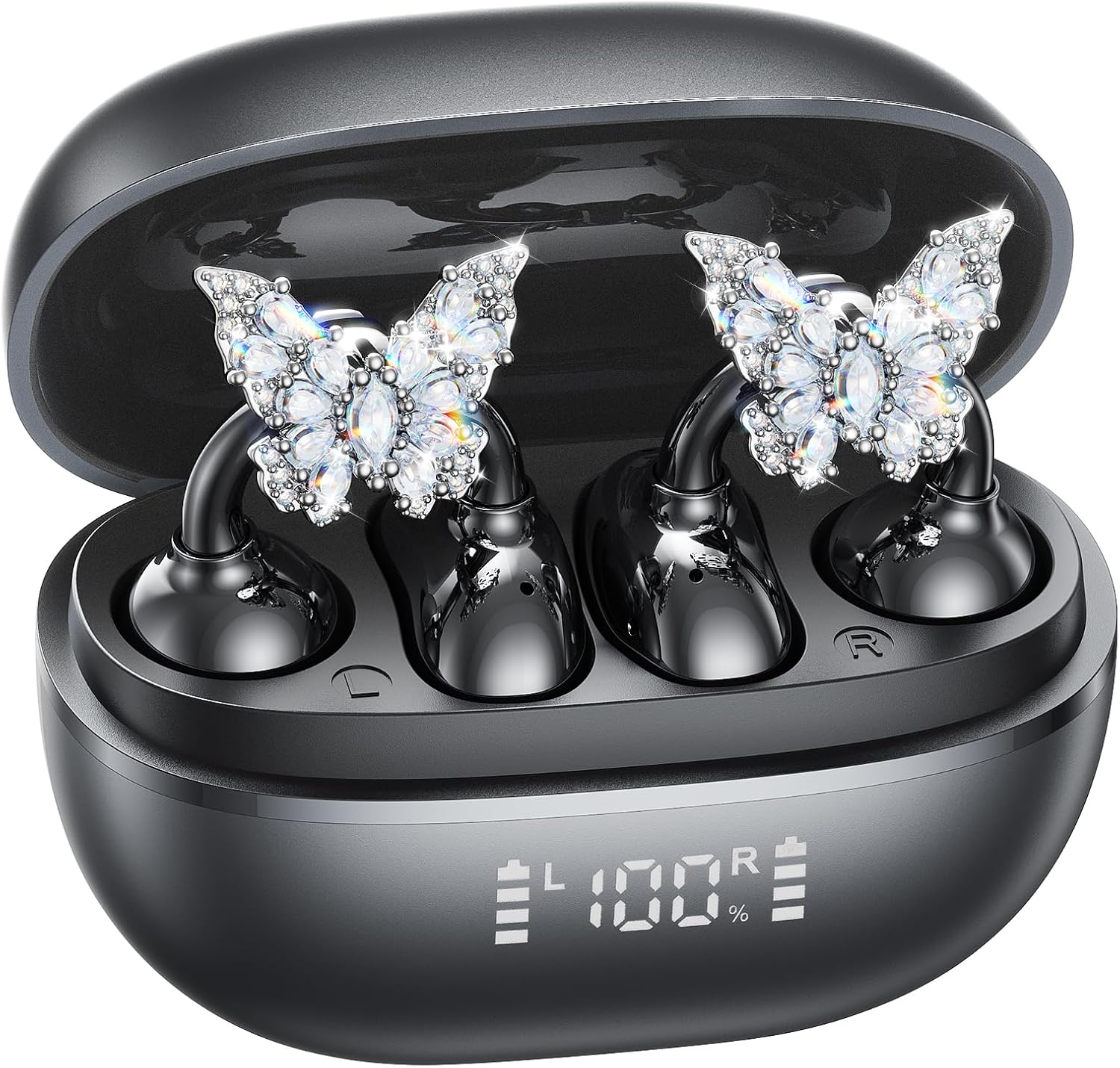
Image: A woman wearing the Kinglucky A20 earbuds with the detachable butterfly earrings, demonstrating the clip-on fit.
4. Attaching/Detaching Crystal Earrings
The crystal butterfly earrings are detachable. To attach, gently clip them onto the earphone stem. To detach, carefully unclip them. Remove the decorative earrings before storing the earbuds in the charging case to prevent damage.

Image: A visual guide illustrating the process of attaching the crystal butterfly accessory to the earbud stem.
Hướng dẫn sử dụng
Điều khiển cảm ứng
The Kinglucky A20 earbuds feature intuitive touch controls on the outer surface of each earbud.
- Phát/Tạm dừng nhạc: Nhấn đúp vào một trong hai tai nghe.
- Trả lời/Kết thúc cuộc gọi: Nhấn đúp vào một trong hai tai nghe khi có cuộc gọi đến hoặc đang thực hiện cuộc gọi.
- Từ chối cuộc gọi: Nhấn và giữ một trong hai bên tai nghe trong 2 giây khi có cuộc gọi đến.
- Kích hoạt Trợ lý giọng nói: Nhấn và giữ một trong hai miếng đệm tai nghe trong 3 giây.

Image: A visual representation of the touch control functions for music playback and call management on the earbuds.
Chất lượng âm thanh và độ rõ nét cuộc gọi
The A20 earbuds are engineered to deliver clear and balanced sound for various audio content, from podcasts to music. They feature AI-powered call clarity with 2 beamforming microphones and advanced noise-canceling technology for crisp conversations.

Image: An exploded diagram showing the internal components of the Kinglucky A20 earbud, highlighting its sound engineering.
BẢO TRÌ
- Vệ sinh: Use a soft, dry cloth to wipe the earbuds and charging case. Avoid using harsh chemicals or abrasive materials.
- Kho: Khi không sử dụng, hãy cất tai nghe vào hộp sạc để bảo vệ và đảm bảo tai nghe luôn được sạc.
- Khả năng chống nước: The earbuds are IP56 water-resistant, meaning they can withstand sweat and light rain. Do not submerge them in water.
Xử lý sự cố
| Vấn đề | Giải pháp |
|---|---|
| Tai nghe không ghép nối | Ensure earbuds are charged. Turn off and on Bluetooth on your device. Forget "Kinglucky A20" in your device's Bluetooth settings and re-pair. |
| Không có âm thanh từ một tai nghe | Place both earbuds back in the charging case, close the lid, wait a few seconds, then open and try again. Check device audio balance settings. |
| Hộp sạc không sạc được | Hãy kiểm tra xem cáp USB-C đã được kết nối chắc chắn với cả vỏ máy và nguồn điện chưa. Thử sử dụng một cáp hoặc bộ chuyển đổi nguồn khác. |
| Chất lượng cuộc gọi kém | Ensure earbuds are properly seated on your ears. Move closer to your connected device to avoid interference. |
Thông số kỹ thuật
- Tên mẫu: A20
- Kết nối: Không dây, Bluetooth 5.4
- Vị trí Tai: Tai mở
- Tuổi thọ pin: Up to 8 hours (earbuds), up to 50 hours total with charging case
- Khả năng chống nước: IP56
- Cân nặng: Approximately 4.0g per earbud
- Các thành phần bao gồm: Earbuds, Charging Case, USB-C Cable, User Manual, Detachable Crystal Earrings
Bảo hành và Hỗ trợ
Kinglucky products are manufactured to high standards and undergo rigorous quality checks. For warranty information, technical support, or customer service inquiries, please refer to the contact details provided on the Kinglucky official webtrang web hoặc tài liệu mua hàng của bạn. Hãy giữ lại bằng chứng mua hàng để yêu cầu bảo hành.
Để được hỗ trợ thêm, bạn có thể truy cập Kinglucky Store on Amazon.