
Giới thiệu
This manual provides instructions for the Zebronics CSH501 2.5" SSD/HDD Enclosure. This device allows you to connect a 2.5-inch SATA Solid State Drive (SSD) or Hard Disk Drive (HDD) to your computer via a USB Type-C 3.1 Gen 1 interface, enabling high-speed data transfer and portable storage solutions. It supports up to 6TB of storage capacity and features a tool-free slide design for easy installation.
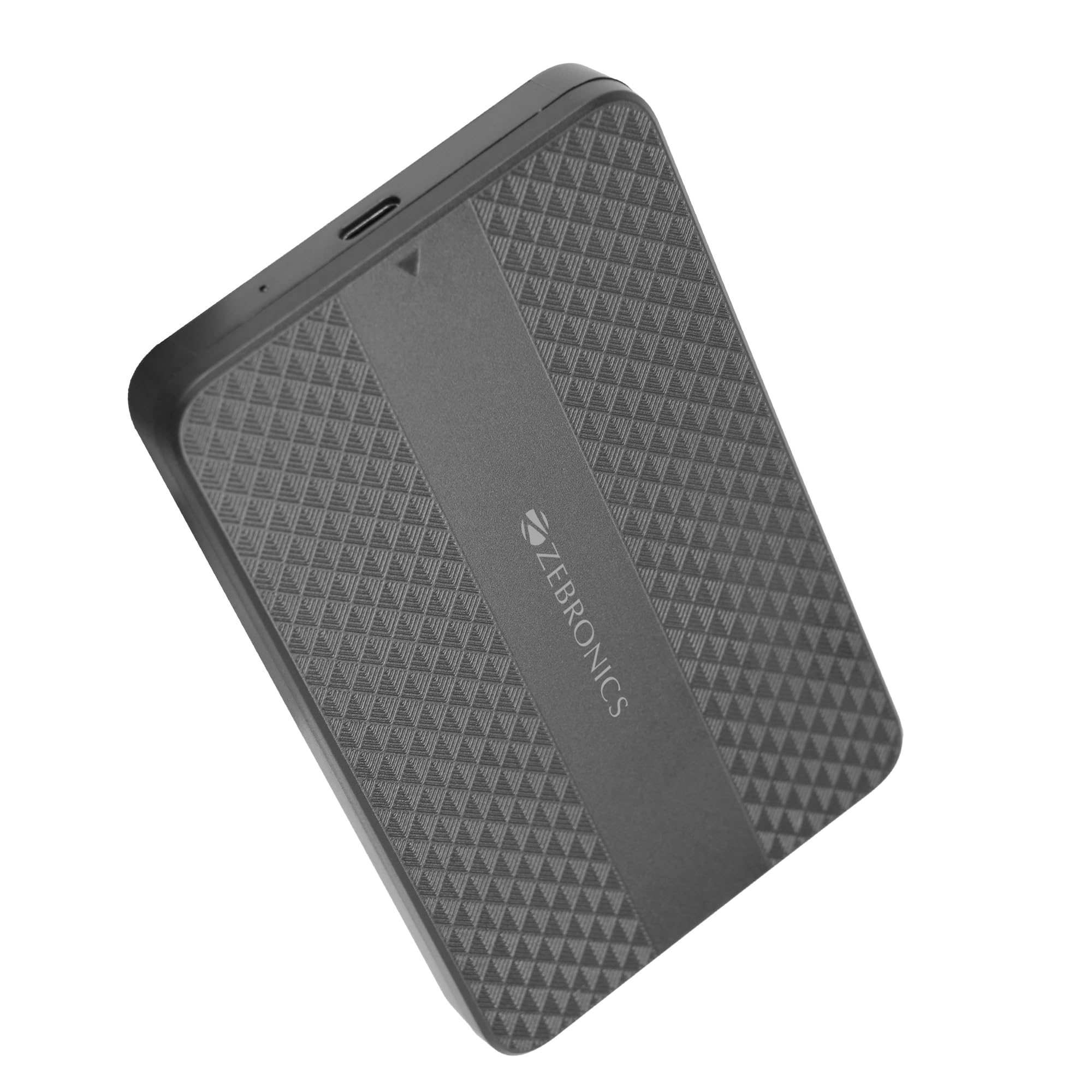
Image: The Zebronics CSH501 2.5 inch SSD/HDD Enclosure, a compact black device with a textured surface and Zebronics branding.
Nội dung gói
Xác minh rằng tất cả các mục đều có trong gói hàng:
- 1 x 2.5" SATA SSD Enclosure (CSH501)
- 1 x Tấm xốp
- 1 x USB to Micro B Cable
Thông số kỹ thuật
| Tính năng | Sự miêu tả |
|---|---|
| Người mẫu | CSH501 |
| Ổ đĩa tương thích | 2.5-inch SATA SSD/HDD |
| Dung lượng lưu trữ tối đa | 6 TB |
| Giao diện | USB Type-C 3.1 thế hệ 1 |
| Tốc độ truyền dữ liệu | Lên đến 5 Gbps |
| Vật liệu | Nhựa |
| Kích thước (D x R x C) | 13L x 8W x 1.3H Centimet |
| Cân nặng | 60 gam |
| Hỗ trợ hệ điều hành | Windows, Mac, Linux |
Thiết lập và cài đặt
The CSH501 enclosure features a tool-free slide design for quick and easy installation of your 2.5-inch SATA SSD or HDD.
- Bước 1: Mở hộp đựng
Gently slide the back cover of the enclosure to open it. - Step 2: Insert the Drive
Carefully insert your 2.5-inch SATA SSD or HDD into the enclosure, ensuring it connects securely to the internal SATA connector. You may use the provided foam pad to secure thinner drives. Close the cover by sliding it back until it clicks into place. - Bước 3: Kết nối với máy tính
Connect the enclosure to your computer using the provided USB to Micro B cable. The enclosure is plug-and-play, requiring no additional drivers for most operating systems.

Image: A three-step visual guide demonstrating the tool-free slide setup: 1. Slide back to open the cover. 2. Insert the drive and close the cover. 3. Connect to the computer for plug & play operation.
Hướng dẫn sử dụng
Once connected, the enclosure will be recognized by your operating system as an external storage device. You can then access, transfer, and manage fileTương tự như với bất kỳ ổ cứng ngoài nào khác.
- Chuyển dữ liệu: The USB 3.1 Gen 1 interface supports data transfer speeds up to 5 Gbps. Actual speeds may vary based on the connected drive, computer's USB port, and file các loại.
- Khả năng tương thích của hệ điều hành: The enclosure is compatible with Windows, Mac, and Linux operating systems.
- Quyền lực: The enclosure is bus-powered via the USB connection, eliminating the need for an external power adapter.

Image: The Zebronics CSH501 enclosure connected to a laptop via its USB cable, illustrating its capability for data transfer speeds up to 5Gbps.

Image: The Zebronics CSH501 enclosure connected to a laptop, with text highlighting its compatibility across Windows, Mac, and Linux operating systems.
BẢO TRÌ
To ensure the longevity and optimal performance of your Zebronics CSH501 enclosure:
- Giữ thiết bị sạch sẽ và không bám bụi. Dùng vải mềm, khô để lau chùi.
- Tránh để chuồng nuôi tiếp xúc với nhiệt độ quá cao, độ ẩm quá cao hoặc ánh nắng trực tiếp.
- Không làm rơi hoặc để thiết bị chịu tác động mạnh.
- Always safely eject the drive from your operating system before disconnecting the enclosure to prevent data corruption.
Xử lý sự cố
If you encounter issues with your enclosure, refer to the following common solutions:
- Không phát hiện ổ đĩa:
- Ensure the drive is properly seated within the enclosure and the cover is closed securely.
- Hãy thử kết nối hộp đựng thiết bị với một cổng USB khác trên máy tính của bạn.
- Kiểm tra bằng cáp USB khác.
- Verify that the drive itself is functional by testing it in another enclosure or directly connecting it to a computer if possible.
- Đối với các ổ đĩa mới, hãy đảm bảo chúng được khởi tạo và định dạng trong Trình quản lý đĩa (Windows) hoặc Tiện ích đĩa (Mac) của hệ điều hành.
- Tốc độ truyền chậm:
- Ensure the enclosure is connected to a USB 3.0/3.1 port on your computer. Connecting to a USB 2.0 port will result in slower speeds.
- The performance of the installed SSD/HDD also affects transfer speeds.
- Lớn file Các giao dịch chuyển khoản thường nhanh hơn nhiều so với các giao dịch nhỏ khác. file chuyển nhượng.
- Enclosure Gets Warm:
It is normal for the enclosure to become warm during extended use, especially during large data transfers, as heat is dissipated from the internal drive. Ensure adequate airflow around the device.
Bảo hành và Hỗ trợ
The Zebronics CSH501 enclosure comes with a 1 Year Carry-In Warranty to the service center. For warranty claims or technical support, please contact Zebronics customer service.
Thông tin liên hệ nhà sản xuất:
Công ty TNHH Zebronics Ấn Độ
No.13/7, Smith Road, Royapettah, Chennai - 600 002
For further assistance, visit the official Zebronics webtrang web hoặc liên hệ với kênh hỗ trợ của họ.