
Giới thiệu
This manual provides essential information for the safe and efficient use of your Infinix HOT 60i 5G smartphone. Please read this guide thoroughly before operating your device to ensure proper functionality and to understand its various features. The Infinix HOT 60i 5G is designed with a premium aesthetic, powered by the MediaTek Dimensity 6400 processor for 5G connectivity, and features a large 6000mAh battery. It incorporates advanced Infinix AI capabilities and is IP64 water and dust resistant.
Cài đặt
1. Mở hộp và kiểm tra ban đầu
Carefully remove all components from the packaging. Inspect the device and accessories for any signs of damage. Ensure all items listed in the "What's in the Box" section are present.
2. Lắp thẻ SIM và thẻ MicroSD
- Xác định vị trí khay SIM ở bên cạnh thiết bị của bạn.
- Insert the provided SIM ejector tool into the small hole on the SIM tray to open it.
- Place your Nano-SIM card(s) and/or MicroSD card into the tray with the gold contacts facing down, ensuring they are correctly oriented as indicated on the tray.
- Nhẹ nhàng đẩy khay trở lại khe cho đến khi khớp vào đúng vị trí.

Hình ảnh: Bên view of the Infinix HOT 60i 5G, illustrating the location of the SIM card tray.
3. Sạc thiết bị
Before first use, it is recommended to fully charge your Infinix HOT 60i 5G. Connect the USB cable to the power adapter and then to the phone's charging port. Plug the power adapter into a wall outlet. The charging indicator will appear on the screen. Use only the original charger and cable provided with your device.
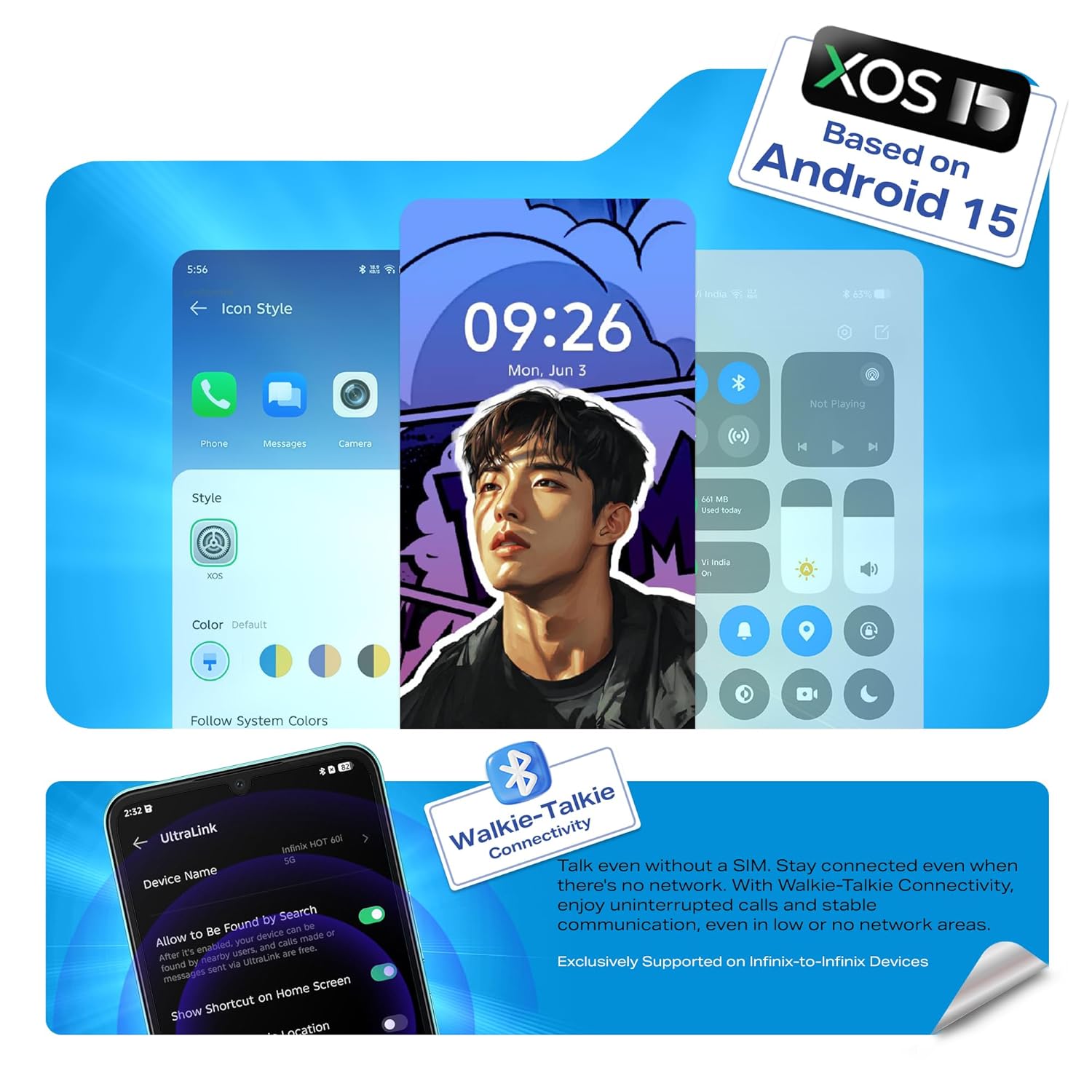
Image: Illustration of the Infinix HOT 60i 5G being charged, highlighting the 6000mAh battery.
4. Bật nguồn và cấu hình ban đầu
Press and hold the Power button until the Infinix logo appears. Follow the on-screen instructions to complete the initial setup, which includes selecting your language, connecting to a Wi-Fi network, and signing in to your Google account.

Hình ảnh: Mặt trước view of the Infinix HOT 60i 5G, displaying the screen.
Vận hành thiết bị của bạn
1. Điều hướng cơ bản
- Cử chỉ chạm: Chạm để chọn, vuốt để cuộn, chụm để phóng to.
- Nút nguồn: Nhấn để bật/tắt màn hình, nhấn và giữ để tắt nguồn hoặc khởi động lại.
- Nút âm lượng: Điều chỉnh âm lượng phương tiện, âm lượng cuộc gọi hoặc âm lượng nhạc chuông.
2. Khả năng kết nối (5G, Wi-Fi, Bluetooth)
Your Infinix HOT 60i 5G supports 5G cellular networks, Wi-Fi, and Bluetooth. Access these settings via the Quick Settings panel (swipe down from the top of the screen) or through the main Settings app. Ensure your SIM card supports 5G for optimal network speeds.

Image: The Infinix HOT 60i 5G displaying compatibility with various 5G networks.
3. Tính năng của máy ảnh
The device features a 50MP Clear Camera with dual LED flash. Open the Camera app to access various modes including standard photo, portrait, night mode, and more. Tap the shutter button to capture images. Explore the settings for advanced options.
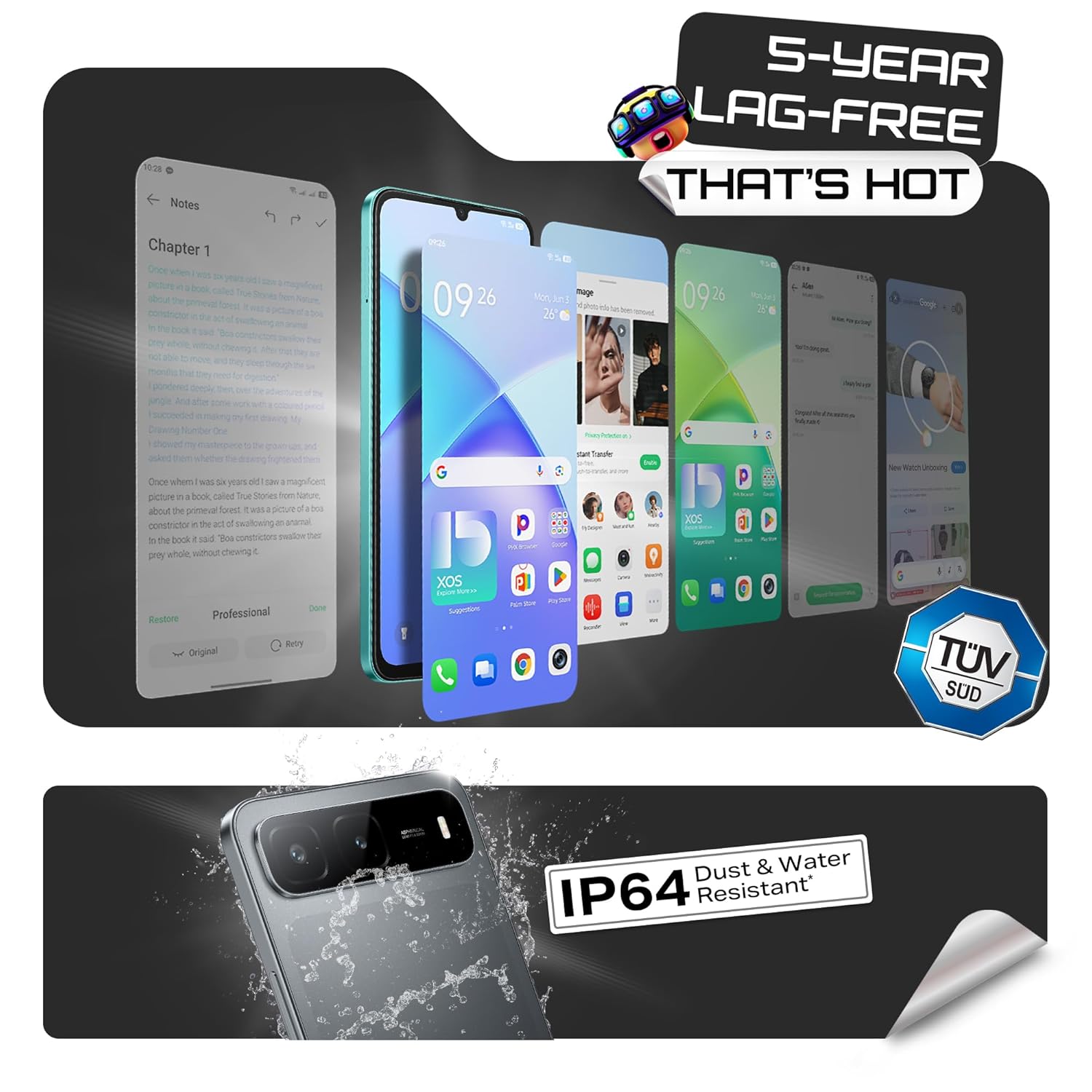
Image: Visual representation of the Infinix HOT 60i 5G's 50MP camera and various shooting modes.
4. Infinix AI Features
Your device includes several AI-powered features to enhance your experience:
- Khoanh tròn để tìm kiếm: Use a circular gesture on the screen to quickly search for information about on-screen content.
- Công cụ xóa AI: Remove unwanted objects or people from your photos with a simple tap.
- AI Extender: Expand the background of your images to achieve a desired perspective.
- Call Translation: Provides real-time translation during calls (availability may vary by region and language).

Hình ảnh: Trênview of Infinix AI features including Circle to Search, AI Eraser, and AI Extender.

Image: Demonstration of the AI Eraser feature, showing before and after removal of an object from a photo.

Image: Demonstration of the AI Extender feature, showing how an image's background can be expanded.
5. XOS 15 Operating System
The Infinix HOT 60i 5G runs on XOS 15, based on Android 15. This operating system offers an intuitive interface, enhanced security features, and various customization options. Explore the Settings app to personalize your device, manage notifications, and configure privacy settings.

Image: Screenshots of the XOS 15 user interface on the Infinix HOT 60i 5G.
BẢO TRÌ
1. Vệ sinh thiết bị của bạn
To clean your phone, use a soft, lint-free cloth. Avoid using harsh chemicals, abrasive cleaners, or aerosol sprays directly on the device. For stubborn smudges, slightly damplau bằng vải với nước hoặc chất tẩy rửa màn hình chuyên dụng cho thiết bị điện tử.
2. Cập nhật phần mềm
Regularly check for and install software updates to ensure your device has the latest security patches, features, and performance improvements. You can usually find this option in Cài đặt > Hệ thống > Cập nhật phần mềm.
3. Chăm sóc pin
The Infinix HOT 60i 5G is equipped with a 6000mAh battery. To prolong battery life, avoid exposing the device to extreme temperatures. It is recommended to keep the battery charge between 20% and 80% for optimal long-term health. Avoid leaving the phone charging for extended periods after it has reached 100%.
4. Khả năng chống nước và bụi (IP64)
Your device is rated IP64 for water and dust resistance. This means it is protected against dust ingress and splashing water from any direction. However, it is not designed for submersion in water or exposure to pressurized water jets. Avoid using the device in showers, swimming pools, or during heavy rain. Damage caused by liquid exposure is not covered under warranty.
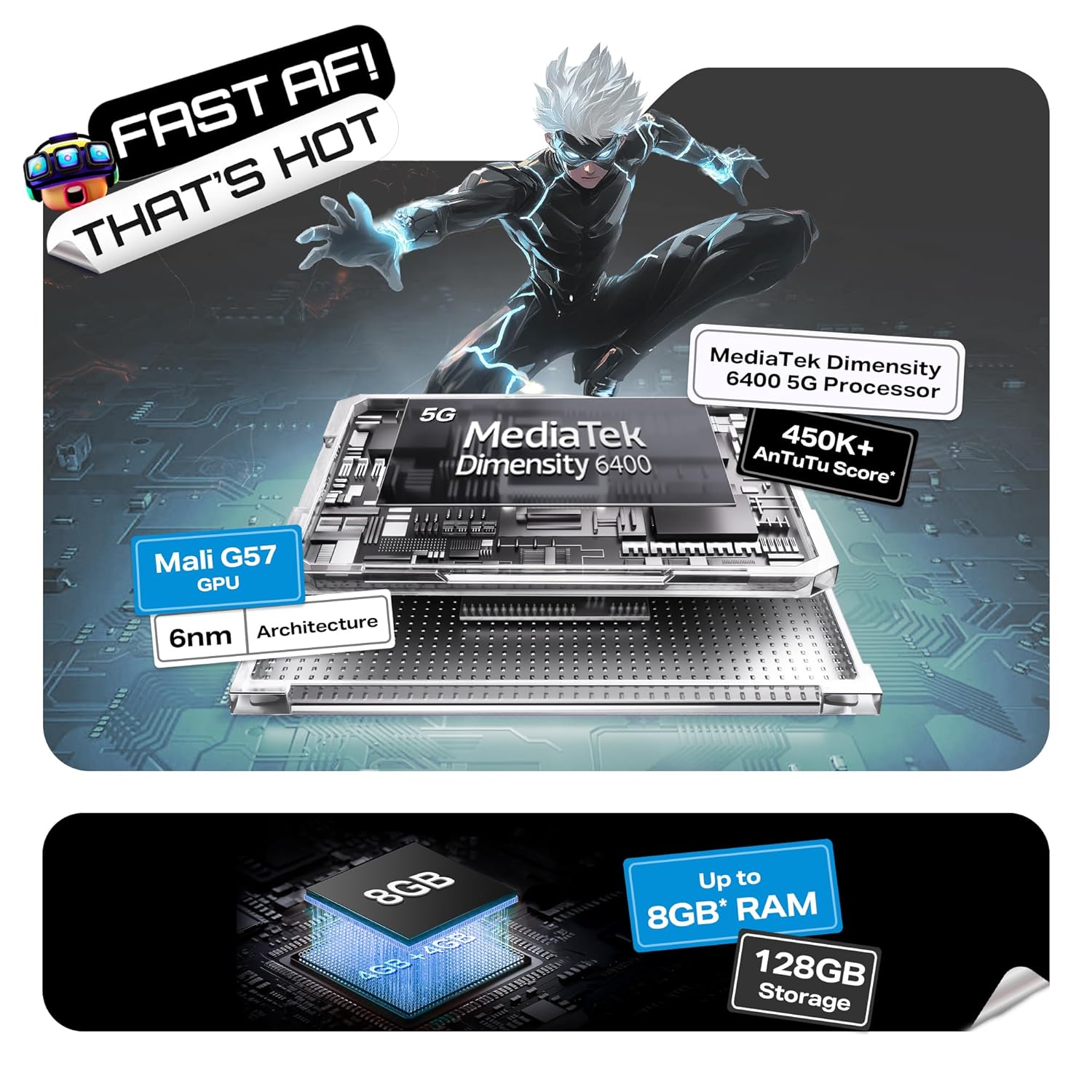
Image: Visual indicating the Infinix HOT 60i 5G's IP64 dust and water resistance rating.
Xử lý sự cố
If you encounter issues with your device, try the following steps before seeking professional assistance:
- Thiết bị không bật: Đảm bảo pin đã được sạc. Kết nối bộ sạc và đợi vài phút trước khi thử bật lại.
- Màn hình không phản hồi: Force restart the device by pressing and holding the Power button for approximately 10-15 seconds until the device restarts.
- Network Issues (No Signal/Slow Data): Check if your SIM card is properly inserted. Go to Cài đặt > Mạng & internet > SIM and ensure your SIM is enabled. Try restarting the device. Verify with your service provider if there are network outagở khu vực của bạn.
- Ứng dụng bị sập/đông cứng: Xóa bộ nhớ đệm của ứng dụng có vấn đề (Cài đặt > Ứng dụng > [Tên ứng dụng] > Lưu trữ & bộ nhớ đệm > Xóa bộ nhớ đệmNếu sự cố vẫn tiếp diễn, hãy thử cài đặt lại ứng dụng.
- Pin cạn kiệt nhanh chóng: Review việc sử dụng ứng dụng trong Cài đặt> Pin để xác định các ứng dụng ngốn pin. Giảm độ sáng màn hình, tắt các tính năng không cần thiết như GPS hoặc Bluetooth khi không sử dụng.
- Quá nhiệt: Close background applications and avoid using the device while charging or during intensive tasks like gaming for extended periods. If overheating persists, contact support.
Nếu các bước trên không giải quyết được vấn đề của bạn, vui lòng tham khảo mục Bảo hành và Hỗ trợ để được trợ giúp thêm.
Thông số kỹ thuật
| Tính năng | Chi tiết |
|---|---|
| Số hiệu mẫu | X6730 |
| Hệ điều hành | Android 15 || XOS 15 (Dựa trên Android 15) |
| Bộ xử lý | MediaTek Dimensity 6400 |
| ĐẬP | 4GB (Có thể lên đến 8GB với RAM mở rộng) |
| Bộ nhớ trong | 128GB |
| Dung lượng pin | 6000mAh |
| Trưng bày | Màn hình HD+ 6.75 inch với tần số quét 120Hz |
| Camera sau | 50MP Clear Camera with Dual LED Flash |
| Kết nối | 5G, Wi-Fi, Bluetooth, GPS |
| Kích thước (DxRxC) | 16.8 x 7.7 x 0.8cm |
| Cân nặng | 199 gam |
| Chống nước & bụi | Chứng nhận IP64 |
Có gì trong hộp
The standard retail package for the Infinix HOT 60i 5G includes the following items:
- Điện thoại thông minh Infinix HOT 60i 5G
- Ốp điện thoại
- Bộ đổi nguồn
- Khay đẩy SIM
- Cáp USB
Bảo hành và Hỗ trợ
1. Bảo hành sản phẩm
Your Infinix HOT 60i 5G smartphone comes with a standard manufacturer's warranty, typically covering defects in materials and workmanship for a period of one year from the date of purchase. Please retain your proof of purchase for warranty claims. The warranty does not cover damage caused by misuse, accidents, unauthorized repairs, or liquid exposure (beyond IP64 rating).
2. Hỗ trợ khách hàng
For technical assistance, warranty claims, or service inquiries, please contact Infinix customer support. Infinix maintains a significant service network, including over 1300 service centers across more than 1000 towns in India. You can find detailed contact information and service center locations on the official Infinix webđịa điểm.
Image: Information regarding Infinix's extensive service network and customer support.
For more information, visit the official Infinix webđịa điểm: www.infinixmobile.com