
Phanteks G400A
Hướng dẫn sử dụng vỏ máy tính Phanteks Eclipse G400A ATX Mid-Tower
Model: G400A | Brand: Phanteks
Giới thiệu
The Phanteks Eclipse G400A is a high-performance ATX Mid-Tower computer case designed for optimal airflow and component compatibility. Featuring a tempered glass side panel and pre-installed D-RGB fans, it offers both aesthetic appeal and efficient cooling. This manual provides detailed instructions for setting up, operating, maintaining, and troubleshooting your Eclipse G400A case.

Figure 1: Phanteks Eclipse G400A ATX Mid-Tower Computer Case (White)
Hướng dẫn thiết lập
1. Mở hộp và kiểm tra
Carefully remove the computer case from its packaging. Inspect the case for any signs of damage during transit. Ensure all accessories, including screws, cable ties, and the user manual, are present.
2. Cài đặt thành phần
The Eclipse G400A is designed for easy installation of your PC components. Follow these general steps:
- Cài đặt bo mạch chủ: Install your ATX motherboard onto the pre-installed standoffs. Ensure proper alignment and secure it with screws. The case supports rear-side connector mainboards for a cleaner build.
- Lắp đặt Bộ cấp nguồn (PSU): Install your PSU into the dedicated compartment at the bottom rear of the case. The case supports PSUs up to 270mm in length.
- Cài đặt ổ lưu trữ: The case supports 2x 2.5" SSDs and 2x 3.5" HDDs. Utilize the dedicated storage brackets and cable management tray for a clean setup.

Figure 2: Internal layout with highlighted storage and cable management areas
- Cài đặt Card đồ họa (GPU): Install your graphics card into the appropriate PCIe slot. The case supports large GPU cards and includes triple mid-plate 120mm fan locations for direct GPU cooling.
- Lắp đặt bộ tản nhiệt và quạt: The case comes with 4x M25-140 Gen2 D-RGB fans pre-installed. It offers dedicated 360mm radiator support in the top without restrictions.
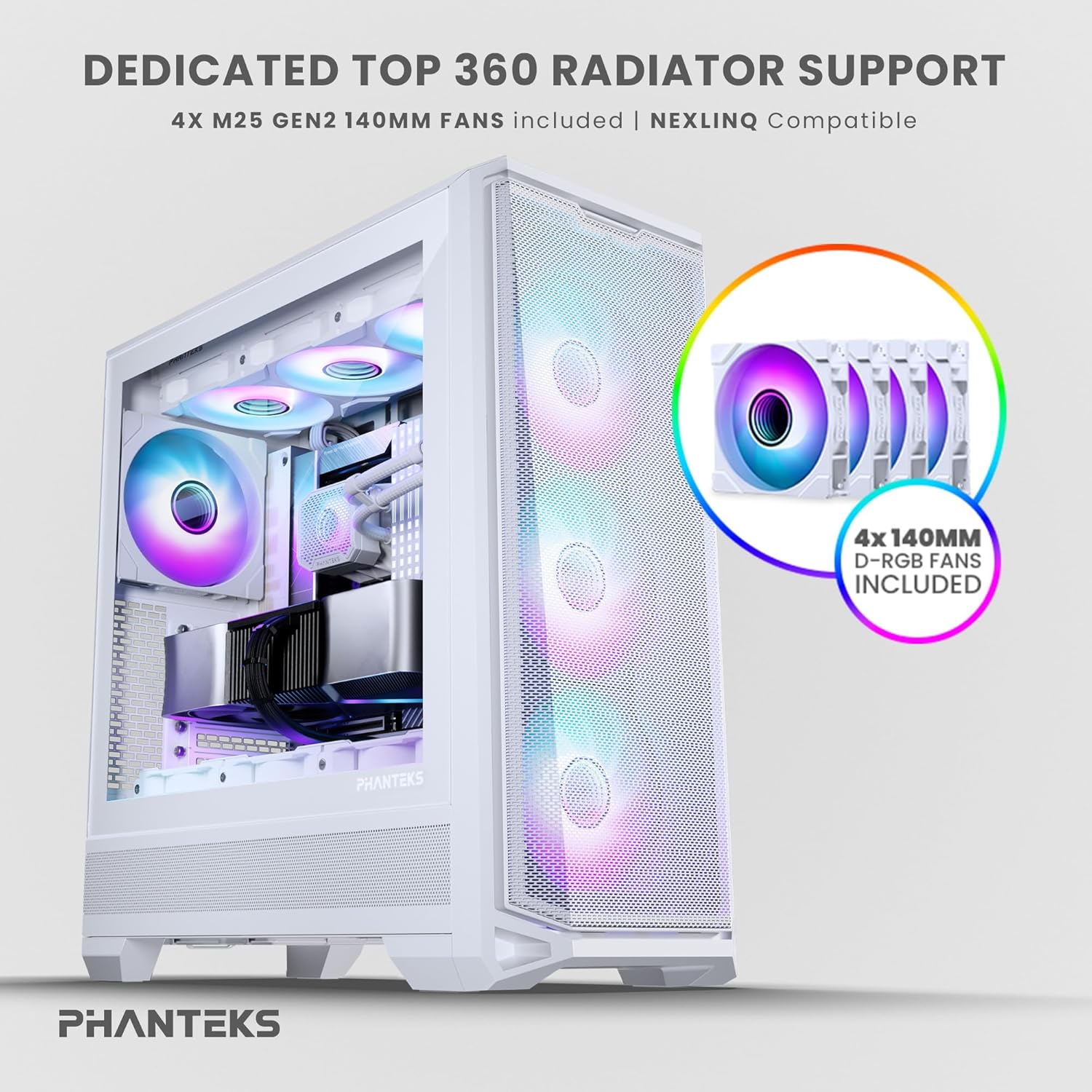
Figure 3: Top radiator support and pre-installed 140mm D-RGB fans

Figure 4: Dedicated 120mm fan positions for direct GPU cooling
3. Quản lý cáp
Utilize the dedicated cable management tool and Velcro ties provided to route and secure cables behind the motherboard tray. This ensures optimal airflow and a clean interior.
Hướng dẫn sử dụng
1. Bật nguồn
After connecting all internal components and external peripherals, connect the power cable to your PSU and a wall outlet. Press the power button located on the top I/O panel of the case to power on your system.

Figure 5: Front I/O Panel Layout
2. Điều khiển ánh sáng RGB
The pre-installed M25-140 Gen2 D-RGB fans feature addressable RGB lighting. Control the lighting effects through your motherboard's RGB software (if compatible with D-RGB/ARGB) or a dedicated Phanteks RGB controller (sold separately).
BẢO TRÌ
1. Vệ sinh
Việc vệ sinh thường xuyên giúp duy trì hiệu suất tối ưu và kéo dài tuổi thọ của các linh kiện.
- Bộ lọc bụi: The Eclipse G400A features ultra-fine performance mesh panels on the top, left, and right sides, acting as dust filters. Regularly remove and clean these filters using compressed air or a soft brush to prevent dust buildup.
- Bên ngoài: Lau các bề mặt bên ngoài bằng giẻ mềm, damp vải. Tránh sử dụng chất tẩy rửa hoặc dung môi có tính mài mòn.

Figure 6: Removable front mesh panel and dust filter for easy cleaning
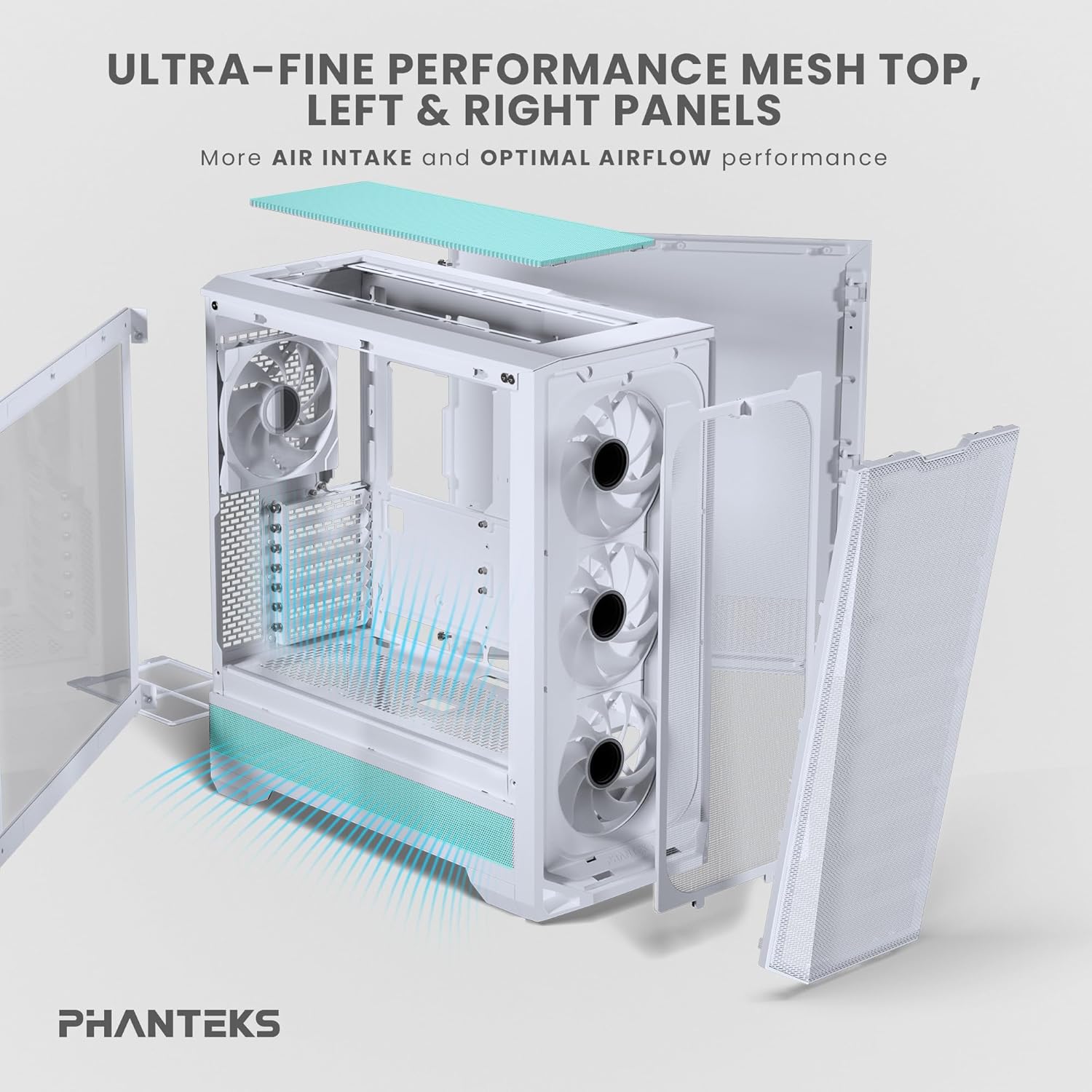
Figure 7: Disassembled panels demonstrating airflow and access for cleaning
2. Tối ưu hóa luồng không khí
Ensure cables are neatly managed to avoid obstructing airflow. Periodically check fan operation to ensure they are spinning freely and quietly.
Xử lý sự cố
- Hệ thống không khởi động:
- Kiểm tra tất cả các kết nối nguồn, bao gồm cả kết nối nguồn với ổ cắm điện, nguồn với bo mạch chủ (24 chân và CPU 8 chân) và đầu cắm công tắc nguồn ở mặt trước.
- Hãy đảm bảo công tắc nguồn của bộ nguồn đang ở vị trí 'BẬT'.
- Quạt không quay / RGB không sáng:
- Verify fan and RGB cables are correctly connected to the motherboard headers or a dedicated RGB controller.
- Check motherboard BIOS/UEFI settings for fan control and RGB settings.
- Poor Airflow / High Temperatures:
- Clean all dust filters and fans.
- Ensure proper cable management to avoid airflow obstruction.
- Verify fan orientation (intake/exhaust) for optimal airflow path.
Thông số kỹ thuật
| Tính năng | Đặc điểm kỹ thuật |
|---|---|
| Thương hiệu | Phanteks |
| Tên mẫu | Nhật thực G400A |
| Loại trường hợp | Tháp giữa |
| Màu sắc | Trắng |
| Vật liệu | Thép không gỉ, kính cường lực |
| Kích thước (DxRxC) | 19.48"D x 9.05"W x 20.55"H (49.48 x 22.99 x 52.20 cm) |
| Trọng lượng sản phẩm | 19 pound (8.62 kg) |
| Quạt được cài đặt sẵn | 4x M25-140 Gen2 D-RGB 140mm Fans |
| Hỗ trợ tản nhiệt | Lên đến 360mm (Trên cùng) |
| Hỗ trợ lưu trữ | 2 ổ SSD 2.5 inch, 2 ổ HDD 3.5 inch |
| I/O phía trước | USB-C 3.2 Gen 2, 2x USB 3.0, Audio/Microphone, Power Button, Reset Button |
Bảo hành và Hỗ trợ
Phanteks products are manufactured to the highest quality standards. For warranty information and technical support, please refer to the official Phanteks webhoặc liên hệ trực tiếp với bộ phận chăm sóc khách hàng. Hãy giữ lại hóa đơn mua hàng để yêu cầu bảo hành.
Để được hỗ trợ thêm, vui lòng truy cập trang hỗ trợ chính thức của Phanteks: www.phanteks.com/support.html
Ask a question about this manual
Ask about setup, troubleshooting, compatibility, parts, safety, or missing instructions. Manuals+ will review the question and use this page’s manual context to help answer it.