
karuisrc K610
Hướng dẫn sử dụng máy bay không người lái GPS karuisrc K610
Mẫu: K610
1. Giới thiệu
This manual provides essential information for the safe operation and maintenance of your karuisrc K610 GPS Drone. Please read this manual thoroughly before operating the drone to ensure proper usage and to prevent damage or injury. The K610 is a foldable GPS quadcopter equipped with a 4K camera, designed for both beginners and experienced users, featuring intelligent flight modes and stable performance.

Image 1.1: The karuisrc K610 GPS Drone in flight.
2. Hướng dẫn an toàn
Operating a drone requires responsibility. Adhere to the following safety guidelines to ensure a safe flight experience for yourself and others:
- Kiểm tra trước khi bay: Always inspect the drone, propellers, and battery before each flight. Ensure all components are securely attached and undamaged.
- Điều kiện môi trường: Fly in open areas, away from people, animals, buildings, and obstacles. Avoid flying in strong winds, rain, snow, or fog.
- An toàn pin: Use only approved batteries and chargers. Do not overcharge or puncture batteries. Discontinue use if batteries are damaged or swollen.
- Đường ngắm: Luôn duy trì tầm nhìn trực tiếp với máy bay không người lái.
- Tôn trọng quyền riêng tư: Do not use the drone to invade privacy.
- Quy định của địa phương: Hãy nắm rõ và tuân thủ tất cả các luật và quy định địa phương liên quan đến việc vận hành máy bay không người lái.
3. Nội dung gói hàng
Xác minh rằng tất cả các mục đều có trong gói hàng của bạn:
- K610 Drone x 1
- Điều khiển từ xa x 1
- Batteries x 1 (Nonstandard Battery)
- Spare Propellers x 4
- Tuốc nơ vít x 1
- Cáp USB x 1
- Hộp đựng x 1
- Hướng dẫn sử dụng x 1

Image 3.1: Included items in the karuisrc K610 drone package.
4. Thành phần trênview
4.1 máy bay không người lái
The K610 drone features a foldable design for portability, brushless motors for stable flight, and an integrated 4K camera.

Image 4.1: The karuisrc K610 drone and remote control.
4.2 Điều khiển từ xa
The remote control provides intuitive flight control and a mount for your smartphone to view Hình ảnh FPV.
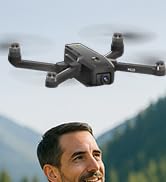
Image 4.2: Remote control with smartphone for FPV viewđang.
5. Thiết lập
5.1 Lắp đặt và sạc pin
- Insert the modular battery into the drone's battery compartment until it clicks into place.
- To charge, remove the battery from the drone. Connect the USB charging cable to the battery and a suitable USB power adapter (not included).
- The charging indicator on the battery will show its status. Ensure the battery is fully charged before flight.

Image 5.1: Modular battery for the K610 drone.
5.2 Lắp đặt cánh quạt
Attach the propellers according to the markings (A and B) on the propellers and motor arms. Ensure they are securely fastened with the provided screwdriver.
5.3 Thiết lập điều khiển từ xa
- Install 3x AA batteries (not included) into the remote control.
- Extend the phone holder and securely mount your smartphone.
5.4 Cài đặt và kết nối ứng dụng
- Download the official karuisrc drone app from your smartphone's app store.
- Khởi động máy bay không người lái, sau đó khởi động điều khiển từ xa.
- On your smartphone, connect to the drone's Wi-Fi network (usually named 'K610-XXXXXX').
- Mở ứng dụng để thiết lập kết nối và view Hình ảnh FPV trực tiếp.

Image 5.2: 5GHz WiFi transmission for real-time viewđang.
5.5 Hiệu chuẩn
Before the first flight and after any significant change in location, perform compass and gyroscope calibration as instructed in the app or quick start guide. This ensures stable flight and accurate GPS positioning.
6. Hoạt động
6.1 Điều khiển bay cơ bản
Refer to the remote control diagram in the quick start guide for specific joystick and button functions. Generally:
- Left Joystick: Controls altitude (up/down) and rotation (yaw left/right).
- Right Joystick: Controls forward/backward and left/right movement (pitch/roll).
6.2 Cất cánh và hạ cánh
- Cất cánh chỉ với một nút bấm: Press the designated take-off button on the remote or in the app. The drone will automatically ascend to a safe height and hover.
- Cất cánh bằng tay: Push both joysticks to the bottom-outer corners to unlock motors, then slowly push the left joystick up to ascend.
- Hạ cánh một phím: Press the designated landing button. The drone will descend and land automatically.
- Hạ cánh thủ công: Slowly pull the left joystick down to descend. Once landed, push both joysticks to the bottom-outer corners to stop motors.
6.3 GPS Features
The K610 drone utilizes GPS for enhanced stability and intelligent flight functions.
- Tự động trở về nhà (RTH): The drone can automatically return to its take-off point if the signal is lost, battery is low, or the RTH button is pressed.

Image 6.1: GPS Auto Return Home functionality.
6.4 Chế độ bay nâng cao
Access these modes via the drone's app:
- Theo dõi tôi: The drone will automatically follow the remote control or smartphone, capturing footage khi bạn di chuyển.
- Waypoint Flight (Tap Fly): Tap points on the map in the app, and the drone will fly along the specified path.
- Point-of-Interest (Circle Fly): Select a point on the map, and the drone will circle around it at a set radius and altitude.

Image 6.2: Advanced flight modes: Follow Me, Circle Fly, and Tap Fly.
6.5 Vận hành camera 4K
The K610 is equipped with a 4K UHD camera with 90° adjustable tilt for capturing high-quality aerial footage và ảnh.
- Chụp ảnh/quay video: Use the dedicated buttons on the remote control or the app interface to take photos or start/stop video recording.
- Góc máy ảnh có thể điều chỉnh: The camera's tilt can be adjusted remotely via the app or remote control.
- Hỗ trợ thẻ SD: Insert an SD card (not included) into the drone for direct storage of high-resolution media.

Image 6.3: The K610's 4K HD Camera.
6.6 Sản phẩm trênview Băng hình
Watch this video for a visual guide on the karuisrc K610 GPS Drone's features and operation.
Video 6.4: Kết thúcview of the karuisrc K610 GPS Drone's features and capabilities.
7. Bảo trì
Bảo trì thường xuyên đảm bảo tuổi thọ và hiệu suất tối ưu cho máy bay không người lái của bạn.
- Vệ sinh: Gently wipe the drone and remote control with a soft, dry cloth after each use. Avoid using harsh chemicals.
- Kiểm tra cánh quạt: Regularly check propellers for cracks, bends, or damage. Replace damaged propellers immediately using the provided spares.
- Chăm sóc pin: Bảo quản pin ở nơi khô ráo, thoáng mát. Không nên bảo quản pin đã sạc đầy hoặc đã cạn kiệt hoàn toàn trong thời gian dài. Chỉ nên sạc pin đến khoảng 50-60% để bảo quản lâu dài.
- Kho: Khi không sử dụng, hãy gập máy bay không người lái lại và cất vào hộp đựng để bảo vệ khỏi bụi bẩn và hư hỏng vật lý.
KHAI THÁC. Xử lý sự cố
Nếu bạn gặp sự cố, hãy tham khảo các sự cố và giải pháp phổ biến sau:
| Vấn đề | Nguyên nhân có thể | Giải pháp |
|---|---|---|
| Máy bay không người lái không cất cánh hoặc không phản hồi lệnh điều khiển. | Low battery, improper calibration, motors locked. | Charge drone/remote batteries. Perform calibration. Unlock motors (refer to section 6.2). |
| Chuyến bay không ổn định hoặc trôi dạt. | Poor calibration, strong winds, damaged propellers. | Recalibrate the drone. Fly in calm conditions. Inspect and replace damaged propellers. |
| Không hiển thị được hình ảnh FPV trên điện thoại thông minh. | Wi-Fi not connected, app not open, drone/phone too far apart. | Ensure phone is connected to drone's Wi-Fi. Open the app. Move closer to the drone. |
| GPS features (RTH, Follow Me) not working. | Insufficient GPS signal, drone not calibrated. | Fly in an open area with clear sky. Wait for sufficient GPS satellites to connect (indicated by app). Perform GPS calibration. |
9. Thông số kỹ thuật
Key technical specifications for the karuisrc K610 GPS Drone:
| Tính năng | Chi tiết |
|---|---|
| Tên mẫu | K610 |
| Trọng lượng sản phẩm | 204 gam (7.2 ounce) |
| Máy ảnh | 4K UHD (4096×3072P images), 12 MP Effective Still Resolution, 90° Adjustable, CMOS Sensor |
| Độ phân giải quay video | 1080p (định dạng MP4) |
| Công nghệ kết nối | Wi-Fi, RF (5GHz FPV Transmission) |
| Loại điều khiển | Điều khiển từ xa |
| Tính năng đặc biệt | Adjustable, Auto-Landing, Portable, GPS Auto Return, Follow Me, Waypoint Flight, Point-of-Interest Circle |
| Loại động cơ | Động cơ không chổi than |
| Ắc quy | 1 Nonstandard Lithium Ion Battery (included) |
| Thời gian bay | Up to 20 minutes (typical 18 minutes) |
| Vật liệu | Nhựa |
| Kích thước sản phẩm | Dài 7" x Rộng 2" x Cao 8" |

Image 9.1: Brushless motor technology for the K610 drone.
10. Bảo hành và Hỗ trợ
For warranty information or technical support, please contact karuisrc customer service. Keep your purchase receipt as proof of purchase.
- Điện thoại: +44 7419 298225
- E-mail: Karuisrc@gmail.com

Image 10.1: karuisrc customer support.
Ask a question about this manual
Ask about setup, troubleshooting, compatibility, parts, safety, or missing instructions. Manuals+ will review the question and use this page’s manual context to help answer it.