
Giới thiệu
This manual provides essential information for the safe and efficient use of your Samsung 32-inch 4K M8 Vision AI Smart Monitor (Model: LS32FM801UWXXL). Please read these instructions thoroughly before operating the device and retain them for future reference.
Có gì trong hộp
Xác minh rằng tất cả các thành phần đều có trong bao bì:
- Màn hình đơn vị 1
- 1 Unit Power Cable
- 1 Unit HDMI Cable
- 1 Unit USB Type-C Cable
- 1 Bộ điều khiển từ xa
- 1 Unit Camera (SlimFit Camera)
- 1 Unit Pogo Gender
- Hướng dẫn sử dụng (tài liệu này)
Cài đặt
1. Physical Assembly and Placement
Carefully unpack all components. Attach the stand to the monitor following the instructions provided in the quick setup guide. Place the monitor on a stable, flat surface or mount it using a compatible VESA mount (sold separately).
The monitor features an ergonomic stand allowing for pivot, tilt, and height adjustments (HAS) for optimal viewing thoải mái.
2. Cáp kết nối
Connect the power cable to the monitor and a power outlet. Use the provided HDMI or USB Type-C cable to connect your computer or other devices to the monitor. The monitor also features USB-A downstream ports for peripherals.
Ở phía sau view of the monitor displaying available ports: USB Type-C Upstream, HDMI In, USB Type-A Downstream, and Power input.
3. SlimFit Camera Installation
Attach the SlimFit Camera to the designated magnetic port at the top center of the monitor. Ensure it is securely connected.
The SlimFit Camera securely attaches to the top of the monitor for video calls.
4. Bật nguồn ban đầu
Press the power button on the monitor or use the remote control to turn on the device. Follow the on-screen prompts for initial setup, including network connection and account login for Smart TV features.
Hướng dẫn sử dụng
1. Smart TV Experience with AI
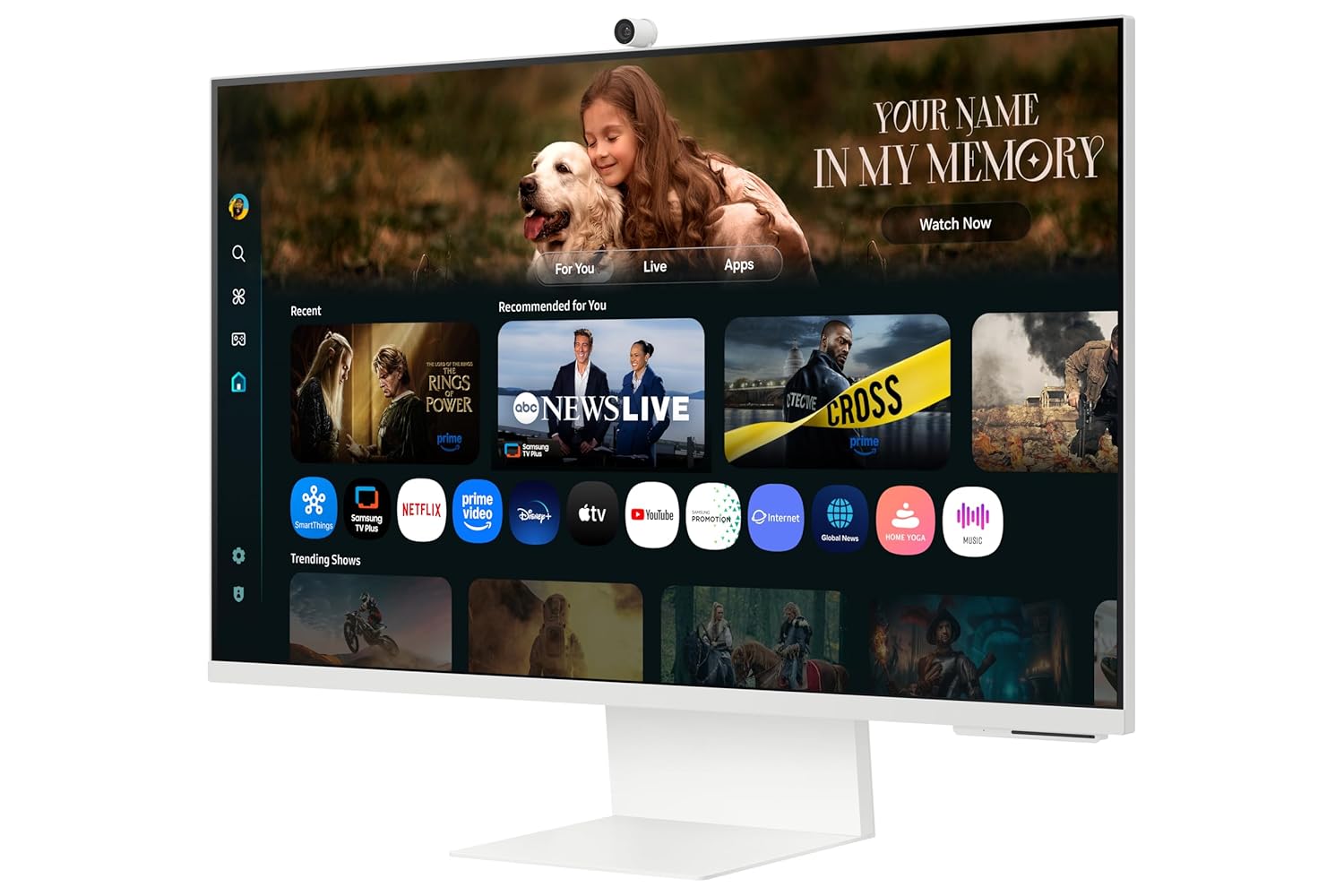
Your monitor integrates a full Smart TV experience, allowing direct access to streaming apps and services without needing a separate PC. The AI features enhance content viewđang.
Access Smart TV apps directly and use AirPlay for seamless content sharing from Apple devices.
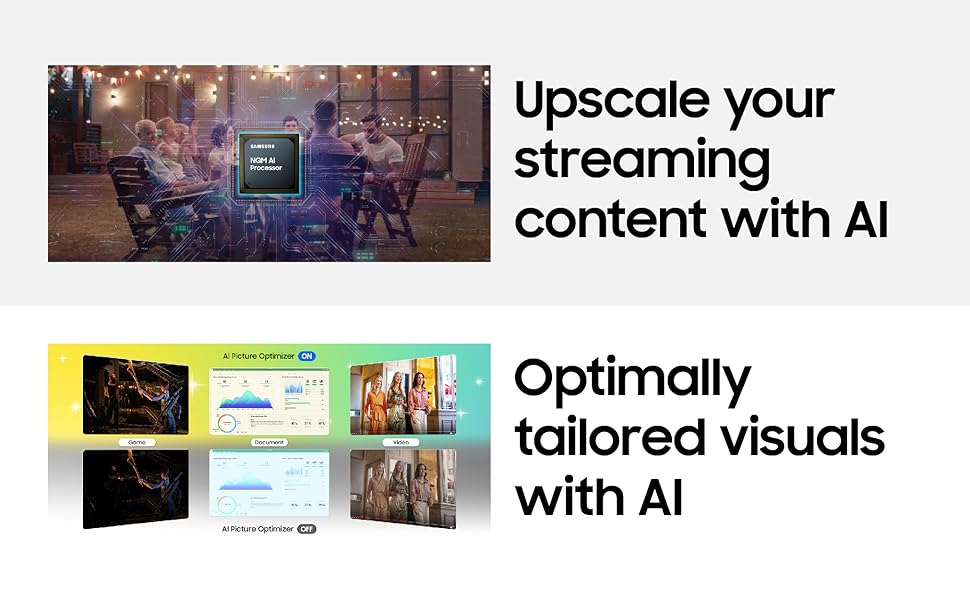
- Nâng cấp AI 4K: Content is enhanced to near 4K resolution using the NQM AI Processor.
- Trình tối ưu hóa hình ảnh AI: Optimizes picture settings based on content type and ambient lighting.
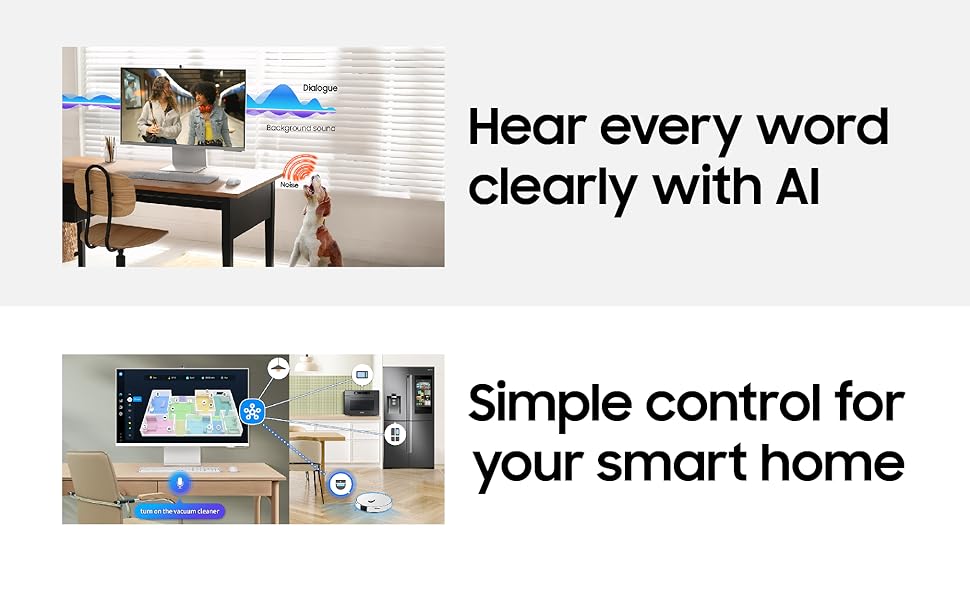
- Giọng nói chủ động Amplifier Pro: Enhances dialogue clarity by analyzing ambient noise.
- Những điều thông minh: Control compatible smart home devices directly from your monitor.
- Phát sóng: Truyền phát nội dung không dây từ các thiết bị Apple.
- Alexa được tích hợp sẵn: Sử dụng lệnh thoại cho nhiều chức năng khác nhau.
2. Kết nối
Màn hình này cung cấp nhiều tùy chọn kết nối linh hoạt:
- Màn hình không dây: Connect wirelessly to compatible devices.
- Wi-Fi 5 & Bluetooth 5.2: For network access and connecting wireless peripherals.
- Cổng: 1 HDMI 2.1, 1 USB-C (90W charging), 2 USB-A 2.0.
3. SlimFit Camera Usage
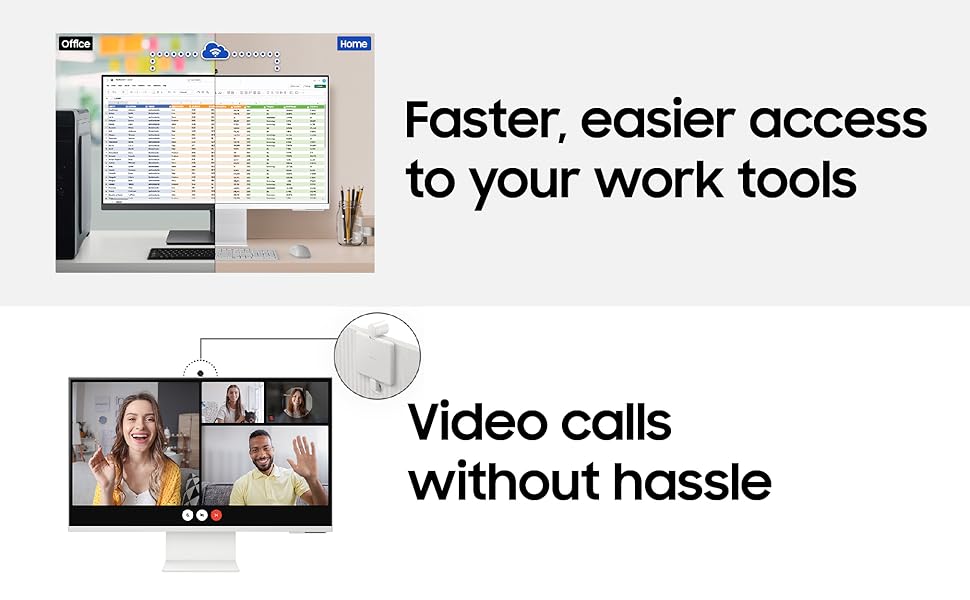
The included 12MP SlimFit Camera with microphone is ideal for video conferencing. It can be easily attached or detached as needed.
4. Gaming Bar
Access the Gaming Bar for quick adjustments to game settings, aspect ratio, and other gaming-specific features.
5. Multi Control & Multi View
Utilize Multi Control to seamlessly switch between devices and Multi View to display content from multiple sources simultaneously on the screen.
BẢO TRÌ
1. Vệ sinh màn hình
Để làm sạch màn hình, hãy lau nhẹ bằng vải mềm, không xơ. Đối với các vết bẩn cứng đầu, hãy lau nhẹampen the cloth with water or a screen-safe cleaning solution. Avoid harsh chemicals or abrasive materials. For the monitor body, use a dry, soft cloth.
2. Cập nhật phần mềm
Ensure your monitor's software is kept up-to-date to benefit from the latest features, performance improvements, and security enhancements. The monitor supports OS upgrades for an extended period.
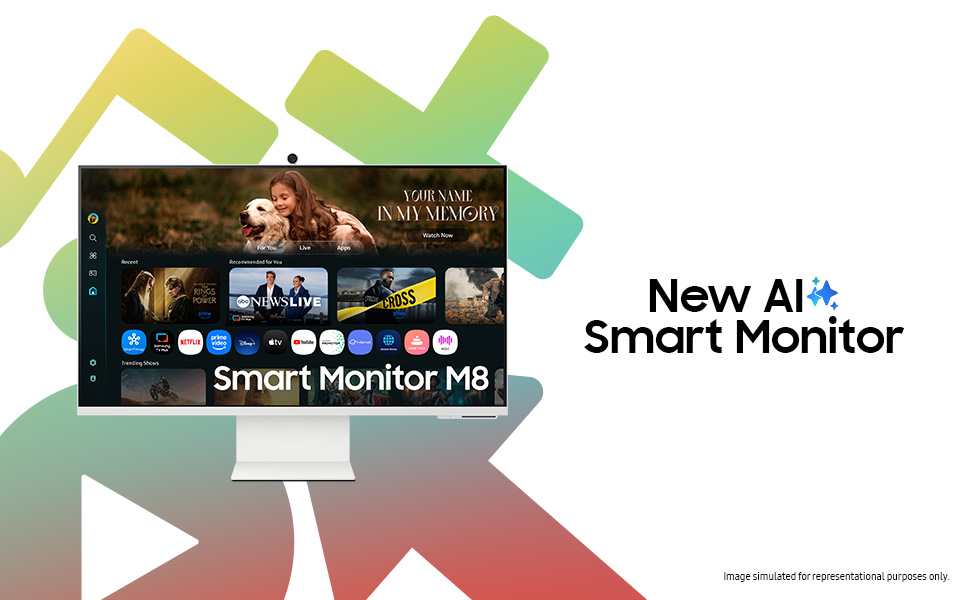
The monitor is designed to receive OS upgrades for up to 7 years, ensuring long-term functionality and access to new features.
Xử lý sự cố
Nếu bạn gặp sự cố với màn hình, hãy tham khảo các giải pháp phổ biến sau:
- Không có điện: Kiểm tra xem dây nguồn đã được kết nối chắc chắn với cả màn hình và ổ cắm điện chưa. Đảm bảo ổ cắm điện hoạt động bình thường.
- Không có tín hiệu: Verify that the HDMI or USB Type-C cable is correctly connected to both the monitor and the source device. Ensure the correct input source is selected on the monitor.
- Picture Issues (Flickering, Distorted): Check cable connections. Try a different cable or input port. Adjust display settings on your source device.
- Vấn đề về âm thanh: Ensure monitor volume is not muted or too low. Check audio output settings on your source device.
- Smart TV Apps Not Working: Check your internet connection. Try restarting the monitor. Ensure apps are updated.
- Camera không được phát hiện: Ensure the SlimFit Camera is properly attached. Restart the monitor.
For more complex issues, consult the online support resources or contact Samsung customer service.
Thông số kỹ thuật
| Tính năng | Chi tiết |
|---|---|
| Thương hiệu | SAMSUNG |
| Số hiệu mẫu | LS32FM801UWXXL |
| Kích thước màn hình | 32 inch (80 cm) |
| Nghị quyết | 4K UHD (3840x2160) |
| Tỷ lệ khung hình | 16:9 |
| Tốc độ làm mới | 60Hz |
| Thời gian phản hồi | 4 mili giây |
| Tỷ lệ tương phản | 3000:1 |
| Độ sáng | 400 Candela (Peak) |
| Viewgóc ing | 178° (Ngang)/178° (Dọc) |
| Kết nối | 1 HDMI 2.1, 1 USB-C (90W PD), 2 USB-A 2.0, Wi-Fi 5, Bluetooth 5.2 |
| Camera tích hợp | 12MP with Mic (SlimFit Camera) |
| Người nói | 10 W built-in speaker |
| Tiêu thụ điện năng | 140 Watt |
| Kích thước (D x W x H) | 20D x 71.3W x 61.6H Centimet |
| Cân nặng | 4 Kilôgam |
| Tính năng đặc biệt | Smart TV Experience with AI, 4K AI Upscaling, AI Picture Optimizer, Knox Security, SmartThings, AirPlay, Gaming Bar, Adaptive Picture, Eye Saver Mode, Flicker Free |
Thông tin bảo hành
This Samsung Smart Monitor (Model: LS32FM801UWXXL) comes with a Bảo hành 3 năm của nhà sản xuất from the date of purchase. This warranty covers manufacturing defects and ensures repair or replacement as per Samsung's warranty terms and conditions. Please retain your purchase receipt as proof of purchase.
For detailed warranty terms, please refer to the official Samsung webtrang web hoặc liên hệ với bộ phận hỗ trợ khách hàng.
Ủng hộ
Để được hỗ trợ kỹ thuật, yêu cầu dịch vụ hoặc thắc mắc về sản phẩm, vui lòng liên hệ bộ phận hỗ trợ khách hàng của Samsung:
- Công ty TNHH Điện tử Samsung Ấn Độ
- Trụ sở đăng ký: 6th Floor, DLF Centre, Sansad Marg, New Delhi-110001, India
- Số điện thoại liên lạc: 180040 7267864, 1800 5 7267864
- Hỗ trợ trực tuyến: Truy cập trang hỗ trợ chính thức của Samsung website for FAQs, downloads, and service center locations.
When contacting support, please have your monitor's model number (LS32FM801UWXXL) and serial number ready.