
Sản phẩm trênview
The ASTRO Gaming A20 Gen 2 Wireless Headset provides a high-quality audio experience for gaming across multiple platforms. Designed for comfort and performance, it features low-latency wireless connectivity and a convenient flip-to-mute microphone.
Các tính năng chính:
- Next-Gen Compatibility: Seamlessly works with PlayStation 5, PlayStation 4, Windows, and Mac OS.
- Lag-Free Wireless Audio: 2.4GHz USB wireless transmitter ensures low-latency, high-quality sound.
- Pin sử dụng lâu dài: Up to 15 hours of wireless gaming on a single charge.
- Micrô lật để tắt tiếng: Flexible boom mic with an intuitive flip-to-mute function for instant control.
- Thoải mái suốt cả ngày: Lightweight design with padded headband and ear cushions for extended wear.
Có gì trong hộp
- Tai nghe không dây A20
- Bộ phát USB
- Cáp sạc USB-C sang USB-A
Hướng dẫn thiết lập
Follow these steps to set up your ASTRO Gaming A20 Gen 2 Wireless Headset:
- Sạc tai nghe: Connect the headset to a power source using the provided USB-C to USB-A charging cable. Ensure the headset is fully charged before first use for optimal battery life.
- Connect the USB Transmitter: Plug the USB transmitter into an available USB port on your PlayStation console (PS5 or PS4) or your Windows/Mac computer. The transmitter facilitates the 2.4GHz wireless connection.
- Bật nguồn: Turn on your ASTRO Gaming A20 Gen 2 Wireless Headset. The headset should automatically pair with the USB transmitter. Refer to your device's audio settings to ensure the headset is selected as the input and output device.
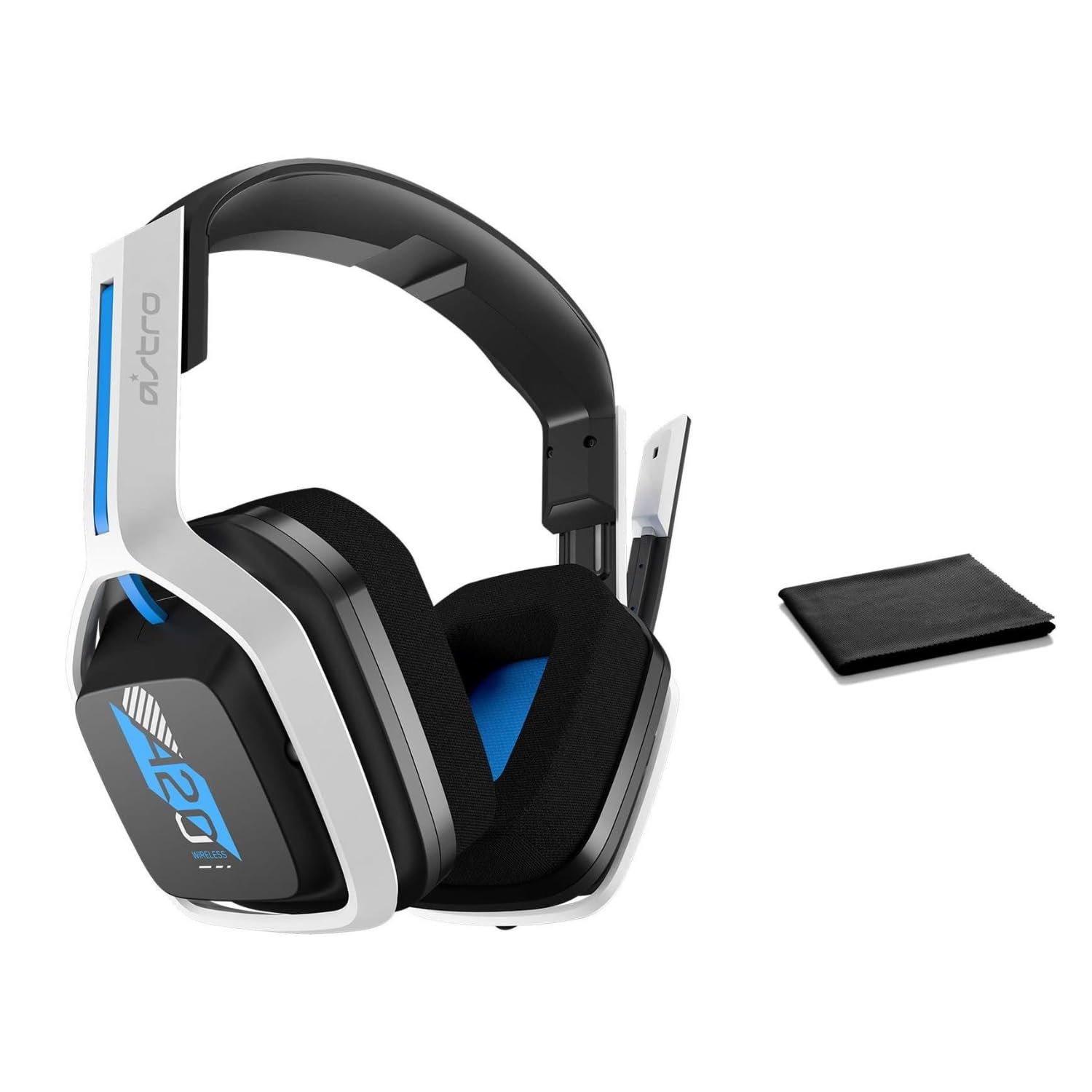
Image: The ASTRO Gaming A20 Gen 2 Wireless Headset, ready for use.
Hướng dẫn sử dụng
Chức năng của micrô
The headset features a flexible boom microphone with a flip-to-mute function. To mute your microphone, simply flip the boom arm upwards. To unmute and activate the microphone, flip the boom arm back down to its original position.
Kiểm soát âm lượng
Adjust the audio volume using the dedicated volume control located on the headset. Rotate the dial or press the buttons (depending on the specific model variant) to increase or decrease the sound output.
BẢO TRÌ
Để đảm bảo độ bền và hiệu suất tối ưu của tai nghe:
- Vệ sinh: Use the included premium microfiber cloth to gently wipe down the headset and accessories. This helps keep your headset dust-free and smudge-free.
- Kho: Khi không sử dụng, hãy bảo quản tai nghe ở nơi sạch sẽ, khô ráo, tránh nhiệt độ quá cao hoặc quá thấp và ánh nắng trực tiếp.
- Chăm sóc pin: For best battery health, avoid fully discharging the headset frequently. Charge it regularly.
Xử lý sự cố
If you encounter issues with your ASTRO Gaming A20 Gen 2 Wireless Headset, consider the following:
- Không có âm thanh/Microphone không hoạt động: Ensure the USB transmitter is securely plugged into your device and the headset is powered on and paired. Check your device's audio settings to confirm the headset is selected as the default input/output. For the microphone, ensure it is not in the 'flipped-up' (muted) position.
- Sự cố kết nối: Try unplugging and re-plugging the USB transmitter. If issues persist, try connecting to a different USB port.
- Pin không sạc: Verify the charging cable is properly connected to both the headset and the power source. Try a different USB port or power adapter.
- Cập nhật firmware: Visit the official ASTRO Gaming support website for any available firmware updates for your headset, as these can resolve various performance issues.
Thông số kỹ thuật
| Tính năng | Chi tiết |
|---|---|
| Tên mẫu | 939-001876 |
| Thương hiệu | Trò chơi ASTRO |
| Công nghệ kết nối | Không dây |
| Truyền thông không dây | Không dây 2.4GHz |
| Thiết bị tương thích | Mac OS, PlayStation 4, Playstation 5, Windows |
| Tuổi thọ pin | 15 giờ |
| Thời gian sạc | 15 giờ |
| Micrô | Lật để Tắt tiếng |
| Vị trí tai | Trên tai |
| Trọng lượng sản phẩm | 11.2 ounce (318 gram) |
| Vật liệu | Nhựa |
| Các thành phần bao gồm | A20 Wireless Headset, USB transmitter, USB-C to USB-A charging cable |
Bảo hành và Hỗ trợ
For detailed warranty information and technical support, please refer to the official ASTRO Gaming webtrang web hoặc liên hệ với bộ phận chăm sóc khách hàng của họ. Hãy giữ lại hóa đơn mua hàng để yêu cầu bảo hành.


