
1. Giới thiệu
This manual provides detailed instructions for the installation, operation, and maintenance of your EKIY EC17 Wireless CarPlay & Android Auto Adapter. Please read this manual thoroughly before using the device to ensure optimal performance and safety. The EKIY EC17 converts your existing wired CarPlay or Android Auto system into a wireless connection, offering enhanced convenience and a clutter-free driving experience.
2. Nội dung gói hàng
Xác minh rằng tất cả các mục đều có trong gói hàng của bạn:
- EKIY EC17 Wireless CarPlay & Android Auto Adapter
- Cáp USB cái A sang C
- Hướng dẫn sử dụng
3. Hướng dẫn cài đặt
Follow these steps to set up your EKIY EC17 adapter:
- Cắm bộ chuyển đổi vào: Connect the EKIY EC17 adapter to your car's USB port using the provided USB Female A to C cable. Ensure the port supports data transfer for CarPlay/Android Auto.
- Bật Bluetooth: On your smartphone (iPhone or Android), go to your device's Bluetooth settings and ensure Bluetooth is turned on.
- Ghép nối với bộ chuyển đổi: On your car's infotainment screen, navigate to the CarPlay or Android Auto interface. The adapter should appear as a Bluetooth device. Select it to initiate pairing.
- Xác nhận kết nối: Follow any on-screen prompts on your car's display and your smartphone to confirm the connection. Once paired, your wired CarPlay or Android Auto system will now function wirelessly.
The initial setup typically takes about 30 seconds. For future drives, the adapter will automatically reconnect to your phone within approximately 5 seconds after the car engine is turned on.
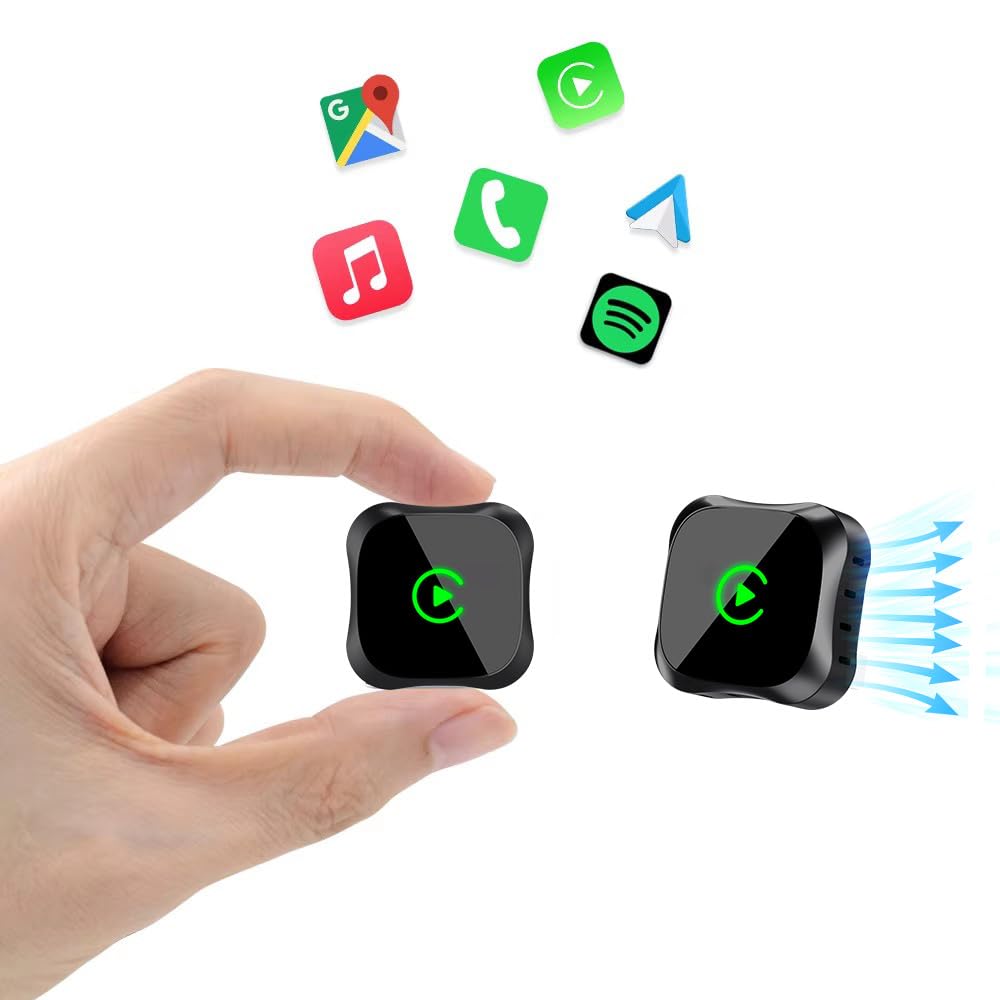
Image: The EKIY EC17 adapter, a compact device, shown connected to a car's USB port, ready for wireless operation.
4. Hướng dẫn vận hành
Once set up, the EKIY EC17 adapter provides a seamless wireless experience:
- Tự động kết nối lại: The adapter automatically connects to your paired smartphone when the car starts, utilizing its built-in 5.8GHz WiFi module for quick detection.
- Chức năng đầy đủ: Enjoy all standard CarPlay and Android Auto features wirelessly, including hands-free calling, navigation, music streaming, and messaging.
- Phương pháp kiểm soát: The adapter supports various control inputs from your car's system, such as voice control, steering wheel buttons, touchscreen, and knob operations.
- Kết nối ổn định: Advanced Bluetooth 5.3 and 5.8GHz WiFi technology ensure a stable and fast wireless connection for uninterrupted performance.
Lưu ý quan trọng: The adapter connects to only one phone at a time. If you need to switch to a different phone, ensure you disconnect the Bluetooth and Wi-Fi connection of the previously connected phone first.
5. Khả năng tương thích
The EKIY EC17 Wireless CarPlay & Android Auto Adapter is designed for broad compatibility:
- Khả năng tương thích của xe: Works with approximately 98% of cars manufactured from 2016 onwards that come with factory-installed wired CarPlay and Android Auto.
- Smartphone Operating System: Requires iOS 10 or later for iPhones, and Android 11.0 or later for Android smartphones.
- Loại trừ: Bộ chuyển đổi này không support BMW, Tesla, certain other specific car models, and some aftermarket stereos.
For specific compatibility verification, please refer to the official CarPlay & Android Auto websites or contact EKIY support.
6. Bảo trì
To ensure the longevity and optimal performance of your EKIY EC17 adapter:
- Giữ sạch sẽ: Thường xuyên lau sạch bộ chuyển đổi bằng vải mềm, khô để loại bỏ bụi bẩn. Tránh sử dụng chất tẩy rửa dạng lỏng.
- Điều kiện môi trường: Store and operate the adapter within recommended temperature ranges. Avoid exposure to extreme heat, cold, or moisture.
- Cập nhật phần mềm (OTA): The adapter supports Over-The-Air (OTA) updates. Periodically check for and install updates to ensure you have the latest features and performance enhancements. Instructions for OTA updates will be provided through the adapter's interface or support channels.
KHAI THÁC. Xử lý sự cố
If you encounter issues with your EKIY EC17 adapter, refer to the following common solutions:
- Bộ chuyển đổi không kết nối:
- Ensure the adapter is securely plugged into a functional USB port in your car.
- Hãy kiểm tra xem Bluetooth và Wi-Fi đã được bật trên điện thoại thông minh của bạn chưa.
- Khởi động lại hệ thống thông tin giải trí trên xe và điện thoại thông minh của bạn.
- Forget the adapter from your phone's Bluetooth settings and re-pair.
- Frequent Disconnections or Lag:
- Ensure no other devices are interfering with the Bluetooth or Wi-Fi signal.
- Try plugging the adapter into a different USB port if available.
- Kiểm tra và cài đặt bất kỳ bản cập nhật firmware OTA nào có sẵn cho bộ chuyển đổi.
- Hãy đảm bảo hệ điều hành điện thoại của bạn được cập nhật lên phiên bản mới nhất.
- Cannot Switch Between Phones:
- Remember to disconnect the Bluetooth and Wi-Fi of the previously connected phone before attempting to connect a new one.
- Không có âm thanh hoặc âm thanh bị méo:
- Check your car's audio settings and ensure the correct input source is selected.
- Điều chỉnh âm lượng trên cả điện thoại và hệ thống âm thanh trên xe.
If problems persist, please contact EKIY customer support for further assistance.
8. Thông số kỹ thuật
| Thương hiệu | EKIY |
| Người mẫu | EC17 |
| Nhà sản xuất | EKIY |
| Kích thước sản phẩm | 50 x 70 x 30 mm (D x R x C) |
| Trọng lượng sản phẩm | 50 gam |
| Vật liệu | Aluminium, Tempered Glass |
| Thiết bị tương thích | Smartphone (with iOS 10+ or Android 11+) |
| Loại đầu nối | USB Loại C |
| Công nghệ không dây | Bluetooth 5.3, WiFi 5.8GHz |
| Tản nhiệt | 4-Way Heat Dissipation Design |
9. Bảo hành và Hỗ trợ
EKIY is committed to providing excellent customer service and product reliability:
- Bảo hành: The EKIY EC17 adapter comes with a 12-month global support warranty.
- Hỗ trợ kỹ thuật: Enjoy lifetime professional technical support through a dedicated Customer Care Portal.
For any inquiries, technical assistance, or warranty claims, please visit our official webtrang web hoặc liên hệ với nhóm hỗ trợ khách hàng của chúng tôi.