
eKids 115
eKids Dora Karaoke Microphone with Boombox Instruction Manual
Model: 115 | Brand: eKids
1. Giới thiệu
Welcome to the eKids Dora Karaoke Microphone with Boombox. This device is designed to provide an interactive and engaging musical experience. It features a wired microphone, built-in music, and Bluetooth connectivity for streaming audio from compatible devices. This manual provides essential information for setup, operation, maintenance, and troubleshooting to ensure optimal performance and enjoyment.
2. Sản phẩm hếtview
The eKids Dora Karaoke Microphone with Boombox is a portable audio device shaped like Dora's backpack, designed for children aged 3 and up. It combines a speaker with a wired microphone, allowing users to sing along to pre-loaded songs or music streamed via Bluetooth.
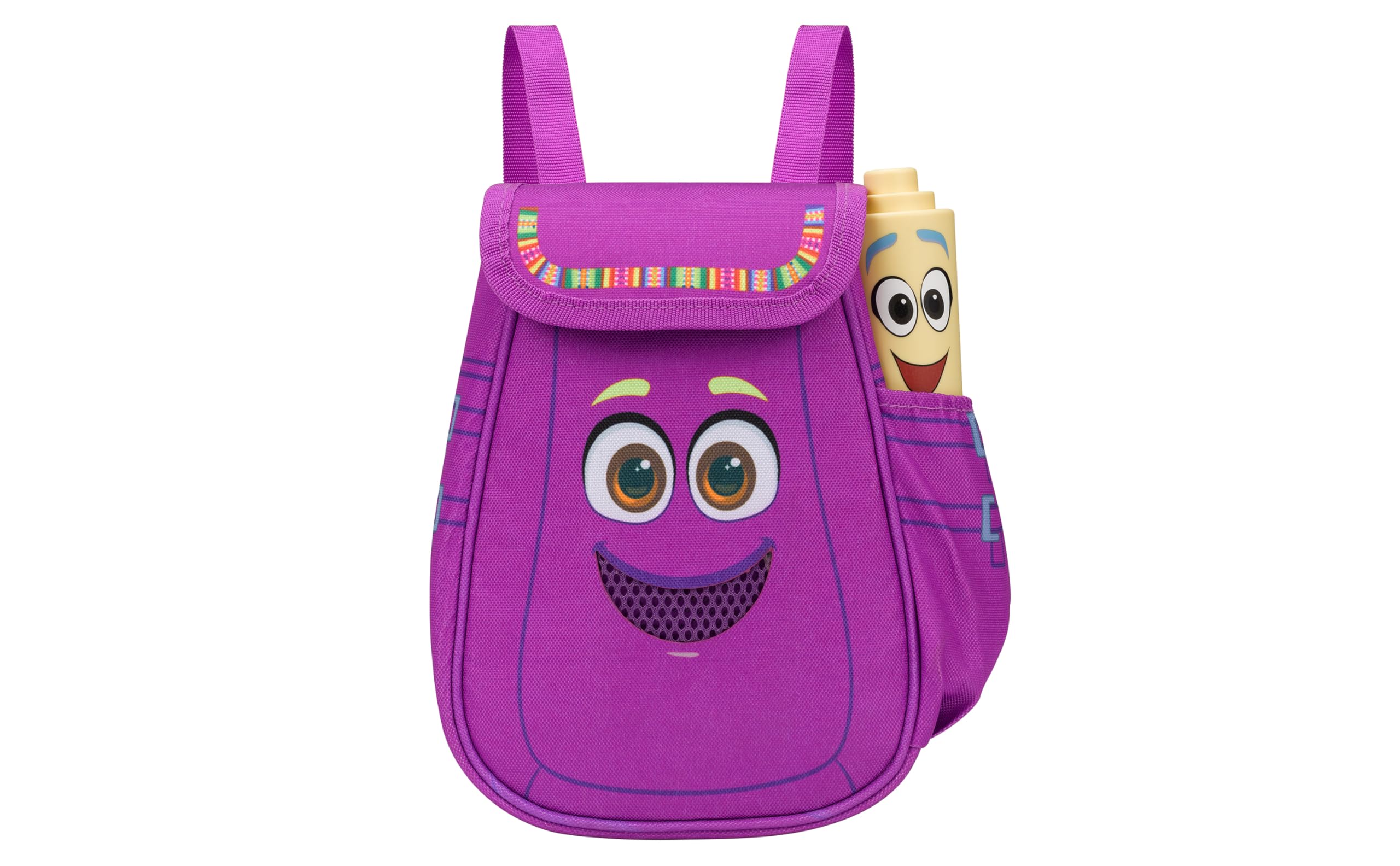
Figure 1: eKids Dora Karaoke Microphone with Boombox.
Các tính năng chính:
- Loa Bluetooth: Connects to any music device via Bluetooth to stream popular karaoke playlists and more. Lightweight and portable, this karaoke boombox is designed for kids aged 3 and up.
- Micro Karaoke: Includes a wired microphone to amplify your voice for singing.
- Dora Backpack Design: Features cute and colorful graphics inspired by the popular Nickelodeon series.
- Âm nhạc tích hợp: Contains extended clips of the songs ‘Rainforest Ritmo’, ‘Cake’, and ‘Empanada’.
- Tính di động: Lightweight design with a built-in handle for easy transport.
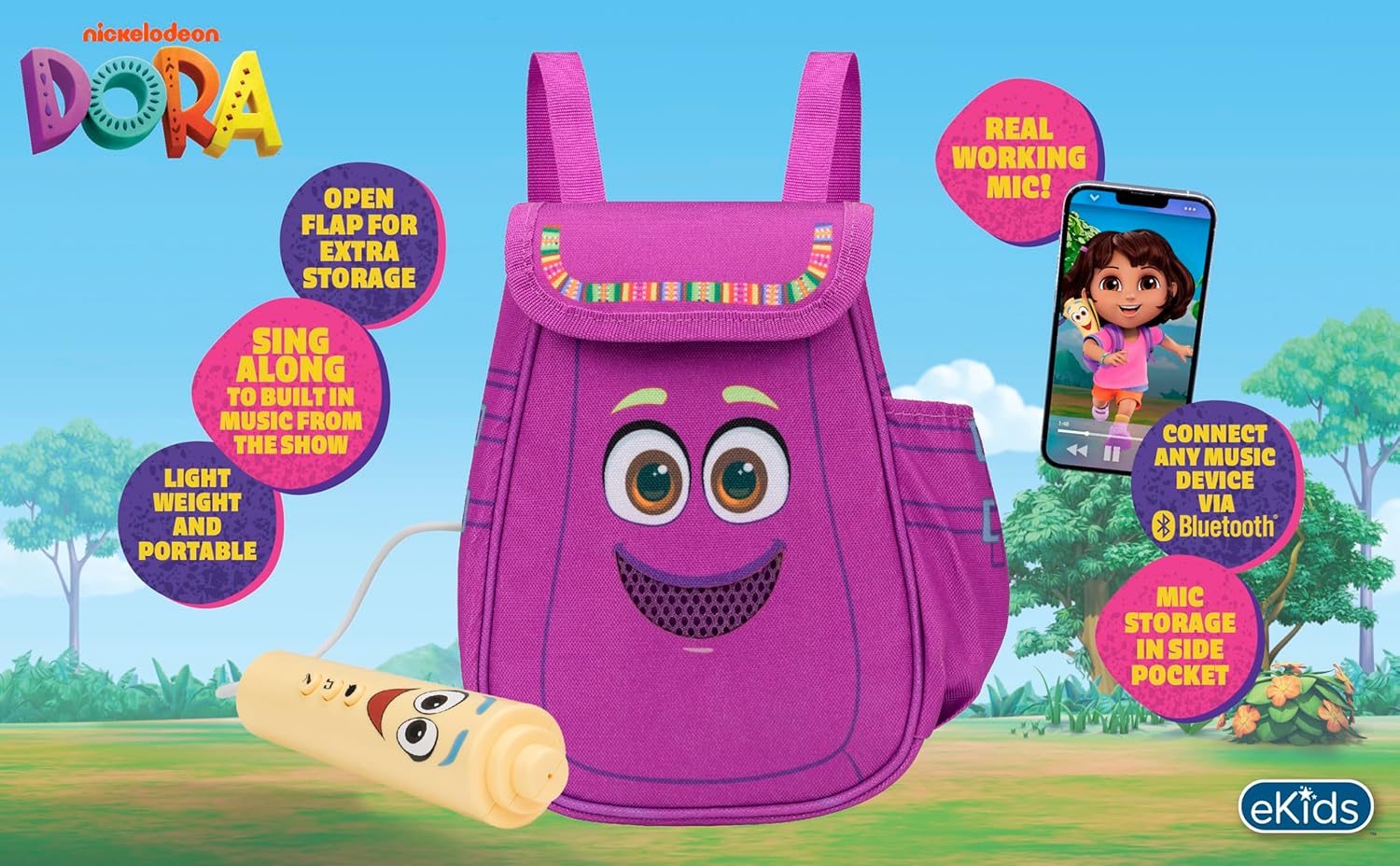
Hình 2: Tổng quan trực quanview Các tính năng chính của sản phẩm.
3. Nội dung gói hàng
Đảm bảo tất cả các mặt hàng đều có sẵn khi mở hộp:
- Dora Karaoke Microphone with Boombox (main unit)
- Micrô có dây
- Hướng dẫn sử dụng (tài liệu này)
- 3 x 'AA' Batteries (included)

Figure 3: Product as packaged, showing the boombox and microphone.
4. Thiết lập
4.1 Lắp đặt pin
- Locate the battery compartment on the back or bottom of the boombox unit.
- Sử dụng tua vít đầu Phillips (không kèm theo), mở nắp ngăn chứa pin.
- Insert 3 'AA' batteries, ensuring correct polarity (+/-).
- Lắp lại nắp ngăn chứa pin và cố định nó bằng vít.
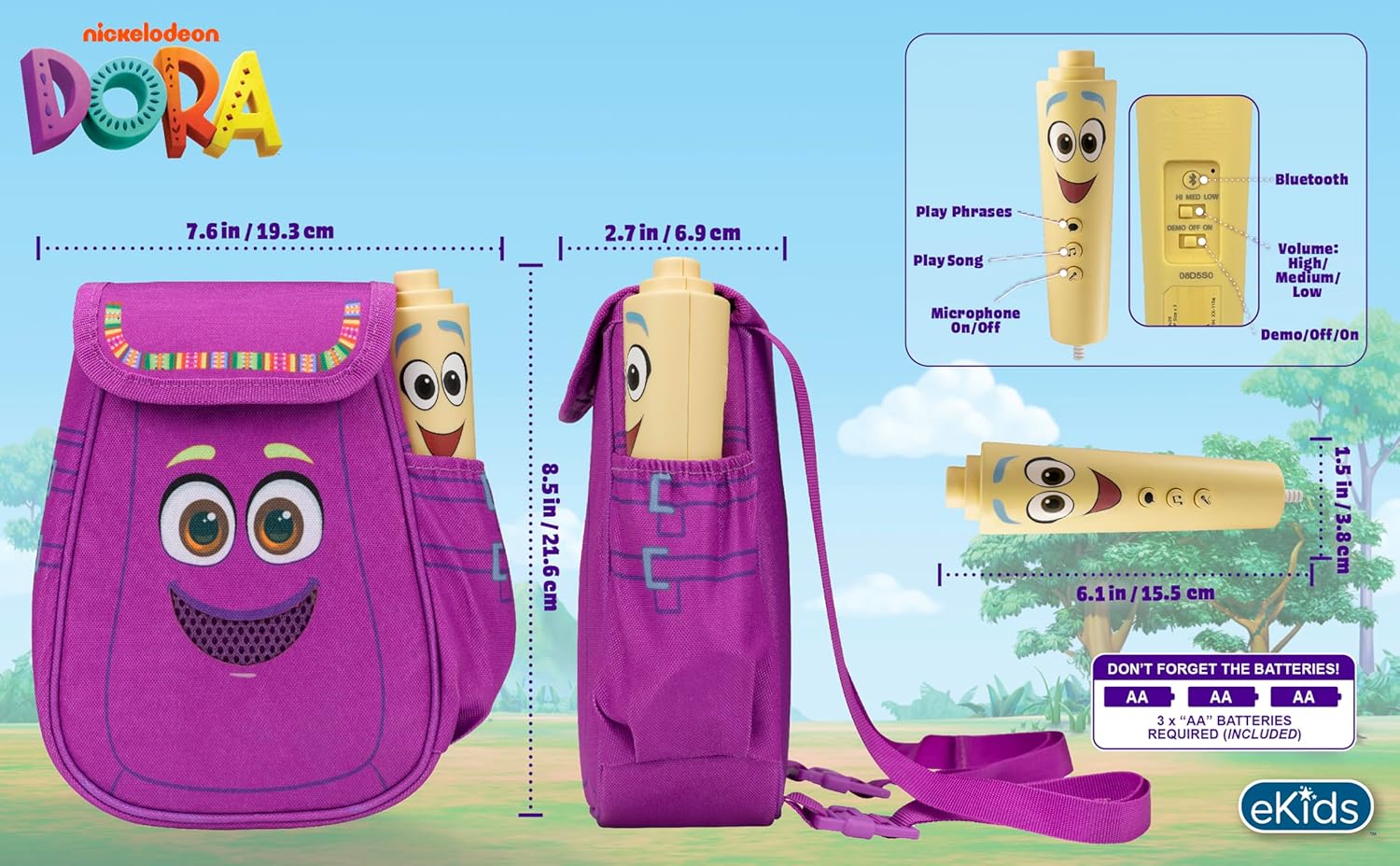
Hình 4: Phía sau view of the boombox, indicating battery compartment and control buttons.
4.2 Kết nối micrô
The wired microphone is typically pre-connected or plugs into a dedicated port on the boombox. Ensure the microphone cable is securely plugged in.
5. Hướng dẫn vận hành
5.1 Bật/Tắt nguồn
Locate the Power switch (often labeled ON/OFF or with a power symbol) on the unit. Slide it to the 'ON' position to power on the device. Slide it to 'OFF' to power off.
5.2 Playing Built-in Music
Press the designated 'Play Song' button (refer to Figure 4 for button layout) to cycle through the pre-loaded songs. The unit includes extended clips of 'Rainforest Ritmo', 'Cake', and 'Empanada'.
5.3 Sử dụng Micro
To use the microphone, ensure the 'Microphone On/Off' switch (refer to Figure 4) is in the 'On' position. Speak or sing into the microphone to amplify your voice through the boombox speaker.
5.4 Kết nối Bluetooth
To stream music from an external device:
- Ensure the boombox is powered on.
- Activate Bluetooth on your external music device (e.g., smartphone, tablet, computer).
- Tìm kiếm available Bluetooth devices and select "eKids Dora" or a similar name.
- Sau khi ghép nối, bạn có thể truyền âm thanh từ thiết bị của mình đến loa boombox.

Figure 5: Bluetooth connectivity allows streaming from various compatible devices.
5.5 Điều khiển âm lượng
Adjust the volume using the 'Volume: High/Medium/Low' switch on the unit (refer to Figure 4).
5.6 Chế độ Demo
The unit may include a 'Demo/Off/On' switch (refer to Figure 4). Set it to 'Demo' for a brief demonstration of features, or 'On' for full functionality.
6. Bảo trì
- Vệ sinh: Lau sạch thiết bị bằng vải mềm, khô. Không sử dụng chất tẩy rửa có tính ăn mòn hoặc ngâm thiết bị trong nước.
- Chăm sóc pin: Tháo pin ra nếu không sử dụng thiết bị trong thời gian dài để tránh rò rỉ.
- Kho: Bảo quản thiết bị ở nơi khô ráo, thoáng mát, tránh ánh nắng trực tiếp và nhiệt độ cao.
KHAI THÁC. Xử lý sự cố
| Vấn đề | Giải pháp |
|---|---|
| Không có điện | Check battery installation and ensure batteries are fresh. Confirm the power switch is in the 'ON' position. |
| Không có âm thanh từ loa | Increase the volume. Ensure the microphone is switched 'ON' if using it. If using Bluetooth, check device volume and connection. |
| Micrô không hoạt động | Ensure the microphone is securely plugged in and its 'On/Off' switch is in the 'On' position. |
| Bluetooth không kết nối | Ensure the boombox is in Bluetooth pairing mode (if applicable, check manual for specific instructions). Turn off and on Bluetooth on your external device. Move devices closer together. |
8. Thông số kỹ thuật
- Thương hiệu: eKids
- Tên mẫu: 115
- Màu sắc: Dora
- Nguồn điện: Battery Powered (3 x 'AA' batteries)
- Số lượng loa: 1
- Công nghệ kết nối: Bluetooth, 3.5mm audio jack (for wired microphone)
- Trọng lượng sản phẩm: 0.52 Kilôgam
- Kích thước sản phẩm (D x R x C): 10.63"D x 2.24"W x 8.17"H
- UPC: 092298961934
- Nhà sản xuất: Thiết kế của KID
9. Bảo hành và Hỗ trợ
Sản phẩm này đi kèm với một Bảo hành có giới hạn 1 năm from the manufacturer, KIDdesigns. For warranty claims or technical support, please refer to the contact information provided with your purchase documentation or visit the eKids official webđịa điểm.
For additional product information or to explore other eKids products, visit the eKids Brand Store.
Ask a question about this manual
Ask about setup, troubleshooting, compatibility, parts, safety, or missing instructions. Manuals+ will review the question and use this page’s manual context to help answer it.