
1. Giới thiệu
This manual provides comprehensive instructions for operating your VJIANGER 4K Digital Camera. Please read this manual thoroughly before use to ensure proper operation and to maximize the camera's capabilities. This camera is designed for photography and vlogging, offering high-resolution imaging and versatile features for beginners and content creators.
2. Sản phẩm hếtview
The VJIANGER 4K Digital Camera (Model W08) is a compact and feature-rich device. Key components include:
- 64MP Photo Sensor: For high-resolution still images.
- Quay video 4K: Capable of recording smooth 4K UHD 2160p videos.
- 3-inch 180° Flip Screen: Ideal for vlogging and self-portraits.
- Zoom kỹ thuật số 18X: Allows for magnification of subjects.
- Built-in Fill Light/Flash: For improved low-light performance.
- Internal Microphone and Speaker: Dùng để ghi âm và phát lại âm thanh.
- Kết nối Wi-Fi: For easy transfer of photos and videos to smart devices.
- WebChức năng cam: Can be used as a PC camera.

Figure 2.1: VJIANGER 4K Digital Camera (Light Pink) and included accessories.
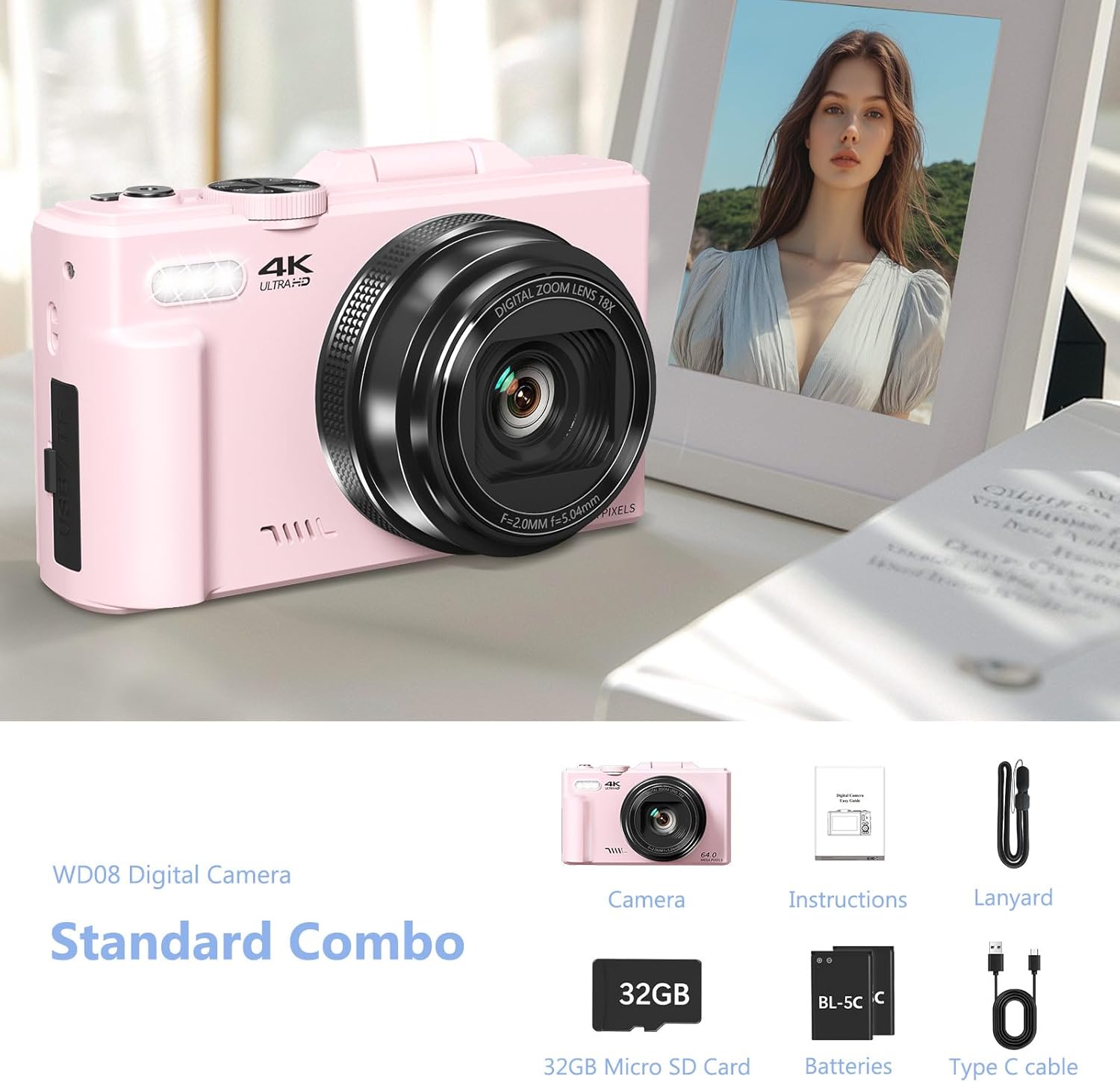
Figure 2.2: Standard Combo contents: Camera, Instructions, Lanyard, 32GB Micro SD Card, Batteries, Type-C Cable.
3. Thiết lập
3.1 Lắp đặt pin
The camera requires 1 Lithium Ion battery (included). Ensure correct polarity when inserting the battery.
- Mở nắp ngăn chứa pin nằm ở bên cạnh máy ảnh.
- Lắp pin theo đúng cực tính (+/-) bên trong ngăn chứa.
- Đóng chặt nắp ngăn chứa pin.

Figure 3.1: Location of memory card slot, data cable socket, and battery compartment.
3.2 Cài đặt thẻ Micro SD
A 32GB Micro SD card is included. The camera supports Micro SD cards for storage.
- Locate the memory card slot next to the battery compartment.
- Insert the Micro SD card into the slot until it clicks into place.
- Để lấy thẻ ra, hãy nhẹ nhàng ấn vào cho đến khi nó bật ra.
3.3 Sạc ban đầu
Before first use, fully charge the camera battery using the provided Type-C USB cable.
- Connect the Type-C cable to the camera's data cable socket.
- Kết nối đầu còn lại của cáp với bộ chuyển đổi nguồn USB (không kèm theo) hoặc cổng USB của máy tính.
- The charging indicator will illuminate. It will turn off or change color when fully charged.
4. Hướng dẫn vận hành
4.1 Bật/Tắt nguồn
Press and hold the power button to turn the camera on or off.
4.2 Focus Mode Adjustment
If images appear blurry, adjust the focus mode from "Fixed focus" to "Auto focus" in the camera settings.
Video 4.1: Demonstrates how to change the focus mode from fixed to auto focus for clearer images. This video is provided by the seller.
4.3 Chế độ chụp ảnh và quay video
The camera offers various modes for capturing content:
- Chế độ ảnh: Chụp ảnh tĩnh tiêu chuẩn.
- Chụp liên tiếp: Chụp nhiều ảnh liên tiếp trong thời gian ngắn.
- Bắn súng tính giờ: Thiết lập độ trễ trước khi chụp ảnh.
- Chụp tự động: Automatic settings for ease of use.
- Chế độ Video: Records standard video.
- Ghi thời gian trôi đi: Captures frames at intervals to create a sped-up video.
- Slow-motion Recording: Ghi hình ở tốc độ khung hình cao hơn để phát lại ở chế độ chuyển động chậm.
- Ghi vòng lặp: Continuously records, overwriting older footage khi bộ nhớ đầy.
Hình 4.1: Hếtview of the camera's 9 multi-function modes, including Photo, Video, Continuous Shooting, Slow Motion Video, Timer, Auto, Time Lapse Video, Loop Video, and Video + Photo.

Hình 4.2: Chi tiết view of the four photography modes available.

Hình 4.3: Chi tiết view of the four video modes available.
4.4 Digital Zoom and Flash
Use the W/T buttons to control the 18X digital zoom. The built-in flash can be activated for low-light conditions.

Figure 4.4: The camera features 18X digital zoom with autofocus capabilities.
4.5 Wi-Fi Connectivity and File Chuyển khoản
Connect the camera to your smartphone or tablet via Wi-Fi for easy photo and video transfer and remote control.
- Enable Wi-Fi on the camera through the menu settings.
- Download the companion app to your smart device.
- Connect your device to the camera's Wi-Fi network.
- Use the app to download files, control the camera remotely, or view phát lại.

Figure 4.5: Built-in Wi-Fi allows for quick and seamless content uploading and sharing.
Ngoài ra, bạn có thể chuyển files via USB connection or by using a card reader:
- Kết nối USB: Connect the camera to a PC using the Type-C cable. Select "Mass Storage Mode" on the camera.
- Card Reader: Remove the Micro SD card and insert it into a card reader connected to your computer.

Figure 4.6: Various methods for downloading photos, including Wi-Fi, USB connection, and using an OTG adapter/card reader.
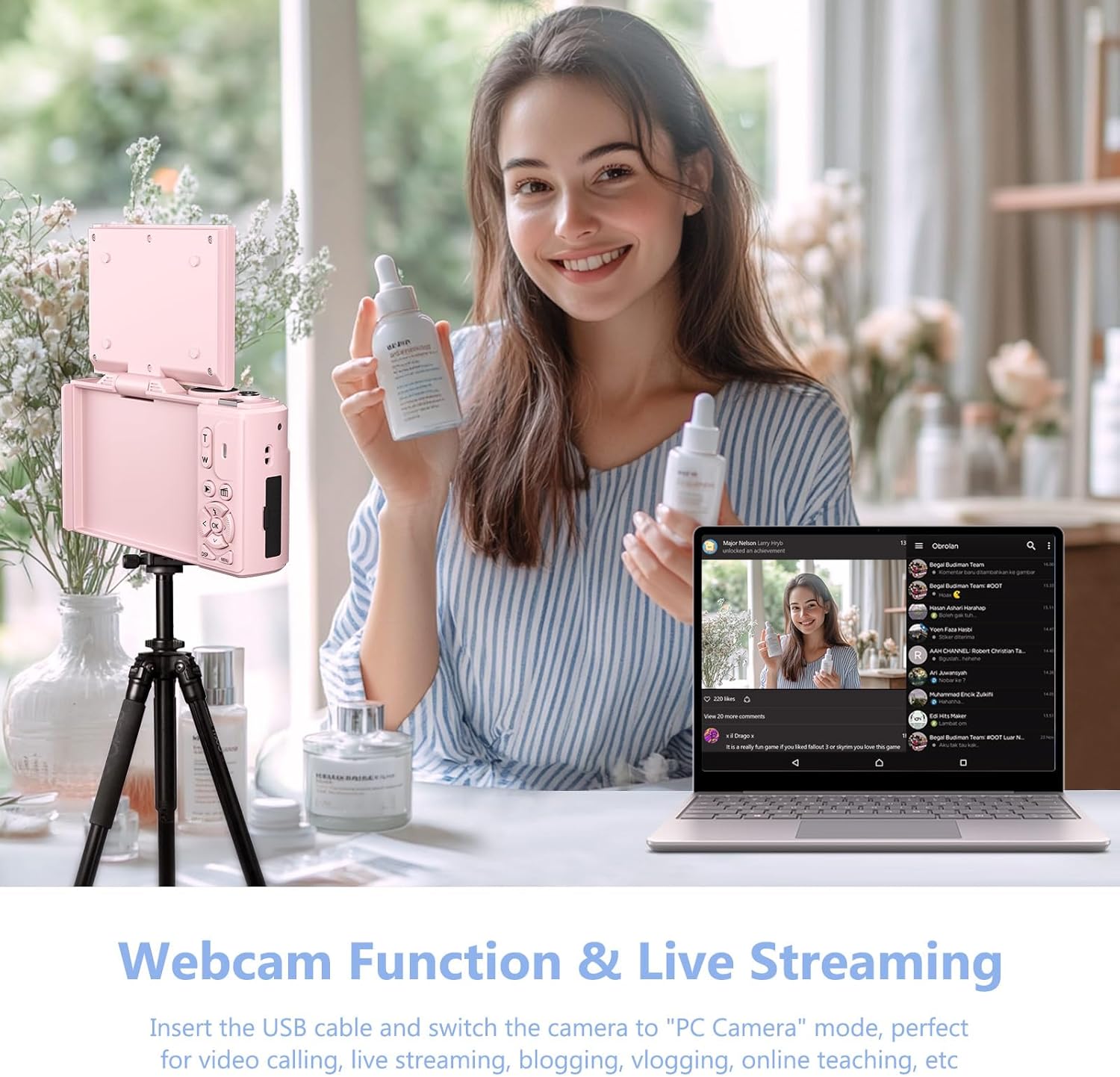
4.6 WebChức năng cam
Máy ảnh có thể hoạt động như một webcam for live streaming and video calls.
- Connect the camera to your PC using the Type-C USB cable.
- On the camera screen, select "PC Camera" mode.
- Máy tính của bạn sẽ nhận dạng camera như một thiết bị. webcam.

Hình 4.7: Máy ảnh có thể được sử dụng như một webcam for video calls and live streaming by connecting it to a PC.
Video 4.2: Demonstration of connecting the camera to a PC and selecting "PC Camera" mode to use it as a webcam. This video is provided by the seller.
5. Bảo trì
- Vệ sinh: Dùng khăn mềm, khô để lau thân máy ảnh. Đối với ống kính, hãy sử dụng khăn và dung dịch chuyên dụng để vệ sinh ống kính. Tránh sử dụng các vật liệu có tính mài mòn.
- Kho: Bảo quản máy ảnh ở nơi khô ráo, thoáng mát, tránh ánh nắng trực tiếp và nhiệt độ cao. Tháo pin ra nếu cất giữ trong thời gian dài.
- Chăm sóc pin: Để kéo dài tuổi thọ pin, tránh xả pin hoàn toàn thường xuyên. Hãy sạc pin định kỳ.
KHAI THÁC. Xử lý sự cố
| Vấn đề | Nguyên nhân có thể | Giải pháp |
|---|---|---|
| Blurry images/videos | Incorrect focus mode (Fixed Focus) | Change Focus Mode to "Auto focus" in settings. (Refer to Section 4.2) |
| Máy ảnh không bật | Low or uncharged battery; incorrectly inserted battery. | Sạc pin. Đảm bảo pin được lắp đúng cực. |
| Không thể chuyển files | Incorrect USB mode selected; Wi-Fi not connected. | Ensure "Mass Storage Mode" is selected when connecting via USB. Verify Wi-Fi connection and app settings. |
| Poor sound quality in recorded videos | Tiếng ồn môi trường; vật cản micro. | Record in quieter environments. Ensure microphone is not covered. |
7. Thông số kỹ thuật
| Tính năng | Chi tiết |
|---|---|
| Thương hiệu | VGIANGER |
| Tên mẫu | W08 |
| Độ phân giải tĩnh hiệu quả | 64MP |
| Độ phân giải video | 1080p, 4K UHD 2160p |
| Zoom kỹ thuật số | 18 lần |
| Kích thước màn hình | 3 inch |
| Kiểu hiển thị | Màn hình tinh thể lỏng |
| Công nghệ kết nối | Wi-Fi |
| Công nghệ cảm biến ảnh | CMOS |
| Ổn định hình ảnh | Điện tử |
| Kích thước bộ nhớ ngoài | 32 GB (Thẻ Micro SD) |
| Loại pin | Pin Lithium Ion |
| Tuổi thọ trung bình của pin | 2 giờ |
| Yếu tố hình thức | Nhỏ gọn |
| Vật liệu | Kim loại, Nhựa |
8. Bảo hành và Hỗ trợ
For product support, warranty information, or to ask a question, please visit the VJIANGER store on Amazon or contact the seller directly through the Amazon platform.

Figure 8.1: Guide on contacting the seller for support via Amazon.