
1. Giới thiệu
This manual provides detailed instructions for the installation, operation, and maintenance of your ELUSH 60Amp MPPT Solar Charge Controller. This device is designed to efficiently manage power from your solar panels to charge various battery types, including LiFePO4, AGM, and Gel batteries, in 12V, 24V, and 48V systems.
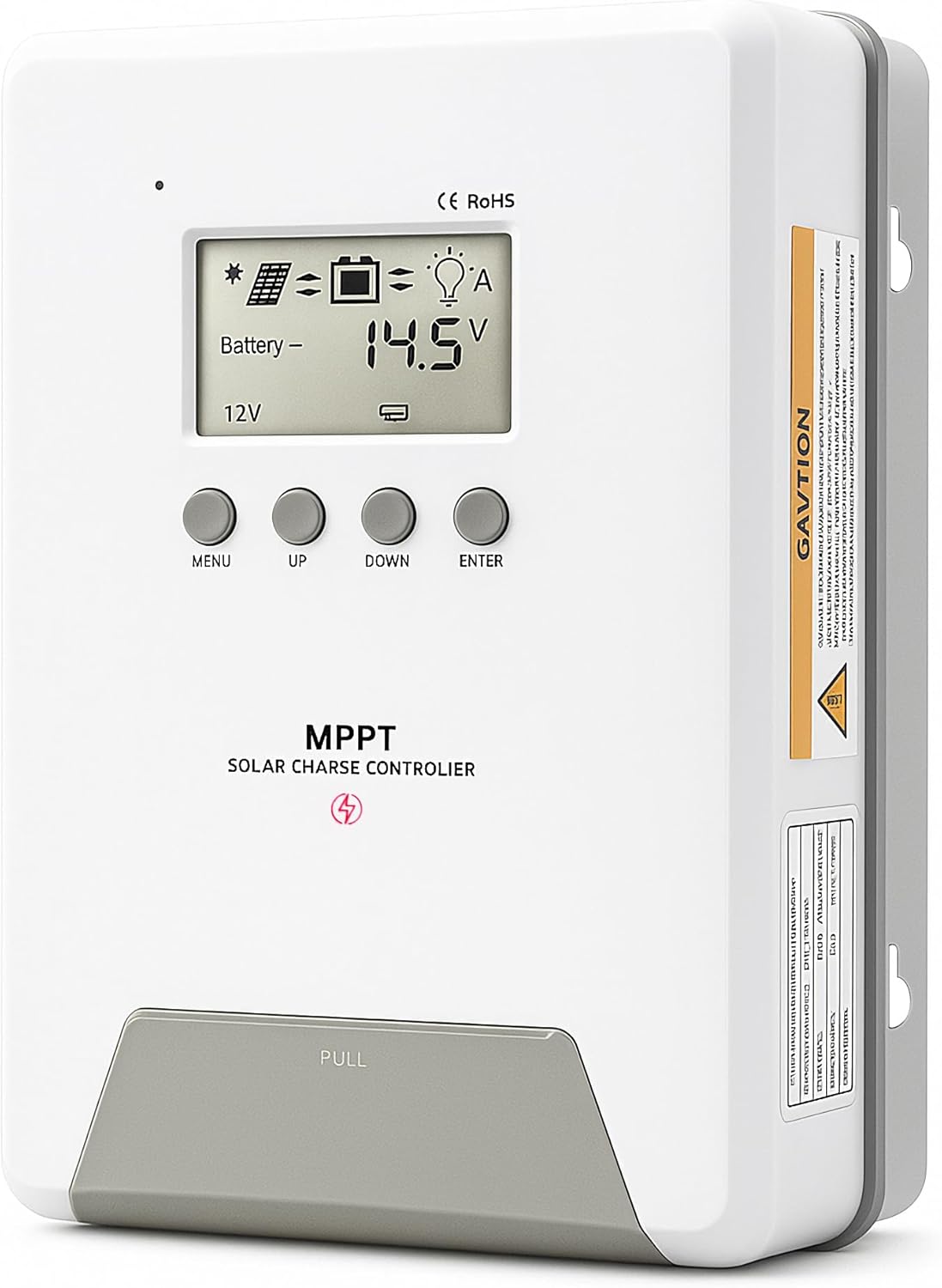
Image 1.1: ELUSH 60Amp Bộ điều khiển sạc năng lượng mặt trời MPPT.
2. Các tính năng chính
- Công nghệ MPPT tiên tiến: Maximizes energy harvest from solar panels with tracking efficiency no less than 99% and peak conversion efficiency up to 98%.
- System Auto-Detection: Automatically detects 12V, 24V, and 48V DC system voltages upon startup.
- Khả năng tương thích pin rộng: Supports Sealed (AGM), Gel, Flooded lead-acid batteries, and Lithium batteries (LiFePO4, Ternary Lithium/Li-ion).
- Màn hình LCD rõ ràng: Provides real-time monitoring of PV voltage, pin voltage/current, charging power, accumulated energy generation, and load status.
- Essential Built-in Protections: Includes safeguards against overvoltage, quá dòng, dưới mứctage, and high temperature.
- Tản nhiệt hiệu quả: Features a high-quality aluminum heatsink for stable operation and optimal performance.

Image 2.1: MPPT Technology highlighting 99% tracking efficiency and 98% peak conversion efficiency.
3. Safety Information and System Protection
The ELUSH MPPT Solar Charge Controller is equipped with multiple protection features to ensure safe and reliable operation of your solar power system. Always adhere to local electrical codes and safety guidelines during installation and operation.
- Over-discharging Protection: Prevents batteries from being discharged below a safe voltagcấp e.
- Bảo vệ quá tải: Safeguards against excessive current draw from the load terminals.
- Short-circuiting Protection: Protects against short circuits in the solar panel, battery, or load circuits.
- Bảo vệ phân cực ngược: Prevents damage from incorrect battery or solar panel connections.
- Bảo vệ quá tải: Ensures batteries are not overcharged, extending their lifespan.
- Bù nhiệt độ: Adjusts charging parameters based on battery temperature for optimal charging.
- Bảo vệ dòng điện ngược: Prevents current from flowing back from the battery to the solar panel at night.

Image 3.1: Visual representation of the controller's system protection features.
4. Cài đặt và đấu dây
Việc lắp đặt đúng cách rất quan trọng để bộ điều khiển sạc năng lượng mặt trời hoạt động an toàn và hiệu quả. Hãy thực hiện cẩn thận các bước sau.
4.1 Trình tự kết nối
Luôn kết nối các linh kiện theo thứ tự sau để tránh hư hỏng:
- Kết nối pin: Connect the battery to the controller's battery terminals. Ensure correct polarity (+ to + and - to -). The battery terminals should be installed with safety fuses. Ensure the distance does not exceed 150mm.
- Kết nối tải: Kết nối các tải DC của bạn với các cực tải của bộ điều khiển.
- Connect the solar panel: Connect the solar panel to the controller's solar energy terminals. Ensure correct polarity.
- Power on the controller: The controller will automatically power on once all connections are secure.
Ghi chú: If you want to connect an inverter, connect it directly to the battery, not to the load terminal of the controller.

Image 4.1: Diagram showing the connection points for solar energy, battery, and load.

Image 4.2: Step-by-step visual guide for connecting the system components.
4.2 Hidden Installation Wiring
For a clean and secure installation, the wiring can be routed and hidden. After all connections are properly made and tested, tighten the screws on the terminals and close the bottom cover of the controller to complete the installation. This protects the wiring and provides a neat appearance.
5. Hướng dẫn vận hành
The controller features an intuitive LCD display and buttons for monitoring and configuration.
5.1 Màn hình LCD và các nút bấm
The LCD screen provides real-time information about your system. The buttons allow you to navigate menus and adjust settings.
- Cảm biến nhiệt độ: Located on the controller, it measures ambient temperature for accurate charging compensation.
- Màn hình LCD: Shows PV voltage, pin voltage, charging current, load status, and other system parameters.
- Nút MENU: Used to enter and exit menu settings.
- Nút lên: Navigates upwards through menu options or increases values.
- Nút XUỐNG: Navigates downwards through menu options or decreases values.
- Nút NHẬP: Xác nhận lựa chọn hoặc vào menu phụ.
Image 5.1: The controller's LCD display and button layout for user interaction.
5.2 Vol tự độngtage Recognition and Battery Compatibility
The controller automatically detects the system voltage (12V, 24V, or 48V) upon startup. It is compatible with a wide range of battery types, ensuring efficient and safe charging for your specific setup.
- Lithium-ion batteries (Li): For standard lithium-ion chemistries.
- Lithium Iron Phosphate batteries (LiFePO4): Specifically designed for LiFePO4 batteries.
- Lead-acid batteries (BAT): Includes Sealed (AGM), Gel, and Flooded types.

Image 5.2: Illustration of automatic voltage recognition and compatibility with various battery types.
6. Thông số kỹ thuật
| Thương hiệu | ELUSH |
| Số hiệu mẫu | DM60A |
| Xếp hạng hiện tại | 60A |
| Hệ thống Voltage | 12V/24V/48V Auto Detection |
| Khối lượng đầu vào PV tối đatage | 150V |
| Vật liệu | Nhôm |
| Kiểu hiển thị | Màn hình tinh thể lỏng |
| Màu sắc | Đen |
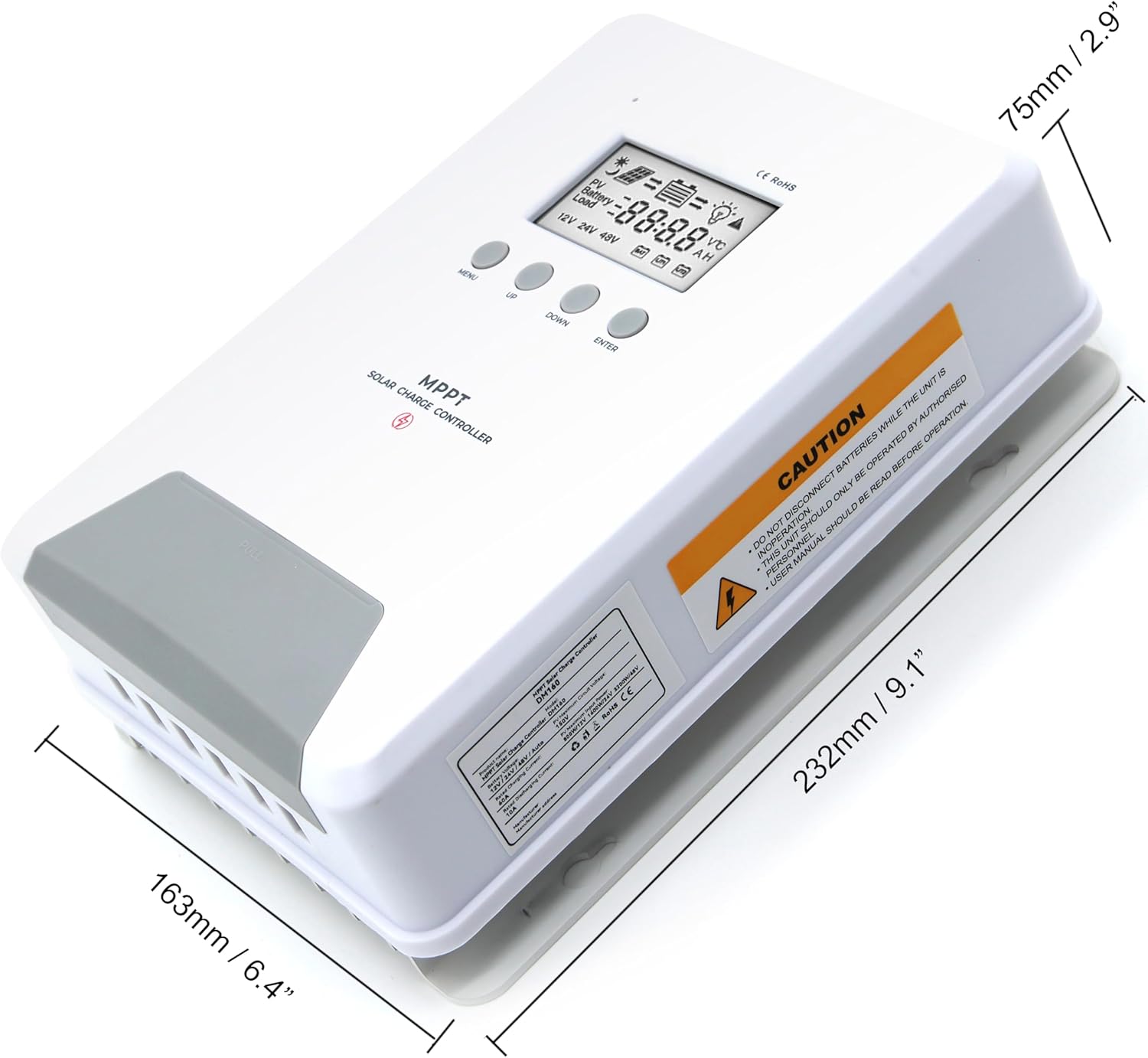
Image 6.1: Physical dimensions of the ELUSH 60Amp Bộ điều khiển sạc năng lượng mặt trời MPPT.
7. Bảo trì
Để đảm bảo hiệu suất tối ưu và tuổi thọ của bộ điều khiển sạc năng lượng mặt trời, bạn nên bảo trì thường xuyên:
- Kiểm tra kết nối: Kiểm tra định kỳ tất cả các kết nối dây điện để đảm bảo độ kín và chống ăn mòn. Kết nối lỏng lẻo có thể gây quá nhiệt và hư hỏng.
- Vệ sinh bộ điều khiển: Keep the controller clean and free from dust and debris. Use a dry cloth to wipe the exterior. Ensure ventilation openings are not blocked.
- Giám sát hiệu suất: Regularly check the LCD display for normal operating parameters. Note any unusual readings or error codes.
- Tình trạng pin: Ensure your batteries are well-maintained according to their manufacturer's guidelines.
KHAI THÁC. Xử lý sự cố
If you encounter issues with your ELUSH MPPT Solar Charge Controller, refer to the following basic troubleshooting steps:
- Không hiển thị/Không có nguồn: Kiểm tra các kết nối pin và đảm bảo điện áp pin.tagGiá trị e nằm trong phạm vi hoạt động của bộ điều khiển. Kiểm tra xem cầu chì có còn nguyên vẹn không.
- Pin không sạc: Confirm solar panel connections and polarity. Check for sufficient sunlight and ensure solar panel voltage cao hơn điện áp pintage. Verify battery type settings are correct.
- Tải không hoạt động: Check load connections and ensure the load current does not exceed the controller's rating. Verify load output settings on the controller.
- Mã lỗi: If the LCD displays an error code, consult the full product manual (if available) or contact technical support for specific guidance.
- Quá nhiệt: Ensure the controller is installed in a well-ventilated area, away from direct sunlight or heat sources. Check for any obstructions to the heatsink.
9. Bảo hành và Hỗ trợ
ELUSH provides professional technical support for its products. If you have any questions, require assistance with installation, operation, or troubleshooting, please feel free to contact us. Refer to your purchase documentation for specific warranty terms and contact information.