
Sản phẩm trênview
The NDYIN PrintPods Mini Printer D21 is a compact and lightweight portable thermal printer designed for on-the-go printing of various items such as tickets, labels, notes, and stickers. Its inkless thermal printing technology eliminates the need for ink cartridges, offering a convenient and economical printing solution.
This device connects wirelessly via Bluetooth to your smartphone or tablet, utilizing the NADA Print App for content creation and management. It supports the creation of personalized stickers and notes, making it suitable for journaling, DIY projects, and educational activities.
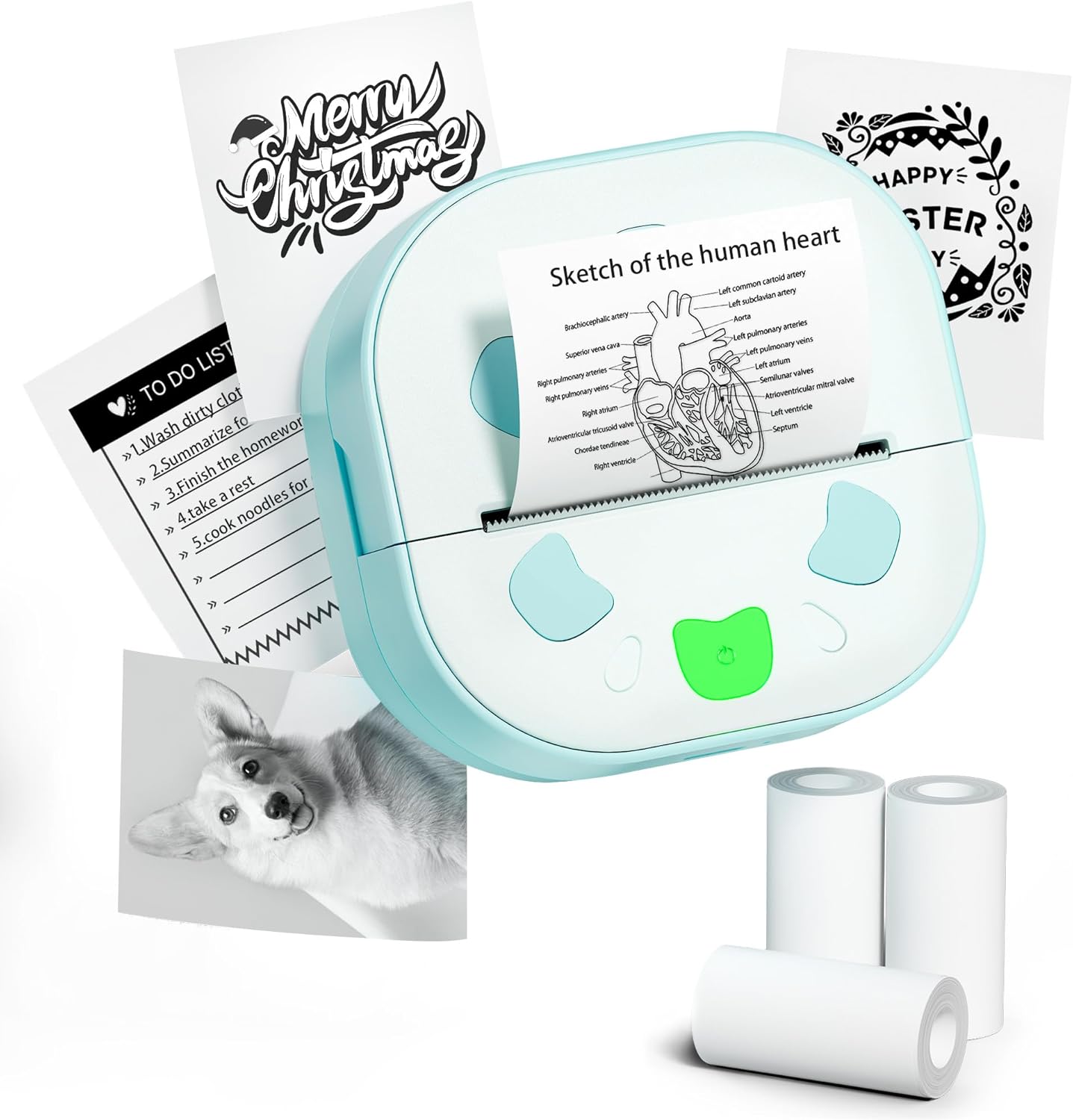
Image: The NDYIN PrintPods Mini Printer D21, showcasing its compact design alongside examples of printed notes, to-do lists, and stickers, and three rolls of thermal paper.
Hướng dẫn thiết lập
Nội dung gói
Before beginning, please verify that all components are present in the package:
- 1 x D21 Sticker Printer
- 1 x Cáp USB Type-C
- 1 x Hướng dẫn sử dụng (tài liệu này)
- 3 Rolls of Sticker Papers

Image: A clear display of all items included in the product package: the D21 printer, USB Type-C charging cable, user manual, and three rolls of thermal sticker paper.
Các bước thiết lập ban đầu
- Sạc máy in: Connect the D21 printer to a power source using the provided USB Type-C cable. Ensure the printer is fully charged before first use.
- Nạp giấy nhiệt:
Open the printer's paper compartment. Insert a roll of 2.24-inch (57mm) thermal paper, ensuring the paper feeds smoothly through the output slot. Close the compartment securely.

Image: The D21 printer with its top cover open, illustrating the correct way to insert a 57mm thermal paper roll into the designated slot.
- Bật nguồn: Long press the power button located on the printer to turn it on.
- Download the NADA Print App: Tìm kiếm "NADA Print" in your device's app store (available on iOS App Store and Google Play Store) and install it.

Image: A visual representation highlighting the NADA Print App and the printer's Bluetooth connectivity, along with icons indicating no ink or toner is required.
- Kết nối qua Bluetooth:
- Open the NADA Print App on your smartphone or tablet.
- Navigate to the connection section within the app.
- Select the corresponding printer model (D21) from the list of available devices to establish a Bluetooth connection. Ensure Bluetooth is enabled on your mobile device.

Image: A step-by-step guide illustrating how to power on the printer, connect it within the NADA Print App, and select the correct printer model for Bluetooth pairing.
Hướng dẫn sử dụng
Using the NADA Print App
The NADA Print App is the primary interface for creating and managing your prints. It offers various functionalities:
- In ảnh: Select photos or images from your device's gallery to print.
- In tài liệu: Print text documents or notes created within the app.
- Mẫu: Access a library of pre-designed templates for labels, notes, to-do lists, and decorative graphics.
- Chỉnh sửa văn bản: Create and edit text directly within the app for printing.
- Thiết kế đồ họa: Utilize built-in graphic tools to add icons, borders, and other design elements to your prints.

Hình ảnh: Một cái kếtview of the NADA Print App's user interface, displaying its main menu, graphic design options, and a marketplace for various printing templates.
Quy trình in ấn
- Chuẩn bị nội dung: Within the NADA Print App, create or select the content you wish to print (e.g., text, image, template).
- Bắt đầu in: Tap the "Print" button or icon within the app. The printer will begin thermal printing.
- Retrieve Print: Once printing is complete, gently tear off the printed output from the printer's output slot. The printer features a built-in cutter for clean tears.
The D21 printer produces monochrome (black and white) prints only. It is compatible with 2.24-inch (57mm) continuous thermal paper rolls.
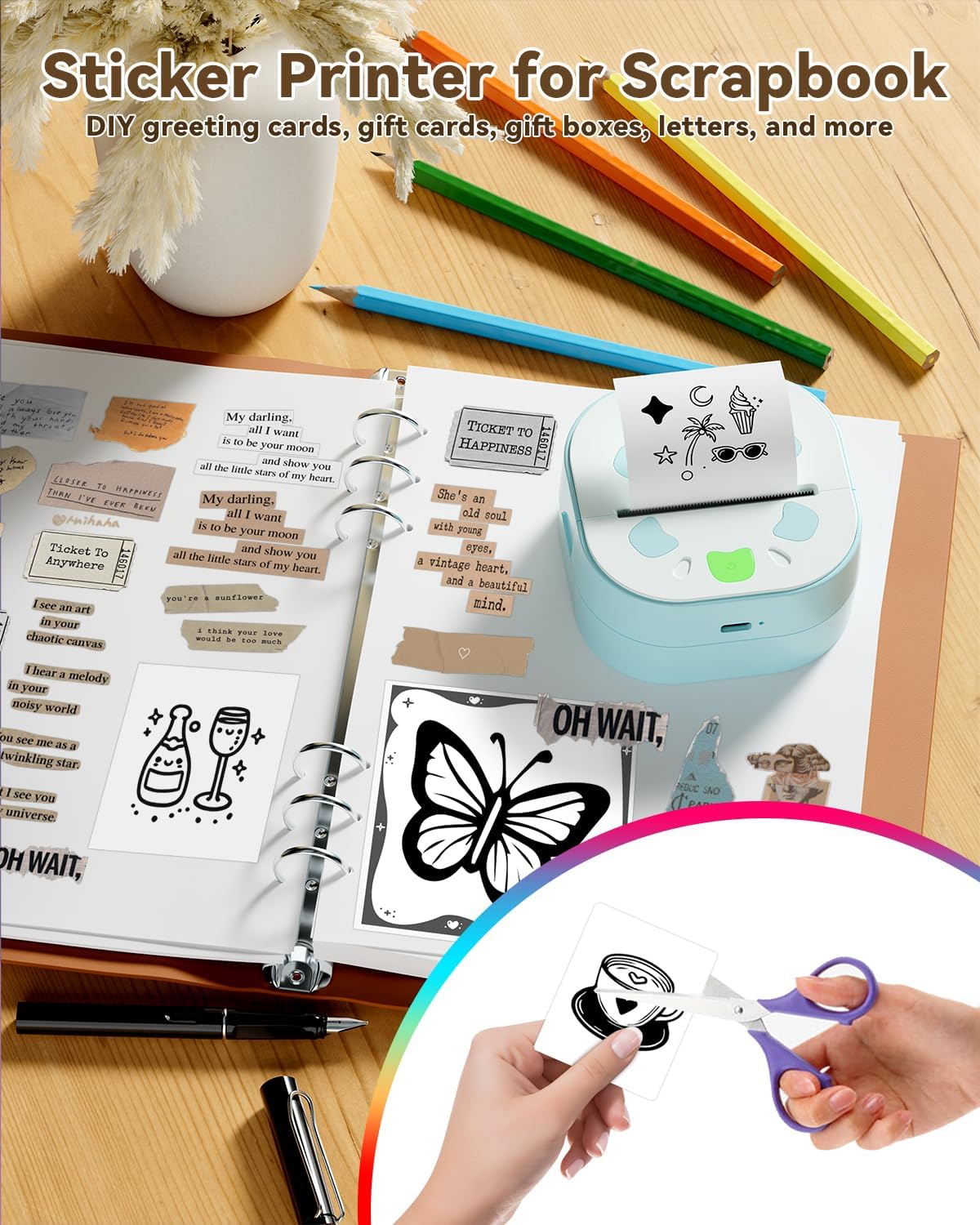
Image: The D21 printer in use, positioned next to an open scrapbook, illustrating how it can be used to print various stickers and notes for creative and organizational purposes.

Image: A collage demonstrating the versatility of the D21 printer, showcasinví dụ gamples of printed photos, study notes, personalized gift cards, and various stickers.
BẢO TRÌ
The NDYIN PrintPods Mini Printer D21 is designed for low maintenance due to its inkless thermal printing technology. Regular cleaning and proper handling will ensure optimal performance and longevity.
- Làm sạch đầu in: If print quality degrades (e.g., faded lines, streaks), gently wipe the thermal print head with a lint-free cloth lightly dampened with isopropyl alcohol. Ensure the printer is turned off and completely dry before use.
- Vệ sinh bên ngoài: Clean the exterior of the printer with a soft, dry cloth. Avoid using abrasive cleaners or solvents.
- Kho: Bảo quản máy in ở nơi khô ráo, thoáng mát, tránh ánh nắng trực tiếp và nhiệt độ quá cao hoặc quá thấp.
- Xử lý giấy: Use only high-quality thermal paper designed for your printer model. Store paper rolls in a cool, dark place to prevent premature fading.
Xử lý sự cố
| Vấn đề | Nguyên nhân có thể | Giải pháp |
|---|---|---|
| Máy in không bật. | Pin yếu hoặc có vấn đề về nguồn. | Ensure the printer is charged using the provided USB Type-C cable. Verify the charging cable and adapter are functioning correctly. |
| Không thể kết nối qua Bluetooth. | Bluetooth is off on device, printer not in pairing mode, or app issue. |
|
| Poor print quality (faded, unclear, streaks). | Dirty print head, low battery, or poor paper quality. |
|
| Kẹt giấy hoặc giấy không được đẩy ra. | Nạp giấy không đúng cách hoặc có vật lạ. |
|
Thông số kỹ thuật sản phẩm
| Tính năng | Chi tiết |
|---|---|
| Thương hiệu | NDYIN |
| Tên mẫu | Ngày 21 |
| Công nghệ in ấn | Nhiệt |
| Đầu ra máy in | Đơn sắc (Đen trắng) |
| Công nghệ kết nối | Bluetooth |
| Loại mực máy in | Không cần mực |
| Kích thước phương tiện tối đa | 57 millimeters (2.24 inches) |
| Công suất tờ đầu vào tối đa | 3 cuộn |
| Độ phân giải in đen trắng tối đa | 300 DPI |
| Đơn sắc tốc độ in tối đa | 60 trang/phút (trang/phút) |
| Kích thước sản phẩm | 3.34 x 3.38 x 1.69 inch |
| Trọng lượng sản phẩm | 5.8 ounce |
| Pin | 1 x pin 12V (bao gồm) |
| Mã số UPC | 762849575100 |
| Các thành phần bao gồm | 1 x D21 Sticker Printer, 1 x USB Type-C Cable, 1 x User Manual, 3 Rolls Sticker Papers |
Bảo hành và Hỗ trợ
Thông tin bảo hành
The NDYIN PrintPods Mini Printer D21 comes with a limited warranty. Please refer to the warranty card included in your package or contact the manufacturer for specific terms and conditions regarding coverage and duration.
Hỗ trợ khách hàng
For technical assistance, troubleshooting not covered in this manual, or warranty claims, please contact NDYIN customer support. Contact information can typically be found on the product packaging, the manufacturer's official webtrang web hoặc thông qua điểm mua hàng của bạn.
When contacting support, please have your product model (D21) and purchase information readily available.
Thông tin an toàn quan trọng
- Không được tháo rời hoặc sửa đổi máy in.
- Giữ máy in tránh xa nước và các chất lỏng khác.
- Tránh để máy in tiếp xúc với nhiệt độ quá cao hoặc quá thấp, hoặc ánh nắng trực tiếp.
- Chỉ sử dụng cáp sạc và bộ đổi nguồn được chỉ định.
- Keep out of reach of small children to prevent accidental ingestion of small parts or paper.