
1. Giới thiệu và kết thúcview
The SONICAKE Pocket Master is a portable multi-effects pedal designed for guitar, bass, and acoustic instruments. It integrates a wide range of effects, amp modeling, IR cabinet simulations, and a USB audio interface into a compact, rechargeable unit. This manual provides essential information for setting up, operating, and maintaining your device.

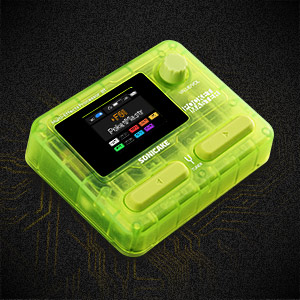
Figure 1: SONICAKE Pocket Master Multi-Effects Pedal (Transparent Green)
2. Các tính năng chính
- White-Box Digital Modeling Technology: Delivers organic, living tone with support for 3rd party IRs (5 user slots) for custom sound creation.
- Thư viện hiệu ứng mở rộng: Over 100 built-in guitar, bass, and acoustic effects, including 20 legendary amp mô hình.
- High-Quality Signal Processing: 24-bit 44.1kHz signal processing ensures clear audio.
- Rhythm and Looper Functions: Features 99 built-in drum rhythms and a looper function.
- Cài đặt trước: 100 customizable presets with an adjustable signal chain, allowing up to 9 simultaneous effect blocks.
- Giao diện âm thanh USB: Stereo audio streaming with OTG function for direct connection to iOS/Android mobile devices.
- Kết nối Bluetooth: For audio connection and control.
- Màn hình thân thiện với người dùng: Clear LCD color screen for easy navigation through effects and settings.
- Thiết kế di động: Compact, pocket-sized, and features a built-in rechargeable battery for on-the-go use.
- Hỗ trợ phần mềm: Free Mac/Windows/iOS/Android software for sound editing and preset management.
3. Bố cục và điều khiển sản phẩm
Familiarize yourself with the physical layout and controls of your Pocket Master unit.

Hình 2: Các nút điều khiển trên bảng điều khiển phía trên
- 1. Màn hình LCD: Displays current preset, effects chain, and settings.
- 2. VALUE/VOL Knob: Adjusts volume and navigates menu options.
- 3. Công tắc chân: Used for preset changes, tuner activation, and looper control.
Hình 3: Các cổng trên bảng điều khiển bên
- 4. IN Jack: 1/4" input for your instrument.
- 5. OUT/PHONES Jack: 1/4" output for ampbộ lót hoặc tai nghe.
- 6. USB-C (OTG) Port: For connecting to mobile devices.
- 7. USB-C (Charging/Data) Port: Dùng để sạc pin và kết nối với máy tính.
4. Thiết lập
4.1 Sạc ban đầu
Before first use, fully charge the Pocket Master using the provided USB-C cable and a compatible 5V USB power adapter (not included). The battery indicator on the LCD screen will show charging status.
4.2 Kết nối cơ bản
- Connect your instrument (guitar, bass, or acoustic) to the IN giắc cắm (4) sử dụng cáp nhạc cụ 1/4".
- Kết nối NGOÀI/ĐIỆN THOẠI jack (5) cho bạn amplifier, audio interface, or headphones.
- Press and hold the power button (usually integrated with a footswitch or knob, refer to the quick start guide for exact location) to turn on the device.
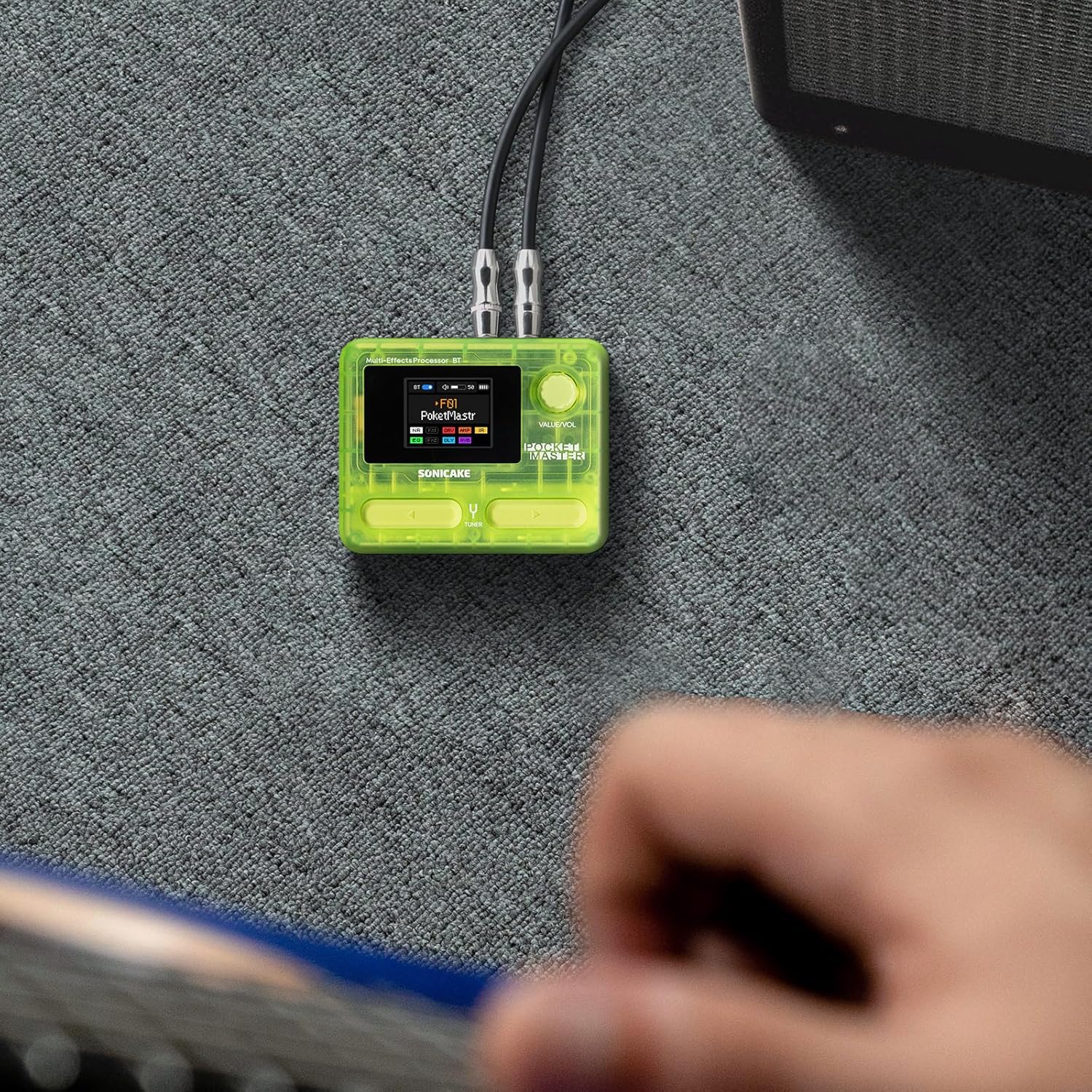
Figure 4: Connecting the Pocket Master to an instrument and ampchất lót.
4.3 Thiết lập giao diện âm thanh USB
To use the Pocket Master as a USB audio interface for recording or playback:
- Connect the Pocket Master to your computer or mobile device using a USB-C cable via the dedicated USB-C (Charging/Data) port (7) or USB-C (OTG) port (6) for mobile devices.
- Install the necessary drivers and software from the official SONICAKE website for your operating system (Mac/Windows). For iOS/Android, download the companion app.
- Select the Pocket Master as your audio input/output device in your DAW or system settings.
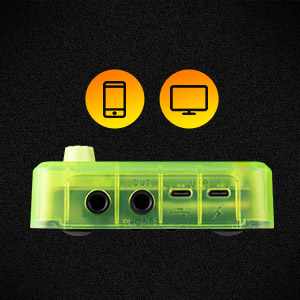
Figure 5: USB connection for audio interface functionality.
5. Hướng dẫn vận hành
5.1 Điều hướng các cài đặt trước
Use the footswitches (3) to cycle through the 100 available presets. The LCD screen (1) will display the current preset number and name.
5.2 Adjusting Volume and Parameters
The VALUE/VOL knob (2) controls the overall output volume. When editing effects, this knob is used to adjust specific parameters. Pressing the knob may confirm selections or enter sub-menus.
5.3 Chức năng bộ dò đài
Hold down a specific footswitch (refer to the quick start guide for exact assignment) to activate the built-in tuner. The LCD screen will display tuning information.
5.4 Looper và Máy đánh trống
The Pocket Master includes a looper and drum machine. Specific footswitch combinations or menu navigation are used to activate and control these features. The LCD screen provides visual feedback for recording, playback, and drum rhythm selection.
5.5 Bluetooth Audio and App Control
Pair your mobile device with the Pocket Master via Bluetooth to stream audio or use the dedicated app for deeper editing and preset management.
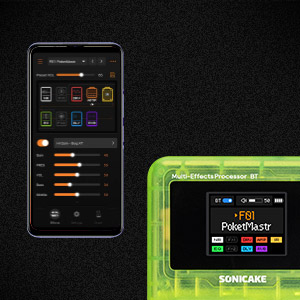
Figure 6: App control interface for the Pocket Master.
6. Effects and Amp Mô hình
The Pocket Master features a versatile effects matrix with up to 9 simultaneous effect blocks and over 100 high-quality effects. These include Noise Reduction (NR), two FX modules (FX1, FX2), Drive (DRV), Amp Modeling (AMP), Impulse Response (IR) cabinets, Equalizer (EQ), Delay (DLY), and Reverb (RVB).
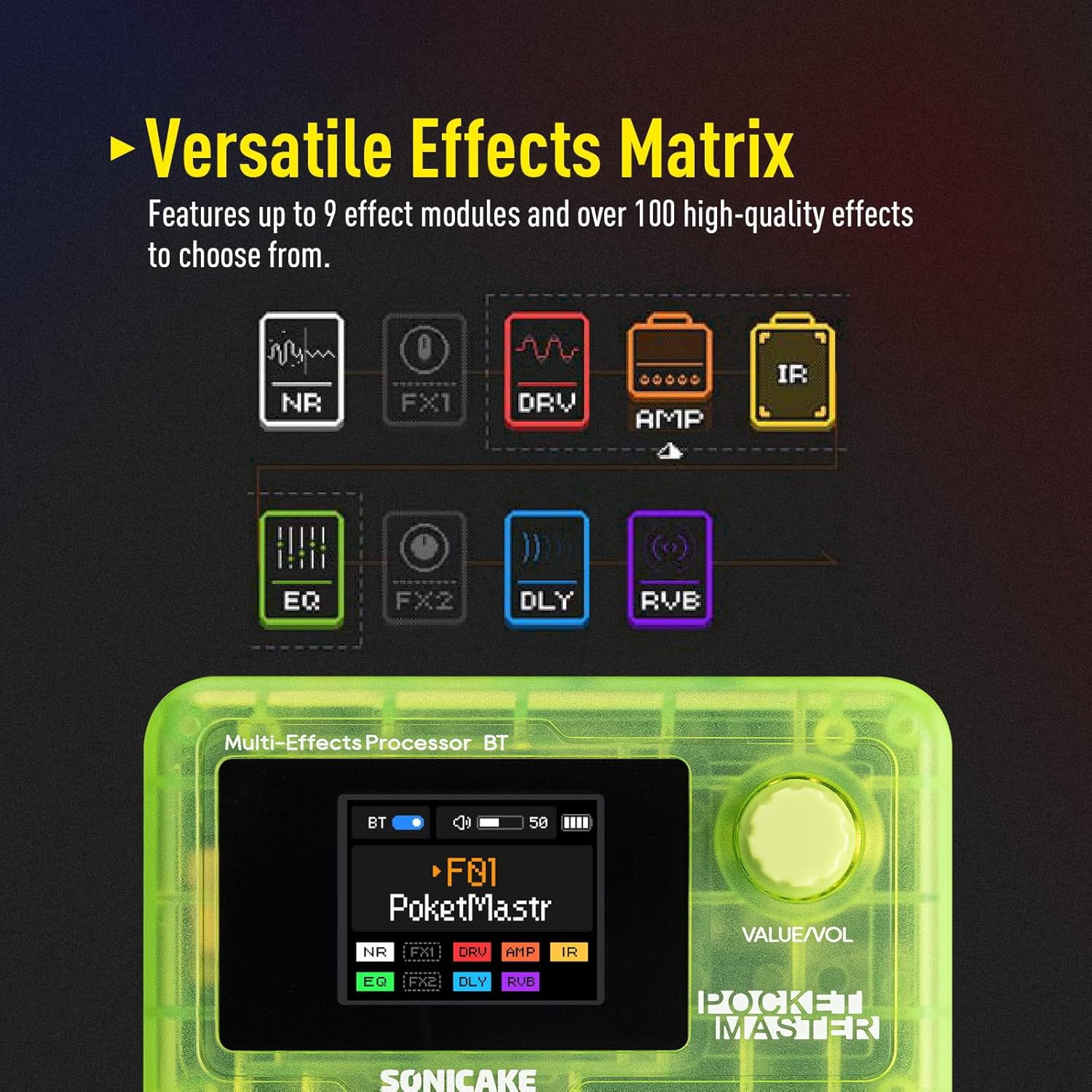
Figure 7: Visual representation of the effects chain.
You can customize the order and parameters of these effects within each preset using the device's controls or the companion software.
7. Bảo trì
- Vệ sinh: Dùng vải mềm, khô để vệ sinh thiết bị. Tránh sử dụng chất tẩy rửa có tính mài mòn hoặc dung môi.
- Kho: Bảo quản thiết bị ở nơi khô ráo, thoáng mát, tránh ánh nắng trực tiếp và nhiệt độ cao.
- Chăm sóc pin: To prolong battery life, avoid fully discharging the unit frequently. Charge regularly, even if not in use for extended periods.
- Cập nhật chương trình cơ sở: Thường xuyên kiểm tra trang web chính thức của SONICAKE. website for firmware updates to ensure optimal performance and access new features.
KHAI THÁC. Xử lý sự cố
| Vấn đề | Nguyên nhân có thể | Giải pháp |
|---|---|---|
| Không có âm thanh phát ra | Incorrect cable connections, low volume, dead battery, incorrect preset. | Check all cable connections. Ensure volume is up on both Pocket Master and amplifier/headphones. Charge the unit. Select a different preset. |
| Thiết bị không bật nguồn | Dead battery, faulty power button. | Charge the unit for at least 30 minutes. If still unresponsive, contact support. |
| Effects not working as expected | Incorrect effect parameters, outdated firmware. | Adjust effect parameters via the knob or app. Check for and install any available firmware updates. |
| Sự cố kết nối Bluetooth | Device not in pairing mode, interference, outdated app. | Ensure Pocket Master Bluetooth is enabled and in pairing mode. Move closer to the device. Update the companion app. |
9. Thông số kỹ thuật
- Trọng lượng sản phẩm: 7.3 ounce (208 gram)
- Kích thước sản phẩm: 2.44 x 4.13 x 2.44 inch
- Số hiệu sản phẩm: QME-10TGN
- Pin: 1 Nonstandard Battery (rechargeable)
- Tên màu: Màu xanh lá cây trong suốt
- Loại đầu nối: USB
- Giao diện phần cứng: USB
- Định dạng tín hiệu: Điện tử
- Loại vật liệu: Nhựa
- Nguồn điện: Battery Powered, DC Powered
- Tậptage: 5 vôn
- Phong cách: Multi-effects, Acoustic, Bass
10. Có gì trong hộp
- Bàn đạp hiệu ứng đa năng SONICAKE Pocket Master
- Cáp sạc USB-C
- Hướng dẫn sử dụng (tài liệu này)
- Footswitch, 1/4" stereo/headphone outputs (implied by product description, often integrated or part of the unit)
11. Bảo hành và Hỗ trợ
For warranty information, technical support, and further assistance, please visit the official SONICAKE webhoặc liên hệ trực tiếp với bộ phận chăm sóc khách hàng của họ. Hãy giữ lại hóa đơn mua hàng để làm bằng chứng bảo hành.
Chính thức Webđịa điểm: Cửa hàng SONICAKE trên Amazon