
1. Giới thiệu
The Delton S22 Vertical Wireless Mouse is designed to provide a comfortable and efficient computing experience. Its ergonomic vertical design aims to reduce wrist strain and promote a natural hand posture, making it suitable for extended use. This manual provides instructions for setting up, operating, maintaining, and troubleshooting your Delton S22 mouse.

This image illustrates the ergonomic benefits of the Delton S22 Vertical Wireless Mouse. It compares the unnatural wrist position required by a traditional mouse with the natural, handshake-like grip promoted by the vertical mouse, highlighting how it reduces strain and is recommended by rheumatologists.
2. Sản phẩm hếtview và các thành phần
Familiarize yourself with the various parts of your Delton S22 Vertical Wireless Mouse:

Sơ đồ này cung cấp một cách chi tiết view of the Delton S22 mouse, pointing out its key components: Left Button, Scroll Wheel, Right Button, DPI Switch, Detachable Wrist Pad, Optical Sensor, USB Receiver Compartment, Back Cover, 2*AA Battery Slot, Glide Pads, Forward Button, Back Button, and Power On/Off switch.
- Nút bên trái: Chức năng nhấp chuột trái tiêu chuẩn.
- Nút phải: Chức năng nhấp chuột phải tiêu chuẩn.
- Bánh xe cuộn: Hỗ trợ cuộn dọc và chức năng nhấp chuột giữa.
- Nút chuyển tiếp: Điều hướng về phía trước trong web trình duyệt hoặc file những nhà thám hiểm.
- Nút Quay lại: Điều hướng ngược lại trong web trình duyệt hoặc file những nhà thám hiểm.
- Công tắc DPI: Điều chỉnh độ nhạy của con trỏ (800/1600/2400 DPI).
- Công tắc Bật / Tắt nguồn: Conserves battery life when the mouse is not in use.
- Cảm biến quang học: Theo dõi chuyển động của chuột.
- Ngăn chứa đầu thu USB: Lưu trữ thiết bị USB 2.4G.
- Khe cắm pin: Holds two AA batteries (not included).
- Detachable Wrist Pad: Provides additional wrist support and reduces friction.
3. Thiết lập
- Cài đặt Pin: Open the battery compartment on the underside of the mouse. Insert two AA batteries, ensuring correct polarity. Close the compartment.
- Kết nối USB Dongle: Locate the USB receiver (dongle) stored in its compartment on the underside of the mouse. Plug the USB dongle into an available USB-A port on your computer (PC, laptop, or tablet PC).
- Bật nguồn: Flip the Power On/Off switch on the underside of the mouse to the "On" position.
- Ghép nối tự động: The mouse should automatically pair with the USB dongle. Your computer's operating system will typically install the necessary drivers automatically.
- Attach Wrist Pad (Optional): If desired, attach the detachable wrist pad to the base of the mouse for enhanced comfort.
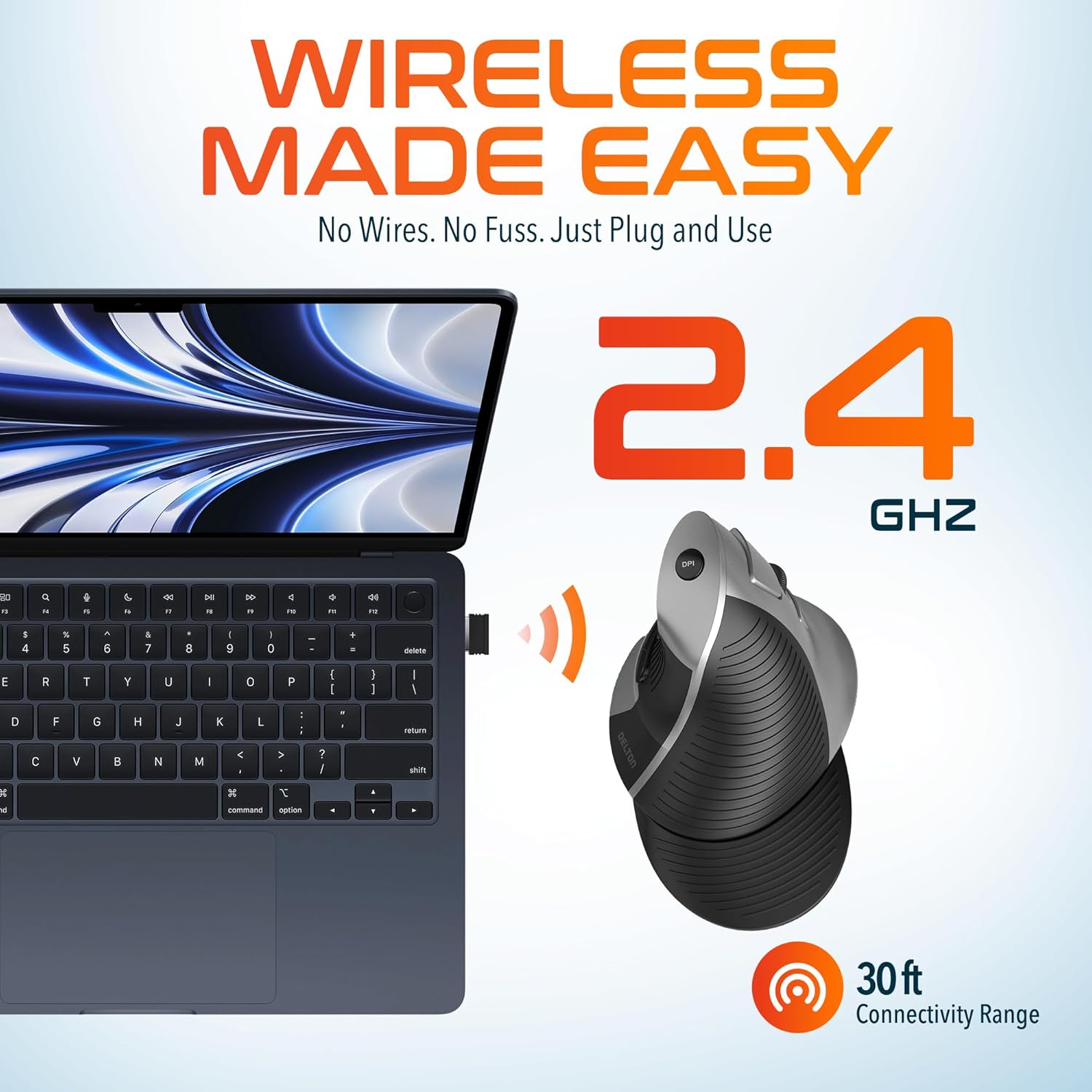
This image demonstrates the wireless connectivity of the Delton S22 mouse. It shows the mouse operating wirelessly with a laptop, emphasizing the 2.4 GHz connection and a 30 ft connectivity range, indicating a simple plug-and-use setup.
4. Hướng dẫn vận hành
Chức năng nút
The Delton S22 mouse features 6 buttons for enhanced functionality:
- Ấn chuột trái: Lựa chọn và kích hoạt ban đầu.
- Nhấp chuột phải: Truy cập vào menu ngữ cảnh.
- Bánh xe cuộn: Cuộn dọc qua các tài liệu và web pages. Pressing it acts as a middle-click.
- Nút chuyển tiếp: Navigates to the next page in supported applications.
- Nút Quay lại: Navigates to the previous page in supported applications.
- Công tắc DPI: Chuyển đổi qua lại giữa các cài đặt DPI.
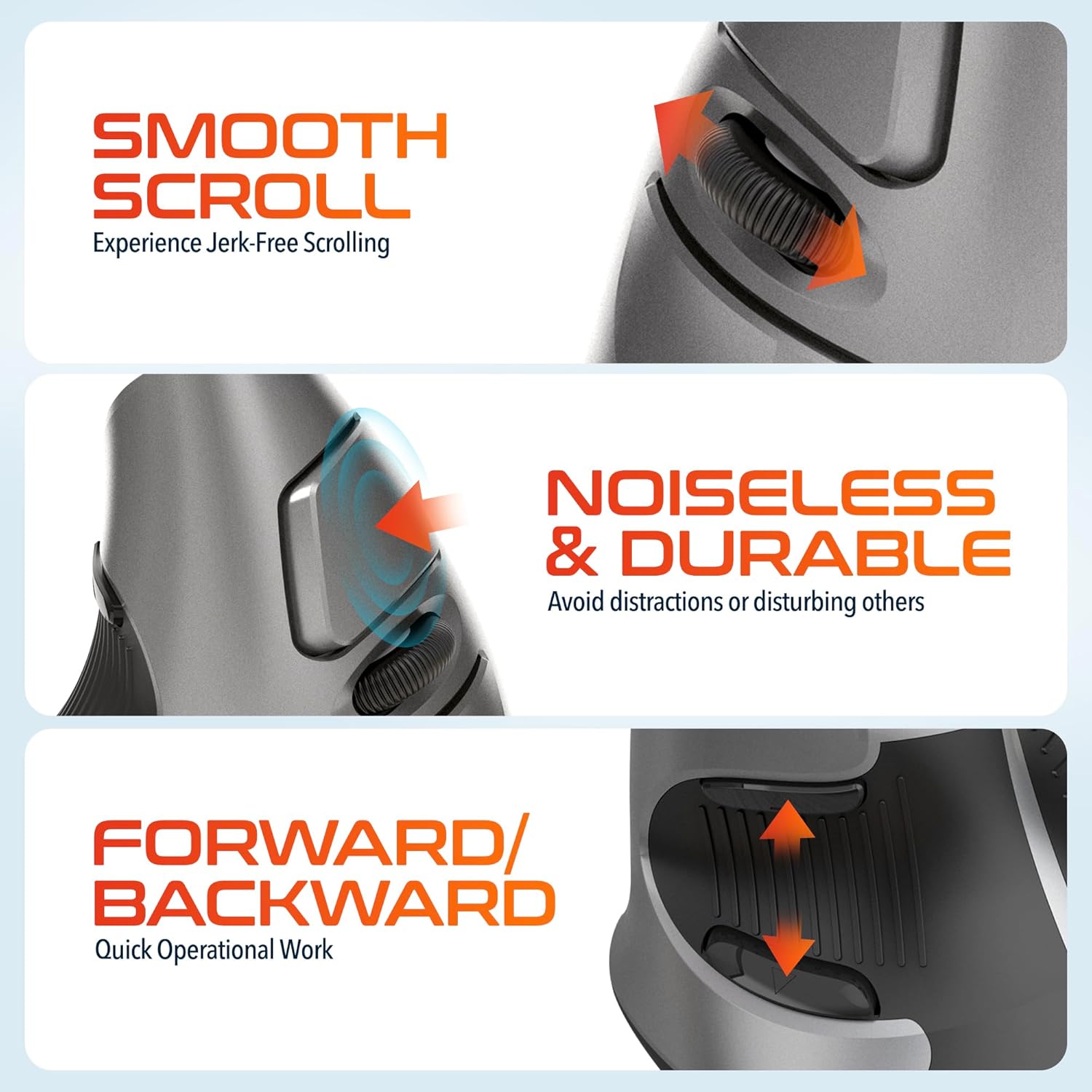
This composite image highlights three key operational features: the smooth, jerk-free scrolling experience, the noiseless and durable buttons designed to prevent distractions, and the convenient forward/backward buttons for quick navigation.
Điều chỉnh DPI
The DPI (Dots Per Inch) switch allows you to adjust the cursor sensitivity to match your preference or task requirements. Press the DPI button located on the top of the mouse to cycle through the following settings:
- 800DPI: Lower sensitivity for precise tasks.
- 1600DPI: Độ nhạy trung bình, phù hợp cho sử dụng thông thường.
- 2400DPI: Độ nhạy cao hơn giúp di chuyển con trỏ nhanh hơn.

This image focuses on the high precision control offered by the Delton S22 mouse. It shows the DPI switch button and how it allows users to toggle between 800, 1600, and 2400 DPI settings for customized cursor sensitivity.
Quản lý năng lượng
To conserve battery life, switch the mouse to the "Off" position using the power switch on the underside when not in use for extended periods.
5. Khả năng tương thích
The Delton S22 Vertical Wireless Mouse is designed for broad compatibility with various operating systems and devices:
- Hệ điều hành: Windows, macOS, iOS, Android, Chrome OS, Linux.
- Thiết bị tương thích: Laptop, Personal Computer, Tablet.
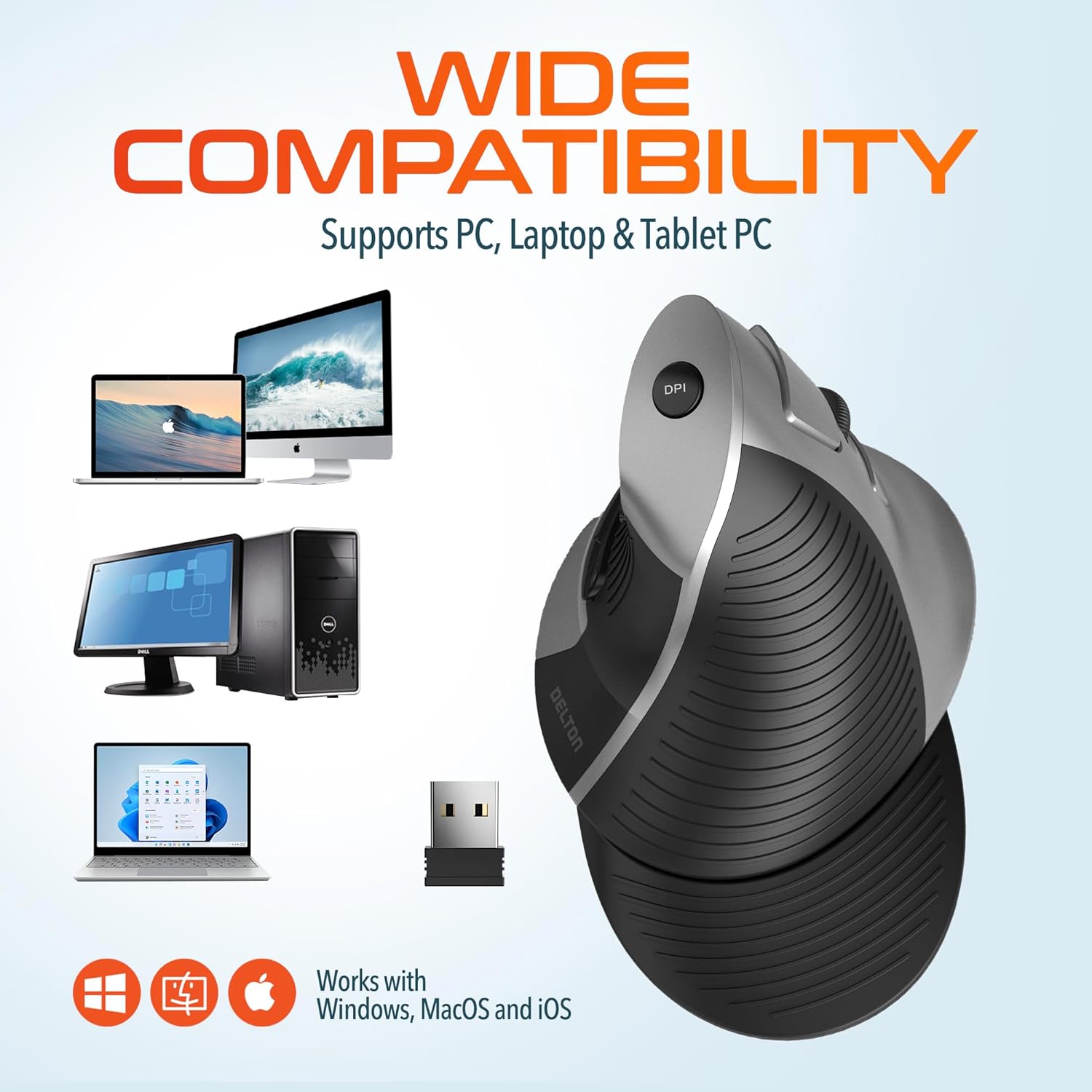
This image illustrates the wide compatibility of the Delton S22 mouse, showing it works seamlessly with PCs, laptops, and tablet PCs across Windows, macOS, and iOS operating systems. The USB dongle is also depicted as the connection method.
6. Bảo trì
- Vệ sinh: Dùng vải mềm, khô để lau chuột. Đối với vết bẩn cứng đầu, lau nhẹampLau vải bằng nước hoặc dung dịch tẩy rửa nhẹ. Tránh sử dụng hóa chất mạnh hoặc vật liệu mài mòn.
- Thay thế pin: When the mouse performance degrades or it stops responding, replace the two AA batteries. Ensure the power switch is off before replacing batteries.
- Kho: When transporting or storing the mouse, ensure the USB dongle is securely placed in its dedicated compartment to prevent loss.
KHAI THÁC. Xử lý sự cố
| Vấn đề | Giải pháp khả thi |
|---|---|
| Chuột không phản hồi. |
|
| Con trỏ di chuyển không ổn định hoặc giật cục. |
|
| DPI setting is not changing. |
|
| Forward/Back buttons not working. |
|
8. Thông số kỹ thuật
| Tính năng | Chi tiết |
|---|---|
| Thương hiệu | Delton |
| Số hiệu mẫu | Tập 22 |
| Công nghệ kết nối | 2.4G Wireless (USB Dongle) |
| Tính năng đặc biệt | Vertical, Ergonomic Design, Wireless |
| Công nghệ phát hiện chuyển động | Quang học |
| Số lượng nút | 6 |
| Hướng tay | Phải |
| Thiết bị tương thích | Máy Tính Xách Tay, Máy Tính Cá Nhân, Máy Tính Bảng |
| Khả năng tương thích của hệ điều hành | Windows, macOS, iOS, Android, Chrome OS, Linux |
| Nguồn điện | Chạy bằng pin (2 pin AA, không bao gồm) |
| Mức DPI | 800, 1600, 2400 |
| Wireless Dải | Lên đến 30 feet |
| Màu sắc | Đen |
| Kích thước sản phẩm (D x R) | Dài 5.3" x Rộng 3.7" |
| Mã số UPC | 802029086375 |
9. Bảo hành và Hỗ trợ
The Delton S22 Vertical Wireless Mouse comes with a Bảo hành 1 năm của nhà sản xuấtBảo hành này bao gồm các lỗi về vật liệu và tay nghề trong quá trình sử dụng bình thường.
For warranty claims, technical support, or any questions regarding your product, please refer to the contact information provided with your purchase or visit the official Delton webtrang web cho các tài nguyên hỗ trợ.
Tài nguyên trực tuyến: For additional information, FAQs, or driver downloads (if applicable), please visit the Delton Store on Amazon.