
1. Giới thiệu
This manual provides detailed instructions for the Redragon K558 Mechanical Gaming Keyboard. Please read this guide thoroughly to ensure proper setup, operation, and maintenance of your device. The K558 is designed for precision and durability, featuring responsive blue switches, customizable backlighting, and an ergonomic design for extended use.
Các tính năng chính:
- Responsive Clicky Blue Switches for tactile feedback.
- 11 Dynamic Rainbow Backlight Modes with adjustable speed and brightness.
- Ergonomic Design with integrated wrist rest and adjustable kickstands.
- 100% Anti-Ghosting for simultaneous key registration.
- 11 Multimedia Shortcuts for quick access to functions.
- Durable Metal Alloy and ABS Construction.
- Double-Injection ABS Keycaps for clear backlighting and longevity.
- Spill-resistant Protection.
2. Nội dung gói hàng
Xác minh rằng tất cả các mục đều có trong gói hàng của bạn:
- Bàn phím cơ chơi game Redragon K558
- Hướng dẫn sử dụng
- Keycap Puller Tool (may be included)
- Các công tắc dự phòng (có thể được bao gồm)
3. Thiết lập
Kết nối bàn phím:
- Locate an available USB-A port on your computer or gaming console.
- Plug the USB connector of the Redragon K558 keyboard into the USB-A port.
- Hệ điều hành sẽ tự động phát hiện và cài đặt các trình điều khiển cần thiết. Thông thường không cần cài đặt thêm phần mềm nào khác.
- The keyboard is ready for use once the backlight illuminates.
Khả năng tương thích: The Redragon K558 is compatible with Windows 7/8/10/XP/VISTA/95/98/2000/ME, Mac OS, Xbox, PC, and Laptops.

Image: The Redragon K558 Mechanical Gaming Keyboard, showcasing its full layout and wired USB connection.
4. Hướng dẫn vận hành
Các chức năng cơ bản của bàn phím:
The K558 features a full 104-key layout, including a numeric keypad. Its 100% anti-ghosting technology ensures that every keypress registers correctly, even when multiple keys are pressed simultaneously, which is crucial for fast-paced gaming and typing.

Image: A visual representation of the K558's full 104-key layout with arrows indicating simultaneous key presses, demonstrating its anti-ghosting capability.
Điều khiển đèn nền:
The keyboard offers 11 dynamic rainbow backlight modes. You can adjust the speed and brightness of these effects to suit your preference.
- Thay đổi chế độ đèn nền: Nhấn FN + INS to cycle through the 11 available backlight modes.
- Điều chỉnh độ sáng: Nhấn FN + ↑ (Mũi tên lên) để tăng độ sáng, và Fn + ↓ (Down Arrow) to decrease brightness. There are 5 adjustable levels.
- Điều chỉnh tốc độ: Nhấn FN + ← (Left Arrow) to decrease the speed of dynamic effects, and Fn + → (Right Arrow) to increase the speed. There are 5 adjustable levels.
- Tắt đèn nền: Nhấn Fn + ↓ five times to turn off the backlight completely.

Image: The K558 keyboard illuminated with rainbow backlighting, illustrating the controls for adjusting modes, brightness, and speed.
Phím tắt đa phương tiện:
The K558 includes 11 multimedia shortcuts for convenient access to common functions. Press the FN key in combination with the corresponding function key:
| Tổ hợp phím | Chức năng |
|---|---|
| FN + F1 | Máy tính của tôi |
| FN + F2 | Tìm kiếm |
| FN + F3 | Máy tính |
| FN + F4 | Multimedia Player |
| FN + F5 | Bài hát trước |
| FN + F6 | Bài hát tiếp theo |
| FN + F7 | Phát/Tạm dừng |
| FN + F8 | Dừng lại |
| FN + F9 | Tắt tiếng |
| FN + F10 | Giảm âm lượng |
| FN + F11 | Tăng âm lượng |
| FN + THẮNG | Disable/Enable Windows Key |

Image: A visual guide to the K558's multimedia function keys, detailing each FN key combination and its corresponding action.
Tùy chỉnh chuyên nghiệpfiles:
The keyboard supports three customizable profiles for recording key sequences or macros. Follow these steps to set up and use a profile:
- Chọn Profile: Nhấn FN + 1/2/3 to select one of the three profiles (chuyên nghiệpfile 1, 2, or 3).
- Bắt đầu ghi âm: Nhấn FN + Trang chủ to enter recording mode. The indicator light will typically flash.
- Set Desired Keys: Type the sequence of keys you wish to record for the profile.
- Save and Quit: Nhấn FN + Kết thúc to save the recording and exit recording mode. The indicator light will stop flashing.
- Nghe bản ghi âm: Nhấn FN + 1/2/3 (the selected profile) to execute the recorded sequence.
- Xóa bản ghi: Nhấn FN + PGUP to delete the recording for the currently selected profile.
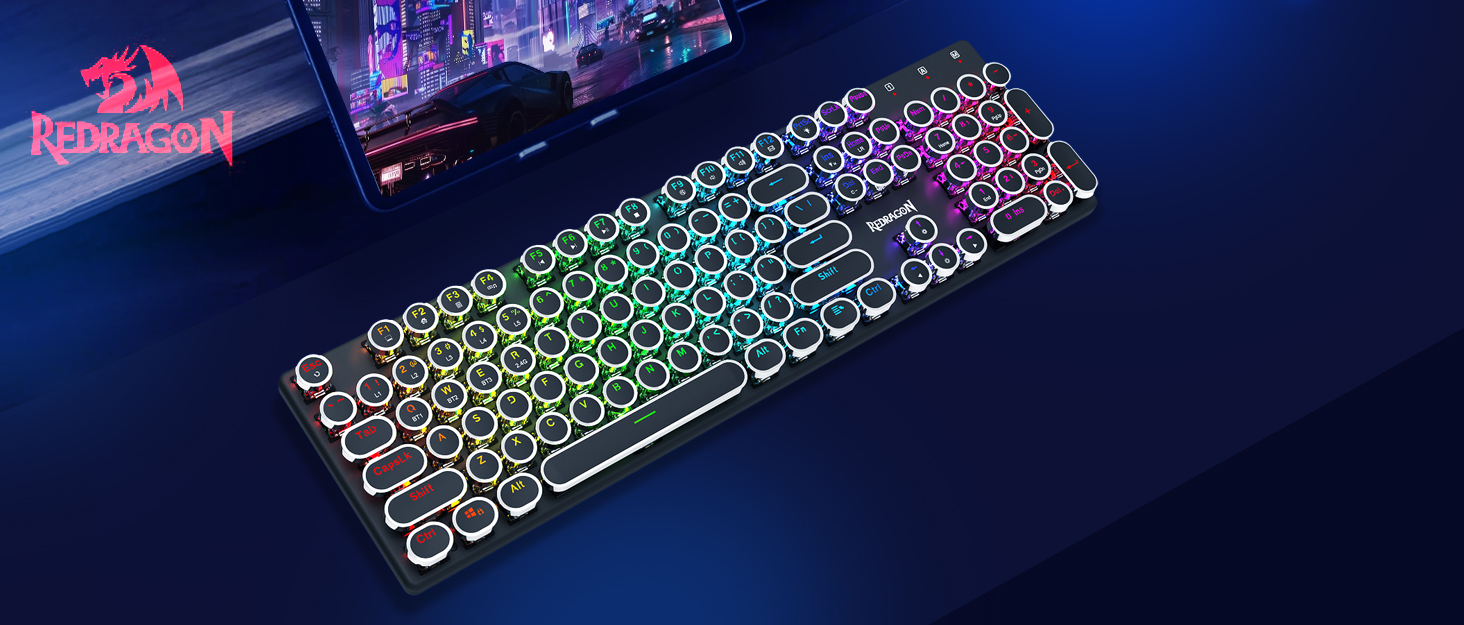
Image: The K558 keyboard demonstrating the steps for creating and managing three customizable user profiles.
5. Tính năng kết thúcview
Công tắc màu xanh dương:
The K558 is equipped with clicky blue mechanical switches, providing a distinct tactile bump and audible click with each keystroke. This design offers quick response times, enhanced accuracy, and a satisfying typing experience. These switches have a durability of up to 50 million keystrokes, a travel distance of 4.0mm, and an actuation force of 50±15g.

Hình ảnh: Một chi tiết view of the K558's blue mechanical switches, highlighting their construction and specifications like durability and travel distance.
Thiết kế công thái học:
Designed for comfort during prolonged use, the K558 features a scientific stair-up keycap layout and a spacious integrated wrist rest. This design helps maintain a natural arm position, reducing hand fatigue. Additionally, two sturdy, foldable rear kickstands allow you to adjust the keyboard's angle for optimal posture.

Image: A visual breakdown of the K558's ergonomic design, including the integrated wrist rest, stepped keycap layout, and adjustable kickstands.
Kết cấu bền bỉ:
The keyboard is constructed with a top-grade metal alloy and ABS material, providing a sturdy and scratch-resistant panel. The gold-plated USB connector ensures a stable and reliable connection, essential for consistent performance. Weighing 1.39kg, the keyboard offers significant stability during use.

Hình ảnh: A view of the K558 keyboard highlighting its metal and ABS construction, along with its dimensions and weight.
Double-Injection ABS Keycaps:
The ultra-durable double-injection ABS keycaps ensure a crystal-clear, uniform backlight. This manufacturing process prevents legends from fading over time, maintaining readability and aesthetic appeal.
Bảo vệ chống tràn:
The K558 is designed with spill-resistant features to help prevent accidental liquid damage from interrupting your usage. While it offers protection, it is not fully waterproof, and care should still be taken to avoid liquid exposure.

Image: A close-up of the K558 keyboard's surface, indicating its spill-resistant protection feature.
6. Bảo trì
Vệ sinh bàn phím:
- Ngắt kết nối bàn phím khỏi máy tính trước khi vệ sinh.
- Sử dụng một miếng vải mềm, không xơ vải lau nhẹampdùng nước hoặc dung dịch tẩy rửa nhẹ để lau sạch bề mặt bàn phím.
- Để loại bỏ bụi bẩn và mảnh vụn giữa các phím bấm, hãy sử dụng khí nén.
- Tránh sử dụng hóa chất mạnh, chất tẩy rửa có tính mài mòn hoặc độ ẩm quá cao vì những thứ này có thể làm hỏng bàn phím.
Hướng dẫn bảo dưỡng phím và switch:
- If removing keycaps for deeper cleaning or switch replacement, use the provided keycap puller tool to avoid damage.
- Gently pull keycaps straight up. When reattaching, align them carefully and press down firmly until they click into place.
KHAI THÁC. Xử lý sự cố
Bàn phím không phản hồi:
- Hãy đảm bảo cáp USB được cắm chắc chắn vào cả bàn phím và cổng USB của máy tính.
- Hãy thử cắm bàn phím vào một cổng USB khác trên máy tính của bạn.
- Kiểm tra bàn phím trên một máy tính khác để xác định xem vấn đề nằm ở bàn phím hay máy tính.
- Khởi động lại máy tính của bạn.
Đèn nền không hoạt động hoặc hoạt động không chính xác:
- Đảm bảo đèn nền không bị tắt (nhấn FN + ↑ (để tăng độ sáng).
- Chuyển đổi qua các chế độ đèn nền bằng cách sử dụng FN + INS.
- Adjust brightness and speed using Phím FN + ↑/↓ Và FN + ←/→.
Các phím không được nhận diện hoặc bị lỗi ảo:
- The K558 features 100% anti-ghosting, so this should be rare. If it occurs, ensure no debris is lodged under the keycap.
- Try cleaning the affected key area.
- Nếu sự cố vẫn tiếp diễn, hãy liên hệ với bộ phận hỗ trợ khách hàng.
8. Thông số kỹ thuật
| Tính năng | Chi tiết |
|---|---|
| Số hiệu mẫu | K558 |
| Kích thước sản phẩm | 17.8 x 1.3 x 6.1 inch (45.2 x 3.3 x 15.5 cm) |
| Trọng lượng sản phẩm | 1.76 pound (0.8 kg) |
| Công nghệ kết nối | USB-A (Có dây) |
| Mô tả bàn phím | Bàn phím chơi game cơ học |
| Loại công tắc | Clicky Blue Switches |
| Số lượng khóa | 104 chìa khóa |
| Chống bóng mờ | 100% Chống bóng mờ |
| Đèn nền | Rainbow Backlit (11 modes, 5 brightness, 5 speed levels) |
| Tính năng đặc biệt | Backlit, Ergonomic, Integrated Stand, Wrist Rest, Spill-resistant |
| Thiết bị tương thích | Gaming Console, Laptop, PC (Windows, Mac OS, Xbox) |
| Vật liệu | Hợp kim kim loại và nhựa ABS |
9. Bảo hành và Hỗ trợ
Redragon products are designed for reliability and performance. For warranty information, technical support, or service inquiries, please refer to the warranty card included with your product or visit the official Redragon webtrang web. Giữ lại biên lai mua hàng làm bằng chứng mua hàng khi yêu cầu bảo hành.
Trang web chính thức của Redragon Webđịa điểm: www.redragonusa.com