
Giới thiệu
This manual provides essential information for the setup, operation, and maintenance of your PowerA Enhanced Wireless Controller, featuring the unique Pikachu vs. Gengar design. This officially licensed controller is designed to enhance your gaming experience on Nintendo Switch, Nintendo Switch Lite, and Nintendo Switch (OLED Model) consoles.
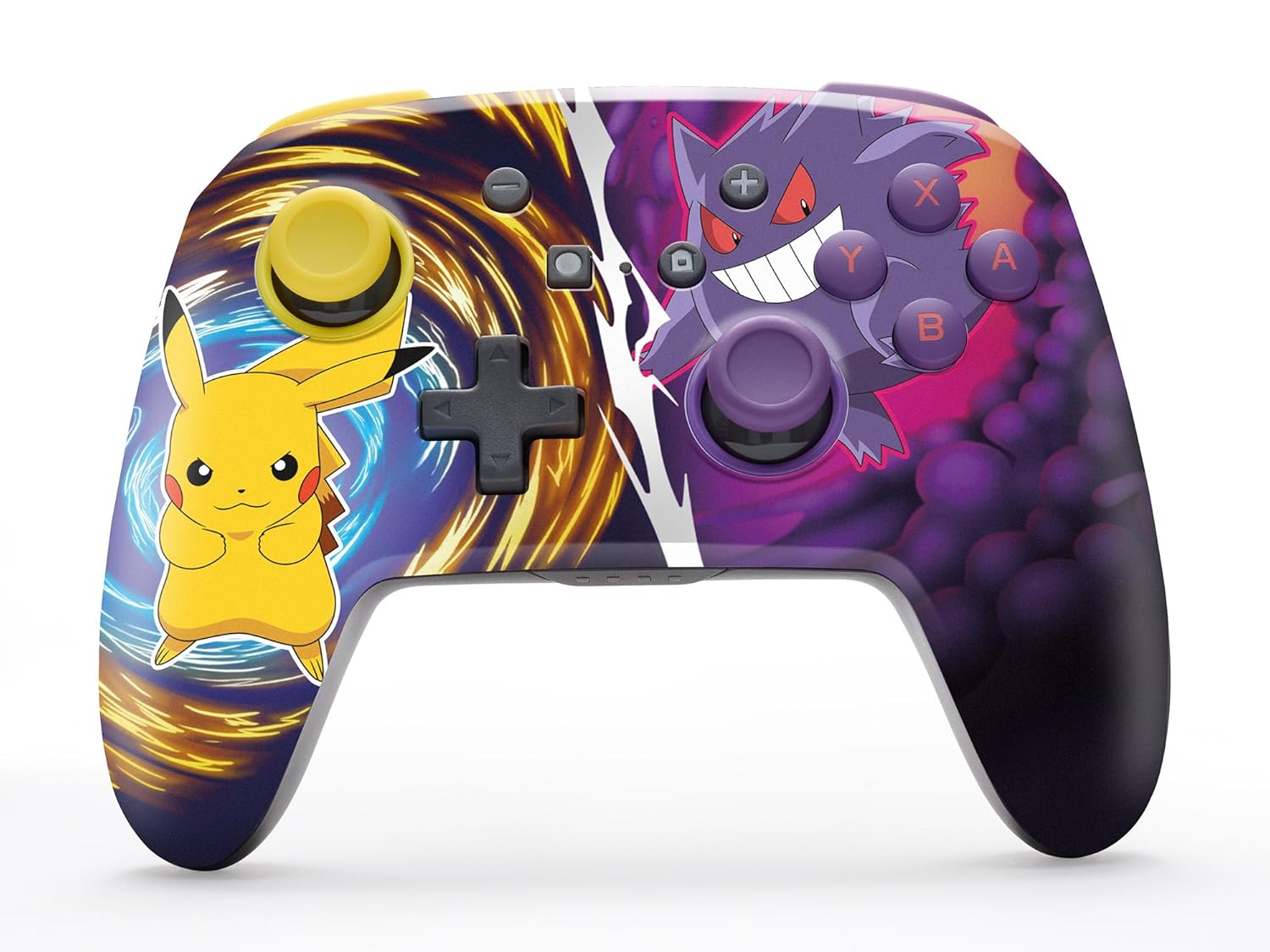
The PowerA Enhanced Wireless Controller with Pikachu vs. Gengar artwork.
Các tính năng chính
- Kết nối không dây: Utilizes Bluetooth 5.0 technology for a stable connection.
- Pin sạc: Integrated lithium-ion battery provides up to 30 hours of gameplay per charge.
- Các nút chơi game nâng cao có thể tùy chỉnh: Two programmable buttons on the back for custom control.
- Thiết kế công thái học: Superior ergonomics for extended comfortable gaming sessions.
- Smooth Thumbstick Control: Embedded anti-friction rings ensure precise and fluid movement.
- Điều khiển chuyển động: Supports intuitive motion controls for compatible games.

Ergonomic design for comfortable gameplay.
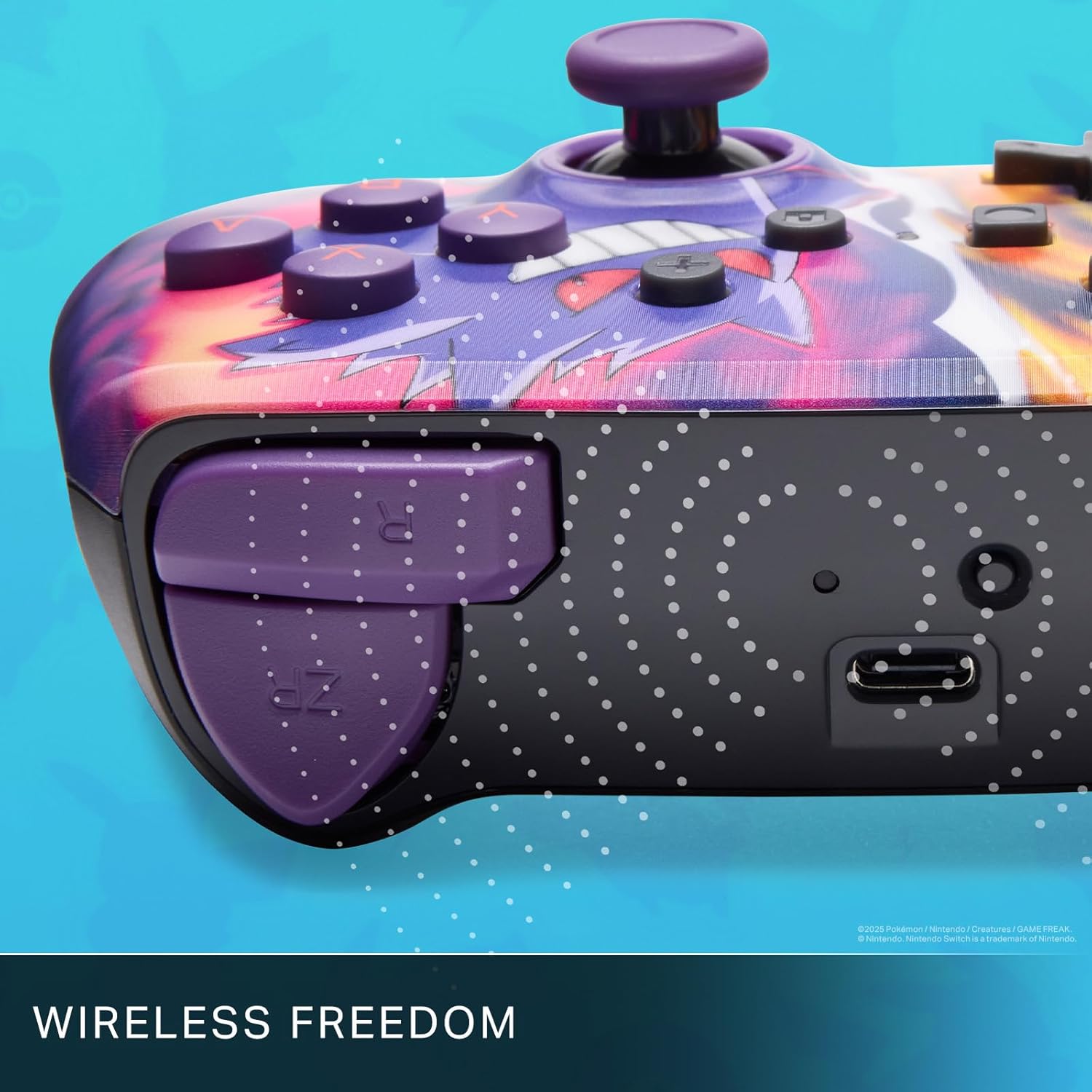
Enjoy wireless freedom with Bluetooth 5.0 technology.
Thiết lập và ghép nối
- Đảm bảo máy chơi game Nintendo Switch của bạn được bật nguồn và cập nhật lên phần mềm hệ thống mới nhất.
- Từ Menu HOME, chọn Bộ điều khiển, sau đó Thay đổi cách cầm/thứ tự.
- Nhấn và giữ Nút ĐỒNG BỘ on the top edge of your PowerA Enhanced Wireless Controller for at least one second. The Player LED(s) will flash.
- Once paired, the Player LED(s) corresponding to the controller number will remain lit.
- Nhấn nút Một nut bâm to confirm and exit the menu. Your controller is now ready for use.
Sạc bộ điều khiển
The controller features an internal 900mAh lithium-ion rechargeable battery, providing up to 30 hours of gameplay on a single charge. To charge your controller:
- Connect the included 10ft (3m) USB-C charge cable to the USB-C port on the top of the controller.
- Connect the other end of the USB-C cable to a USB power source (e.g., Nintendo Switch dock, USB wall adapter, or computer USB port).
- The LED indicator on the controller will show charging status. It will typically turn off or change color when fully charged.

Connect the USB-C cable to charge your controller.
Advanced Gaming Buttons
Your PowerA Enhanced Wireless Controller includes two mappable Advanced Gaming Buttons (AGBs) on the back, allowing you to assign specific button functions for quick access during gameplay.
Programming AGBs:
- Nhấn nút Nút chương trình on the back of the controller. The Program LED will flash, indicating programming mode.
- Press the button you wish to map (A/B/X/Y/L/R/ZL/ZR/Left Stick Click/Right Stick Click/D-Pad). The Program LED will flash rapidly.
- Press the Advanced Gaming Button (AGB L or AGB R) you want to assign the function to. The Program LED will stop flashing, indicating the AGB is now programmed.
Resetting AGBs:
To reset all Advanced Gaming Buttons to their default (no function) state, press and hold the Nút chương trình for five seconds. The Program LED will flash slowly, then turn off, confirming the reset.
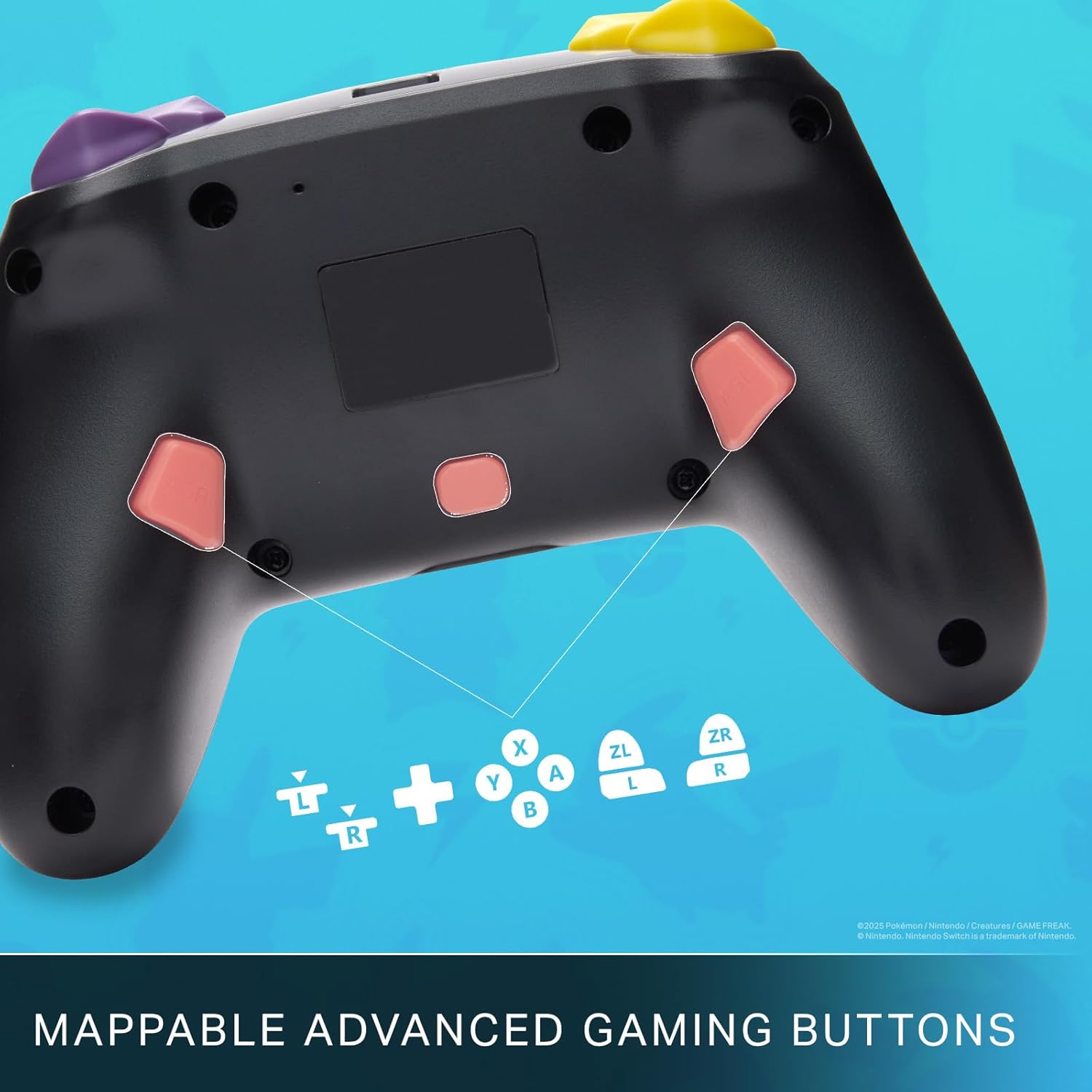
Mappable Advanced Gaming Buttons for personalized control.
Khả năng tương thích
This PowerA Enhanced Wireless Controller is compatible with the following Nintendo consoles:
- Máy Nintendo Switch
- Nintendo Switch Lite
- Nintendo Switch (OLED Model)
- Nintendo Switch 2 (Note: C button not available)

The controller is compatible with Nintendo Switch 2, though the C button functionality is not available.
Thông số kỹ thuật
| Tính năng | Chi tiết |
|---|---|
| Thiết bị tương thích | Máy Nintendo Switch |
| Loại bộ điều khiển | Tay cầm chơi game |
| Công nghệ kết nối | Bluetooth, USB |
| Các tính năng bổ sung | Ergonomic, Wireless |
| Số lượng nút | 12 |
| Nền tảng phần cứng | Máy chơi game |
| Nguồn điện | Pin (Pin sạc Lithium-ion) |
| Các mẫu máy chơi game tương thích | Nintendo Switch, Nintendo Switch Lite |
| Trọng lượng sản phẩm | 0.68 Bảng Anh |
| Kích thước mục | 6.02 x 4.41 x 2.48 inch |
| Màu sắc | Pikachu vs Gengar |
| Tên mẫu | Pikachu vs. Gengar |
| Số hiệu mẫu | NSGP0420-01R |
Chăm sóc và bảo dưỡng
- Keep the controller dry. Avoid exposure to moisture or extreme temperatures.
- Vệ sinh bộ điều khiển bằng vải mềm, khô. Không sử dụng hóa chất mạnh hoặc vật liệu mài mòn.
- Hãy cất giữ bộ điều khiển ở nơi an toàn khi không sử dụng để tránh hư hỏng.
Xử lý sự cố
Bộ điều khiển không kết nối:
- Đảm bảo bộ điều khiển được sạc đầy.
- Verify the controller is within the Bluetooth range of your Nintendo Switch console.
- Attempt to re-pair the controller following the "Setup and Pairing" instructions.
Các nút/cần điều khiển không phản hồi:
- Kiểm tra xem có vật cản hoặc mảnh vụn nào xung quanh các nút hoặc cần điều khiển không.
- Perform a hard reset by holding the SYNC button for 10 seconds, then attempt to re-pair.
- Ensure the controller's firmware is up to date (check PowerA's official webtrang web để cập nhật).
Bảo hành và Hỗ trợ
This PowerA Enhanced Wireless Controller comes with a Bảo hành có giới hạn hai năm. For detailed warranty information, product support, and troubleshooting assistance, please visit the official PowerA support webđịa điểm: