
1. Giới thiệu
The ORGBRO Z3 Bluetooth Thermal Label Printer is a versatile and portable device designed for efficient label creation. It supports a wide range of label sizes from 0.8 to 3.15 inches, making it suitable for various applications including home organization, small business needs, and office use. This manual provides detailed instructions to help you set up, operate, and maintain your label printer.
2. Nội dung gói hàng
Vui lòng xác minh rằng tất cả các mục được liệt kê dưới đây đều có trong gói hàng của bạn:
- ORGBRO Z3 Label Printer
- Cáp sạc USB
- Hướng dẫn sử dụng
- Roll of Labels (1.97"x1.18" square labels)
- USB Flash Drive (for PC drivers)
3. Sản phẩm hếtview
Familiarize yourself with the physical components and controls of your ORGBRO Z3 Label Printer.
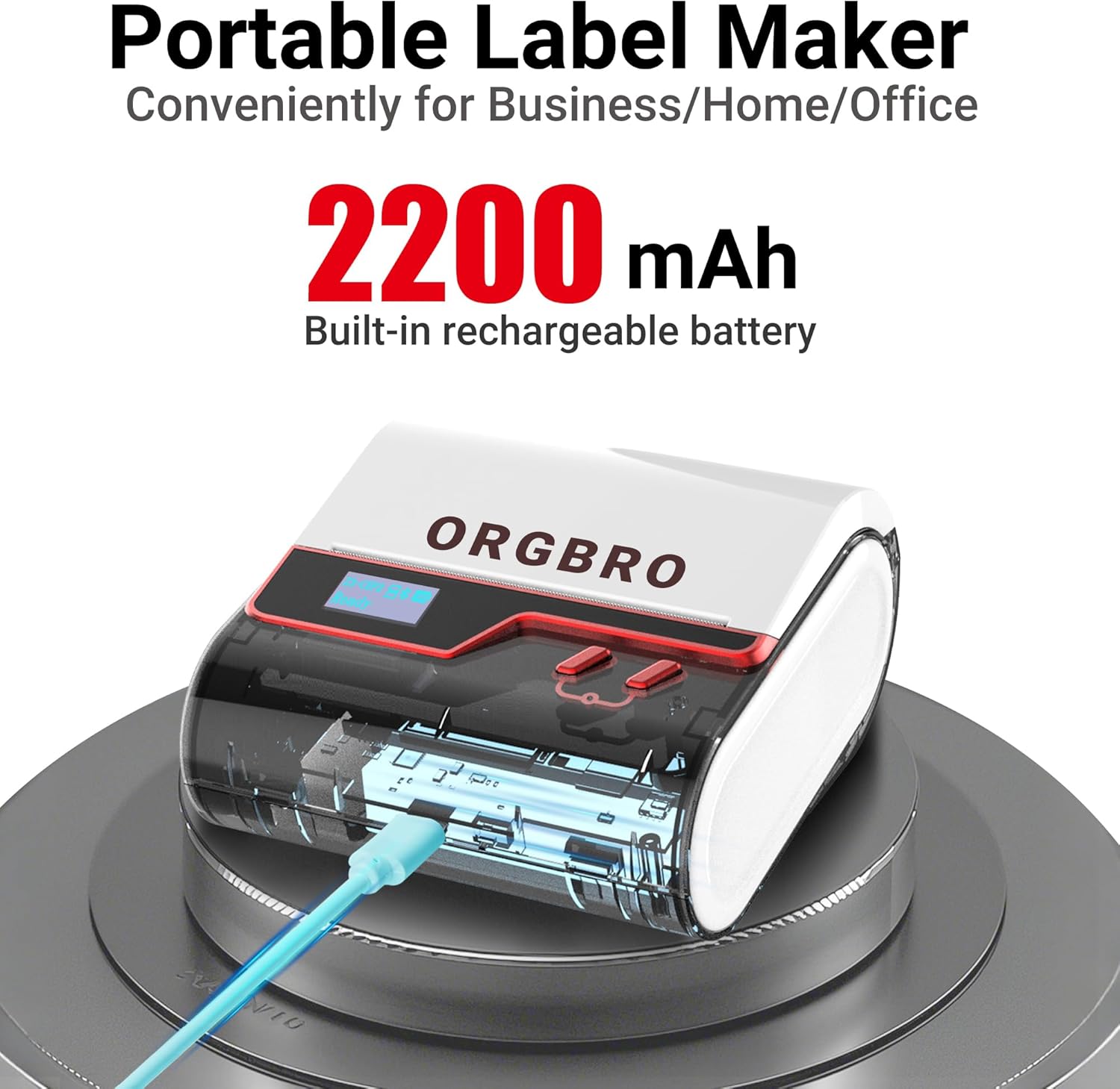
The ORGBRO Z3 Label Maker features a portable design with a built-in 2200mAh rechargeable battery, ensuring long-lasting use on the go.
The device includes a power button, an open cover button for loading labels, and a charging port. An LED screen displays essential information such as battery life, Bluetooth status, and print progress.
4. Các tính năng chính
- Versatile Label Compatibility: Supports labels from 0.8 to 3.15 inches wide, including square, round, transparent, and file nhãn.
- In ấn chất lượng cao: Achieves crisp 203dpi resolution at speeds up to 50mm/s, ensuring clear text, graphics, and barcodes without smudging.
- In nhiệt không cần mực: Utilizes thermal printing technology, eliminating the need for ink or toner cartridges.
- Pin sử dụng lâu dài: Equipped with a 2200mAh rechargeable battery, providing up to 4 weeks of runtime on a single charge.
- Tích hợp ứng dụng thông minh: Connects via Bluetooth to the free '4BarCode' app (Android/iOS) or via USB to computers (Windows/Mac/Chrome OS/Linux) for label customization.
- Nhãn có thể tùy chỉnh: The '4BarCode' app offers over 80 fonts, 150+ frames, 670+ icons, and allows importing images for personalized labels.

The ORGBRO Z3 supports a wide range of label paper widths, from 0.78 to 3.15 inches, accommodating various label styles for diverse applications.

Experience fast and clear printing with the ORGBRO Z3, capable of producing up to 52 labels per minute with a crisp 203 DPI resolution.

The ORGBRO Z3 is ideal for various business applications, including creating shipping labels, product labels, QR codes, and clothing tags.

Organize your home efficiently with the ORGBRO Z3, perfect for labeling kitchen canisters, storage bins, and other household items.
5. Hướng dẫn cài đặt
5.1. Sạc thiết bị
Before first use, fully charge the ORGBRO Z3 Label Printer using the provided USB cable. Connect the cable to the charging port on the device and a compatible USB power source. The LED screen will indicate charging status.
5.2. Tải nhãn
- Press the open cover button on the side of the printer to open the top cover.
- Insert the roll of thermal labels into the compartment, ensuring the printing side faces upwards and the label edge is aligned with the print head.
- Đóng chặt nắp trên cho đến khi nghe tiếng "tách" báo hiệu đã khớp.
5.3. Cài đặt và kết nối ứng dụng
The ORGBRO Z3 can be connected via Bluetooth to your smartphone or via USB to your computer.
5.3.1. Smartphone Connection (Bluetooth)
- Download the free '4BarCode' app from your device's app store (available for Android and iOS).
- Đảm bảo Bluetooth được bật trên điện thoại thông minh của bạn.
- Power on the ORGBRO Z3 Label Printer.
- Open the '4BarCode' app and follow the on-screen instructions to connect to your printer via Bluetooth. The printer's name (e.g., Z3-XXXX) should appear in the app's device list.
5.3.2. Computer Connection (USB)
- Connect the ORGBRO Z3 Label Printer to your computer using the provided USB cable.
- Install the necessary drivers from the included USB flash drive or download them from the official ORGBRO webđịa điểm.
- Follow the installation prompts to complete the driver setup.

The ORGBRO Z3 supports seamless connection to both phones (Android/iOS via Bluetooth) and computers (Windows/Mac/Chrome OS/Linux via USB).
6. Hướng dẫn vận hành
Once connected, you can start creating and printing labels.
6.1. Creating Labels (Using '4BarCode' App)
- Open the '4BarCode' app on your smartphone.
- Select 'Create' to start a new label project.
- Choose your desired label size and orientation.
- Use the app's tools to add text, icons, images, barcodes, or QR codes. You can customize fonts, sizes, and styles.
- Arrange elements on the label canvas as needed.
6.2. In nhãn
- After designing your label, tap the 'Print' button in the app.
- Review bản in trướcview to ensure the layout is correct.
- Adjust printing density or number of copies if necessary.
- Confirm the print command. The label will be printed from the device.
- Gently tear off the printed label along the serrated edge.

The '4BarCode' app provides multiple labels and templates, along with extensive customization options including over 80 fonts, 150+ frames, and 670+ icons.
7. Thông số kỹ thuật
| Tính năng | Chi tiết |
|---|---|
| Phương tiện in ấn | Giấy Nhiệt |
| Công suất tờ đầu vào tối đa | 230 tờ |
| Tốc độ sao chép tối đa (Đen trắng) | 2 trang/phút |
| Độ phân giải in tối đa | 203dpi |
| Sheet Size (Included) | 1.97 inch (chiều rộng) |
| Kích thước phương tiện tối đa | 3.15 inch (chiều rộng) |
| In hai mặt | Không (Simplex) |
| Giao diện phần cứng | USB |
| Công nghệ kết nối | Bluetooth, USB |
| Tính năng đặc biệt | Cầm tay |
| Đầu ra máy in | Đơn sắc |
| Trọng lượng sản phẩm | 1.21 pound (0.55 kg) |
| Kích thước sản phẩm | 4.42 x 4.42 x 2.41 inch |
| Pin | 1 AA batteries required (included) - 2200mAh rechargeable |
8. Bảo trì
- Vệ sinh: Thường xuyên vệ sinh đầu in bằng vải mềm, không xơ, được làm ẩm bằng cồn isopropyl. Đảm bảo thiết bị đã tắt nguồn trước khi vệ sinh.
- Kho: Bảo quản máy in ở nơi khô ráo, thoáng mát, tránh ánh nắng trực tiếp và nhiệt độ quá cao hoặc quá thấp.
- Chăm sóc pin: Để kéo dài tuổi thọ pin, tránh xả pin thường xuyên. Hãy sạc thiết bị thường xuyên, ngay cả khi không sử dụng trong thời gian dài.
- Cuộn nhãn: Use only high-quality thermal label rolls compatible with the ORGBRO Z3 to ensure optimal print quality and prevent damage to the print head.
KHAI THÁC. Xử lý sự cố
- Máy in không kết nối được:
- Hãy đảm bảo máy in đã được bật nguồn và sạc đầy pin.
- Verify Bluetooth is enabled on your device and the '4BarCode' app has permission to use it.
- For USB connection, ensure drivers are correctly installed and the cable is securely connected.
- Try restarting both the printer and your connecting device.
- Chất lượng in kém:
- Check if the label roll is inserted correctly with the printing side facing up.
- Vệ sinh đầu in theo hướng dẫn trong phần Bảo trì.
- Adjust the printing density settings in the '4BarCode' app.
- Ensure you are using compatible thermal labels.
- Nhãn không hoạt động đúng cách:
- Ensure the label roll is properly seated and not jammed.
- Kiểm tra xem có vật cản nào trên đường đi của nhãn hay không.
- Verify the label width is within the supported range (0.8-3.15 inches).
10. Bảo hành và Hỗ trợ
ORGBRO products are designed for reliability and performance. For warranty information, technical support, or service inquiries, please refer to the contact details provided in your product packaging or visit the official ORGBRO webtrang web. Giữ lại biên lai mua hàng làm bằng chứng mua hàng khi yêu cầu bảo hành.