
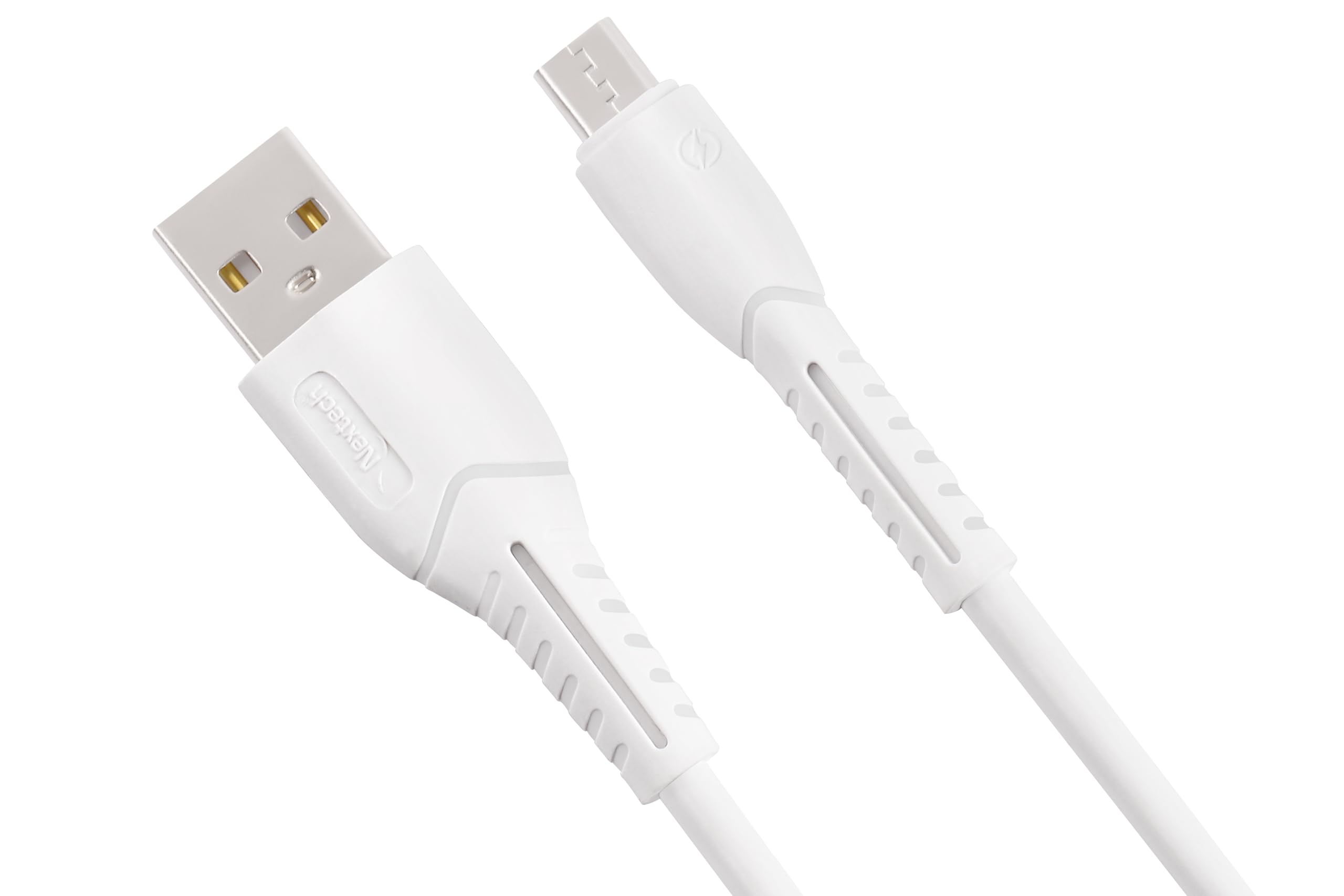
1. Giới thiệu
Thank you for choosing the Nextech Fast Sync & Charge Micro USB Cable. This cable is designed for efficient charging and high-speed data transfer for a wide range of Micro USB-compatible devices. Its robust construction ensures durability and reliable performance.
Các tính năng chính:
- Sạc nhanh: Supports up to 2.4A for quick power delivery.
- Đồng bộ dữ liệu tốc độ cao: Achieves data transfer speeds of up to 480 Mbps.
- Tương thích phổ quát: Works with Android smartphones, tablets, power banks, and other Micro USB devices.
- Thiết kế bền bỉ: Reinforced and flexible construction for enhanced longevity.
- Tính năng an toàn: Built-in overcharge and heat protection.

Image: Illustration demonstrating fast charging capabilities of the cable, showing a smartphone charging at 15W with 3A high-speed charging.
2. Thiết lập
Setting up your Nextech Micro USB Cable is straightforward. Follow these steps to begin charging or transferring data:
- Xác định các kết nối: The cable has two distinct ends: a standard USB Type-A connector and a Micro USB connector.
- Kết nối với thiết bị: Insert the Micro USB connector into the Micro USB port of your smartphone, tablet, or other compatible device. Ensure it is fully inserted.
- Kết nối với nguồn điện/nguồn dữ liệu: Insert the USB Type-A connector into a compatible USB port on a wall charger, power bank, laptop, or desktop computer.
- Xác minh kết nối: For charging, your device should indicate that it is receiving power. For data transfer, your computer should recognize the connected device.
3. Hướng dẫn vận hành
Sạc thiết bị của bạn:
- Connect the Micro USB end to your device and the USB-A end to a compatible USB wall adapter or power bank.
- Ensure the power source provides sufficient output (e.g., 5V/2.4A) for fast charging.
- The device's battery indicator will show charging status.
Chuyển dữ liệu:
- Connect the Micro USB end to your device and the USB-A end to a USB port on your computer.
- Your computer should detect the connected device. You may need to select a 'File Transfer' or 'MTP' mode on your device if prompted.
- Giờ đây bạn có thể truy cập bộ nhớ thiết bị của mình để chuyển dữ liệu. files.

Image: Image depicting data synchronization and charging, highlighting a data transfer speed of 480 Mbps between a smartphone and a laptop.
4. Bảo trì
Proper care and maintenance will extend the life of your Nextech Micro USB Cable:
- Kho: Bảo quản cáp ở nơi khô ráo, thoáng mát, tránh ánh nắng trực tiếp và nhiệt độ quá cao hoặc quá thấp.
- Vệ sinh: Use a soft, dry cloth to gently wipe the cable and connectors. Avoid using liquids or abrasive cleaners.
- Xử lý: Avoid sharp bends, kinks, or excessive pulling on the cable, especially near the connectors, to prevent internal damage. Always grasp the connector head when plugging or unplugging, not the cable itself.
- Điều tra: Periodically check the cable for any signs of wear, fraying, or damage. Discontinue use if damage is observed.
KHAI THÁC. Xử lý sự cố
If you encounter issues with your Nextech Micro USB Cable, refer to the following common solutions:
| Vấn đề | Nguyên nhân có thể | Giải pháp |
|---|---|---|
| Thiết bị không sạc | Loose connection, faulty power source, damaged cable, dirty device port. | Ensure connectors are fully inserted. Try a different wall adapter or USB port. Inspect cable for damage. Clean device's Micro USB port carefully. |
| Sạc chậm | Low-power charger, background apps, cable damage. | Use a charger with appropriate output (e.g., 2.4A). Close unnecessary apps on your device. Check cable for damage. |
| Không chuyển dữ liệu | Loose connection, incorrect device settings, faulty computer USB port, damaged cable. | Ensure connections are secure. On your device, select 'File Transfer' or 'MTP' mode. Try a different USB port on your computer. Inspect cable for damage. |
| Dây cáp có vẻ bị hư hỏng | Căng thẳng thể chất, hao mòn. | Discontinue use immediately to prevent potential hazards. Replace the cable. |
6. Thông số kỹ thuật
Detailed specifications for the Nextech Fast Sync & Charge Micro USB Cable (Model NC61):
- Thương hiệu: kế tiếp
- Tên mẫu: Cáp Micro USB
- Số hiệu mẫu: NC61
- Loại đầu nối: Micro USB (Male), USB Type-A (Male)
- Loại cáp: USB
- Thiết bị tương thích: Smartphones, Tablets, Laptops, Power Banks, Charging Adapters, Headphones
- Tính năng đặc biệt: Data Transfer, Fast Charging, High Speed
- Tốc độ truyền dữ liệu: 480 Megabyte mỗi giây
- Dòng điện tối đa: 3 Amps
- Cái gì?tage: 15 Watt
- Chiều dài cáp: 1 mét
- Màu sắc: Trắng
- Trọng lượng sản phẩm: 30 gam
- Nước xuất xứ: Ấn Độ

Image: Diagram illustrating the universal compatibility of the Micro USB cable with various devices including smartphones, laptops, power banks, and chargers.
7. Bảo hành và Hỗ trợ
For warranty information, technical support, or any inquiries regarding your Nextech Micro USB Cable, please contact the manufacturer directly:
- Nhà sản xuất: Amson Interconnect Pvt Ltd
- Số điện thoại liên lạc: +91-9953694939
- E-mail: Social@amson.in
Vui lòng giữ lại bằng chứng mua hàng để yêu cầu bảo hành.