
Giới thiệu
The GameSir G8 Plus Thanos Edition is a versatile mobile game controller designed to provide a console-like gaming experience across multiple platforms. This manual provides essential information for setting up, operating, maintaining, and troubleshooting your controller.
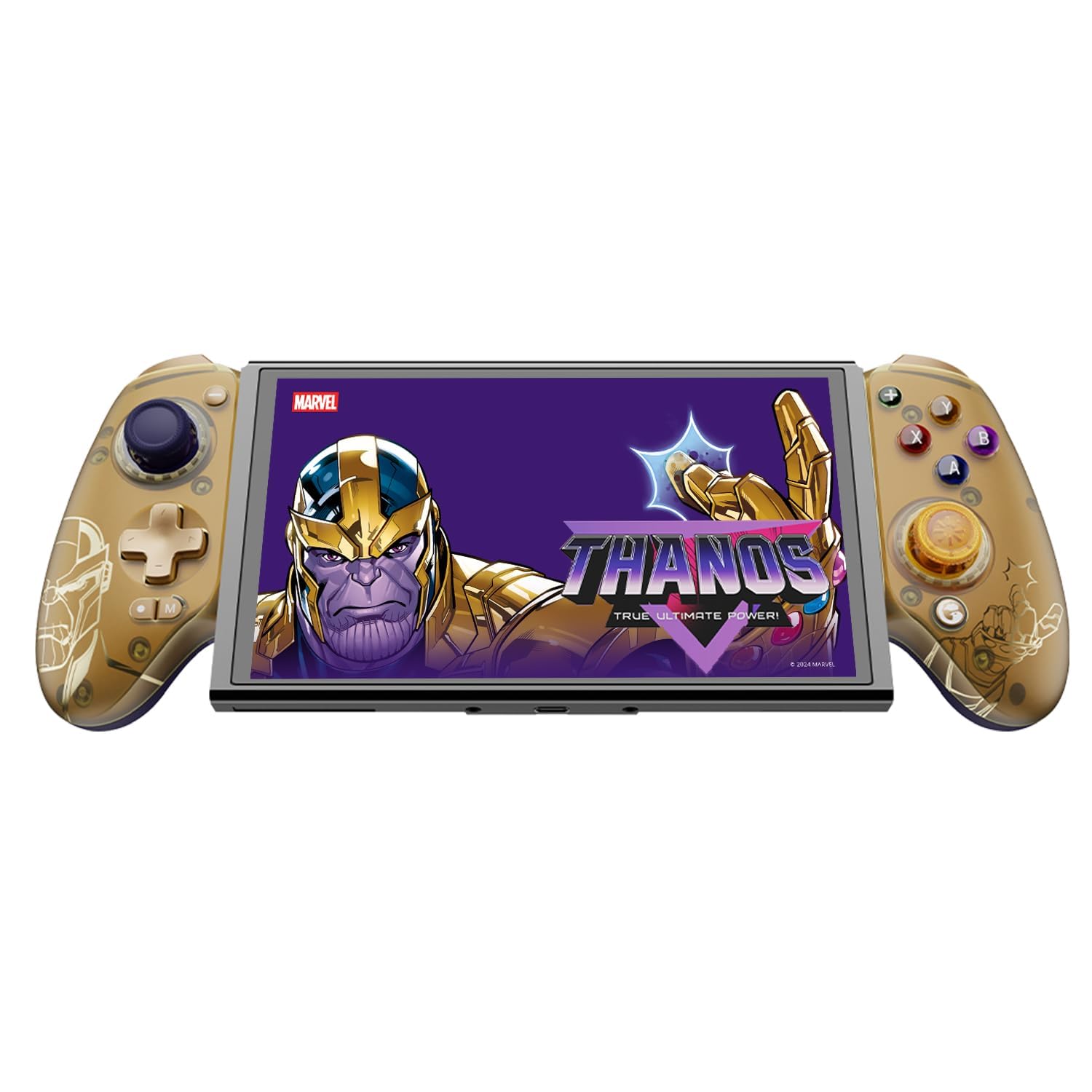
Figure 1: GameSir G8 Plus Thanos Edition Mobile Game Controller.
Cài đặt
Nội dung gói
Xác minh rằng tất cả các mục đều có trong gói hàng:
- GameSir G8 Plus Thanos Edition Mobile Game Controller
- Interchangeable Thumbstick Caps (3 pairs)
- Cáp USB-C
- Hướng dẫn sử dụng (tài liệu này)

Figure 2: Contents of the GameSir G8 Plus Thanos Edition package.
Khả năng tương thích của thiết bị
The GameSir G8 Plus is compatible with a wide range of devices:
- Android devices (Android 8.0 or later)
- Thiết bị iOS
- Máy Nintendo Switch
- Tablets (4.7 to 8.4 inches)
- PC (via 2.4G receiver, sold separately, or wired)

Figure 3: Universal compatibility of the GameSir G8 Plus.
Kết nối ban đầu
To connect your GameSir G8 Plus controller to a device:
- For Mobile Devices (Bluetooth): Extend the controller to fit your smartphone or tablet. Ensure Bluetooth is enabled on your device. Press and hold the pairing button on the controller until the indicator light flashes, then select "GameSir G8 Plus" from your device's Bluetooth settings.
- Đối với Nintendo Switch: Insert the Switch console into the controller. The controller should automatically connect.
- For PC (Wired): Kết nối bộ điều khiển với máy tính của bạn bằng cáp USB-C được cung cấp kèm theo.
- For PC (2.4G Wireless): Insert the 2.4G receiver (sold separately) into your PC's USB port. The controller should connect automatically.
Video 1: Kết thúcview of the Gamesir G8 Plus Bluetooth Marvel Licensed controller, demonstrating its design and features.
Hoạt động
Các tính năng chính và điều khiển
- Cần điều khiển hiệu ứng Hall: Experience precise 360° control with anti-drift technology, ensuring longevity and accuracy.
- Các yếu tố kích hoạt hiệu ứng Hall: Optimized triggers provide smooth and quick response, ideal for various game genres.
- Các nút quay lại có thể tùy chỉnh: Two additional back buttons (L4/R4) allow for instant button mapping, enhancing gameplay customization.
- Cảm biến chuyển động: A built-in 6-axis gyroscope enhances motion control, particularly useful for compatible Switch games and motion-sensitive gameplay.
- Phản hồi xúc giác: Console-level haptic feedback provides realistic and immersive sensations during gameplay.

Figure 4: Explanation of GameSir Hall Effect Sticks.

Hình 5: Chuyển đổi chế độ kích hoạt cho các loại trò chơi khác nhau.

Figure 6: Motion Control capabilities with built-in 6-axis gyro.

Figure 7: Realistic and immersive haptic sensation.
Tùy chỉnh
- Magnetic Faceplates: The controller features magnetic faceplates that can be easily removed and swapped for personalized aesthetics or maintenance.
- Interchangeable Thumbstick Caps: Three pairs of thumbstick caps with varying heights are included, allowing users to customize control feel.
- GameSir App: The GameSir app (Android exclusive) allows for real-time customization, including button mapping and sensitivity adjustments, for personalized gameplay.

Figure 8: Free customization options for the controller.

Figure 9: Advanced features of the GameSir G8 Plus.
Video 2: Introduction to the GameHub App, showcasing its features for game management and controller customization.
Chuyển đổi chế độ
The controller supports various modes for different platforms. To switch between modes, press the corresponding key combination:
| Cách thức | Trang chủ Chỉ số | Phương pháp kết nối | Nền tảng tương thích |
|---|---|---|---|
| Android | Màu xanh lá | Controller + A | Phiên bản Android 8.0 trở lên |
| DS4 | Màu xanh da trời | Controller + B | iOS |
| Công tắc | Màu đỏ | Controller + X | Công tắc |
| G-Touch | Màu lục lam | Controller + Y | Ứng dụng GameSir |
*Ở trạng thái làm việc, nhấn tổ hợp phím tương ứng để chuyển sang chế độ mong muốn.
BẢO TRÌ
Để đảm bảo độ bền và hiệu suất tối ưu cho bộ điều khiển GameSir G8 Plus, hãy làm theo các hướng dẫn bảo trì sau:
- Vệ sinh: Dùng vải mềm, khô để lau bề mặt bộ điều khiển. Đối với vết bẩn cứng đầu, lau nhẹampLau vải bằng nước hoặc dung dịch tẩy rửa nhẹ. Tránh sử dụng hóa chất mạnh hoặc vật liệu mài mòn.
- Kho: Bảo quản bộ điều khiển ở nơi khô ráo, thoáng mát, tránh ánh nắng trực tiếp và nhiệt độ quá cao hoặc quá thấp. Khi không sử dụng trong thời gian dài, hãy đảm bảo bộ điều khiển được sạc đầy trước khi cất giữ.
- Xử lý: Avoid dropping the controller or subjecting it to strong impacts. Do not attempt to disassemble the controller beyond removing the magnetic faceplates and thumbstick caps.
Xử lý sự cố
If you encounter issues with your GameSir G8 Plus controller, refer to the following common troubleshooting steps:
- Bộ điều khiển không kết nối: Ensure Bluetooth is enabled on your device and the controller is in the correct mode (Android, DS4, Switch). Try restarting both the controller and your device. For wired connections, ensure the USB-C cable is securely connected.
- Các nút bấm hoặc cần điều khiển không phản hồi: Check if the controller's battery is charged. If using the GameSir App, verify that button mappings are correctly configured. For Hall Effect Joysticks, recalibration might be necessary if drift occurs (refer to GameSir App for calibration options).
- Device Not Fitting: Ensure your device's dimensions are within the supported range of 4.7 to 8.4 inches. The controller's design accommodates devices with larger cameras.
- GameSir App Issues: Ensure your GameSir App is updated to the latest version. The app is currently exclusive to Android devices.
Để được hỗ trợ thêm, vui lòng liên hệ bộ phận hỗ trợ khách hàng của GameSir.
Thông số kỹ thuật
Detailed specifications for the GameSir G8 Plus Thanos Edition Mobile Game Controller:
| Tính năng | Chi tiết |
|---|---|
| Thiết bị tương thích | Android, iOS, Nintendo Switch, PC |
| Loại bộ điều khiển | Tay cầm chơi game |
| Công nghệ kết nối | Bluetooth 5.3, USB, 2.4G (receiver sold separately) |
| Các tính năng bổ sung | Multiuse, Wireless, Hall Effect Joysticks & Triggers, 6-axis Gyroscope, Mappable Back Buttons, Magnetic Faceplates, Interchangeable Thumbstick Caps, Pass-through Charging |
| Số lượng nút | 6 (standard face buttons) + D-pad, shoulder buttons, triggers, menu buttons, 2 back buttons |
| Nền tảng phần cứng | Smartphone, Tablet, Nintendo Switch, PC |
| Nguồn điện | Battery Powered (500mAh per side) |
| Trọng lượng sản phẩm | 620 gam |
| Tên mẫu | G8 Thêm |
| Nhà sản xuất | GameSir |
| Màu sắc | Gamesir G8 Plus Thanos Edition (Gold/Purple) |
Bảo hành và Hỗ trợ
Thông tin bảo hành
The GameSir G8 Plus Thanos Edition Mobile Game Controller comes with a Bảo hành 1 năm. GameSir provides 12 months replacement service for product issues.
Hỗ trợ khách hàng
If you experience any problems with your product or require further assistance, please feel free to send a message through Amazon. GameSir aims to reply within 24 hours.