
1. Giới thiệu
Cảm ơn bạn đã muaasing the AGPTEK A16 MP3 Player. This device is designed to provide a high-quality audio experience with its Bluetooth 5.3 connectivity and HIFI sound capabilities. It features a compact design, a built-in speaker, FM radio, voice recording, and expandable storage. This manual will guide you through the setup, operation, and maintenance of your new MP3 player.

Figure 1.1: AGPTEK A16 MP3 Player
2. Sản phẩm hếtview
2.1 Nội dung gói
- AGPTEK A16 MP3 Player
- Cáp sạc USB-C
- Tai nghe
- Băng tang
- Hướng dẫn sử dụng
2.2 Bố cục thiết bị
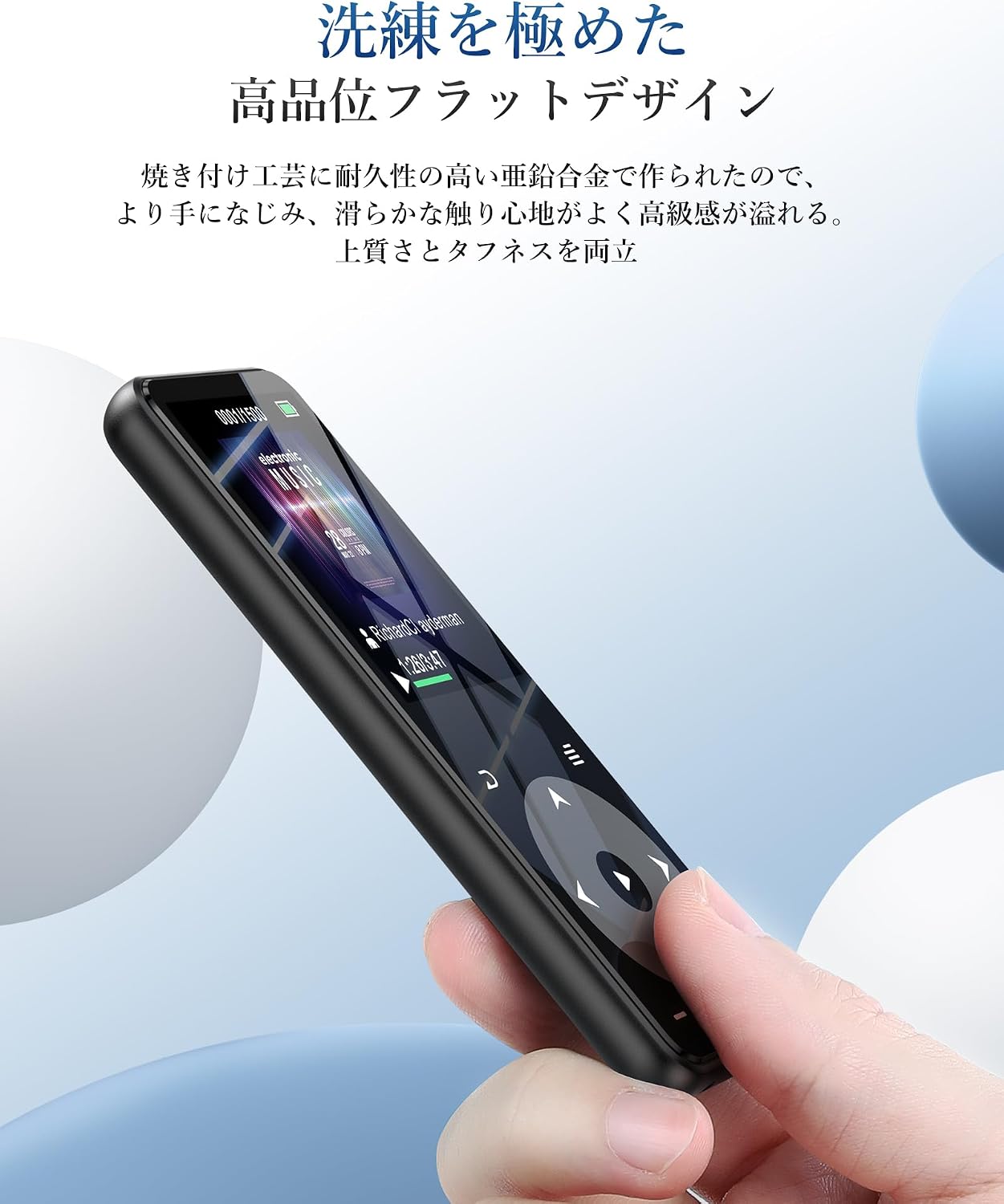
Familiarize yourself with the buttons and ports on your AGPTEK A16 MP3 Player.

Hình 2.1: Mặt trước view of the player showing the screen and touch controls.

Hình 2.2: Mặt bên view of the player, indicating physical buttons and ports.
- Nút nguồn: Press and hold to turn on/off. Short press to lock/unlock screen.
- Nút âm lượng (+/-): Điều chỉnh âm lượng.
- Điều khiển cảm ứng: Navigate menus, play/pause, skip tracks. These buttons illuminate for easy use.
- Cổng USB-C: Để sạc và truyền dữ liệu.
- Giắc cắm âm thanh 3.5 mm: For wired earphones or external speakers.
- Khe cắm thẻ nhớ MicroSD: Để lưu trữ có thể mở rộng.
- Loa tích hợp: For audio playback without external devices.
3. Thiết lập
3.1 Sạc thiết bị
Before first use, fully charge the MP3 player. Connect the provided USB-C cable to the player's USB-C port and the other end to a USB power adapter (not included) or a computer's USB port. The battery indicator on the screen will show charging status. A full charge typically takes approximately 2 hours.
Hình 3.1: Hiệu suất pin quaview. Up to 10 hours via Bluetooth, up to 40 hours with wired earphones, and approximately 2 hours for a full charge.
3.2 Chuyển nhạc và Files
Để chuyển files, connect the MP3 player to your computer using the USB-C cable. The player will appear as a removable disk. You can then drag and drop music files (MP3, WMA, APE, FLAC, WAV, DRM, ACELP, OGG, AAC-LC), videos (AMV), images (JPG, JPEG, BMP), and text files (TXT) into the appropriate folders on the device.
3.3 Lắp thẻ MicroSD
The device has 16GB of internal storage and supports MicroSD cards up to 128GB. To expand storage, gently insert a MicroSD card into the card slot until it clicks into place. Ensure the card is inserted in the correct orientation.
3.4 Kết nối các thiết bị Bluetooth
The A16 MP3 player features Bluetooth 5.3 for stable and fast wireless connections. To pair with Bluetooth headphones or speakers:
- Turn on the MP3 player and navigate to the Bluetooth menu.
- Enable Bluetooth on the player.
- Đặt tai nghe hoặc loa Bluetooth của bạn vào chế độ ghép nối.
- On the MP3 player, select 'Tìm kiếm devices' and choose your device from the list.
- Once paired, the device will connect automatically in the future.

Figure 3.2: The player supports Bluetooth 5.3 for connecting to wireless earphones, headphones, and speakers.
4. Hướng dẫn vận hành
4.1 Phát lại nhạc
From the main menu, select 'Music'. You can browse your music by artist, album, genre, or all songs. Use the touch controls to play, pause, skip tracks, and adjust volume. The player supports HIFI lossless sound quality for an immersive audio experience.

Figure 4.1: The player features HIFI ultra-high sound quality with a DSP chip for effective noise reduction.
4.2 Đài FM
To use the FM radio function, connect wired earphones to the 3.5mm audio jack; they act as the antenna. Navigate to the 'FM Radio' option from the main menu. You can perform an automatic search for stations or manually tune to frequencies between 76.0-108MHz.

Figure 4.2: The player's FM radio function, requiring wired earphones as an antenna.
4.3 Ghi âm giọng nói
The A16 MP3 player includes a voice recording function. Select 'Recorder' from the main menu to start, pause, and save recordings. You can also connect external audio sources like a smartphone or CD player via a line-in cable (sold separately) for direct recording.

Figure 4.3: The player's voice recording feature, including direct recording from external devices.
4.4 nút khóa
To prevent accidental operations during use, especially when carrying the player, short press the power button to lock the screen and controls. Repeat the action to unlock.
4.5 Các chức năng khác
The AGPTEK A16 also offers additional features:
- Pedometer: Track your steps during exercise.
- Sách điện tử: Đọc văn bản filetrên thiết bị.
- Xem lại video: View AMV format videos.
- Loa tích hợp: Enjoy music without earphones.

Figure 4.4: The player's built-in speaker allows for cable-free audio playback.
5. Bảo trì
5.1 Vệ sinh
Lau thiết bị bằng vải mềm, khô. Không sử dụng chất tẩy rửa dạng lỏng hoặc vật liệu mài mòn, vì chúng có thể làm hỏng màn hình hoặc linh kiện.asing.
5.2 Chăm sóc pin
Để kéo dài tuổi thọ pin, tránh xả hết pin thường xuyên. Sạc thiết bị thường xuyên, ngay cả khi không sử dụng trong thời gian dài. Bảo quản thiết bị ở nơi khô ráo, thoáng mát.
KHAI THÁC. Xử lý sự cố
- Thiết bị không bật: Ensure the battery is charged. Connect to a power source and try again. If unresponsive, try holding the power button for 10-15 seconds for a hard reset.
- Không thể kết nối qua Bluetooth: Ensure both the MP3 player and the Bluetooth device are in pairing mode and within range. Check if other Bluetooth devices are interfering. Try unpairing and re-pairing the devices.
- Không có âm thanh: Check the volume level. Ensure earphones are properly connected or Bluetooth device is paired and connected. If using FM radio, ensure wired earphones are plugged in as an antenna.
- Files không xuất hiện: Đảm bảo files are in supported formats (MP3, WMA, etc.) and transferred to the correct folders. Disconnect and reconnect the player to your computer.
- Màn hình không phản hồi: If the screen is locked, short press the power button to unlock. If still unresponsive, perform a hard reset by holding the power button.
7. Thông số kỹ thuật
| Tính năng | Đặc điểm kỹ thuật |
|---|---|
| Thương hiệu | TUỔI |
| Số hiệu mẫu | A16 |
| Dung lượng lưu trữ bộ nhớ | 16 GB (expandable up to 128 GB via microSD card) |
| Công nghệ kết nối | Bluetooth 5.3 |
| Kích thước màn hình | 1.8 Inches (TFT Display) |
| Các loại phương tiện được hỗ trợ | thẻ nhớ microSD |
| Định dạng âm thanh được hỗ trợ | MP3, WMA, APE, FLAC, WAV, DRM, ACELP, OGG, AAC-LC |
| Định dạng video được hỗ trợ | AMV |
| Các định dạng hình ảnh được hỗ trợ | JPG, JPEG, BMP |
| Các định dạng văn bản được hỗ trợ | TXT |
| Thời lượng pin (khi phát nhạc) | Up to 40 hours (wired earphones), Up to 10 hours (Bluetooth) |
| Thời gian sạc | Xấp xỉ 2 giờ |
| Màu sắc | Đen |
| Tính năng đặc biệt | Bluetooth, HIFI Sound, Voice Recorder, FM Radio, Built-in Speaker, Pedometer, E-book, Lock Button |
8. Bảo hành và Hỗ trợ
8.1 Thông tin bảo hành
This AGPTEK A16 MP3 Player comes with a 180-day warranty from the date of purchase. This warranty covers manufacturing defects. Please retain your proof of purchase for warranty claims. The warranty does not cover damage caused by misuse, accidents, unauthorized repairs, or normal wear and tear.
8.2 Hỗ trợ khách hàng
For technical assistance, troubleshooting, or warranty inquiries, please contact AGPTEK customer support through the retailer where you purchased the product or visit the official AGPTEK webtrang web để biết thông tin liên hệ.