
1. Giới thiệu
Cảm ơn bạn đã muaasing the Max Power MPD437 Ultra PRO M2 Portable Bluetooth Speaker. This speaker is designed to provide high-quality audio in various environments, featuring water resistance and dust-proof capabilities for outdoor use. Please read this manual carefully before using the product to ensure proper operation and to maximize its lifespan.
Thông tin an toàn
- Không để loa tiếp xúc với nhiệt độ quá cao hoặc ánh nắng trực tiếp trong thời gian dài.
- Tránh làm rơi hoặc va đập mạnh vào loa.
- Không được tháo rời hoặc sửa đổi loa. Việc này sẽ làm mất hiệu lực bảo hành.
- Để loa tránh xa các thiết bị y tế.
- Chỉ sử dụng cáp sạc được cung cấp.
2. Nội dung gói hàng
Đảm bảo tất cả các mục đều có trong gói hàng:
- Max Power MPD437 Ultra PRO M2 Portable Bluetooth Speaker
- Cáp nguồn
- Cáp AUX
- Hướng dẫn sử dụng (tài liệu này)
3. Sản phẩm hếtview
Familiarize yourself with the components of your Max Power MPD437 Ultra PRO M2 speaker.
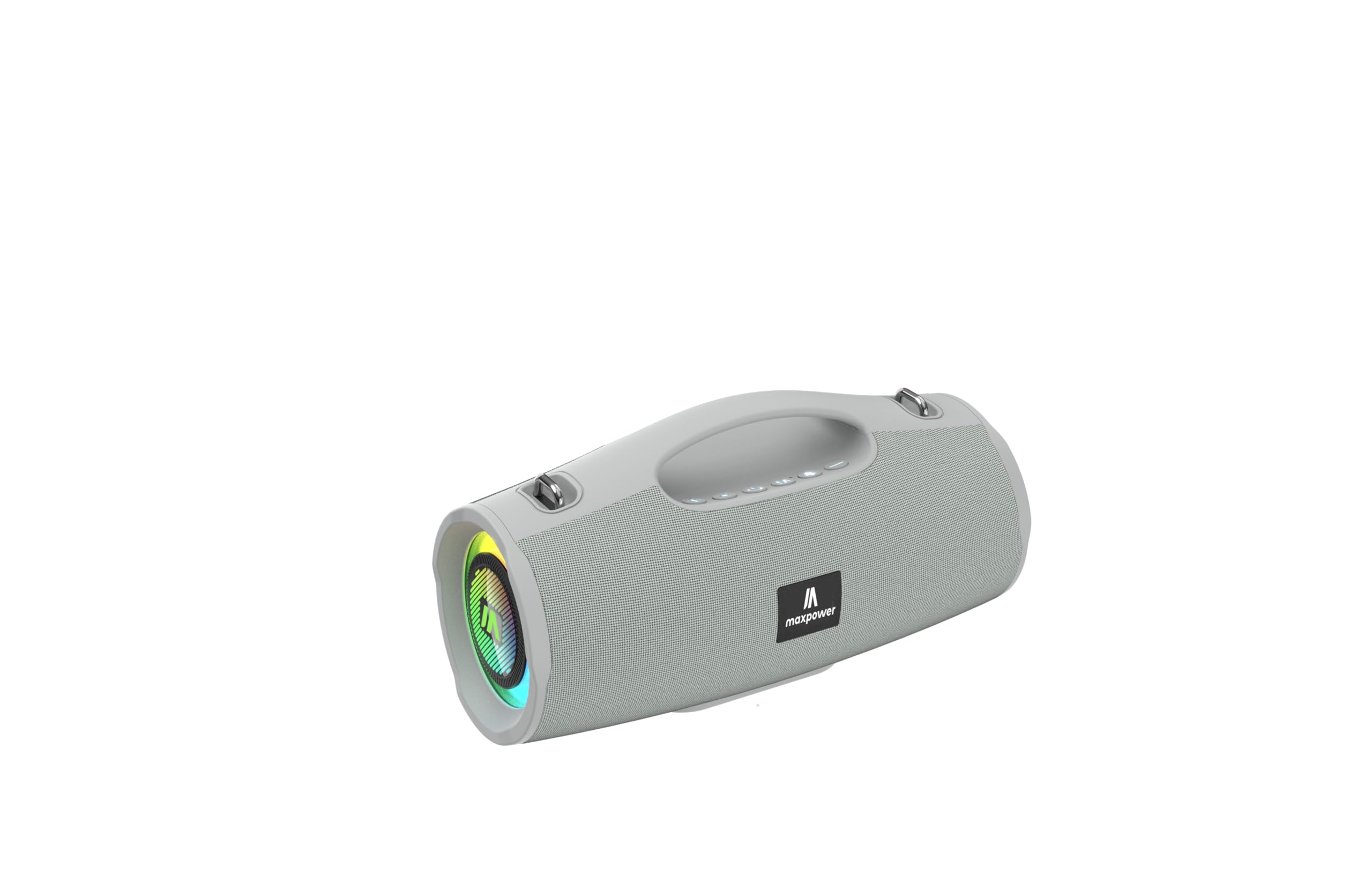
This image displays the Max Power MPD437 Ultra PRO M2 speaker. It features a robust grey casing, an integrated carrying handle at the top, and a series of control buttons. One end of the speaker is equipped with an LED light ring, indicating its operational status and adding visual effects.
Các thành phần chính:
- Tay cầm tích hợp: Để dễ dàng di chuyển.
- Các nút điều khiển: For power, volume, playback, and mode selection.
- Lưới tản nhiệt của loa: Protects the speaker drivers.
- Vòng đèn LED: Provides visual effects and indicates status.
- Cổng sạc: Để kết nối cáp nguồn.
- Đầu vào AUX: Dùng để kết nối âm thanh có dây.
4. Thiết lập
4.1 Sạc loa
- Connect the provided Power Cable to the charging port on the speaker.
- Plug the other end of the Power Cable into a suitable power source.
- Đèn LED sẽ hiển thị trạng thái sạc. Sạc đầy mất khoảng 3 giờ.
- Disconnect the charging cable once fully charged.
4.2 Ghép nối Bluetooth
- Press and hold the Power button to turn on the speaker. The speaker will enter Bluetooth pairing mode, indicated by a flashing LED light.
- Trên thiết bị của bạn (điện thoại thông minh, máy tính bảng, máy tính xách tay), hãy bật Bluetooth và tìm kiếm các thiết bị khả dụng.
- Select "MPD437 Ultra PRO M2" from the list of devices.
- Sau khi ghép nối thành công, loa sẽ phát ra âm thanh xác nhận và đèn LED sẽ ngừng nhấp nháy.
- Loa sẽ tự động kết nối lại với thiết bị được ghép nối gần nhất khi bật nguồn.
4.3 Kết nối AUX
- Connect one end of the provided AUX Cable to the AUX input port on the speaker.
- Connect the other end of the AUX Cable to the audio output jack of your device.
- Loa sẽ tự động chuyển sang chế độ AUX.
5. Hướng dẫn vận hành
5.1 Bật/Tắt nguồn
- Bật nguồn: Nhấn và giữ nút Nguồn trong 2-3 giây.
- Tắt nguồn: Nhấn và giữ nút Nguồn trong 2-3 giây.
5.2 Điều khiển âm lượng
- Tăng khối lượng: Nhấn nút '+'.
- Giảm âm lượng: Nhấn nút '-'.
5.3 Playback Control (Bluetooth/AUX Mode)
- Phát/Tạm dừng: Nhấn nút Phát / Tạm dừng.
- Bài hát tiếp theo: Nhấn và giữ nút '+'.
- Bản nhạc trước: Nhấn và giữ nút '-'.
5.4 Lựa chọn chế độ
Press the 'M' (Mode) button to switch between Bluetooth, AUX, and FM Radio modes.
Hoạt động của đài phát thanh FM 5.5
- Chuyển sang chế độ Radio FM bằng nút 'M'.
- Nhấn nút Phát/Tạm dừng để tự động quét và lưu các đài FM có sẵn.
- Sử dụng các nút '+' và '-' để điều hướng giữa các đài đã lưu.
5.6 chế độ ánh sáng LED
The speaker features vibrant LED lights. Press the dedicated LED button (if available, or a long press on a specific button) to cycle through different light modes or turn them off.
6. Bảo trì
6.1 Vệ sinh
- Lau loa bằng mềm, damp vải.
- Không sử dụng chất tẩy rửa có tính mài mòn, cồn hoặc dung môi hóa học.
- Đảm bảo tất cả các cổng đều khô trước khi sạc hoặc kết nối cáp.
6.2 Lưu trữ
- Bảo quản loa ở nơi khô ráo, thoáng mát, tránh ánh nắng trực tiếp.
- Nếu lưu trữ trong thời gian dài, hãy sạc pin đến khoảng 50% sau mỗi vài tháng để duy trì tuổi thọ của pin.
KHAI THÁC. Xử lý sự cố
| Vấn đề | Nguyên nhân có thể | Giải pháp |
|---|---|---|
| Loa không bật được. | Pin đã hết. | Sạc loa bằng cáp nguồn đi kèm. |
| Không có âm thanh từ loa. | Volume is too low or muted. Device not paired correctly. AUX cable not fully inserted. | Increase volume on both speaker and connected device. Re-pair Bluetooth. Ensure AUX cable is securely connected. |
| Không thể ghép nối qua Bluetooth. | Loa không ở chế độ ghép nối. Bluetooth của thiết bị đã tắt. Loa quá xa thiết bị. | Ensure speaker is in pairing mode (flashing LED). Turn on Bluetooth on your device. Move speaker closer to your device (within 35 feet). |
| Thu sóng radio FM kém. | Tín hiệu yếu ở vị trí hiện tại. | Di chuyển loa đến vị trí có tín hiệu tốt hơn. |
8. Thông số kỹ thuật
| Tên mẫu | Ultra Pro M2 |
| Số hiệu mẫu sản phẩm | MPD437 |
| Thương hiệu | Công suất tối đa |
| Loại loa | Loa di động |
| Công nghệ kết nối | Bluetooth, phụ trợ |
| Công nghệ truyền thông không dây | Bluetooth |
| Phạm vi Bluetooth | 35 feet |
| Tính năng đặc biệt | Dustproof, FM Radio, LED Light, Water Resistant |
| Mức độ chống nước | Chống nước |
| Nguồn điện | Pin chạy bằng |
| Dung lượng pin | 3000 triệuamp Giờ |
| Thời gian sạc | 3 giờ |
| Chế độ đầu ra âm thanh | Âm thanh nổi |
| Signal-to-Noise Ratio | 85 dB |
| Phương pháp kiểm soát | Chạm |
| Kích thước sản phẩm | 4.5"D x 5"W x 9.9"H |
| Trọng lượng sản phẩm | 2.65 Bảng Anh |
| Các thành phần bao gồm | AUX Cable, Power Cable |
| Mã số UPC | 785571466584 |
| GTIN | 785571466584 |
9. Bảo hành và Hỗ trợ
9.1 Bảo hành có giới hạn
The Max Power MPD437 Ultra PRO M2 Portable Bluetooth Speaker comes with a limited warranty. Please refer to the warranty card included in your package or contact Max Power customer support for detailed warranty terms and conditions.
9.2 Hỗ trợ khách hàng
For technical assistance, troubleshooting, or warranty inquiries, please contact Max Power customer support. Contact information can typically be found on the product packaging or the official Max Power webđịa điểm.