
Giới thiệu
The LEVOIT Sprout Evaporative Humidifier is designed to provide a balanced and comfortable environment, especially for nurseries and bedrooms. Utilizing advanced evaporative technology, it adds mist-free moisture to the air, effectively reducing white dust residue and minimizing mold growth. This humidifier features dual air and water filters for 99% air filtration efficiency, ensuring cleaner humidity. A separate humidity sensor allows for precise monitoring of the environment where it matters most, such as near a baby's crib. With smart control capabilities via the VeSync app and compatibility with voice assistants like Alexa, managing your humidifier is convenient and efficient. The device also includes an adjustable, blue light-free night light for a peaceful sleep environment and an auto-drying function to maintain filter hygiene.

Image: The LEVOIT Sprout Evaporative Humidifier positioned next to a baby's crib, demonstrating its use in a nursery setting. An external humidity sensor is visible, providing real-time environmental readings.
Cài đặt
1. Mở hộp và chuẩn bị ban đầu
- Cẩn thận lấy máy tạo độ ẩm và tất cả phụ kiện ra khỏi bao bì.
- Remove any plastic packaging from the humidifier unit and the filters.
- Place the humidifier on a stable, flat surface, at least 12 inches away from walls.
2. Lắp đặt bộ lọc
The humidifier comes with a pre-installed air filter and a wick filter. Ensure all plastic packaging is removed from these filters before first use.
Video: LEVOIT Sprout Humidifier User Guide Video. This video provides a comprehensive guide to setting up and using your humidifier, including filter preparation.
3. Đổ đầy nước vào bình chứa
- Remove the top lid of the water tank.
- Fill the tank with tap water. Do not exceed the 'MAX' line indicated on the tank.
- Đậy nắp lại một cách an toàn.
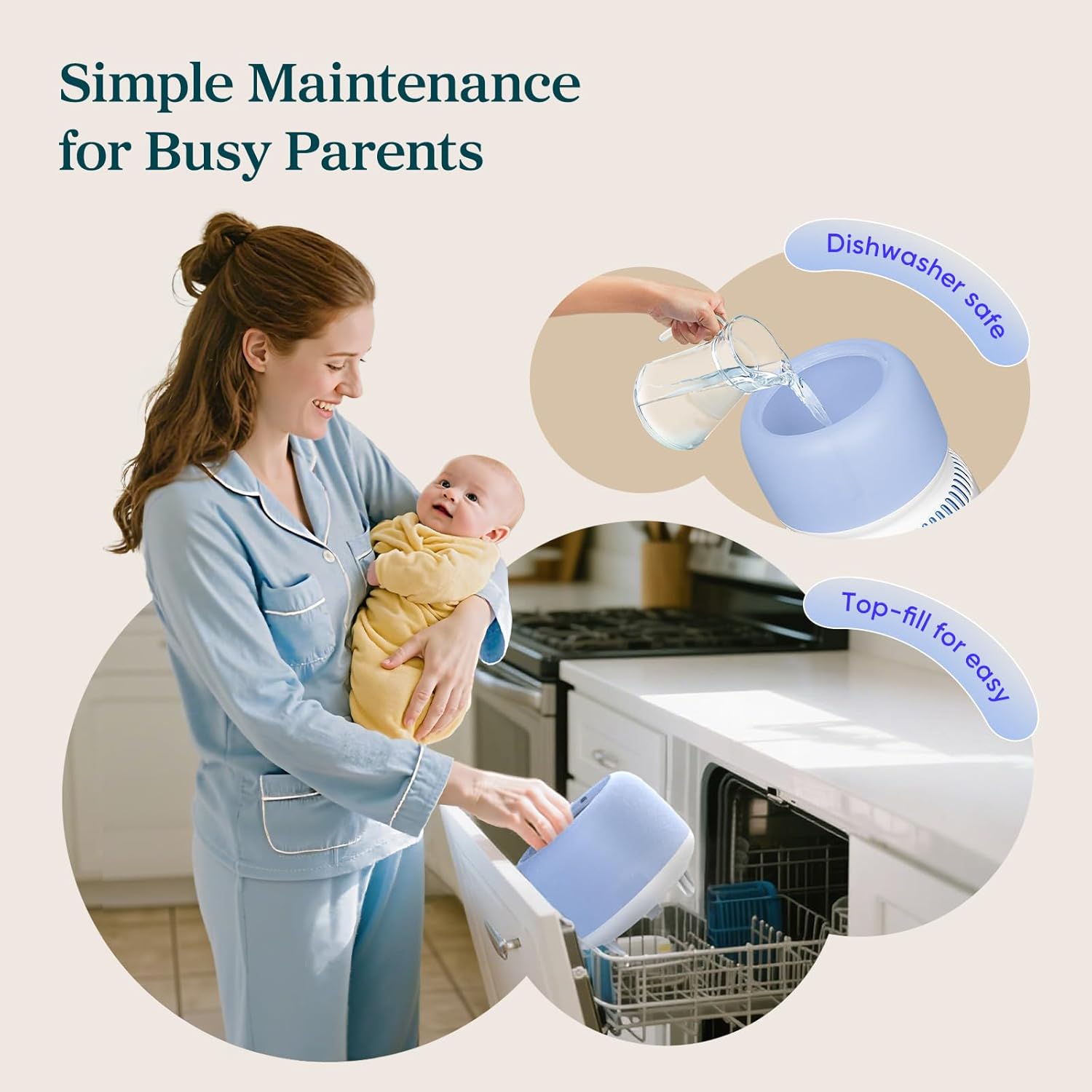
Image: A person refilling the humidifier's water tank from the top, highlighting the easy top-fill design.
4. Connecting the Humidity Sensor
- Remove the insulation film from the battery compartment of the separate humidity sensor.
- The sensor will automatically connect to the humidifier within 2 seconds. The connection icon on the humidifier will flash and then stay on.
- Place the sensor near your baby's crib or in the area where you want to monitor humidity most accurately.
Image: The external humidity sensor showing real-time humidity and temperature readings, positioned to monitor the baby's immediate environment.
5. VeSync App and Voice Assistant Connection
- Download the VeSync app from your smartphone's app store.
- Tạo tài khoản hoặc đăng nhập.
- Follow the in-app instructions to add your LEVOIT Sprout Humidifier. Ensure your phone's Bluetooth is on and you are connected to a 2.4GHz Wi-Fi network.
- To connect to Amazon Alexa or Google Assistant, navigate to 'Third-Party Services' in the VeSync app and follow the prompts to link your account.
Vận hành Máy tạo ẩm
1. Chức năng của bảng điều khiển
- Nút Bật/Tắt: Tap to cycle between On, Dry Mode, or Off. Hold for 5 seconds to pair with the VeSync app.
- Nút tốc độ quạt: Tap repeatedly to cycle through Low, High, and Auto modes. During Dry Mode, options are Low, High, and Turbo.
- Baby Sleep Mode Button: Tap once for indicator lights off and low fan speed. Hold for 3 seconds for indicator lights off only.
- Nút khóa trẻ em: Nhấn và giữ trong 3 giây để bật/tắt.
- Nút đèn ngủ: Tap to turn the night light on/off. Hold for 3 seconds to reset the filter.
2. Smart Control via VeSync App
The VeSync app provides enhanced control and monitoring features:
- Độ ẩm mục tiêu: Set your desired humidity level (40-60% RH is ideal). The humidifier will automatically adjust to maintain this level.
- Kiểm soát ánh sáng: Adjust night light brightness and color temperature (2000K to 3500K) for a customized ambiance.
- Theo dõi tuổi thọ bộ lọc: Monitor the remaining lifespan of your wick and HEPA filters.
- Lên lịch: Set schedules for the humidifier to turn on/off automatically.
- Chế độ khô: Activate the auto-drying function to dry the wick filter after use, helping to prevent mold growth.
Video: LEVOIT Sprout Humidifier User Guide Video. This video demonstrates the various button functions and app controls for the humidifier.
BẢO TRÌ
Việc vệ sinh định kỳ và thay thế bộ lọc là rất quan trọng để đảm bảo hiệu suất tối ưu và vệ sinh.
1. Vệ sinh bình chứa nước
- Tắt và rút phích cắm của máy tạo độ ẩm.
- Tháo ngăn chứa nước và đổ hết nước còn lại.
- Fill the tank with 3 cups of distilled white vinegar and swirl it around. Let it soak for 15-20 minutes to loosen mineral buildup.
- Pour out the vinegar and use a soft cloth or cleaning brush to gently remove any remaining buildup.
- Rinse the tank thoroughly until it no longer smells of vinegar.
2. Cleaning the Wick Filter and Floats
- Detach the wick cover, wick filter, and floats from the humidifier base.
- Soak the floats, wick cover, and wick frame in a solution of 50% water and 50% distilled white vinegar for 15-20 minutes.
- Rinse all parts thoroughly until they no longer smell of vinegar.
- Đảm bảo tất cả các bộ phận đều khô hoàn toàn trước khi lắp lại.
Video: LEVOIT Sprout Humidifier: How to clean the Wick. This video demonstrates the proper steps for cleaning the wick filter.
3. Thay thế bộ lọc
- The filters typically last for more than 3 months under normal use.
- Track filter usage progress through the VeSync app.
- To purchase replacement filters, search for "LEVOIT Sprout Filter".
Video: LEVOIT Sprout Humidifier: Product Setup & Cleaning Guide. This video covers both initial setup and detailed cleaning procedures for the humidifier components.
Xử lý sự cố
- Đèn cảm biến: The sensor light remains off during normal operation. It briefly turns on for a few seconds when you touch the button to indicate status.
- Humidifier Effectiveness: Effectiveness may be limited in reaching another floor or a separate room. For best results, place the unit in the specific room where humidification is needed.
- Thời gian chạy: Arid environments or higher temperatures may reduce overall runtime. Runtime performance may also vary depending on the selected mist level (e.g., Sleep Mist Level: Up to 39H, Min Mist Level: Up to 27H, Max Mist Level: Up to 12H).
- Ứng dụng bị ngắt kết nối: If the VeSync app occasionally disconnects, try restarting the app or checking your Wi-Fi connection. Ensure the humidifier's firmware is up to date.
- Không có khả năng phun sương: If the unit is running but no mist is coming out, check the water level. If the tank is full, ensure the wick filter is properly installed and wet.
- Cập nhật chương trình cơ sở: To ensure the best user experience, we recommend upgrading to the latest firmware as soon as the device is connected to Wi-Fi.
Thông số kỹ thuật
| Tính năng | Chi tiết |
|---|---|
| Thương hiệu | LÊN |
| Tên mẫu | Máy tạo độ ẩm bay hơi Sprout |
| Số hiệu mẫu | LEH-B381S-WUS |
| Màu sắc | Trắng |
| Chế độ hoạt động | Bay hơi |
| Dung tích | 3.8 lít |
| Diện tích sàn | 219 feet vuông |
| Kích thước sản phẩm | 9.33"D x 9.33"W x 14.88"H |
| Trọng lượng sản phẩm | 6.02 Bảng Anh |
| Tậptage | 100 Vôn (AC) |
| Cái gì?tage | 19 watt |
| Tính năng đặc biệt | Adjustable Humidity Control, Dual Air and Water Filters, Evaporative humidifier, Smart Control, Timer |
| Các thành phần bao gồm | 1 x Air Filter (Pre-Installed), 1 x Humidity Sensor, 1 x Smart Evaporative Humidifier, Power Adapter, Wick Filter |
Bảo hành và Hỗ trợ
For warranty information or technical support, please refer to the warranty card included in your product packaging or visit the official LEVOIT website. You can also find replacement filters by searching for "LEVOIT Sprout Filter".